The argument for cloud development environments is strong and mostly correct. A new engineer opens a link and has a working environment with no setup. Everyone runs the same thing, so a class of machine-specific failure disappears. A build that saturates a laptop runs on a machine sized for it. Source code never sits on a device that can be left in a taxi. Environments are disposable, so a broken one is discarded rather than debugged.
Every one of those is real. What the argument leaves out is that you are inserting a network between an engineer’s fingers and their tools, and that decision is felt on every single keystroke for the entire working day.
This is why adoption of this category is so bimodal. Organisations that adopt it for security or scale reasons keep it, because the alternative is worse for them. Organisations that adopt it for convenience frequently find that engineers drift back to local checkouts within a couple of months, and the retrospective blames the product rather than the model.
Four things decide which of those you get: how long an environment takes to be usable, what the meter actually charges for, how much latency your work tolerates, and what happens when the connection is not there. The last one has no good answer and most comparisons pretend otherwise.
Key takeaways
- Spin-up time is dominated by dependency installation and image pull, not by the platform scheduling a container. Prebuilds are the whole game, and a broken prebuild silently returns you to cold starts.
- Cost per developer-month is a shape, not a number. Compute metered by the hour plus persistent storage plus a seat fee, and the variable that moves it most is whether idle environments suspend.
- Latency tolerance is per-workflow, not per-person. Typing and navigation are unforgiving; builds, tests and log tailing do not care at all.
- Offline work is genuinely unsolved. Every product either has no answer or has an answer that amounts to using a local environment instead, and you should plan for that rather than hope.
What a cloud development environment actually replaces
It replaces three separate things, and teams usually want one of them while paying for all three.
The setup. The environment is defined in the repository and constructed by the platform, so a new engineer skips the fresh-machine problem entirely. This is the benefit with the clearest payback and it is largest exactly once per engineer per project.
The machine. The workspace runs on hardware you choose rather than hardware someone was issued. For a large compilation, a big test suite, or anything that wants more memory than a laptop has, this is transformative and it is the reason large monorepo organisations adopt the model regardless of the other arguments.
The security boundary. Source code, credentials and production-adjacent data live in infrastructure you control rather than on endpoints you do not. For regulated organisations and for teams working with contractors, this is not a convenience argument at all, it is the requirement, and it is why this category exists in enterprises that otherwise dislike it.
What it does not replace is the editor. Every serious product in the category connects a local editor over a remote connection, because browser editing loses to a native editor for anyone who has strong muscle memory. Evaluate the local-editor path, not the browser demo, because that is what your engineers will actually use.
Spin-up time and what actually consumes it
The number that matters is wall clock from clicking a link to running the test suite successfully, not to a terminal prompt appearing. Those are different numbers and vendors quote the second one.
Image pull. The base image has to reach the machine. A large image on a cold node dominates everything else, and the fix is the same as in production: smaller layered images, and a registry close to the compute.
Dependency installation. For most projects this is the largest component, and it is entirely yours. A package install that takes minutes takes those minutes every time unless something caches or pre-bakes it.
Prebuilds. This is the mechanism that makes the category viable. The platform periodically runs the expensive setup steps against the default branch and stores the result, so an engineer’s workspace starts from a warmed snapshot rather than from scratch. When prebuilds work, spin-up is short. When a prebuild breaks, and it breaks silently because nobody is watching a background job, every engineer quietly falls back to a cold start and concludes the product got slower.
Monitor prebuild success explicitly. It is the single highest-value alert in a cloud development environment deployment and almost nobody configures it.
Stateful dependencies. A workspace that needs a database, a broker and a cache has to start them, migrate them and seed them. This is the same problem as local development and it is not solved by moving to the cloud. If your seeding takes a long time, your spin-up takes a long time.
Resume versus create. Creating a new workspace and resuming a suspended one are different operations with different costs. The workflow that matters day to day is resume, because most engineers keep a workspace per branch and come back to it. A product with fast create and slow resume will feel slow in practice, which is the opposite of how it demos.
Needs first-hand data: Record four timestamps per workspace for a fortnight: request, container running, dependencies ready, test suite green. Do it separately for cold create, prebuild-backed create and resume-from-suspended. Publish the distribution rather than the median, because the tail is what drives people back to local checkouts, and no vendor number is comparable to your own repository.
Cost per developer-month, as a shape
You cannot compute this in advance and any vendor calculator that claims to is guessing at the only variable that matters. What you can do is understand the shape, and then measure your own.
The meter has three or four components in almost every product:
Compute time. Billed per hour of running workspace, scaled by machine size. This is the dominant term and it is proportional to how long workspaces are left running rather than how much work is done in them.
Persistent storage. Billed per gigabyte-month for workspaces that survive suspension. Small per workspace, meaningful across an organisation, and it accumulates for every abandoned workspace nobody deleted.
A seat or platform fee. Fixed per developer per month in most products, independent of usage. In self-hosted products this becomes a licence plus the underlying cloud bill, and the underlying cloud bill is usually the larger half despite being the one nobody forecasts.
Egress and networking. Usually small, occasionally not, particularly if builds pull large artefacts repeatedly.
The variables that actually move the total, in order:
Whether idle workspaces suspend automatically, and how aggressively. An engineer who leaves a workspace running overnight and over a weekend can consume several times the compute of the same engineer with a short idle timeout. This single setting moves the bill more than machine size does.
Machine size, defaulted upward. Teams pick a generous default because a slow environment is a support ticket, and then every engineer pays for the largest build they occasionally run, all day, every day.
Workspace count per engineer. One per branch is a common and reasonable habit, and it multiplies storage and, without suspension, compute.
Abandoned workspaces. The same leakage problem as ephemeral environments generally. Without a time-to-live sweeper, the count only goes up, and storage is charged whether or not anything is running.
The honest comparison against the alternative is not “cloud environment versus free”. It is the cloud bill against the amortised cost of the hardware you would otherwise buy, plus the engineering hours lost to local setup and machine-specific failures. That comparison often favours the cloud for large builds and rarely favours it for a small application that runs comfortably on a laptop.
Needs first-hand data: Run a one-month pilot with a representative team and export the actual meter: compute hours by machine size, storage by workspace, and count of workspaces older than a fortnight. Divide by engineers. Then repeat with a short idle timeout enforced and compare. The difference between those two numbers is the only cost optimisation in this category that matters.
Latency tolerance, and the offline problem
Latency is per-workflow, not per-person. Breaking it down makes the adoption question answerable instead of a matter of taste.
Character echo while typing is the unforgiving one. It is the interaction happening thousands of times a day, and the threshold at which it stops feeling like a local editor is low. This is why every product supports connecting a local editor: the editing happens locally, and only file operations and language server traffic cross the network.
Code navigation, search and completion sit in the middle. They are request-response, they happen constantly, and added round trips are noticeable but tolerable.
Builds, test runs, log tailing and container operations are effectively latency-insensitive, and this is where the remote machine wins outright, because a build running on a machine that is four times larger beats a local build by more than the network costs.
The practical consequence is geography. Workspaces must run in a region near the engineers using them, and a distributed team needs multiple regions. A team in one continent working on workspaces provisioned in another will reject the tool and will not be able to articulate why beyond it feeling wrong.
Offline work is unsolved. This is the part to be honest about because it is the most common reason adoption fails after the pilot.
There is no cloud development environment that works without a network. The workarounds offered are real but limited: keep a local checkout for reading and small edits, use the devcontainer definition to run the same environment locally when disconnected, or rely on a mobile connection. All of these amount to maintaining a local environment as well, which removes a good part of the original justification.
The honest position is that this model suits engineers with reliable connectivity at a desk, and it penalises commuting, travel, conferences and unreliable home connections. If a meaningful part of your team works in those conditions, either accept that they keep a local setup, or do not adopt the model for them. Planning for it up front is fine. Discovering it during a rollout is what makes rollouts fail.
GitHub Codespaces
Codespaces runs devcontainer-defined workspaces directly from the code hosting platform, reachable from the repository page, the browser or a local editor. Its advantage is integration: permissions, billing and access follow the platform relationship you already have, so there is no additional system to provision, purchase or secure.
Pros
- Nothing extra to provision or approve, because workspace access follows repository access exactly
- Standard devcontainer definitions, so the environment configuration stays portable rather than becoming vendor-specific
- Prebuilds configured per repository and rebuilt as the default branch moves, which keeps create time short without manual work
- Connects from a local editor as well as the browser, which removes the main objection from engineers with strong editor habits
Cons
- Only useful if your code is on the platform, so a mixed hosting estate loses the integration that is the main argument
- Usage-based billing means forgotten workspaces cost money quietly, and default timeout settings are generous
- Machine sizes and regional placement are bounded by what the platform offers, with limited tuning available
- No offline story at all, and connection quality entirely determines whether the experience is acceptable
Best for: Teams already on GitHub who want cloud environments with no new vendor, no new access request and no separate security review.
Pricing: Metered on compute hours by machine size plus persistent storage per gigabyte-month, with an included monthly allowance on paid platform plans and organisation-level spending controls.
Gitpod
Gitpod built the category’s ephemeral-workspace model: environments are created from a repository definition, treated as disposable, and prebuilt in advance so the expensive setup has already happened before anyone opens one. It works across multiple version control hosts, which matters for organisations that are not consolidated on one, and it offers self-hosted and dedicated deployments for teams that need workspaces inside their own boundary.
Pros
- Prebuilds are a mature, central part of the product rather than an add-on, which is the mechanism that determines whether spin-up is acceptable
- Works across several version control providers, so it fits an estate that is not consolidated on a single host
- Ephemeral-by-default philosophy discourages the pet-workspace habit that quietly drives storage cost and configuration drift
- Dedicated and self-managed deployment options put workspaces inside your own cloud account when policy requires it
Cons
- The ephemeral model fights engineers who want a long-lived workspace with their own customisations, and that friction shows up as complaints
- Prebuild configuration is a maintained artefact, and a silently failing prebuild degrades everyone’s experience with no obvious cause
- Another vendor relationship and another security review, unlike the platform-integrated alternative
- The offline and latency constraints of the category apply in full
Best for: Teams that want a mature ephemeral workspace model across mixed version control hosts, with a path to running it inside their own infrastructure later.
Pricing: Free tier with a monthly usage allowance, then per-user subscription metered on workspace runtime, with dedicated and self-managed options priced separately.
Coder

Coder is the self-hosted option: a control plane you run in your own infrastructure that provisions workspaces as real infrastructure defined by infrastructure-as-code templates. Workspaces can be containers, virtual machines or whatever your templates describe, inside your network, reaching your internal services. It is aimed squarely at organisations for whom source code leaving the boundary is not negotiable.
Pros
- Everything runs in your own infrastructure, so code, credentials and internal network access never leave your control
- Workspaces are provisioned by infrastructure-as-code templates, so they can be shaped exactly like your production environment rather than like a vendor container
- Central control over machine shapes, images, regions, quotas and lifecycle policy, which is the governance point hosted products cannot provide
- Supports connecting from local editors and terminals, so the developer experience is not constrained to a browser
Cons
- You are operating a platform, and when the control plane is down nobody on the team can work, which is a severe availability requirement
- Total cost is licence plus cloud bill plus the platform engineers, and honest accounting frequently exceeds the hosted alternatives
- Setup and template authoring require a platform team that already knows your infrastructure well
- Same latency and offline constraints as every other product in the category, with none of them mitigated by self-hosting
Best for: Regulated or security-constrained organisations with an existing platform team, where code cannot sit in a vendor environment.
Pricing: Open source core with a commercial enterprise edition priced per user, plus the full underlying infrastructure cost billed by your own cloud provider.
Daytona
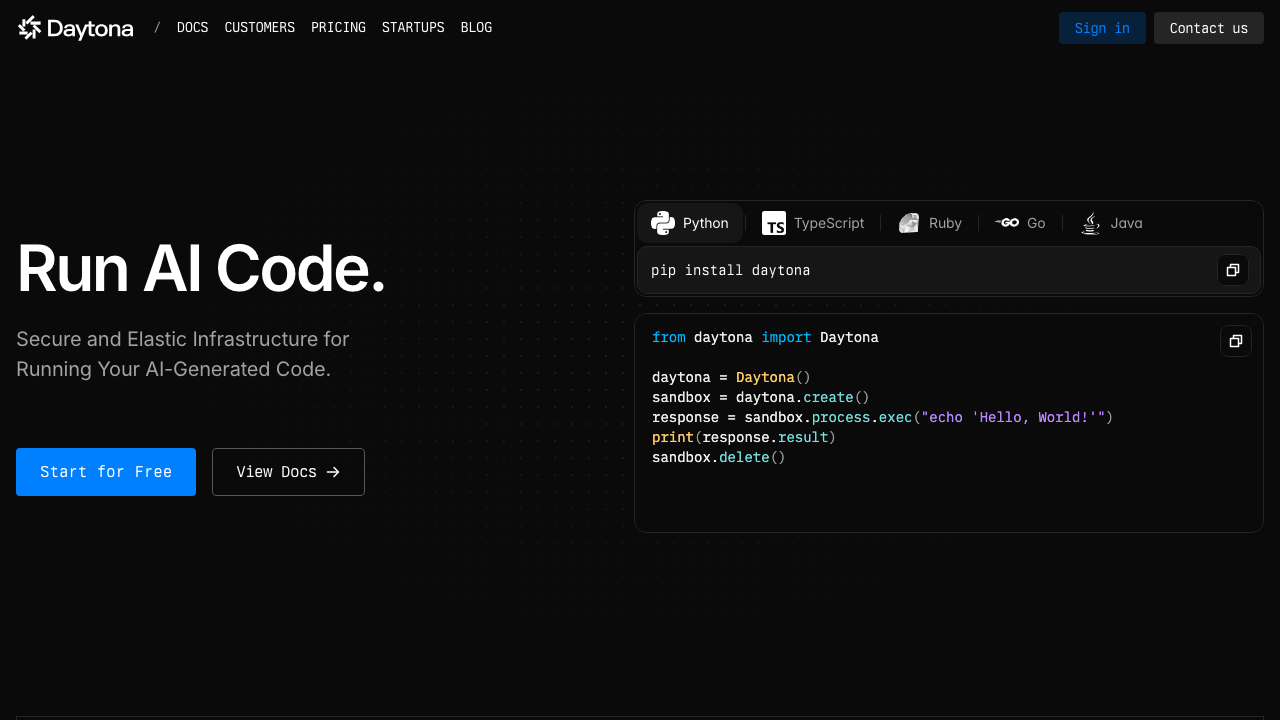
Daytona is a development environment manager focused on standardising and automating workspace creation across providers rather than owning the infrastructure itself. It reads repository configuration, provisions the environment on the target you point it at, and handles connection from local editors, with an emphasis on the environment being reproducible and quick to stand up wherever it runs.
Pros
- Provider-flexible rather than tied to one cloud, so workspaces can be placed where the team already has infrastructure
- Repository-defined configuration keeps the environment definition portable and reviewable rather than locked in a vendor console
- Self-hosting is a first-class path, which suits teams wanting control without building the control plane themselves
- Emphasis on fast environment creation rather than on a bundled browser editor, which fits teams who will use local editors anyway
Cons
- Younger and smaller than the established products, so the ecosystem, documentation and operational track record are thinner
- Being provider-flexible means more of the infrastructure decisions, and their costs, remain yours to make
- Fewer of the surrounding organisational features, such as fine-grained policy and reporting, than the enterprise-focused alternatives
- The category’s latency and offline limitations are unchanged
Best for: Teams that want standardised, self-hostable development environments without committing to a single cloud or a single vendor’s control plane.
Pricing: Open source core available to self-host with no licence cost, and commercial offerings for managed and organisation-scale use, with infrastructure billed by whichever provider you run it on.
DevZero
DevZero targets the specific pain of teams whose applications are too heavy to run on a laptop: many services, real dependencies, a full stack rather than one process. Its emphasis is on giving each developer an environment that contains the whole system rather than a slice of it, running on infrastructure sized appropriately, so local development stops being an exercise in stubbing out most of the architecture.
Pros
- Aimed at the multi-service case where a laptop genuinely cannot run the stack, which is exactly where local environments break down
- Per-developer environments containing real dependencies remove the mocking and stubbing that hides integration bugs
- Runs in your own cloud account in its enterprise arrangement, keeping data and network boundaries under your control
- Reduces the divergence between what a developer runs and what deploys, which is the most expensive category of local-environment drift
Cons
- Cost per developer is higher than the lighter products because each environment is genuinely larger, and it scales with your architecture’s weight
- Smaller product and community than the established alternatives, which raises long-term risk
- Value depends on already having a heavy multi-service application, so lighter teams pay for capability they will not use
- Same fundamental latency and offline constraints, with more infrastructure behind them to manage
Best for: Teams with large multi-service applications where running the real stack locally has become impractical and stubbing is hiding integration bugs.
Pricing: Commercial subscription priced per developer with infrastructure either included or billed through your own cloud account depending on deployment model, quoted rather than published.
AWS Cloud9
Cloud9 is the long-standing browser-based IDE in the AWS console, running on an EC2 instance in your account with direct access to your AWS resources and credentials. Its position has changed: AWS has stopped taking new customers for it and directs new users toward its successor developer tooling, so it is on this list primarily so you can rule it out deliberately rather than discover the situation mid-migration.
Pros
- Runs on an instance in your own account, so networking, security groups and resource access match the rest of your AWS estate
- Direct credential and resource integration makes it convenient for working directly against AWS services during infrastructure work
- Billed as the underlying compute rather than as a separate subscription, which is simple to reason about
- Still functional for existing users doing console-adjacent infrastructure work
Cons
- No longer open to new customers, which makes it a poor foundation for anything you intend to build a practice on
- Browser-only editing experience that is well behind modern editors and remote-editor connections
- No prebuild mechanism, so environment setup time is entirely unmanaged
- Tied to a single cloud, so it is not an option for a multi-cloud or non-AWS estate
Best for: Existing users doing quick AWS-console-adjacent work who have not yet migrated to a successor.
Pricing: No separate service charge; you pay for the underlying compute instance and storage in your own AWS account, running or stopped.
Replit
Replit is a browser-based development platform with collaborative editing, instant environments and deployment built in. It is not aimed at the enterprise standardisation problem the rest of this list addresses, and it is genuinely excellent at something else: going from nothing to a running, shared, deployed application faster than any other tool here, with no setup whatsoever.
Pros
- Zero setup and effectively instant environments for common stacks, which is unmatched for prototypes, interviews and teaching
- Real-time collaborative editing in a shared environment, which is a different and better model than screen sharing for pairing
- Hosting and deployment are built in, so a prototype becomes a reachable URL without a separate pipeline
- Runs entirely in a browser, including on devices that cannot run a development toolchain at all
Cons
- Not designed for large professional codebases, and it strains well before the scale the other products target
- Less control over the environment definition than a devcontainer-based product, so reproducing a complex production stack is awkward
- Consumer-oriented model means enterprise controls, network integration and compliance posture are thinner
- Vendor-specific environment model, so work done here does not transfer cleanly to another tool
Best for: Prototypes, teaching, interviews and collaborative experiments where speed to a running shared application matters more than fidelity to a production stack.
Pricing: Free tier with limited resources, then subscription tiers adding compute, storage and always-on deployments, with usage metering above the included allowances.
How to choose
Start from why you want this, because the four reasons lead to different products.
Security or compliance requires code to stay inside your boundary. Coder, or Gitpod’s self-managed option, or Daytona self-hosted. Accept that you are operating a platform with a hard availability requirement, and staff it accordingly.
Your build or test suite is too heavy for a laptop. Any hosted product with large machine sizes, and the decision is mostly about where your code is hosted. If your problem is the whole multi-service stack rather than one heavy build, DevZero is the one aimed at that shape.
You want onboarding to stop costing days. GitHub Codespaces if your code is on that platform, Gitpod otherwise. Adopt the devcontainer specification either way, because the definition then also works locally and you have not locked yourself in.
You want to prototype or teach. Replit, and none of the rest of this article applies.
You want it because it seems modern. Do not. Run a pilot, measure spin-up and cost honestly, and ask the pilot team after a month whether they would keep it. The answer is often no for teams whose applications run fine locally, and that is a legitimate result rather than a failed rollout.
Whatever you choose: enforce an idle timeout on day one, set a workspace time-to-live with a sweeper, monitor prebuild success, and provision workspaces in a region near your engineers. Those four settings determine both the bill and the adoption, and all four are usually configured badly by default.
| Product | Runs where | Environment definition | Prebuilds | Picks itself when |
|---|---|---|---|---|
| GitHub Codespaces | Vendor cloud | Devcontainers | Yes | Code is already on the platform |
| Gitpod | Vendor cloud or yours | Devcontainers | Yes, mature | Mixed version control hosts |
| Coder | Your infrastructure | Infrastructure-as-code templates | Via templates | Code cannot leave your network |
| Daytona | Your choice of provider | Repository configuration | Partial | You want self-hosting without building it |
| DevZero | Your cloud or vendor | Platform-defined | Yes | A laptop cannot run the whole stack |
| AWS Cloud9 | Your AWS account | None | No | Existing users only, not new adoption |
| Replit | Vendor cloud | Platform-defined | Instant | Prototyping, teaching or pairing |
Frequently asked questions
Can I work offline with a cloud development environment?
No, and any answer that sounds more optimistic than that is describing a workaround rather than a capability. The practical mitigations are keeping a local checkout for reading and small edits, or running the same devcontainer definition locally when disconnected. Both mean maintaining a local environment as well, which removes part of the reason you adopted the cloud model. If a meaningful share of your team commutes, travels or has unreliable connectivity, plan for them keeping a local setup rather than discovering it after the rollout. The local options are covered in local development environment tools.
Are cloud development environments cheaper than laptops?
Sometimes, and the comparison is not the one people make. The right comparison is the metered cloud bill against the amortised cost of the hardware you would otherwise buy plus the engineering hours lost to setup and machine-specific failures. That favours the cloud for large builds, heavy multi-service stacks and contractor-heavy teams, and rarely favours it for a small application that runs comfortably on a laptop. The variable that moves the bill most is idle suspension, not machine size, so measure with a short timeout enforced before drawing a conclusion.
Does a cloud development environment make onboarding faster?
It removes environment setup, which is one of three things that consume onboarding time. It does nothing for codebase orientation and nothing at all for access provisioning, which is frequently the largest block. If setup is genuinely your bottleneck this is a direct fix and a good one; if it is not, you will spend money and see the onboarding number barely move. Measure first, as set out in developer onboarding tools.
Do AI coding tools work in a cloud development environment?
Generally yes, since both browser-based and local-editor connections support the common assistants and agents, and command-line agents run in the workspace terminal like any other process. The consideration worth raising in a security review is that an agent running inside a workspace has that workspace’s credentials and network access, which in a self-hosted deployment may mean reach into internal systems. That is the same concern discussed in MCP servers for development workflows, and it deserves an explicit decision rather than a default.
How do I stop cloud workspaces from leaking money?
The same controls that work for any ephemeral environment. Enforce a short idle timeout centrally rather than leaving it to individuals. Give every workspace a maximum lifetime with a sweeper that deletes past it, independent of any event. Alert on workspace count trending upward, because that shows the problem weeks before the invoice does. And audit storage separately from compute, since suspended workspaces stop billing compute and keep billing storage indefinitely. The same failure patterns are covered in preview environment tools.
Related reading
- Best AI coding assistants — what runs inside the workspace once it exists.
- Best local development environment tools — the alternative, and the fallback you will keep anyway for offline work.
- Best developer onboarding tools — measuring whether removing setup actually moved the number.
- Best internal developer platforms — where workspace templates and golden paths usually end up living.
- Best preview environment tools — the same lifecycle and leakage problems, one layer further out.
- Best MCP servers for development workflows — what an agent in a remote workspace can reach, and why that needs a decision.