The first DAST report almost every team generates is worthless, and it is worthless for the same reason every time. The scanner was pointed at a URL, it crawled what an anonymous visitor can see, and it came back with a list of missing response headers and a cookie without the secure flag.
None of that is where your risk is. Your risk is behind the login: the endpoint that trusts a tenant identifier from the request body, the admin action whose authorisation check was added to one of two code paths, the file download that joins a user-supplied filename onto a directory. A scanner that cannot hold a session never sees any of it.
So the honest framing of this category is that DAST is not a tool you buy, it is a harness you build, and the scanner is the smallest part. Getting a scanner to log in, stay logged in for an hour of hostile traffic, recognise when it has been logged out, avoid the endpoints that destroy the environment, and reach the API surface that has no links pointing at it is the work. Once that harness exists, swapping scanners is cheap. Before it exists, every scanner produces the same useless header report.
That also explains why DAST belongs later in a security programme than most vendors suggest. It needs a staging environment that genuinely resembles production, with real authentication, seeded data and a schema you can point a scanner at. If you do not have that, build it first, because it is the prerequisite and it is also useful for a dozen other things.
Key takeaways
- Authenticated scanning setup is the deliverable, not the scanner. Session acquisition, logged-out detection, token refresh and scope exclusion are the four pieces, and all four have to work or the scan silently covers nothing.
- Crawlers find what is linked. Single-page applications and APIs are not linked, so coverage comes from a schema, recorded traffic or a browser-driving crawler, not from a spider.
- Active scanning against a real staging environment takes hours, which puts it on a nightly or pre-release schedule. Only the passive or baseline mode belongs in a pull request.
- The defining failure mode is a scan that succeeded, reported nothing, and covered nothing. Measure coverage in endpoints reached, not in findings produced.
Authenticated scanning is the whole job
There are four separate problems here and they fail independently. A scanner can solve three of them and still cover none of your application.
One: acquiring a session. The scanner needs to become a logged-in user. There are three mechanisms, in increasing order of reliability and decreasing order of convenience.
- Form-based login, where you give the scanner a URL, a username field, a password field and credentials, and it submits the form. Works for a server-rendered login page. Breaks on anything involving JavaScript-built forms, multi-step flows or a redirect to an identity provider.
- Browser-driven login, where you write a short script that drives a real headless browser through the actual login flow, including any second factor you can automate, and hand the resulting cookies or storage state to the scanner. This is what works for modern applications and it is what you should plan for.
- Injected credentials, where you skip login entirely and hand the scanner a pre-minted session cookie or bearer token. Simplest and most reliable, and it is the right answer when your identity provider makes automated login painful. The cost is that the token expires, so you need a refresh path, and that you are not testing the login flow itself.
Two: detecting that the session is gone. This is the part teams skip and it is the part that quietly ruins scans. Active scanning sends hostile input. Hostile input triggers logouts, session invalidation, account locks and rate limiters. The scanner logs out somewhere in hour one and spends the remaining three hours scanning your login page, then reports a clean result.
Every scanner has a mechanism for this, usually a regular expression matched against the response body or a status code that means logged out, plus a re-authentication action to run when it matches. Configure it, then verify it by deliberately invalidating the session mid-scan and confirming the scanner notices and recovers. If you do not test the recovery path, you do not know whether your scan covered anything.
For token-based authentication the same problem appears as expiry rather than invalidation. A bearer token with a short lifetime needs a refresh script the scanner can invoke, not a static value pasted into a config file.
Three: anti-automation defences you built on purpose. Your rate limiter, your bot protection, your WAF and your account lockout all exist to stop exactly the traffic pattern a scanner generates. In staging you usually want them relaxed, but relaxing them changes what you are testing, so be deliberate: relax rate limiting and lockout so the scan can complete, and decide separately whether to scan with the WAF in front, because scanning through a WAF measures the WAF rather than the application. The useful pattern is to scan the origin directly for finding application bugs, and to scan through the edge occasionally to verify the edge is actually filtering what you think.
CAPTCHA on login is the common blocker. Either provide a bypass path in staging keyed to a header the scanner sets, or use injected credentials.
Four: scope, and the endpoints that must never be hit. An active scanner submits every form and follows every link with generated input. That means it will find the logout link and click it, find the delete button and click it, find the endpoint that sends email and call it several thousand times, and find the payment integration and exercise it against whatever sandbox is wired up.
The exclusion list is real configuration work and it is the difference between a scan you can run nightly and a scan that pages somebody. At minimum exclude logout, session termination, account deletion, password change, anything that sends mail or messages, anything that calls an external paid API, and any administrative endpoint that mutates configuration. Then add to the list every time a scan breaks something.
The extra piece almost nobody configures: multiple roles. Authorisation bugs are among the most valuable things DAST can find, and finding them requires the scanner to hold two sessions at once and check whether a resource reachable as an administrator is also reachable as an ordinary user. Tools differ substantially in whether they support this, whether they do it automatically or need you to define the comparison, and whether they handle tenant isolation as a case. If multi-tenancy is your product, this is the capability to evaluate first, because a cross-tenant read is worse than anything else on the OWASP list.
Needs first-hand data: Run one authenticated scan against staging, then compare the set of distinct endpoints the scanner actually requested against your production access logs for the same period. The ratio of endpoints reached to endpoints that exist is your real coverage number, and it is usually far lower than the scan report suggests.
Why crawlers miss single-page applications and APIs
A classic web crawler works by parsing HTML for anchors and forms, fetching what it finds, and repeating. That model assumes the application’s surface is discoverable from its markup. Two very common architectures break that assumption completely.
A single-page application ships an empty shell. The initial HTML contains a script tag and a mount point. Routes exist inside a client-side router, and they are reached by clicking things that mutate application state rather than by following hrefs. A crawler that only parses HTML sees one page.
The answer is a crawler that drives a real browser: execute the JavaScript, render the DOM, find interactive elements, click them, wait for the state to settle, and record the resulting requests. Every serious scanner has some form of this and they vary enormously in quality, because it is a genuinely hard problem involving timing, infinite scroll, modal dialogs and state that does not reset between interactions. Assume the browser crawler will miss parts of your application, and plan to supplement it.
An API has no links at all. There is nothing to crawl. Coverage has to come from a description of the surface, and there are four ways to get one:
- An OpenAPI or GraphQL schema. The best option when it exists and is accurate. The scanner reads the schema, learns every path, method, parameter and type, and generates informed requests rather than guesses. This is why DAST quality on APIs correlates directly with whether your schema is generated from code rather than maintained by hand.
- Recorded traffic. Point the scanner at a proxy recording of a test suite run or a manual session, and it learns the real requests including the ones your schema forgot. Very effective and usually the highest-fidelity source.
- A Postman collection or equivalent. Usually already exists, usually incomplete, still better than nothing.
- Route enumeration from source or from the running framework. Some tools can read framework route definitions directly, which catches endpoints nobody documented.
The practical consequence: on an API, your DAST coverage is capped by the quality of your schema. If the schema is drifting from the implementation, the scanner tests an application that does not exist. Fixing schema generation is a DAST investment, not a documentation task, and it is where API security testing tools and DAST overlap most.
GraphQL deserves a specific note. Introspection gives a scanner the complete type graph, which is either excellent for coverage or a problem, depending on whether introspection is enabled in production. Scanners that understand GraphQL can enumerate the schema, generate queries per field and test resolver-level authorisation. Scanners that treat it as a single POST endpoint test nothing at all, because every operation arrives at the same URL and a naive crawler sees one path.
Scan duration, and where the scan actually belongs
An active scan works by sending many requests per candidate injection point. Number of endpoints, times parameters per endpoint, times payloads per parameter, times attack classes. The multiplication is why full active scans run for hours rather than minutes, and it is why the honest answer to “can we run DAST on every pull request” is no.
Every scanner exposes some version of two dials. Attack strength controls how many payload variants are tried per injection point. Alert threshold controls how much confidence is required before a finding is reported. Turning strength up multiplies duration; turning the threshold down multiplies noise. The defaults are usually reasonable and the instinct to max both out is what produces the twelve-hour scan nobody waits for.
That gives you three distinct modes, and mature teams run all three at different cadences:
Passive or baseline mode, which crawls without attacking and reports what it observes: headers, cookie flags, information disclosure, mixed content, obviously exposed endpoints. Fast, safe, deterministic. This is the mode that belongs in a pull request or a per-deploy check against a preview environment.
Targeted active scan on changed surface. If your pipeline knows which endpoints a change touched, scope the active scan to those. This is the highest-value mode and it requires the most plumbing, because something has to map a diff to a set of routes. Worth building if you deploy frequently.
Full active scan on a schedule, nightly or weekly, against a staging environment that is restored to a known state first. This is where the real findings come from. Restoring state matters more than it sounds: a scan that runs against an environment the previous scan corrupted produces different results every night, and nondeterministic findings are the fastest way to lose the team’s trust.
Two things that reduce duration without reducing coverage: exclude static assets and any path prefix serving files, which can otherwise be most of the crawl, and deduplicate parametrised URLs so a thousand product detail pages are recognised as one endpoint pattern rather than a thousand targets.
CI integration that does not become a broken window
A DAST scan produces findings that take minutes to hours to produce and are, at first, mostly not actionable. Wire that directly into a blocking pipeline step and the team will route around it within two weeks. The integration pattern that survives has four properties.
A baseline, so only new findings are new. Record the accepted state of the application, then fail only on findings that were not in it. Without this, the first scan’s backlog blocks every build forever and somebody adds a skip flag.
Asynchronous by default. The scan runs after deployment to staging and reports into your tracker or your code host, not into the deploy’s critical path. The only thing that belongs synchronously is the fast passive mode.
Machine-readable output that lands where engineers already are. SARIF into your code host’s annotations, or tickets created with the request and response attached. A PDF in a shared drive is not an integration.
A ticket-worthy unit. One finding, one endpoint, with the exact request that triggered it and the response that proved it. Findings a developer cannot reproduce in one command get closed as not reproducible, and they are frequently real.
Needs first-hand data: Run the identical full scan twice against a freshly restored staging environment and diff the findings. The number of findings that appear in one run and not the other is your scan’s nondeterminism, and it sets the ceiling on how much any team will trust the results.
The OWASP API Security Top 10: a standard, not a product
Nearly every API-focused scanner markets itself against this list, so it is worth being clear about what it is. It is an awareness document maintained by a nonprofit foundation, describing the risk categories that show up most often in APIs specifically, as distinct from browser applications. It is not a specification, not a certification, and nothing to buy.
What it gives you
A vocabulary that correctly separates API risk from web risk, which matters because the dominant API failures are authorisation failures rather than injection. The single most useful idea in it is that object-level and function-level authorisation are distinct problems with distinct fixes: whether this user may touch this object, and whether this user may call this operation at all. A prioritisation that reflects where API bugs actually cluster, which is a better starting point than a generic web list. And a common reference in questionnaires and reports, so a finding category means the same thing to your auditor as it does to you.
What it does not do
It does not describe how to detect any of it, and the hardest categories are the hardest precisely because they are invisible to a generic scanner. Object-level authorisation failures require knowing which object belongs to which user, which is application knowledge no scanner has by default.
It does not cover business logic abuse, which is the category that costs real money and has no signature.
It is not a compliance target. Coverage claims against it are claims about mapping rules to ten broad headings, not about detection quality.
And it says nothing about your specific exposure. A category ranked low in aggregate can be the one that ends your company, if it is the one your architecture is vulnerable to.
ZAP
ZAP is the open source intercepting proxy and scanner that most of this category is measured against, and quite a lot of it is built on. It runs as a proxy that records traffic, a passive scanner that analyses what it sees, an active scanner that attacks recorded requests, a traditional spider and a browser-driving AJAX spider. Its automation framework lets a scan be defined as a YAML plan that runs headless in CI, which is the mode that matters for pipeline use.
Pros
- Fully scriptable authentication, including browser-driven login and custom session detection, which is what real applications need
- The automation framework turns a whole scan into a version-controlled YAML file that lives next to the application
- Add-on ecosystem covers OpenAPI and GraphQL import, and the docker images make CI use straightforward
- No licence constraint on how many targets, how often, or how many people look at the results
Cons
- Configuration is powerful and unfriendly, and getting authenticated scanning working is genuinely several days of iteration
- No managed triage, deduplication across runs or ownership workflow, so you build that layer yourself
- The browser-driven crawler is adequate rather than excellent on complex single-page applications
- Documentation is scattered across versions and add-ons, so the answer you find is often for a configuration model that changed
Best for: Teams willing to invest engineering time in a scanning harness they fully control, and anyone who needs unlimited scanning without a per-target meter.
Pricing: Free and open source with no vendor and no bill. The cost is the engineering time to build and maintain the harness, plus the compute the scans consume.
Burp Suite
Burp is really two products under one name and conflating them causes most of the confusion about it. The Professional edition is a manual testing workbench: an intercepting proxy with a request repeater, a fuzzer, session handling rules and a scanner, and it is the default tool of essentially every working penetration tester. The Enterprise edition is the automation product, running scheduled scans across many sites with CI integration and centralised reporting.
Pros
- The manual workbench is unmatched for investigating a finding, which is the step where most scanners abandon you
- Session handling rules are the most expressive in the category, covering token refresh, macro-based re-authentication and per-request modification
- The scanning engine has a strong reputation for confirming findings rather than reporting suspicion
- Extension ecosystem means unusual authentication schemes and protocols usually already have a solution
Cons
- The Professional edition is a desktop tool for a human, not an automation product, and treating it as CI tooling is a category error
- The Enterprise edition is a separate, substantially more expensive purchase with a different operating model
- The interface assumes security-tester fluency and is not something you hand to a product engineer
- Running it well requires somebody whose job includes application security, which many teams do not have
Best for: Teams with a dedicated security tester who needs to investigate and confirm findings manually, with the Enterprise edition where scheduled scanning at scale is also required.
Pricing: Per-user annual licence for the Professional edition. The Enterprise edition is a separate annual subscription scaled by concurrent scanning capacity and number of sites.
StackHawk
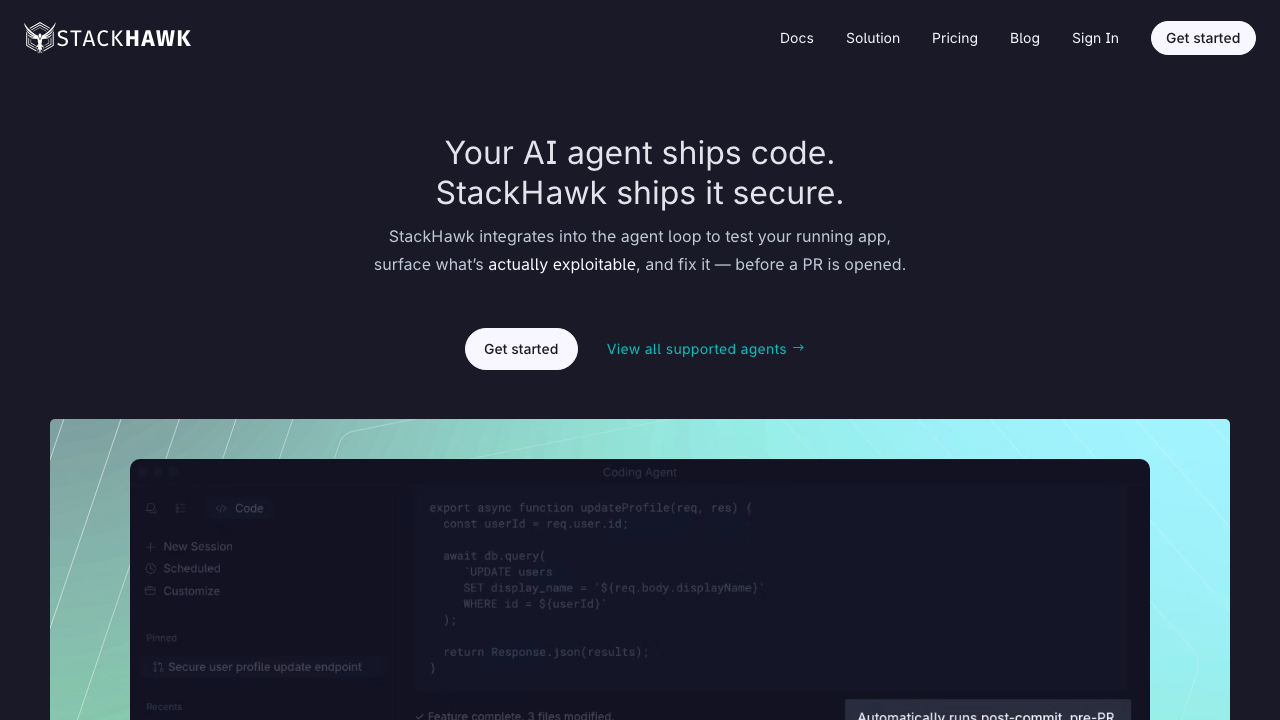
StackHawk is DAST reshaped for the pipeline rather than for a security team. Configuration is a YAML file committed alongside the application, the scan runs in CI against a test or preview environment, and findings come back as pull request feedback attributed to the change that introduced them. It builds on the open source engine underneath, so the detection is familiar; the product is the workflow around it.
Pros
- Configuration in the repository means scan setup is reviewed, versioned and changed by the same people who change the application
- Designed around scanning ephemeral preview environments, which is the only way DAST fits a per-change workflow
- API-first: OpenAPI, GraphQL and SOAP definitions are first-class inputs rather than add-ons
- Findings route to the pull request with the triggering request attached, so reproduction is one command
Cons
- Depth of the underlying engine is bounded by the open source scanner it builds on, so it is not a deeper detector than that
- The model assumes you can stand up a running environment per change, which is real infrastructure work if you do not already have it
- Less suited to scanning a long-lived production estate on a schedule, which is a different product shape
- Per-application pricing gets awkward in a microservice estate where an application is a fuzzy unit
Best for: Engineering-owned security programmes with preview environments, where the goal is catching regressions per change rather than an annual assessment.
Pricing: Free tier for a limited number of applications, then subscription tiers scaled by applications under scan and organisation features.
Escape
Escape targets the API case specifically, and its interesting choice is inferring the API surface rather than relying on you to hand it a complete schema. It combines schema and traffic ingestion with its own discovery, then generates requests aimed at authorisation and business logic problems rather than only injection classes. GraphQL support in particular is deeper than in general-purpose scanners, which matters because generic tools treat a GraphQL endpoint as one URL.
Pros
- Discovers API surface rather than assuming an accurate schema, which matches the reality of drifting specifications
- Authorisation-focused test generation targets the category where API bugs actually cluster
- Strong GraphQL handling, including per-field and resolver-level testing that generic scanners cannot express
- Agentless operation means no instrumentation in the application under test
Cons
- Focused on APIs, so a browser-facing application still needs a conventional scanner alongside it
- Inference is a heuristic, and a surface it infers wrongly is tested wrongly in ways that are hard to notice
- Newer entrant with a smaller body of community knowledge when something does not work
- Business logic testing needs context you have to supply, so it is not zero-configuration in practice
Best for: API-heavy products, particularly with GraphQL, where authorisation and business logic are the risk rather than classic injection.
Pricing: Subscription scaled by the number of APIs or applications under test, with enterprise tiers for larger estates.
Invicti
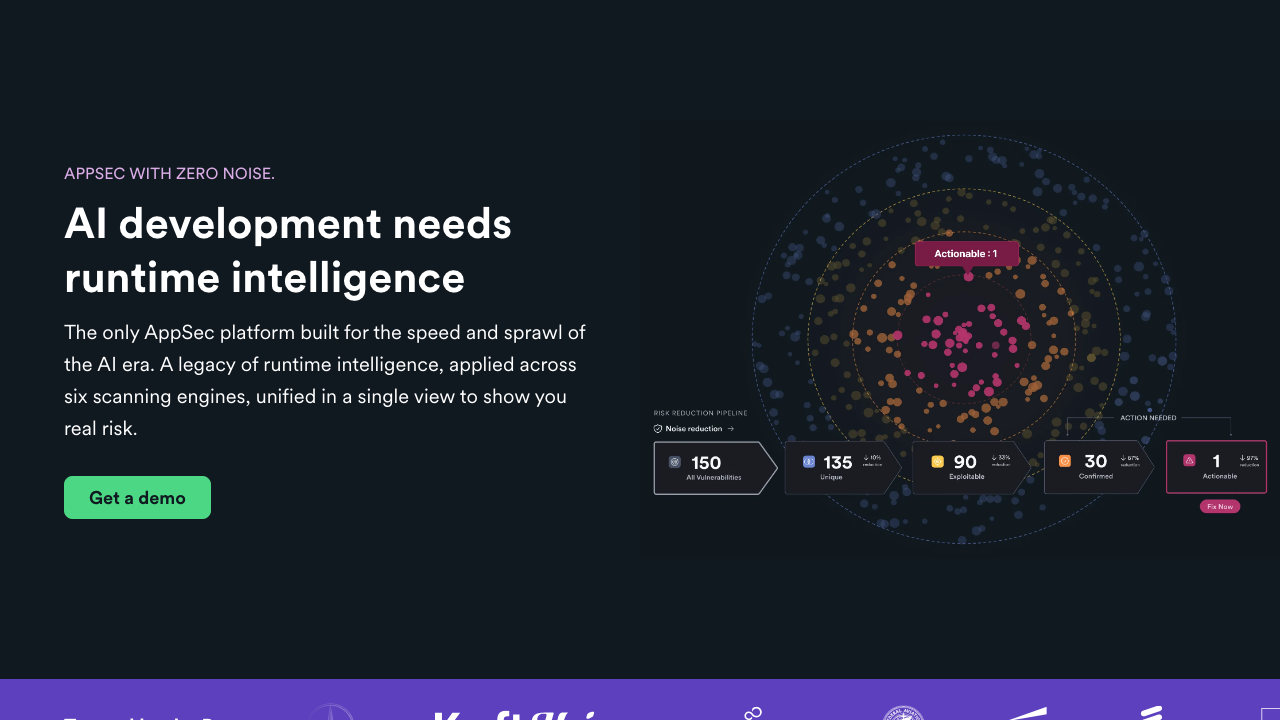
Invicti is the enterprise scanner built around confirmation. Its defining feature is that when it believes it has found an exploitable issue, it attempts a safe demonstration and attaches the evidence, so a finding arrives as a proof rather than as a suspicion. That directly attacks the reason DAST programmes stall, which is that security sends developers findings developers do not believe. It also offers an in-application agent for interactive testing to improve accuracy and coverage.
Pros
- Evidence-backed findings remove the argument about whether a result is real, which is where most triage time goes
- Broad scale management for organisations scanning hundreds of sites, with discovery of surface nobody registered
- Optional in-application agent improves both coverage and accuracy for supported runtimes
- Mature integrations into issue trackers and pipelines with sensible ownership routing
Cons
- Enterprise product with an enterprise sales motion and no meaningful self-serve entry point
- Confirmation works well for injection-class findings and much less well for authorisation and logic issues, where most real API risk lives
- Configuring authentication for unusual flows still requires support engagement more often than it should
- Priced per target, which is an awkward unit when a target is a microservice
Best for: Organisations with a large web estate and a security team that needs findings developers will accept without a triage argument.
Pricing: Annual subscription priced by number of targets or applications scanned, with tiers adding the interactive agent and enterprise management.
Detectify
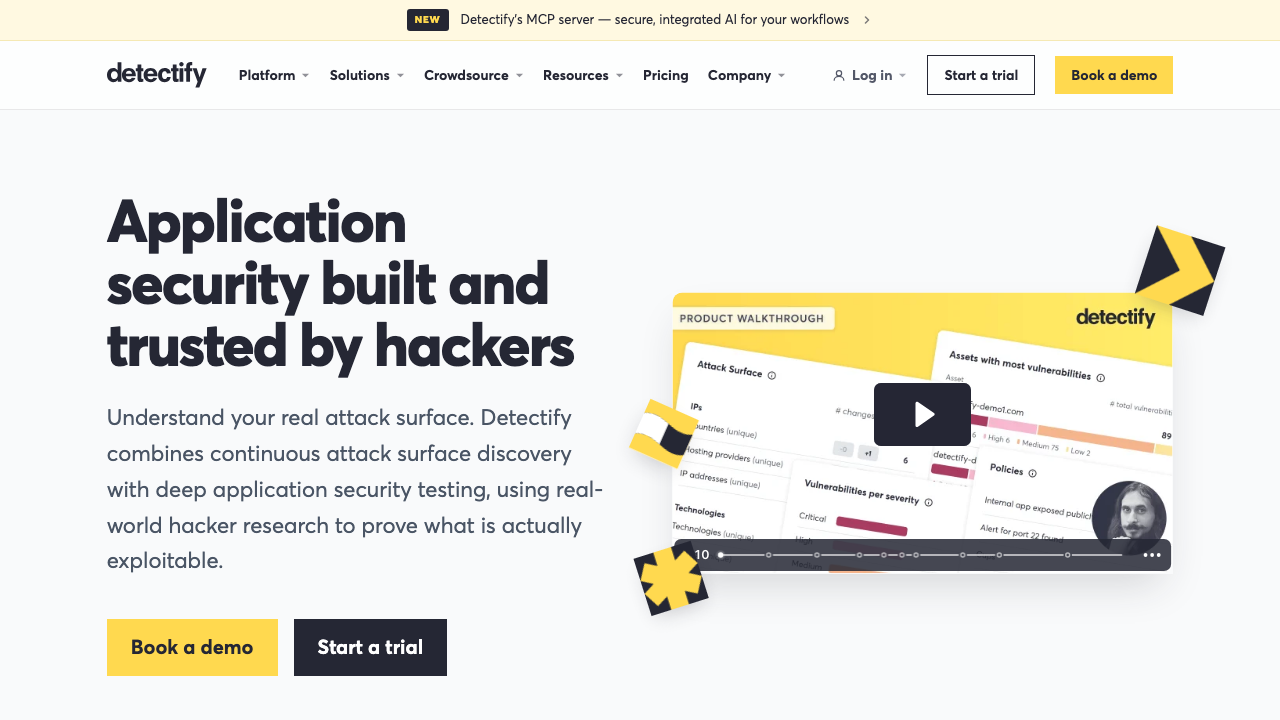
Detectify approaches scanning from the outside in. It starts with attack surface discovery across your domains and subdomains, then tests what it finds using modules derived from a crowdsourced research community, so the checks track what researchers are actually finding in the wild. The strength is coverage of surface you forgot about, which is a very common source of real incidents and one an internal scanner pointed at a known URL will never find.
Pros
- Subdomain and asset discovery finds the forgotten staging host and the abandoned marketing site, which is where real breaches often start
- Crowdsourced research pipeline keeps checks aligned with what is being exploited rather than with a static rule list
- Low operational effort, with scanning driven from a domain rather than from an application configuration
- Strong on subdomain takeover and exposure classes that conventional application scanners do not look for
Cons
- Authenticated deep application scanning is not its centre of gravity, so it complements rather than replaces an application scanner
- External-only perspective means internal services and non-public environments are out of scope
- Findings skew toward exposure and configuration rather than application logic
- Pricing by domain and subdomain can escalate unexpectedly in an estate with generated hostnames
Best for: Organisations whose real exposure is sprawl, where the unknown asset is a bigger risk than the known application.
Pricing: Subscription scaled by the number of domains and subdomains monitored, with tiers for surface monitoring and application scanning.
Nuclei
Nuclei is a different shape from everything else here. It is a fast, template-driven scanner where each check is a YAML file describing requests to send and conditions that indicate a match. It does not crawl an application or hold a session particularly well. What it does is run a very large community-maintained library of specific checks across a very large number of hosts, extremely quickly, which makes it the right tool for known vulnerabilities, exposed panels, default credentials and misconfigurations across a broad estate.
Pros
- Template format is simple enough that a new check can be written and shared the day a vulnerability is disclosed
- Very large community template library covering known issues, exposures and misconfigurations
- Fast and parallel enough to sweep an entire external estate rather than one application
- Trivially embeddable in pipelines and scriptable, with structured output
Cons
- Not an application scanner: crawling, session handling and parameter fuzzing are not what it does
- Template quality across a community library is uneven, and low-quality templates produce confident false positives
- Running the full public template set against your own infrastructure generates volume that needs curation
- Finds known issues by signature, so it will not discover a bug specific to your application
Best for: Sweeping a broad external estate for known vulnerabilities and exposures quickly, alongside a real application scanner rather than instead of one.
Pricing: The scanner and templates are open source and free to run. The maintaining company sells a hosted platform around it with management, scheduling and reporting, priced separately.
How to choose
One. What shape is your surface? A browser application needs a crawler that drives a real browser. An API needs a scanner that consumes a schema or recorded traffic. A large external estate needs discovery first. Very few teams have only one of these, and picking a tool matched to the wrong shape is the most common mistake in this category.
Two. Who owns the scan? If the answer is a security engineer who investigates findings by hand, the manual workbench matters most. If the answer is the engineering team and the scan runs per change, pipeline-native configuration matters most. These are genuinely different products and buying the wrong one leads to an unused licence.
Three. Can you produce an accurate schema? On an API, this caps your coverage regardless of tool. If your OpenAPI document is hand-maintained and drifting, fix generation before you choose a scanner, because no scanner recovers what the schema omits.
Four. Do you need multi-role authorisation testing? If you are multi-tenant, yes, and it should be a hard requirement rather than a nice-to-have. Ask specifically how the tool compares what two sessions can reach.
Five. What can you actually run nightly? A tool that cannot complete a full scan of your staging environment overnight will be run monthly, then quarterly, then not at all. Measure this during evaluation against your real environment, not against a demo target.
| Tool | Shape | Deployment | Picks itself when |
|---|---|---|---|
| ZAP | Proxy and scanner | Self-managed, CI | You want full control and no per-target meter |
| Burp Suite | Manual workbench, plus enterprise scanning | Desktop, plus server | A human investigates findings by hand |
| StackHawk | Pipeline-native scanner | CI, preview environments | Engineering owns scanning per change |
| Escape | API and GraphQL scanner | Cloud, agentless | The risk is API authorisation and logic |
| Invicti | Enterprise web scanner | Cloud or self-hosted | Findings must arrive with proof attached |
| Detectify | Surface discovery and scanning | Cloud | Forgotten assets are the real exposure |
| Nuclei | Template-based sweeping | Self-managed, CI | Broad estate, known issues, fast |
| OWASP API Top 10 (standard, not a product) | Risk taxonomy | Not applicable | You are classifying findings, not detecting them |
Needs first-hand data: During evaluation, record for each candidate the wall clock of a full authenticated active scan against your real staging environment, and separately the elapsed engineering time to get authenticated scanning working at all. The second number is the one that predicts whether the programme survives, and it is never in a vendor comparison.
Frequently asked questions
Can DAST run on every pull request?
The passive or baseline mode can and should, against a preview environment. A full active scan cannot, because it takes hours and because it mutates state. The workable pattern is passive per change, a targeted active scan scoped to changed endpoints if your pipeline can compute that, and a full active scan nightly against a restored staging environment. Treating those three as one thing is why teams conclude DAST does not fit modern delivery.
Should we scan production?
Passive scanning against production is fine and often valuable, because production is the only environment guaranteed to be configured like production. Active scanning against production is a decision, not a default. It generates load, it mutates data, and it will eventually trigger something you did not exclude. If you do it, do it with a dedicated test tenant, a strict exclusion list, rate limiting on the scanner side, and the on-call team told in advance.
Does DAST replace a penetration test?
No, and the distinction is clean. A scanner finds classes of bug that have signatures: injection, misconfiguration, known exposures, missing controls. A human finds bugs that require understanding what your application is for, which is where business logic abuse, workflow bypass and chained privilege escalation live. The scanner should be running continuously so that the human is not spending their engagement on things a tool would have found. See penetration testing services for what actually differs between providers.
Why does our scan find nothing?
Almost always coverage, not cleanliness. Check three things in order. Did the scanner stay authenticated for the whole scan, verified by looking at the requests it made rather than at its report. Did it reach your endpoints, verified against your access logs. And was it given the API schema, if your surface is an API. A scan that requested thirty endpoints out of four hundred and reported nothing has told you nothing about the other three hundred and seventy.
How does DAST relate to SAST?
They fail in opposite directions, which is why teams run both. Static analysis sees every code path including ones that never execute, so it finds issues in dead code and it cannot see anything about deployment, configuration or the composed system. Dynamic scanning only sees what it can reach at runtime, so it misses unreached code entirely and it finds the misconfigured header, the missing authorisation check on one route, and the framework debug endpoint nobody knew was enabled. The mechanism side of static analysis is covered in SAST tools.
Related reading
- Best application security tools — the hub, and where DAST fits relative to the other scanner types.
- Best SAST tools — the static half, and why it sees what DAST cannot.
- Best API security testing tools — schema-driven testing where the surface is an API rather than a browser application.
- Best penetration testing services — the human test that starts where the scanner stops.
- Best preview environment tools — the per-change environments that make pipeline scanning possible at all.
- Best web application firewalls — the control that buys time between finding and fixing.