Deployments became boring years ago. Roll forward, roll back, canary, blue-green, the application layer is a solved problem for most teams.
Schema changes never joined it. A schema change is the one step in a deployment that is not idempotent, not instantly reversible, and capable of taking a lock that stops every request in the system while it runs. The tooling around it is mature, and it still cannot protect you from the two failures that cause actual outages: a statement that locks a large table, and a change that is incompatible with the application version still running next to it.
Those two failures have one shared root cause. A deployment is not atomic. For some window, old application code and new application code are both running, and both are talking to one database that has exactly one schema. Any change that cannot be true for both versions at once is an outage waiting for traffic.
The tool you pick matters less than the pattern you follow. But the tool decides how hard the pattern is to follow, whether the dangerous statement gets caught in review, and whether you find out about drift before it breaks a deployment.
Key takeaways
- Expand and contract is not a best practice, it is the only way to change a schema without downtime, because old and new application code run simultaneously during every deployment.
- The operation that causes outages is not the long one, it is the one that takes an exclusive lock and then queues behind a long-running read, blocking everything behind it.
- Down migrations are mostly fiction. Forward-only recovery plus a backup is the honest strategy, and a tool that promises automatic rollback encourages the wrong instinct.
- Drift detection against production is the feature that separates tools that manage a schema from tools that just run files in order.
Expand and contract, properly
Every safe schema change is the same shape: make the schema tolerate both the old and the new application at once, deploy the application, then remove what is no longer needed. Four phases, three deployments, and each phase is individually reversible.
Take the canonical example, renaming a column from email to email_address.
Phase one, expand. Add the new column. Nothing reads or writes it yet. This deployment changes the schema only, and the running application is unaffected because an unused column is invisible to it.
Phase two, dual write. Deploy application code that writes both columns and reads the old one. Now every new row and every update populates both. Backfill the existing rows in batches, with a delay between batches so replication and vacuum keep up, and with a way to resume if it is interrupted. Never backfill in a single statement across a large table; that is the lock you were trying to avoid, wearing a different hat.
Phase three, switch reads. Deploy application code that reads the new column and still writes both. This is the deployment you are most likely to roll back, and it is cheap to roll back, because the old column is still being written and is still correct.
Phase four, contract. Once you are confident, deploy code that writes only the new column, then in a later deployment drop the old one. Dropping is the irreversible step, so put real distance between the switch and the drop. A week is not excessive. The column costs you almost nothing while you wait.
The same shape applies to every change that looks dangerous:
Adding a NOT NULL column. Add it nullable. Backfill in batches. Add the constraint as not-valid so it applies to new rows without scanning the table, then validate it separately, which takes a weaker lock. Finally, once the application always supplies a value, tighten it.
Changing a column type. Add a new column of the new type, dual write, backfill, switch reads, drop. An in-place type change rewrites the table under an exclusive lock.
Removing a column. Stop writing it in one deployment. Stop reading it in that same or an earlier one. Wait. Then drop. The wait is what lets you roll the application back without the database having forgotten something.
Adding an index. Build it without blocking writes, which on Postgres means the concurrent variant, and check afterwards that it actually succeeded, because a concurrent index build that fails leaves an invalid index behind that silently does nothing.
The cost of this pattern is that a one-line change becomes three deployments over two weeks. That is the actual cost of zero downtime, and no tool removes it. What a good tool does is make the phases explicit and stop somebody collapsing them into one migration at 5pm on a Friday.
Which statements actually lock
Understanding lock behaviour is what lets you tell a safe migration from a dangerous one by reading it, which is the skill that matters in review.
On Postgres, the mechanics that matter:
Adding a column with no default, or with a constant default, is metadata only in current versions. It takes an exclusive lock but holds it briefly, because no rows are rewritten. Adding a column with a volatile default rewrites every row.
ALTER TABLE takes an ACCESS EXCLUSIVE lock, which conflicts with everything including plain reads. That is fine when it is held for milliseconds. It is catastrophic when the lock cannot be acquired immediately, because the waiting lock request queues ahead of every subsequent query. One long-running analytics query holding a read lock means your brief ALTER TABLE waits behind it, and every query arriving after that waits behind the ALTER. The table appears completely down, and the statement that caused it is the fast one.
The defence is a short lock timeout on migration sessions. Set it low, and let the migration fail rather than queue. A failed migration you retry is an inconvenience; a lock queue is an outage. This single setting prevents more incidents than any tool feature.
Index creation blocks writes unless you use the concurrent variant, which takes longer, cannot run inside a transaction, and can leave an invalid index if it fails. Adding a check for invalid indexes to your post-migration verification is worth the five lines.
Adding a foreign key validates the whole table under a lock unless you add it as not-valid first and validate separately.
Dropping a column is metadata only and fast. Dropping is safe at the database level; the danger is entirely at the application level, which is why the waiting period exists.
On MySQL, the picture differs: many operations support online DDL that allows concurrent reads and writes, but the support matrix is version and storage engine dependent, and operations that fall outside it rebuild the table. This is why external schema change tools that build a shadow table and swap it are common in the MySQL world and rare in the Postgres one.
Needs first-hand data: For each of your five largest tables, run each candidate migration against a restored production-sized copy and record wall-clock duration, lock type acquired, and peak replication lag. Do the same run again with a concurrent read query deliberately held open, to see which migrations queue. Those two runs tell you more about your migration safety than any tool comparison.
Rollback is mostly a lie
Nearly every migration tool supports a down migration, and nearly every team writes them, and almost nobody successfully runs one in production under pressure. There are good reasons for that.
A down migration cannot restore data. The up migration dropped a column. The down migration adds it back, empty. Structurally reverted, semantically destroyed. This is the case people forget until it happens.
Down migrations are never tested. They run in development where the data is fake and the volumes are small. The production run is the first real execution, during an incident, under time pressure, against data the author never saw.
Rolling back the schema breaks the application you rolled back to. If you are following expand and contract properly, the previous application version works against the new schema, which means you do not need to revert the schema at all. If you are not following it, reverting the schema during an incident is the most dangerous operation available.
Partial failure leaves an undefined state. Postgres supports transactional DDL, so a failed migration mostly rolls back cleanly. MySQL largely does not, so a multi-statement migration that fails halfway leaves a schema that matches neither version, and no down migration was written for that state.
The honest strategy is forward-only.
Every migration is designed to be safe to leave applied. If phase three of an expand-contract goes wrong, you roll back the application, not the schema, and the schema still works because you built it to. If a migration is genuinely wrong, you write a new migration that corrects it, reviewed the same way as any other change.
For the irreversible cases, the ones that destroy data, the recovery plan is a verified backup and point-in-time recovery, not a down migration. That means knowing your recovery point objective before the migration runs and confirming you have a restorable backup from before it, which takes two minutes and is the thing nobody does.
Keep down migrations for local development, where they genuinely help you iterate. Do not build your production incident response around them.
Drift detection against production
Schema drift is the gap between what your migration history says the schema should be and what the database actually contains. It exists in every long-lived system, and it appears through the same handful of routes.
Someone ran a statement directly against production during an incident. An ORM auto-synced a schema in an environment where it should not have. A migration partially applied and was marked as complete. A replica was rebuilt from a snapshot taken at a different point. Two environments diverged because a migration was applied manually in one and not the other.
Drift is usually invisible until a migration fails because a column already exists or an index is missing, and the failure surfaces during a deployment, which is the worst time to discover it.
Tools handle this in two distinct ways, and the difference is architectural.
Versioned migration tools keep a table recording which migration files have been applied. They know what they ran; they do not know what the schema actually is. They detect tampering with the history, via checksums on applied files, which catches somebody editing an already-applied migration. They do not detect a column added by hand.
Declarative schema tools store the desired schema as a definition, inspect the live database, compute the difference, and generate a migration plan from it. Drift detection is not a feature bolted on, it is the same operation as planning a change. The tradeoff is that generated plans need review, because a tool computing a diff will happily generate a destructive statement when a rename looks like a drop plus an add.
The practical answer for most teams is versioned migrations for the actual changes, because reviewing a hand-written statement is where safety comes from, plus a scheduled declarative diff against production that reports drift. Running that diff nightly and alerting on any difference turns drift from a deployment-time surprise into a Tuesday morning ticket.
Needs first-hand data: Run a schema diff between production and a database built purely by replaying your migration history from scratch. Record every difference. That list is your accumulated drift, and its size tells you whether your migration history is a description of your schema or merely a log of intentions.
ORM-native migrations and the framework boundary
A large share of migrations in the world are run by a framework’s own tooling rather than by a standalone migration tool, and it is worth being precise about where that stops being adequate.
The framework tools share a model: the schema is derived from the application’s model definitions, and the tool generates migration files by diffing the models against the last known state. Rails migrations and Django’s migration framework are the long-standing examples; the newer TypeScript ecosystem tools follow the same shape.
What that model gets right is real. The schema and the code that uses it change together in one commit, so they cannot drift apart at author time. Generation removes the tedium and most of the typos. Developers who are not database specialists get a working workflow without learning a separate tool.
What it gets wrong is consistent across all of them. Generated migrations optimise for correctness of the final state, not for safety of the transition, so the generator will happily emit a single statement that rewrites a large table. They have no concept of expand and contract, because they diff two schemas rather than reasoning about two application versions running at once. Their notion of rollback is the down migration, with all the problems above. And the moment you need a concurrent index build, a batched backfill, or a not-valid constraint followed by a separate validation, you are hand-writing raw SQL inside the framework’s file format anyway.
The pattern that works: use the framework’s generator to produce the first draft, then read every generated migration as if a junior engineer wrote it, and rewrite anything that touches a large table. Treat generation as a typing aid, never as a review.
The other boundary is process. Framework migrations typically run on application startup or from a deploy hook, which means the person deploying has full schema privileges in production and there is no approval step. For a small team that is fine. Once there are enough people and enough regulatory attention, you want a migration to be a reviewed, approved, audited action, which is a different category of tool.
Flyway
Flyway is the long-standing versioned migration tool in the JVM world and the reference implementation of the model: numbered SQL files applied in order, a schema history table recording what ran, checksums that detect tampering with applied files. It does one thing and does it predictably. Because migrations are plain SQL, nothing stands between you and the database, which is exactly what you want when the statement matters.
Pros
- Plain SQL files mean no abstraction between what you review and what executes
- The model is simple enough that its behaviour under failure is easy to reason about
- Checksum validation catches edited-after-apply migrations, a common source of environment divergence
- Very broad database support and a long production track record across the industry
Cons
- No awareness of lock behaviour or safety, so a dangerous statement passes through unchallenged
- Drift detection is limited to its own history table, not to the actual schema
- Useful capabilities including undo migrations and dry runs sit in the commercial tiers
- Strongly JVM-flavoured tooling, which is friction in a stack with no other JVM components
Best for: Teams who want hand-written SQL migrations, a predictable ordering model, and a tool that does not try to be clever.
Pricing: Free open source community edition with paid tiers adding undo migrations, dry runs, and enterprise database support, licensed per database or per user.
Liquibase
Liquibase covers the same ground with a different philosophy: changes are described in a database-agnostic changelog, historically XML and now also YAML, JSON or plain SQL, and the tool generates the dialect-specific statements. That abstraction is the reason to choose it and the reason to avoid it. Its distinguishing features are preconditions, contexts and labels, which let a changelog behave differently per environment, and a genuine rollback definition per change.
Pros
- Database-agnostic changelogs are real value when you genuinely support multiple database engines
- Preconditions let a change assert the state it expects before running, catching drift at execution time
- Contexts and labels allow one changelog to serve environments with legitimately different needs
- Rollback definitions per change are more structured than an unstructured down file
Cons
- The abstraction layer hides the actual SQL, which is the thing you most need to see when reviewing a risky change
- XML-first heritage makes changelogs verbose and unpleasant to read and diff
- Steeper learning curve than a numbered-SQL-files tool for what most teams actually need
- Advanced features and enterprise database support sit behind the commercial edition
Best for: Organisations supporting several database engines from one codebase, or regulated environments that want preconditions and structured rollback definitions.
Pricing: Open source core with a commercial edition adding policy checks, drift reporting, observability and enterprise support, licensed per database or per user.
Atlas
Atlas takes the declarative approach seriously: you describe the desired schema, it inspects the live database, computes the difference, and plans a migration. It also supports versioned workflows, so you can generate migration files from schema changes rather than writing them. The capability that distinguishes it is linting, analysing a planned migration for destructive changes, table rewrites and blocking operations before it runs, which is the automated version of the review skill this article is about.
Pros
- Migration linting catches destructive and blocking operations in CI, before anyone runs them
- Declarative schema definition makes drift detection the same operation as planning a change
- Supports both declarative and versioned workflows, so you can adopt it without abandoning migration files
- Integrates into CI as a check rather than requiring a change of deployment process
Cons
- Generated plans need careful review, because a diff engine cannot distinguish a rename from a drop plus an add
- Declarative thinking is a real shift for teams accustomed to writing migrations by hand
- The most useful capabilities, including richer linting and registry features, sit in the paid tier
- Newer than the established tools, with a smaller body of public answers for unusual situations
Best for: Teams who want automated safety analysis of schema changes in CI, and who are comfortable defining the schema declaratively.
Pricing: Open source core available free with no bill for self-managed use, and a commercial cloud offering adding a schema registry, richer linting and team features, priced per seat.
Bytebase
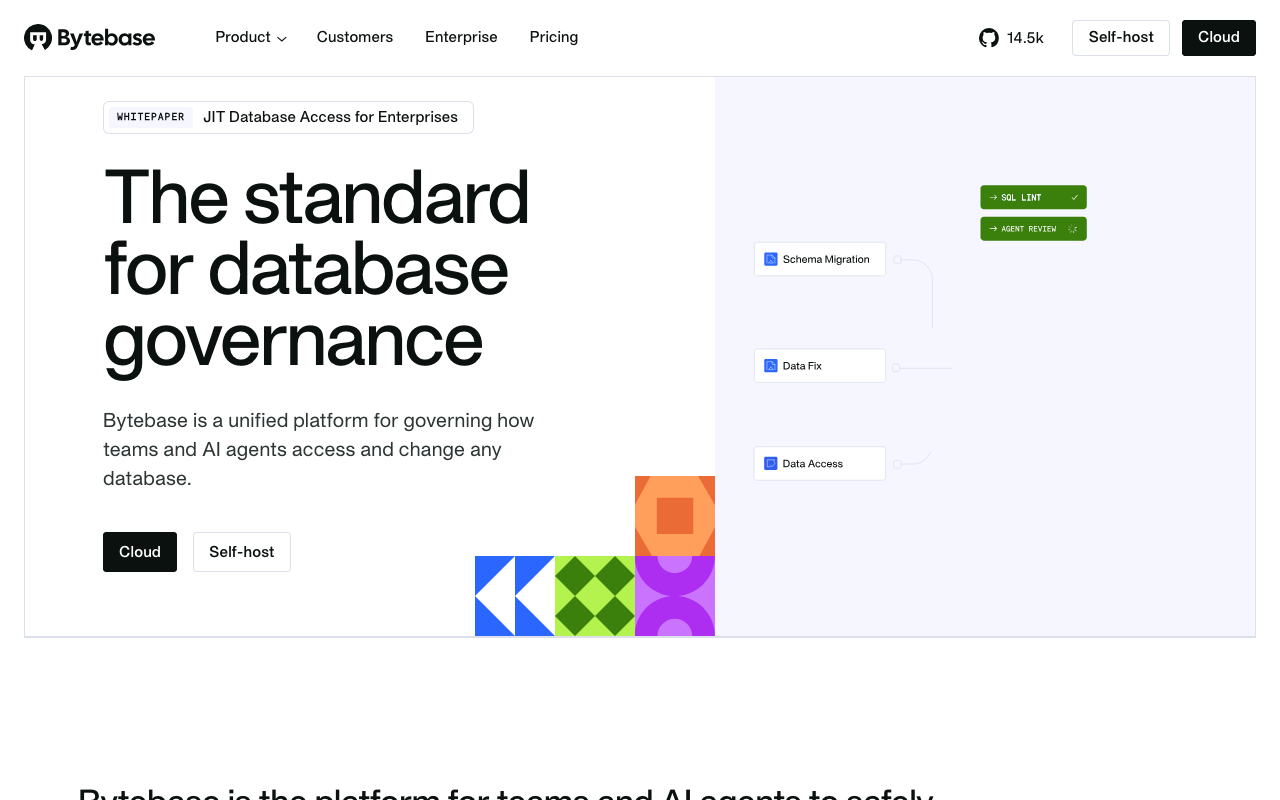
Bytebase is a different category: a database change management platform rather than a migration runner. It adds what the runners deliberately omit, namely review workflow, approval policies, role-based access, an audit trail, SQL review rules that block anti-patterns, and a controlled path for running ad-hoc statements against production. It is the answer when the problem is not how to apply a change but who is allowed to and how it gets recorded.
Pros
- Review and approval workflow for schema changes, with an audit trail that satisfies compliance requirements
- Configurable SQL review rules reject known-dangerous patterns before a human ever sees them
- Controlled, logged path for ad-hoc production queries, which is the main source of undocumented drift
- Multi-database and multi-environment management from one place, with environment-specific policy
Cons
- Another system to run and keep available, sitting directly in your deployment path
- Overhead is not justified for a small team where a pull request review already covers the need
- Adds a second approval surface alongside your source control review, which teams find duplicative
- Self-hosted community edition has meaningful feature gaps compared with the commercial tiers
Best for: Organisations with enough engineers, databases or regulatory attention that schema changes need approval and audit rather than just execution.
Pricing: Free open source community edition with commercial tiers priced per instance or per user, adding SSO, advanced policy, audit and support.
Sqitch
Sqitch rejects the numbered-file model entirely. Changes are named, declare their dependencies explicitly, and form a directed graph rather than a linear sequence. Every change has a deploy script, a revert script and a verify script, and the verify script is the genuinely distinctive idea: an assertion that runs after deployment to confirm the change actually took effect. Everything is plain SQL, and there is no ORM coupling whatsoever.
Pros
- Explicit dependencies between changes handle branching and merging far better than sequential numbering
- Verify scripts turn a migration into something with a post-condition, which no other tool here requires
- Plain SQL throughout with no abstraction layer and no framework coupling
- No dependency on a particular application language or runtime
Cons
- Dependency declaration is real ongoing work, and the discipline it demands is why teams abandon it
- Small community, so answers to unusual problems are thin on the ground
- No schema inspection or drift detection against the live database
- The mental model differs enough from every other tool that onboarding is genuinely slower
Best for: Teams with heavy branching where sequential migration numbering causes constant merge conflicts, and who will actually write verify scripts.
Pricing: Free and open source with no vendor and no bill. Cost is the engineer time to learn the model and maintain change dependencies.
Prisma Migrate
Prisma Migrate generates migrations by diffing the Prisma schema file against the applied migration history, producing plain SQL files that you can edit before applying. That last detail matters more than it sounds: because the output is SQL on disk rather than a runtime instruction, you can rewrite a generated statement into a safe one, which most ORM-native tools make awkward.
Pros
- Schema and application types stay in sync automatically, removing a whole class of mismatch bugs
- Generated migrations are plain SQL files you can edit before applying, so safety rewrites are possible
- Development workflow is fast and the failure messages are unusually clear
- Migration history and a shadow database check catch drift between the schema file and the database
Cons
- Generated SQL optimises for the final state, not the transition, so it will emit table-rewriting statements without warning
- No concept of expand and contract, batched backfills or concurrent index creation
- Couples your migration story to an ORM, which is a large dependency to take on for schema management alone
- The shadow database requirement complicates environments where creating databases is restricted
Best for: TypeScript teams already using the ORM who want schema and types generated together, and who will review every generated migration before it ships.
Pricing: The ORM and migration tooling are free and open source. The vendor sells adjacent hosted data services, priced separately, which are not required to use migrations.
Drizzle Kit
Drizzle Kit generates migrations from schema definitions written in TypeScript, producing SQL files you apply yourself. The design point is thinness: it stays close to SQL semantics rather than abstracting them, which means the generated output is usually recognisable as the SQL you would have written. For teams who want type safety without a heavy ORM runtime, this is the appeal.
Pros
- Schema defined in TypeScript with types derived from it, and no heavy runtime layer in the way
- Generated SQL stays close to what you would have written by hand, which makes review straightforward
- Lightweight enough to adopt for migrations without committing to a whole data access framework
- Works with serverless and edge runtimes where heavier tooling does not fit
Cons
- Same structural blind spot as every generator: no awareness of locking, backfills or expand and contract
- Younger project, so conventions shift and the body of public answers is thin
- Complex changes such as renames require intervention because a diff cannot infer intent
- Tied to the TypeScript ecosystem, so it is not an option for a polyglot estate
Best for: TypeScript teams who want type-safe schema definitions and generated SQL without adopting a full ORM runtime.
Pricing: Free and open source with no vendor and no bill. Optional hosted studio and adjacent services are sold separately.
Alembic
Alembic is the migration tool for the SQLAlchemy ecosystem and the default in serious Python data applications. It autogenerates migrations by comparing model metadata against the live database, and migrations are Python files, which means a migration can contain arbitrary logic. That is its strongest and most dangerous property: a batched backfill with progress logging and resumability is straightforward to write, and so is an accidental full-table update.
Pros
- Migrations are Python, so batched backfills, conditional logic and data transformations are natural to express
- Autogeneration from model metadata handles the mechanical majority of changes
- Branching and merging of migration histories is supported explicitly rather than by convention
- Deeply embedded in the Python ecosystem with a long production track record
Cons
- Autogeneration misses categories of change entirely, including many constraint and type alterations, and misses them silently
- Arbitrary Python in a migration is arbitrary risk, and reviewers routinely skim it
- Tightly coupled to SQLAlchemy, so it is not a general-purpose choice
- Configuration and the multi-head merge model are a real onboarding cost
Best for: Python teams already on SQLAlchemy, particularly those who need data migrations with real logic rather than pure schema changes.
Pricing: Free and open source with no vendor and no bill. Cost is the engineer time to review autogenerated output carefully.
How to choose
Start with the stack, then with the process requirement, because those two answer it.
If you are on a framework with its own migration tooling and it is working, stay there and fix the review problem instead. The common failure is not the tool, it is that nobody reads generated migrations before they ship. Add a lint step and a rule that any migration touching a large table gets a second reviewer.
If you want hand-written SQL and predictable ordering, Flyway. It is the least surprising tool in the category.
If you support multiple database engines from one codebase, Liquibase, because that abstraction is the one thing it genuinely buys you.
If your main problem is unsafe migrations reaching production, Atlas, because linting a planned migration for destructive and blocking operations in CI is the automated version of the expertise this article describes.
If your main problem is who is allowed to change the schema, Bytebase. That is a governance problem and a migration runner will never solve it.
If merge conflicts in migration ordering are the daily pain, Sqitch, provided the team will maintain dependency declarations.
Then set three things regardless of tool: a short lock timeout on migration sessions, a rule that no migration is allowed to both change schema and change data in one file, and a nightly schema diff against production that alerts on any difference.
| Tool | Model | Migration format | Drift detection | Picks itself when |
|---|---|---|---|---|
| Flyway | Versioned | SQL files | History table only | You want plain SQL and no surprises |
| Liquibase | Versioned | Changelog, several formats | Commercial edition | Multiple database engines, one codebase |
| Atlas | Declarative and versioned | HCL or SQL | Schema inspection, core feature | Unsafe migrations must be caught in CI |
| Bytebase | Platform over versioned | SQL with policy | Yes, plus change governance | Approval and audit are the requirement |
| Sqitch | Dependency graph | SQL, with verify scripts | No | Branch merges break sequential numbering |
| Prisma Migrate | Generated from schema file | Generated SQL, editable | Shadow database check | TypeScript team already on the ORM |
| Drizzle Kit | Generated from TypeScript | Generated SQL | Schema diff | TypeScript, type safety, no ORM runtime |
| Alembic | Generated from models | Python | Autogenerate comparison | Python and SQLAlchemy, data migrations needed |
Needs first-hand data: Take the three riskiest migrations from your last year and run each against a restored production-sized copy under each candidate tool, recording whether the tool warned you, what lock was taken, and how long it held. A tool that would have caught even one of those before production has paid for itself.
Frequently asked questions
How do I run a zero-downtime migration?
Follow expand and contract. Add the new structure without removing the old, deploy application code that writes both and reads the old, backfill in batches, deploy code that reads the new, wait, then drop the old. Each phase is separately deployable and separately reversible. Combined with a short lock timeout so that any statement which cannot acquire its lock immediately fails rather than queueing, this covers nearly every change without downtime.
Should I write down migrations?
Write them for local development, where they let you iterate quickly. Do not plan production recovery around them. A down migration cannot restore dropped data, it has never been tested against real data, and if you are following expand and contract properly you do not need it, because the previous application version already works against the new schema. For genuinely irreversible changes, the recovery plan is a verified backup and point-in-time recovery, confirmed before the migration runs.
Can I let my ORM auto-sync the schema in production?
No. Auto-sync computes a diff and applies it without review, which means the first time anyone sees the statement is after it has run. It will drop columns to match a model, rewrite tables to change a type, and take locks nobody anticipated. Use it in local development if it saves you time, disable it everywhere else, and generate reviewable migration files instead.
How do I detect schema drift between environments?
Build a database from scratch by replaying the migration history, then diff it against each live environment. Any difference is drift. Run it on a schedule and alert on any output, because drift found on a Tuesday is a ticket and drift found during a deployment is an incident. Declarative tools do this as a core operation; with a versioned tool you run the diff separately.
Where should migrations run in the pipeline?
As a separate, explicitly gated step before the application deployment that depends on them, not as a side effect of application startup. Running on startup means several instances race to apply the same migration, and a failure leaves you with a crash loop instead of a clear error. A dedicated step in your CI/CD pipeline with its own credentials, its own lock timeout and its own failure handling is the correct shape, and it is also where an approval gate belongs if you need one.
Related reading
- Best CI/CD platforms — where the migration step belongs and how to gate it.
- Best database branching and preview tools — testing a migration against a real copy before it ships.
- Best preview environment tools — running branch migrations per pull request.
- Best managed Postgres providers — the platform behind the schema you are changing.
- Best TypeScript ORMs — where the generated migration tools come from.
- Best deployment and release orchestration tools — sequencing a schema change alongside an application rollout.