DNS is the piece of infrastructure that gets the least attention per unit of blast radius. A bad record is a total outage, not a degradation. Nothing retries around it, no circuit breaker helps, and the failure looks to users exactly like your company ceasing to exist. Teams that run careful change review on application deploys frequently change production DNS by hand in a web console at eleven at night.
The second problem is that almost everything engineers believe about DNS propagation is wrong. “It takes 48 hours to propagate” is folklore from an era of zone transfers between secondary servers. What actually happens is that resolvers around the world cached your old record, and they will keep serving it until the TTL you set expires. The provider published your change in seconds. The delay is yours, and it is controllable.
The third problem is that DNS providers differ on things that only matter during incidents. Whether you can express a failover policy. Whether the API is good enough to manage zones as code. Whether DNSSEC is a checkbox or a maintenance burden. Whether the anycast network is actually diverse or a handful of locations with a nice map.
This is the evaluation I would run before moving a zone: understand what you actually control, understand what the security and routing standards do and do not give you, then compare providers on automation, failover and network quality.
Key takeaways
- Propagation delay is resolver caching governed by your TTL, not the provider publishing slowly. Lower the TTL before a change, not during one.
- DNSSEC signs answers so resolvers can detect tampering. It does not encrypt anything, and a mismanaged key rollover takes your domain offline more thoroughly than no DNSSEC at all.
- Anycast is a routing technique, not a vendor feature. What differs between providers is the number and diversity of sites announcing the same address and how they handle withdrawal during failures.
- If your zone is not in version control with a reviewable diff, your most dangerous production change has no change control on it.
Propagation is resolver caching, not vendor speed
Here is the actual mechanism, because it determines every operational decision you make around DNS changes.
When someone resolves your hostname, their device asks a recursive resolver, typically run by their ISP, their employer, or a public resolver service. If that resolver has a cached answer that has not expired, it returns it without asking anyone. Only on a cache miss does it walk down from the root to the top-level domain servers to your authoritative nameservers, get an answer, cache it for the TTL specified in the record, and return it.
So when you change a record, your authoritative servers serve the new value immediately. Every resolver that already had the old value keeps serving it until its cached copy expires. The visible “propagation time” is the TTL you set, which means it is a decision you made in advance rather than a property of your provider.
The operational consequences are direct.
Lower the TTL before you need to change something, not when you change it. Dropping a TTL takes effect only after the old TTL expires, so reducing it at the moment of change does nothing for the resolvers holding the old value. The pattern is to lower the TTL a day or more ahead of a planned migration, make the change, verify, then raise it again.
Negative answers are cached too. The zone’s SOA record carries a minimum value that controls how long a resolver caches the fact that a name does not exist. Create a record that was recently queried and failed, and clients may keep seeing failures for the negative caching period. This catches teams adding subdomains during a launch.
Some resolvers ignore your TTL. A minority clamp TTLs to their own minimum or maximum, and some corporate resolvers and devices cache far longer than they should. Plan for a long tail rather than a clean cutover, which means keeping the old endpoint serving until traffic to it actually stops rather than until the TTL says it should have.
TTL is a tradeoff, not a value to minimise. Short TTLs mean faster changes and faster failover, and also more queries against your zone, more resolution latency on cache misses, and more exposure if your provider has a problem. Long TTLs mean the opposite. A reasonable pattern is moderate TTLs on stable records, short TTLs on anything that participates in failover, and a documented pre-change lowering procedure.
Needs first-hand data: Audit your current zone and record every TTL alongside how quickly you would need to change that record during an incident. Any record that is part of a failover path with a TTL longer than your acceptable recovery time is a latent outage. Then measure actual observed convergence by changing a low-traffic record and querying it from several public resolvers on a schedule until all return the new value.
DNSSEC: a standard, not a product
DNSSEC is a set of extensions that let a resolver verify that a DNS answer came from the zone’s real operator and was not modified in transit. Every provider either supports it or does not; none of them own it.
The mechanism is a chain of signatures. Records in a zone are signed with a zone signing key, producing signature records alongside the data. The zone signing key is itself vouched for by a key signing key. A hash of the key signing key is published in the parent zone as a delegation signer record, placed there through your registrar. The parent zone is signed by its parent, and so on up to the root, whose key is distributed with resolver software. A validating resolver walks that chain and rejects any answer whose signature does not verify.
Operationally the parts that matter are key rollover and the delegation signer record. Keys are rotated periodically, and during rotation the old and new keys must both be present long enough for caches to converge. If the delegation signer record in the parent does not match the key actually signing the zone, validating resolvers refuse every answer for your domain. That is a hard outage affecting only the users whose resolvers validate, which makes it confusing to diagnose because it works fine from your machine.
What it gives you
Detection of tampering between the authoritative server and the validating resolver, which covers cache poisoning and on-path manipulation of answers. Authenticated denial of existence, so an attacker cannot suppress a record by claiming it does not exist. A foundation for publishing other trust material in DNS, since records such as certificate and key associations only mean anything if the DNS answers themselves are verifiable. And, with a provider that automates signing and rollover, all of this for roughly the cost of enabling a toggle and adding one record at the registrar.
What it does not do
It does not encrypt anything. The query and the answer travel in plaintext, and anyone on the path can see which names you looked up. Encrypting the query is a separate concern handled by transport-level protocols between client and resolver. It does not protect the last hop between the user’s device and their resolver unless that resolver validates, and many do not. It does not authenticate the service at the other end of the address; that is what certificates are for. It does not prevent an attacker who compromises your provider account from publishing correctly signed malicious records. And it adds a failure mode that did not exist before: a broken chain of trust removes your domain from the internet for validating users, which is why key management automation is not optional.
Anycast: a routing technique, not a product
Anycast means the same IP address is announced from many locations, and the routing protocol between networks delivers each query to whichever announcement is closest by its own metrics. Every serious DNS provider uses it, so “we use anycast” is not a differentiator. What differs is the implementation.
The things that actually vary. Site count and geographic diversity, which determine how far a query travels. Peering relationships, because being present in a city matters less than being well connected to the networks users are on there. Withdrawal behaviour on failure, meaning whether a site that is unhealthy stops announcing the address promptly or keeps attracting queries it cannot answer, which is the failure mode that turns a partial outage into a total one. And capacity per site, which determines whether a volumetric attack against one location degrades service there or is absorbed.
What it gives you
Lower query latency, because a resolver reaches a nearby site rather than a distant one. Resilience to the loss of individual sites, since withdrawing an announcement reroutes traffic to the next nearest automatically with no configuration change and no TTL dependency. Absorption of volumetric attacks, because attack traffic is distributed across sites by the same routing that distributes legitimate traffic rather than concentrating on one target. And it operates below your zone entirely, so you get these properties without configuring anything.
What it does not do
It gives you no control over which site serves a given user. Routing decisions are made by other people’s networks using their own policies, so a user in one country may be served from another for reasons you cannot see or change. It is not a substitute for provider redundancy: every site announcing the same address is still one provider with one control plane, and a bad zone push or an account compromise affects all of them simultaneously. It does not guarantee proximity, since routing optimises for the announcing networks’ policies rather than for geographic distance. And it does nothing for correctness, availability of the zone data, or the software serving it.
The redundancy conclusion worth stating plainly: if DNS resolution failing is unacceptable, use two independent providers with your nameserver delegation split across both, and keep both zones in sync from one source of truth. That is the only configuration that survives a single provider’s control plane failing, and it is a configuration that only works if your zone is managed as code.
DNS as code, and why the API is the main buying criterion
The most consequential difference between these providers for a working engineering team is how well the zone can be managed by machines.
Provider quality in infrastructure-as-code tooling. Every provider here has some form of integration, and they vary from complete coverage of every record type and setting to a partial implementation that forces console changes for anything unusual. A partial provider is worse than none, because it splits ownership of the zone between code and console and guarantees drift.
API completeness and rate limits. Whether every setting is reachable through the API, whether bulk changes are supported atomically, and whether the rate limit permits applying a large zone change in one run. A provider whose API rejects a hundred record updates in a batch makes automation fragile.
Zone file import and export. The ability to get a standard zone file in and out is what makes migration feasible and what lets you keep an independent backup. It is also the mechanism for running a second provider in parallel.
Record types supported. Beyond the basics, check for the ones your stack needs: service records, certificate association records, alias or flattened records at the zone apex, and text records long enough for the authentication strings that mail and verification systems require. Apex aliasing is the one that most often forces a provider change, since the underlying protocol does not permit a CNAME at the zone apex and providers solve it with proprietary record types.
Change review. Terraform plan output on a DNS change is the closest thing this category has to a code review, and the discipline it enforces is worth more than any individual feature. Putting the zone in the same repository and the same pipeline as your infrastructure means the most dangerous change you make gets the same scrutiny as everything else. That pipeline is usually the same CI/CD platform running your application deploys.
Needs first-hand data: Export your current zone, import it into each candidate provider in a trial account, and run your actual infrastructure-as-code definition against it. Record which record types failed to import, which settings are unreachable from the API, and how long a full apply of your zone takes against the provider’s rate limits. That is the compatibility test that matters, and it takes an afternoon.
Failover and traffic routing
Routing policies turn DNS from a lookup table into a traffic control plane. They are useful and they have sharp edges.
Health-checked failover returns a secondary address when the primary fails a health check. Its recovery time is the health check interval plus the failure threshold plus the record TTL plus resolver behaviour, which is usually much longer than teams assume. DNS failover is a coarse tool and is not a substitute for a load balancer within a region.
Weighted routing splits traffic by proportion, which is how blue-green and canary releases are sometimes implemented at the DNS layer. Caching makes the split approximate rather than exact, and an individual user sticks to whichever answer their resolver cached.
Geographic and latency routing return different answers depending on where the query appears to come from. Note that it is the resolver’s location, not the user’s, unless the client subnet extension is in play, so a user on a centralised corporate or public resolver may be routed to the wrong region.
Multi-value answers return several addresses and let the client choose, which gives crude load distribution and client-side retry but no health awareness unless the provider filters unhealthy entries.
The honest summary: use DNS routing for coarse-grained decisions like steering traffic between regions or away from a failed one, and use a proper load balancer for everything finer. Teams that try to implement precise traffic management in DNS end up fighting caches they do not control. For genuine multi-region deployment, anycast at the network layer gives you faster failover than DNS ever will.
Cloudflare

Cloudflare operates one of the largest authoritative DNS networks and gives it away as the entry point to the rest of its platform. The technical distinctions worth knowing are apex flattening, which resolves a CNAME at the zone apex into address records so you can point your bare domain at a hostname, one-click DNSSEC with managed key rollover, and the fact that the same zone drives its proxy, WAF and CDN when records are proxied.
Pros
- Very large anycast network with strong peering, provided at no cost for authoritative DNS on standard plans
- DNSSEC signing and key rollover are managed, removing the operational risk that stops most teams enabling it
- CNAME flattening at the zone apex solves a problem the protocol itself does not permit solving
- Complete API and a mature infrastructure-as-code provider, so zones as reviewable code are straightforward
Cons
- Proxied records route your traffic through the platform, which is a significant architectural commitment made by toggling an icon
- Advanced routing policies such as health-checked failover and geographic steering sit in paid add-ons
- Registrar and DNS coupled to one platform concentrates risk in the layer you least want concentrated, and support on the lower tiers is community-scale for a component this critical
Best for: Teams who want a fast, free, well-automated authoritative DNS with managed DNSSEC, especially if they already use the platform for delivery.
Pricing: Authoritative DNS included at no charge on standard plans, with advanced traffic steering, health checks and higher-tier support priced as paid add-ons or plan upgrades.
Route 53
Route 53 is the DNS service inside AWS and is designed to be the control plane for traffic across AWS resources. Its distinguishing capabilities are alias records that point at platform resources without an extra lookup and without an address to maintain, and a routing policy system that composes health checks, weights, latency and geography into a decision tree.
Pros
- Alias records resolve directly to platform resources with no additional lookup and no charge for the query
- Rich routing policies including latency, geolocation, weighted and multi-value, composable into nested decision trees
- Health checks are a first-class resource with their own alarms and can drive automatic failover
- Integrated with the platform identity model and infrastructure-as-code tooling, so zone changes go through the same pipeline as everything else
Cons
- Priced per hosted zone and per query, so a large number of zones or high query volume becomes a real line item
- Console and API are verbose for a simple record change, while the routing policy system is powerful enough to build configurations nobody on the team fully understands
- Strongest value is inside AWS, and the advantages narrow considerably for resources hosted elsewhere
Best for: Teams whose infrastructure is on AWS and who want DNS-level traffic policy managed with the same tooling and identity as the rest of the estate.
Pricing: Metered per hosted zone per month plus per million queries, with separate charges for health checks and for some routing policy types, and no query charge for alias records pointing at platform resources.
NS1
NS1 is a managed DNS provider built around traffic management as the primary product rather than as an add-on. Its distinguishing feature is a rules engine that makes routing decisions from arbitrary data feeds, including your own telemetry pushed into the platform, which allows steering based on real application state rather than on static geography.
Pros
- Traffic steering driven by live data feeds, including your own metrics, rather than fixed geographic or weighted rules
- Filter chain model composes routing decisions in a way that is explicit and inspectable rather than implicit
- Strong API and automation posture, designed for programmatic management from the outset
- Supports both managed and dedicated deployment models for organisations with specific isolation requirements
Cons
- The filter chain model is genuinely complex and is overkill for the majority of teams whose routing requirement is one region and a failover
- Priced as an enterprise product, so it is expensive relative to providers that treat DNS as a commodity
- Smaller ecosystem of third-party integrations than the hyperscaler services
Best for: Organisations doing genuine multi-provider or multi-region traffic management where routing decisions need to respond to live application telemetry.
Pricing: Subscription tiers based on query volume and record count with traffic management capabilities gated by tier, plus enterprise agreements for dedicated deployments.
DNSimple
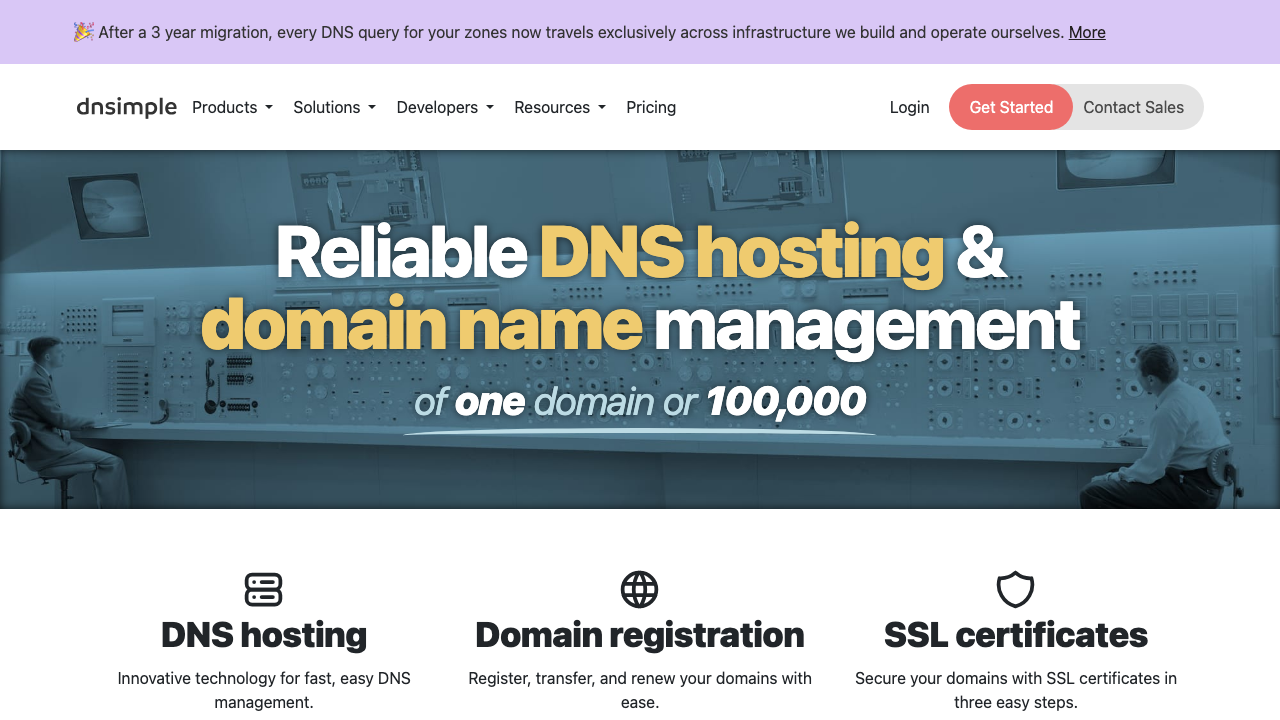
DNSimple is a DNS and domain management service aimed squarely at developers, with a clean API, a well-maintained infrastructure-as-code provider, and a set of one-click service templates that configure the records third-party services require. It is deliberately not a platform, which is the point: it does DNS and domains well and stays out of the rest of your architecture.
Pros
- API and automation quality are a primary design goal rather than an afterthought, which shows in day-to-day use
- Service templates apply the correct record set for common third-party services without manual transcription
- Domain registration and DNS in one place with a straightforward transfer and renewal process
- Clear, small feature surface that a team can fully understand, which is a virtue in this category
Cons
- Smaller anycast network than the hyperscalers, and limited advanced traffic steering, so complex routing policies belong elsewhere
- Priced per domain, which is fine for a handful and expensive for an estate with hundreds
- Not integrated with a compute platform, so there is no equivalent of alias records to cloud resources
Best for: Development teams and agencies managing a moderate number of domains who want excellent automation and no platform entanglement.
Pricing: Subscription tiers based on the number of domains managed, with registration and renewal billed separately per domain at cost-plus rates.
Bunny DNS
Bunny DNS is the DNS half of a delivery platform, offered at low cost and integrated with the provider’s CDN so that records can point directly at pull zones. It covers the standard requirements including anycast serving, geographic and latency steering, and health-checked failover, without the enterprise price attached to those features elsewhere.
Pros
- Geographic steering, latency routing and health-checked failover available without an enterprise tier
- Integrated with the provider CDN, so pointing a hostname at a delivery zone is a single step
- Low, usage-based pricing that stays small at moderate query volume
- Straightforward interface and API that do not require a specialist to operate
Cons
- Smaller network footprint than the largest DNS operators, which matters most in markets where its peering is thin
- Tied in practice to the wider delivery platform, so its advantages diminish if your CDN is elsewhere
- Less mature ecosystem than the established providers, and enterprise compliance, support commitments and audit requirements are not the target
Best for: Teams already delivering content through the same provider who want routing features without an enterprise DNS contract.
Pricing: Usage-based metering on queries with routing features included rather than tiered, and a free allowance at low volume.
Google Cloud DNS
Google Cloud DNS is the authoritative DNS service inside Google Cloud, serving from the provider’s global anycast network with the platform’s identity, logging and infrastructure-as-code model applied. It supports DNSSEC with managed signing, private zones visible only inside your networks, and routing policies for geographic and weighted distribution.
Pros
- Managed DNSSEC signing with automated key rotation removes the main operational risk of enabling it
- Private zones resolve only within your own networks, which cleanly separates internal from public naming
- Platform identity, audit logging and infrastructure-as-code integration apply the same as any other resource
- Backed by the provider global anycast network with the capacity that implies
Cons
- Priced per zone and per query, so many small zones are disproportionately expensive
- Routing policy capabilities are more limited than the providers built around traffic management
- Console and tooling assume familiarity with the wider platform, so it is overhead unless your infrastructure already lives there
Best for: Teams on Google Cloud who want public and private DNS under the same identity, logging and deployment model as the rest of their infrastructure.
Pricing: Metered per managed zone per month plus per million queries, with separate metering for routing policies and health checks.
Porkbun
Porkbun is a domain registrar that includes competent authoritative DNS at no additional cost. Its position in this list is as the pragmatic default for the long tail of domains that need to exist, resolve correctly and cost as little as possible, with an API good enough to automate renewals and record changes.
Pros
- Registration pricing is consistently among the lowest, including renewals rather than only first-year promotions
- DNS hosting included at no extra charge with DNSSEC support and a usable API
- Free WHOIS privacy and TLS certificate provisioning included rather than upsold
- Simple enough to operate that managing dozens of parked or secondary domains is not a burden
Cons
- Network scale and query capacity are not comparable to the dedicated DNS operators
- No meaningful traffic steering or health-checked failover capability
- Support is small-team scale, which is a risk if a registrar-level problem blocks a transfer or renewal
Best for: Registering and parking the long tail of domains, and hosting DNS for sites where resolution is straightforward and cost matters more than routing features.
Pricing: Per-domain registration and renewal pricing with DNS hosting, WHOIS privacy and certificates included at no additional charge.
deSEC
deSEC is a non-profit, free DNS hosting service that signs every zone with DNSSEC by default and has no paid tier. It exists to make authenticated DNS the normal case rather than an upgrade, and it is the most straightforward way to get a fully signed zone with a clean API and no commercial relationship.
Pros
- DNSSEC is mandatory and fully managed, so a signed zone is the default state rather than a project
- Free with no paid tier, which removes the feature-gating dynamic entirely
- Clean REST API with an infrastructure-as-code provider, making automated zone management straightforward
- Non-profit operation with a transparent mission, which is a different risk profile from a commercial vendor
Cons
- Volunteer and donation funded, so capacity, support and long-term continuity carry a different kind of risk than a paid service
- Network footprint is far smaller than the commercial operators, and fair-use rate limits make it unsuitable for high query volumes
- No traffic steering, health checks or failover capability at all
Best for: Projects that want a properly signed zone with good automation and no vendor relationship, and as a secondary provider in a two-provider configuration.
Pricing: Free with no paid tier, funded by donations, subject to fair-use rate limits.
How to choose
Answer these in order.
Is DNS resolution failure acceptable for any length of time? If not, you are running two independent providers with delegation split between them, and every other criterion is secondary to which two providers can both be driven from one source of truth. If a short outage is survivable, a single well-run provider is fine and much simpler.
Where does your infrastructure live? If it is concentrated in one cloud, that cloud’s DNS gives you alias records to platform resources, one identity model and one deployment pipeline, which is worth a lot of operational simplicity. If your infrastructure is spread or outside the major clouds, a neutral provider avoids pulling your naming layer toward one vendor.
Do you need traffic steering, honestly? Most teams do not. A primary address and a documented manual failover procedure covers more situations than a complex routing policy nobody has tested. If you genuinely need steering driven by live application state, that narrows the list to the traffic management specialists immediately.
Can you manage the zone as code with this provider? Run your actual infrastructure-as-code definition against a trial zone before committing. A provider whose tooling covers ninety percent of your records is a provider that guarantees console drift on the other ten.
Does the provider manage DNSSEC keys for you? Enable DNSSEC, but only with automated signing and rollover. Manual key management in this category is how domains disappear, and no team that does it occasionally does it reliably.
Whatever you pick, do four things in week one: get the zone into version control with a reviewable diff, write down the TTL lowering procedure for planned changes, enable managed DNSSEC, and confirm you can export a standard zone file so the next migration is not a transcription exercise. The zone belongs in the same repository as the rest of your hosting configuration, reviewed the same way.
| Provider | Position | Strongest when | Main risk |
|---|---|---|---|
| Cloudflare | Network platform | Free fast DNS with managed DNSSEC | Platform consolidation in a critical layer |
| Route 53 | Cloud-native | Infrastructure is on AWS | Per-zone and per-query cost at scale |
| NS1 | Traffic management | Routing must follow live telemetry | Complexity and enterprise pricing |
| DNSimple | Developer service | Moderate domain count, strong automation | Smaller network, no advanced steering |
| Bunny DNS | Delivery platform | Routing features at low cost | Footprint and ecosystem maturity |
| Google Cloud DNS | Cloud-native | Infrastructure is on Google Cloud | Per-zone cost, limited steering |
| Porkbun | Registrar | Long tail of domains, lowest cost | No steering, small-team support |
| deSEC | Non-profit | Signed zones and a free secondary | Funding model and capacity limits |
| DNSSEC (standard, not a product) | — | You need answers to be verifiable | Broken chain is a total outage |
| Anycast (standard, not a product) | — | Always, every provider uses it | Still one provider control plane |
Frequently asked questions
How long does a DNS change really take to propagate?
As long as the TTL on the old record, plus a tail of resolvers that hold values longer than they should. Your provider publishes the change immediately; the delay is resolvers serving what they already cached. This is why the procedure is to lower the TTL well in advance of a planned change, make the change, verify from several independent resolvers, and then restore the TTL. Nothing you can buy makes an already-cached answer expire sooner.
Should I enable DNSSEC?
Yes, if your provider manages signing and key rollover automatically, and the registrar side of the delegation is straightforward. It prevents an entire class of answer tampering for the growing share of users behind validating resolvers. Do not enable it if you would be managing keys manually, because a mismatch between the key signing your zone and the delegation record at the registrar removes your domain from the internet for exactly the users whose resolvers are doing the right thing.
Do I need two DNS providers?
If DNS resolution failing would be a serious business event, yes. A single provider is a single control plane, and anycast does not protect you from a bad zone push, an account compromise or a platform-wide incident. Two providers means delegating your nameservers across both and keeping both zones synchronised from one definition, which is only practical if you manage the zone as code. If a short outage is tolerable, one good provider is a reasonable choice honestly made.
Is DNS-based failover good enough for high availability?
Only as a coarse tool. Recovery time is the health check interval plus the failure threshold plus the TTL plus resolver stubbornness, and the total is usually minutes rather than seconds. Use it to steer away from a failed region, and use a load balancer or anycast routing for anything that needs to fail over faster than users will notice. Treating DNS as a fine-grained traffic controller means fighting caches you do not control.
What TTL should I use?
Moderate values on stable records, short values on anything that participates in failover, and a documented procedure for lowering TTLs before planned changes. Very short TTLs everywhere increase query volume, add resolution latency on every cache miss, and increase your exposure if your DNS provider has a problem, since more clients need a fresh answer. Pick the TTL from how quickly you would need to change that specific record during an incident, which is a different answer for the apex record than for a mail record.
Related reading
- Best hosting platforms for developers — what the records point at, and how host choice constrains your DNS options.
- Best CDN providers for developers — the layer that DNS resolution hands off to, and why apex aliasing matters.
- Best platforms for multi-region deployment — where DNS steering ends and network-layer routing begins.
- Best infrastructure as code tools — putting the zone under the same review as everything else you deploy.
- Best uptime and synthetic monitoring tools — detecting a resolution failure from outside your own network.
- Best edge compute platforms — the anycast model applied to running code rather than answering queries.