For about fifteen years, “use Redis” was not a decision. It was the thing you typed. The licence was BSD, every cloud sold a managed version, every language had a good client, and the only real question was how much memory to buy.
That stopped being true when Redis left BSD for a source-available dual licence, and it stopped being true in a specific way that matters to you even if you never read a licence. The Linux Foundation picked up a fork called Valkey. AWS, Google and Oracle put engineers on it. Redis later added AGPL as an option, which reopened the door for some users and closed it for others, and by then the fork had its own release cadence and its own contributors. There are now two active codebases descended from the same source, plus a rewrite in DragonflyDB that speaks the same protocol on a completely different threading model, plus a category of HTTP-fronted caches that are not Redis at all but serve the same job.
So the question is no longer how much memory. It is which of these your client library, your Lua scripts, your module usage and your operational muscle memory will actually survive, and what each one does when it runs out of the memory you bought.
That last part is the one nobody plans for. Almost every team I have watched migrate a cache tested correctness, tested failover, and never once tested the machine’s behaviour at the moment used_memory crosses maxmemory with production traffic still arriving. That moment is not a gradual degradation. Depending on one config line, it is either a slightly worse hit rate or a wall of write errors in your application logs, and the config line defaults differently across the providers below.
Key takeaways
- Compatibility is three separate questions: the wire protocol, the command surface, and the module surface. The first is near-universal, the second is close, and the third is where migrations break.
- Eviction policy is a correctness decision disguised as a tuning knob.
noevictionturns a full cache into write errors, andvolatile-*policies behave exactly likenoevictionif your keys have no TTL.- The pricing meters are not comparable without translation. Node-hours, provisioned GB-hours, per-command billing and per-GB-transferred all describe the same cache differently, and the one that is cheapest depends entirely on your idle-to-peak ratio.
- Memory you can use is always less than memory you bought, because fork-based persistence, replication buffers, client output buffers and allocator fragmentation all take a share. Sizing against the advertised number is the most common way to meet the eviction wall early.
What actually forked, and what that means for your code
Redis moved off BSD to a source-available licence that restricts offering it as a managed service. That restriction was aimed squarely at cloud providers, not at you, but it meant the cloud providers needed an answer. Valkey is that answer: a fork of the last BSD-licensed Redis, hosted by the Linux Foundation, with the major clouds contributing. Redis later added AGPL to its licensing options, which changes the calculus for some redistributors and not much for a team that just wants a cache.
For application code, the fork is mostly invisible, and understanding why tells you where it is not.
The wire protocol is the stable part. RESP, the Redis serialization protocol, is what your client speaks: a simple text-and-length framing of commands and replies, with RESP3 adding typed replies and push messages for client-side caching. Valkey speaks it. DragonflyDB speaks it. Most of the “Redis-compatible” services speak it. Any client library you already use will connect to all of them, because connecting is the easy part.
The command surface is close but not identical over time. At the moment of the fork the two codebases had the same commands. They have diverged since, in both directions: Redis has shipped features Valkey has not adopted, and Valkey has shipped changes Redis has not taken. Nothing you use for caching, queues or counters is at risk here. What is at risk is anything that depends on a recently added command or a recently changed behaviour, and the way you find out is by pinning versions and reading release notes, not by assuming.
The module surface is where migrations actually break. RediSearch, RedisJSON, RedisTimeSeries and RedisBloom are Redis modules under Redis licensing. They are not in Valkey. If your product does secondary indexing or full-text search inside Redis, or stores and queries JSON documents with JSON.GET paths, you are not using a cache any more, you are using a database with a Redis-shaped API, and there is no drop-in swap. Valkey has its own module ecosystem and the clouds are building into it, but treating modules as portable is the assumption that costs a quarter.
There is a fourth question people forget: cluster topology and client behaviour. Redis Cluster shards by hash slot and expects a cluster-aware client that follows MOVED and ASK redirects and understands hash tags for co-locating keys. A single-node deployment does not need any of that. Moving from single-node to cluster mode is a bigger change than moving between vendors, because multi-key operations stop working across slots and your Lua scripts have to declare keys that all land in one slot. Plan that migration as its own project.
Eviction is the failure nobody rehearses
This is the section to read twice.
Redis and its descendants are memory-first. You set maxmemory, and when stored data plus overhead approaches that ceiling, maxmemory-policy decides what happens next. There are broadly three behaviours behind seven policy names.
Refuse writes. noeviction returns an out-of-memory error on any command that would increase memory. Reads still work. This is the correct policy for a Redis you are using as a database, because silently dropping data you cannot regenerate is worse than an error. It is the wrong policy for a cache, and it is the default in more places than people expect. The symptom is not a slow cache. It is your application throwing write errors on a path that has worked for two years, at your traffic peak, on the day someone shipped a feature that stores slightly larger values.
Evict from everything. allkeys-lru, allkeys-lfu and allkeys-random will remove any key to make room. This is what you almost always want for a pure cache. allkeys-lru approximates least-recently-used; allkeys-lfu approximates least-frequently-used and is usually better when you have a stable hot set plus a long tail of one-off scans, because a single large scan will pollute an LRU and evict your hot keys while barely touching an LFU.
Evict only from keys with a TTL. volatile-lru, volatile-lfu, volatile-ttl and volatile-random restrict eviction to keys that have an expiry set. This is the trap. If a meaningful share of your keys were written without a TTL, those keys are not eligible, and when the evictable pool is exhausted the instance behaves exactly like noeviction. You get out-of-memory errors while the INFO output shows plenty of keys that you assumed were candidates. Teams reach for volatile-* because it sounds safer, then discover that “safer” means “will refuse writes rather than touch the data I forgot to expire.”
Two mechanical details that change how you reason about this.
Eviction is approximate, and that is a feature. Redis does not maintain a true LRU list, because doing so would cost memory per key and a linked-list update per access. It samples a small number of candidate keys and evicts the best of the sample, with a pool that carries good candidates between rounds. maxmemory-samples tunes the sample size: larger is more accurate and more CPU. You will almost never need to change it, but you should know that “LRU” here is a statistical claim, not a guarantee, and a key you consider hot can be evicted.
Expiry is lazy plus sampled, not scheduled. A key with a TTL is not removed at the instant it expires. It is removed when something touches it, or when the background expiry cycle samples it and finds it dead. So used_memory can sit well above the size of your logically live data, and a burst of expirations can show up as a CPU spike rather than a memory cliff. On a replica, expired keys are not deleted independently: the primary decides and propagates the deletion, so a read on a replica respects logical expiry without the memory being freed there yet.
Then there is the gap between memory you bought and memory you can fill.
Fork-based persistence temporarily doubles your exposure. RDB snapshots and AOF rewrites fork the process. The child shares pages copy-on-write, so the extra memory is proportional not to your dataset but to how much of it is written during the fork’s lifetime. A read-mostly cache barely notices. A write-heavy instance mid-snapshot can approach a second copy of the working set. Managed providers handle this by reserving headroom, which is exactly why the usable maxmemory on a managed node is below the instance’s advertised memory.
Buffers count. Replication backlog, per-client output buffers (a MONITOR connection or a slow consumer of a large KEYS result can balloon one), and the client query buffers all consume memory in the same process. A replica that falls behind, or a client that stops reading a large pipeline reply, is a memory event, not just a latency event.
Fragmentation is real and non-linear. The allocator hands back memory in size classes. A workload that churns values across size boundaries leaves holes, and mem_fragmentation_ratio above one means RSS exceeds logical usage. Activedefrag exists and costs CPU. A cache that ran fine for months can hit the wall after a change in value sizes, with no change in logical data volume.
Needs first-hand data: Take one hour of production command traffic, captured as a replay file, and run it against a fixed-size instance three times with
maxmemoryset to your current ceiling, three quarters of it, and half of it. For each run recordkeyspace_hits,keyspace_misses,evicted_keys,expired_keys,used_memory_rss,mem_fragmentation_ratioand the count of OOM command errors from your client. The shape of the hit-rate curve as memory shrinks is the only honest input to your sizing decision, and it is specific to your key distribution.
The meters are not comparable until you translate them
Every provider below bills for the same physical resources. They expose different meters, and the meter determines which workloads look cheap.
Node-hours or instance-hours. You pick a node size and pay for it running, whether it holds one key or fills up. Replicas are separate nodes and multiply the bill directly. This meter rewards high, steady utilisation and punishes a cache that is sized for a peak it hits twice a day.
Provisioned GB-hours. You pay for a memory allocation over time rather than a named instance type. Conceptually the same as node-hours with finer granularity, and the same incentive: fill what you provisioned.
Per-command or per-request. You pay per operation, with storage billed separately and no charge for idle. This inverts everything. A cache that is quiet most of the day and busy for an hour becomes cheap. A cache in a hot loop doing many small reads per page render becomes expensive in a way that scales with your traffic rather than your data, which is a very different planning problem. Watch for how the meter counts: a pipeline of many commands is usually many billable units, and a Lua script is usually billed by the commands it executes.
Per-GB transferred. Bandwidth in or out, and cross-zone traffic in particular. This one is invisible until it is not. A cache holding large values, read frequently from a different availability zone than the primary, generates a bandwidth bill that can rival the memory bill and does not appear in any capacity plan.
The practical consequence: the cheapest provider for a cache with a flat, high request rate and a large working set is almost never the cheapest provider for a cache with a spiky, low-average request rate and a small working set. Before comparing, write down your average and peak commands per second, your working set size, your read-to-write ratio and your cross-zone read share. Without those four numbers the comparison is theatre. The same discipline applies to the rest of your data layer, which is why the managed Postgres comparison starts from workload shape rather than feature grids.
Redis Cloud
The commercial managed offering from the company that maintains Redis itself, available on the major clouds and as a dedicated deployment. It runs the current Redis, including the modules that are not in the fork, and adds an enterprise clustering layer with proxy-based sharding, active-active replication built on conflict-free replicated data types, and a tiered storage option that spills colder values to flash while keeping keys and hot data in memory.
If you use RediSearch, RedisJSON or RedisTimeSeries, this is the reference implementation and the path of least resistance. If you use Redis as a cache and nothing else, you are paying for capability you will not touch.
Pros
- The only place where the Redis modules are first-party and current, which matters if you have built product features on search or JSON paths
- Active-active geo replication with CRDT semantics, which is a genuinely hard problem solved rather than a marketing line
- Tiered storage lets a large, cold-skewed dataset live behind a memory-priced tier without a full redesign
- Shipped by the team that ships the engine, so version availability leads rather than trails
Cons
- The most expensive way to run a plain cache by a wide margin, and plain cache is what most teams need
- Enterprise clustering behaves differently from open-source Redis Cluster in ways that leak into client configuration and failover semantics
- Deep module use is the strongest lock-in in this category: there is no equivalent to migrate to inside the fork ecosystem
Best for: Teams whose product depends on Redis modules for search, JSON or time-series, or who need active-active writes across regions.
Pricing: Subscription by provisioned throughput and memory, with dedicated and multi-zone tiers priced above shared ones, and geo-replication billed per participating region.
AWS ElastiCache
The oldest managed offering in this list, now sold in both a Redis-compatible flavour and a Valkey flavour on the same control plane. Architecturally it is Redis or Valkey nodes in a replication group, with cluster mode optional, sitting inside your VPC with the failover, backup, parameter groups and CloudWatch integration you expect from a first-party AWS service.
Its real advantage is not the cache. It is that the cache is already inside your network, your IAM, your monitoring and your existing support contract, which removes the three boring conversations that slow down every infrastructure purchase.
Pros
- In-VPC placement with security groups, which avoids public endpoints and the latency of leaving your network
- Both Redis-compatible and Valkey engines under one API, so the fork decision is a parameter rather than a migration
- Parameter groups expose the settings that matter, including
maxmemory-policy, rather than hiding them behind an abstraction - Multi-AZ with automatic failover is well-trodden and the failure behaviour is documented in detail
Cons
- You pay for nodes by the hour whether or not they are busy, and replicas are full-price nodes, so a highly available cache is at least double
- Cross-AZ data transfer between your application and a replica in another zone is a separate meter that surprises people
- Scaling memory means a node type change, which is an operation with a maintenance window rather than a slider
Best for: Teams already on AWS who want the cache inside the VPC and value operational familiarity over price optimisation.
Pricing: Per node-hour by instance type, plus backup storage beyond the included allowance, plus data transfer between availability zones; a serverless option meters stored GB-hours and request units instead.
Valkey
The Linux Foundation fork of Redis, created when the licence changed, with contributions from the major cloud providers. It is the same architecture you know: single-threaded command execution with I/O threading, the same RESP protocol, the same data structures, the same cluster model. Work since the fork has concentrated on multi-threading the I/O path and reducing per-key memory overhead, which are the two things that constrain a large Redis node.
It is not a hosted service. It is the engine that several hosted services now run, and picking it is mostly a decision about licence and ecosystem direction rather than about features.
Pros
- BSD-licensed and foundation-governed, which removes the licence question from your architecture review permanently
- Offered as a first-class engine option by multiple managed providers, so choosing it does not mean self-hosting
- Drop-in for cache, queue, counter, session and lock workloads, which is the overwhelming majority of Redis usage
- Contributor base includes the companies operating it at the largest scale, so the changes landing are operational ones
Cons
- No Redis modules, so search, JSON-path querying and time-series usage do not port
- The two codebases diverge over time, which means “Redis-compatible” becomes a claim with a version number attached rather than a permanent property
- You still need someone to operate it, unless you buy it from one of the providers here
Best for: Teams using Redis purely as a cache, queue or counter store who want a permissively licensed engine and multiple interchangeable hosts.
Pricing: No vendor and no bill. Valkey is an open-source project; you pay whichever provider hosts it, or you pay for your own infrastructure and the engineer who operates it.
DragonflyDB
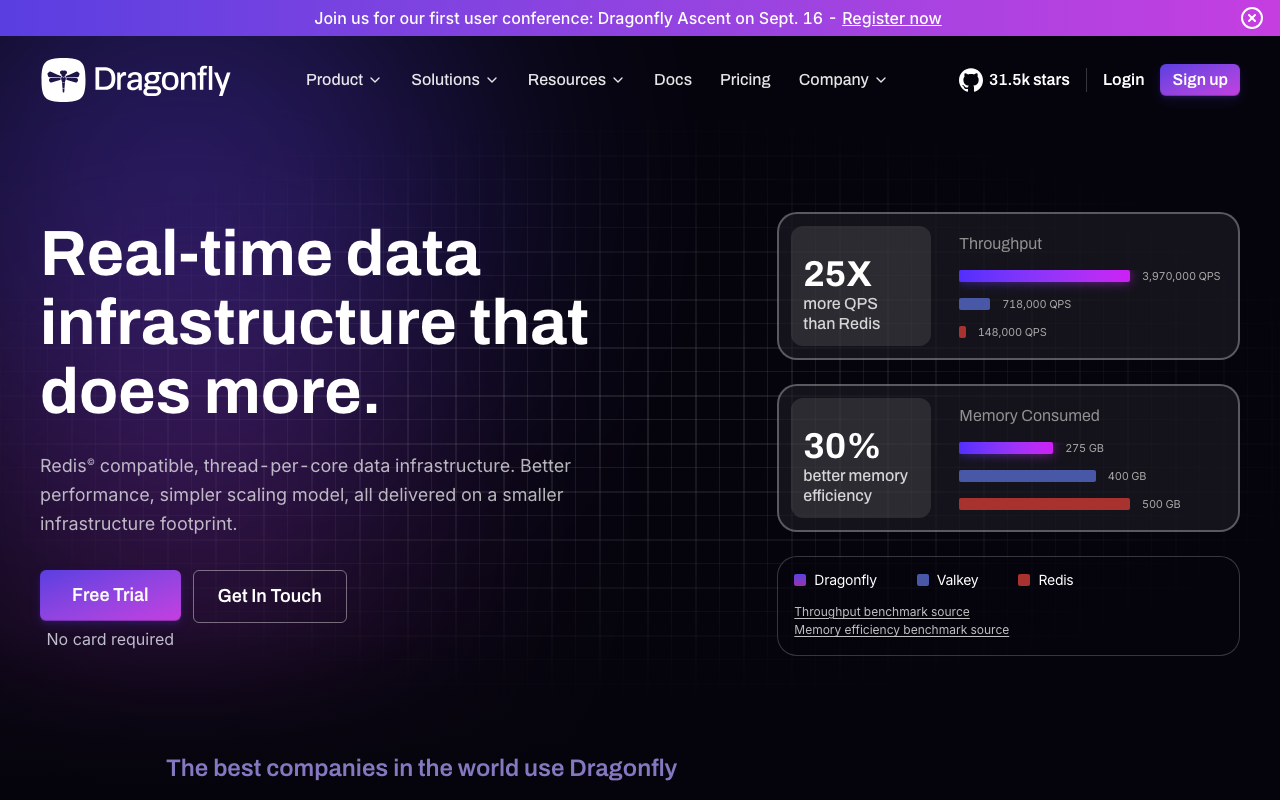
A from-scratch reimplementation that speaks the Redis protocol but is built on a shared-nothing, thread-per-core architecture rather than the single-threaded event loop. Each core owns a slice of the keyspace, so vertical scaling on a large machine does not require running multiple processes and a cluster-aware client. It also uses a different hash table design aimed at reducing per-key overhead and avoiding the fork-based snapshot pattern.
The pitch is that one large Dragonfly instance replaces a Redis cluster, which collapses an operational problem into a hardware problem. The cost is that it is a different implementation, and differences show up at the edges rather than in the common path.
Pros
- Thread-per-core design uses a big machine fully without sharding, which removes cluster-mode client complexity from your application
- Snapshotting does not rely on a process fork, which removes the copy-on-write memory spike that constrains write-heavy Redis nodes
- Speaks RESP and implements the bulk of the command surface, so existing clients and most existing code connect unchanged
- A single-instance deployment is dramatically simpler to reason about than a sharded one
Cons
- A reimplementation means edge-case behaviour, error messages,
INFOfields and less-common commands can differ in ways your monitoring and libraries notice - Smaller operational track record than Redis or Valkey, and fewer people who have debugged it at 3am
- Vertical scaling has a ceiling; when you exceed the largest machine you are back to a distributed problem with less collective experience behind it
Best for: Teams running a Redis Cluster purely to get past single-core throughput limits, who would rather run one large node than shard.
Pricing: Source-available core with a managed cloud offering priced by provisioned instance size and memory; self-hosting has no licence fee for typical internal use.
Upstash
A serverless cache with a per-request meter and both a RESP endpoint and an HTTP API. The HTTP API is the distinguishing feature: it lets you talk to the cache from environments where holding a persistent TCP connection is impractical, which in practice means edge functions and short-lived serverless invocations. Data is durably stored rather than held purely in memory, with a per-request and per-GB commercial model instead of node-hours.
The billing model is the product. A cache that idles most of the day costs almost nothing, which is a genuinely different proposition from renting a node.
Pros
- Per-request pricing means an idle cache is nearly free, which fits spiky and low-average workloads that node-hour pricing punishes
- HTTP API removes the connection-pooling problem for serverless and edge runtimes, where TCP connection churn is the actual bottleneck
- Global replication options put read replicas close to edge compute without you operating them
- No capacity planning step, which removes an entire class of sizing mistakes
Cons
- Per-request billing scales with traffic, so a chatty read path that would be free on a rented node becomes a line item that grows with success
- Request-level limits and per-command size caps exist and constrain workloads that treat Redis as a general datastore
- HTTP adds protocol overhead per operation compared with a pipelined RESP connection, which matters for read-heavy hot loops
Best for: Serverless and edge applications with spiky traffic, where connection lifetime is the constraint and average request rate is low relative to peak.
Pricing: Metered per request with separate metering for stored data and for global replication regions, plus fixed-cost plans for predictable high-volume use.
Momento
A cache service that deliberately does not expose Redis. It offers a smaller API surface over gRPC with its own SDKs, no instances to size, no eviction policy to configure, and no cluster topology to reason about. The argument is that most teams do not want Redis, they want a cache, and the Redis API drags in operational responsibilities that a cache should not require.
That is a real argument and it is also the whole trade. You give up the command surface and the ecosystem in exchange for never thinking about maxmemory again.
Pros
- No capacity, no eviction policy, no failover configuration, which eliminates the failure mode this article spends the most words on
- Purpose-built SDKs handle connection management, retries and timeouts rather than leaving them to a generic Redis client
- Topic and pub-sub primitives alongside the cache without running a separate cluster mode
- Smaller API surface is easier to reason about and harder to misuse as an accidental database
Cons
- Not Redis-compatible, so migrating in means rewriting every call site and migrating out means rewriting them again
- The limited command surface rules out the sorted-set, stream and Lua-script patterns that many teams depend on without realising
- Youngest option here with the smallest community, so debugging knowledge lives mostly with the vendor
Best for: Teams that use a cache only for get, set and invalidate, and want to delete the operational surface entirely rather than manage it.
Pricing: Metered by data transferred through the service with a free allowance, and no charge for provisioned capacity because none is provisioned.
Google Memorystore
Google Cloud’s managed offering, sold in Redis-compatible and Valkey flavours, with a cluster-mode product alongside the older single-instance one. It sits inside your VPC, integrates with Cloud Monitoring and IAM, and offers read replicas and zone-redundant configurations. The cluster product scales shards horizontally with the topology managed for you.
Functionally it is the Google-shaped equivalent of ElastiCache, and the decision between them is usually made by where your application already runs rather than by anything about the cache.
Pros
- Private-IP access inside your VPC with no public endpoint, plus first-party IAM and audit logging
- Both Redis-compatible and Valkey engines, with a cluster product that manages shard topology rather than exposing it
- Maintenance windows, version upgrades and failover are handled by the platform with documented behaviour
- Close integration with Google Cloud monitoring means the cache metrics land where your other service metrics already are
Cons
- Billed per provisioned capacity per hour regardless of utilisation, with replicas charged as capacity
- Engine versions trail upstream, which occasionally means waiting for a fix you can read about but not deploy
- Less configuration exposure than running your own, so unusual tuning requirements can hit a wall you cannot work around
Best for: Teams on Google Cloud who want the cache inside the same VPC and IAM boundary as the services that use it.
Pricing: Per GB-hour of provisioned capacity by service tier, with replicas and additional shards billed as capacity, plus network egress between zones.
How to choose
Answer these in order. Most teams stop after the second.
Do you use Redis modules? If your product calls FT.SEARCH or JSON.GET, you are not choosing a cache provider, you are choosing between staying on Redis Cloud and rewriting that feature against a real search or document store. Decide that first, because it eliminates most of this list. If you are heading toward a rewrite, the search infrastructure guide covers the alternatives honestly.
Is your cache spiky or steady? Divide peak requests per second by average requests per second. A high ratio means you are renting capacity you do not use, and a per-request meter will beat a node-hour meter. A low ratio means the opposite, and per-request billing becomes a tax on your steady state.
Is the cache a cache, or has it quietly become a database? If losing the entire instance would cost you data rather than latency, stop calling it a cache and treat it accordingly: noeviction, persistence you have actually restored from, and a plan that does not depend on memory. Session stores and job queues both drift into this category without anyone deciding.
How much operational surface do you want? Running the engine yourself is the cheapest per gigabyte and the most expensive per engineer. A managed node removes patching and failover but leaves sizing and eviction with you. A serverless cache removes sizing too, at the cost of a meter that follows your traffic.
Where does your application run? Cross-zone and cross-region network cost and latency frequently dominate the decision, and they are the numbers least likely to be in anyone’s comparison spreadsheet. A cache in the wrong zone is slower and more expensive than a cheaper engine in the right one.
| Option | Engine | Meter shape | Modules | Operational surface |
|---|---|---|---|---|
| Redis Cloud | Redis | Provisioned throughput and memory | Yes, first-party | Low |
| AWS ElastiCache | Redis-compatible or Valkey | Node-hours, or request units on serverless | No | Medium |
| Valkey | Valkey | None; you pay a host or your own infra | No | High if self-hosted |
| DragonflyDB | Dragonfly | Instance size on cloud, free self-hosted | No | Medium |
| Upstash | Redis-compatible | Per request plus stored data | No | Very low |
| Momento | Proprietary, not RESP | Per data transferred | Not applicable | Very low |
| Google Memorystore | Redis-compatible or Valkey | Provisioned GB-hours | No | Medium |
What I would not do: run a volatile-* eviction policy on a cache where TTLs are set by application code in more than one place. The policy is only as good as the least careful call site, and the failure arrives as write errors during your busiest hour.
Needs first-hand data: Instrument your own application to record, per cache key prefix, the fraction of keys written without a TTL. Run it for a week across every service that writes to the cache. If that fraction is not effectively zero for every prefix, a
volatile-*policy is unsafe for you regardless of what the documentation says, and the measurement takes an afternoon.
Frequently asked questions
Is Valkey a drop-in replacement for Redis?
For cache, queue, counter, session and distributed-lock workloads, yes in practice: same protocol, same data structures, same commands, same cluster model. It is not a drop-in if you use Redis modules, because those are not part of the fork. It also becomes less of a drop-in over time as the two codebases diverge, so treat compatibility as a claim about specific versions and verify it against your own command usage rather than assuming it holds forever.
What eviction policy should I use for a cache?
allkeys-lfu if you have a stable hot set with a long tail of infrequent keys, because a large scan will not flush your hot data the way it would under LRU. allkeys-lru is the safe general default. Avoid volatile-* policies unless every single write path sets a TTL, because keys without one are not eligible for eviction and the instance will start refusing writes once the evictable pool is exhausted.
Why does my cache report using less memory than the instance shows?
Several things consume memory in the same process that are not your keys: the replication backlog, per-client output buffers, client query buffers, and allocator fragmentation. On top of that, a fork for snapshotting or AOF rewrite creates copy-on-write pages proportional to your write rate during the fork. Managed providers reserve headroom for exactly this, which is why usable maxmemory is below the advertised instance memory.
Does per-request pricing beat renting a node?
It depends on the ratio between your peak and average request rates. A cache that is busy for two hours and idle for twenty-two is paying for idle capacity under node-hour pricing, and per-request billing removes that waste. A cache serving a steady high rate all day is cheaper on a rented node, and per-request billing will grow directly with your traffic. Measure both rates before comparing, because the answer flips.
Should I run Redis myself to save money?
Only if you already have people who operate stateful services and want to. The engine cost is zero and the operational cost is not: failover correctness, version upgrades, memory sizing, snapshot scheduling and the on-call rotation to cover them are the real bill. Self-hosting is a reasonable answer at large steady scale where the per-gigabyte saving funds the engineer. It is a bad answer for a team of five.
Related reading
- Best managed Postgres providers — the primary store that your cache sits in front of, and the sizing discipline that applies to both.
- Best serverless databases — the same idle-versus-peak billing argument applied to durable storage.
- Best semantic caching tools — caching where the key is a meaning rather than a string, and why that changes correctness.
- Best database monitoring tools — where eviction counts, fragmentation ratios and hit rates should be graphed before you need them.
- Best rate limiting solutions — the most common non-cache use of Redis, and what it needs from the store underneath.