There is a change available to most teams that is much smaller than a platform migration and frequently produces a bigger improvement: keep your pipelines exactly as they are and run them on different machines.
This became possible because the major CI platforms separated orchestration from compute. The control plane decides what runs; something else supplies the machine. That seam is where a set of specialist providers now operate, offering runners that register with your existing platform and pick up jobs with a one-line change to where the job says it wants to run.
The interesting question is why that should be faster at all. A build is a build. The honest answer is that hosted CI runners from the large platforms are general-purpose virtual machines chosen for breadth and cost across an enormous user base, and a provider optimising specifically for build workloads can make different choices: higher clock speeds, local NVMe instead of network-attached storage, warm pools so acquisition is short, and a cache and registry sitting on the same network. None of that is magic. It is a different set of tradeoffs for a narrower workload.
The other half of this article is the part that gets skipped. Any runner you control, whether from a provider or your own cloud account, executes code from pull requests. If those pull requests can come from outside your organisation, the runner is executing untrusted code on a machine with whatever access you gave it. That is a security design problem, not a configuration detail, and it is the reason the isolation model matters as much as the clock speed.
Key takeaways
- Runner performance comes from four specific properties: single-thread clock speed, local disk throughput, network proximity to cache and registry, and acquisition latency. Ask about each.
- Cache locality frequently matters more than instance speed. A fast machine far from your cache can be slower overall than a modest one sitting next to it.
- ARM is cheaper per unit of compute for workloads that build cleanly on it, and a trap for anything with native dependencies that lack ARM builds.
- A runner executing untrusted pull request code must be ephemeral, hold no credentials, and have restricted network access. Persistent runners are the wrong answer regardless of who supplies them.
What actually makes a runner faster
Four properties, and they are independent. A provider can be excellent at one and unremarkable at the others, so ask about each separately.
Single-thread clock speed. A large share of build work is serial: dependency resolution, script execution, linking, and single-threaded compilers. Wall-clock time on that portion tracks clock speed and instructions per cycle rather than core count. This is why providers advertise specific desktop-class or high-frequency server processors, and it is a genuine difference rather than marketing, because general-purpose cloud instances optimise for density instead.
Local disk throughput. Builds are enormously IO heavy. Checkout writes many small files, dependency install writes vastly more, compilers read and write intermediates continuously, and container builds churn layers. A runner with local NVMe behaves differently from one with network-attached storage, and the difference is largest exactly where builds hurt most, in dependency trees with huge file counts.
Network proximity to cache and registry. Every build downloads: base images, dependency archives, cache entries. If those live in a different region or cross a provider boundary, transfer time and egress dominate. Colocating the cache, the registry and the runner is often worth more than any instance upgrade, and it is the property most easily overlooked because it does not appear on a specification sheet.
Acquisition latency. The time between a job being queued and code starting to execute. This covers scheduling, instance provisioning or warm pool assignment, and the runner agent registering with the control plane. On short jobs it can be a substantial fraction of total time, and it is the number that determines whether a wide matrix of quick jobs feels fast or feels stuck.
Two other things change build times materially and are sold alongside runners rather than as part of them.
Persistent build caches attached to the runner. If layer caches or dependency caches live on fast storage attached to the machine rather than being downloaded per job, the cold-start penalty of ephemeral runners largely disappears. This is the feature that makes ephemeral runners viable for heavy builds, and it is the main differentiator between providers who look otherwise similar.
Container image build acceleration. Image builds are a distinct workload with their own cache semantics, and a remote builder with a persistent layer cache treats them properly instead of reconstructing everything on a fresh machine each time. For pipelines dominated by image builds this is a different and larger lever than general runner speed.
Needs first-hand data: Run the same pipeline on your platform’s default runner and on each candidate provider, recording four numbers per job: queue-to-start time, checkout duration, dependency restore duration and total job duration. Then repeat with the cache deliberately emptied. The cold numbers are what you experience after every dependency bump, and the difference between providers is much larger cold than warm.
ARM: cheaper when it works, expensive when it does not
ARM instances generally offer more compute per unit of cost than comparable x86 instances, and most runner providers now offer them. Whether that saving is available to you is a property of your dependency tree rather than your build.
Interpreted and JIT languages usually move easily. If your dependencies are pure source, the build works. The failures come from native extensions that ship prebuilt binaries for x86 only, which forces compilation from source on ARM and can turn a fast install into a slow one. That single issue decides most ARM migrations.
Compiled languages need a cross-compilation story. Building on ARM for x86 targets, or the reverse, is either a well-trodden path in your toolchain or a project. Check before assuming.
Container images need multi-architecture builds. If you deploy containers, your image has to exist for the architecture you deploy to. Building natively on each architecture and combining the results into a multi-architecture manifest is faster and more reliable than emulation, which is noticeably slow for anything compile-heavy. Native ARM runners exist largely because emulated ARM builds are painful.
Deploy target alignment is the real win. If you already run ARM in production, building on ARM removes the emulation step and makes the build environment match the runtime. If you deploy to x86, ARM runners are a cost optimisation that adds an architecture to your matrix, which is a different and less obviously good trade.
OIDC federation: the standard that replaces stored cloud keys
Every discussion of runners eventually reaches credentials, because a runner needs to push images and deploy. The mechanism that makes this safe is an open standard rather than a product, so it is worth understanding on its own terms.
OpenID Connect federation lets your CI platform act as an identity provider. The platform signs a short-lived token describing the workflow: which repository, which branch, which workflow file, which event triggered it. Your cloud provider is configured to trust that issuer under specific conditions and exchanges the token for temporary credentials. Nothing long-lived is stored anywhere.
What it gives you
Elimination of standing credentials. There is no access key in a secret store to leak, rotate or audit, which removes an entire class of incident. Credentials exist for minutes and only inside the job that requested them.
Conditional trust expressed in the cloud provider’s policy language. You can require that the token came from a specific repository and a specific branch before granting production access, which means a pull request from a fork cannot obtain production credentials even if it runs on the same runner fleet. That condition is enforced by the cloud provider, not by your pipeline logic, which is the property that makes it trustworthy.
Portability, because it is a standard. The same pattern works across the major clouds and across CI platforms, so the trust policy you design outlives your runner choice.
What it does not do
It does not scope permissions for you. A trust policy that accepts any workflow in your organisation grants every repository the same access, which is only marginally better than a shared key. The value is entirely in the conditions you write.
It does not protect the credential once issued. Within the job, the temporary credential is available to every step, including third-party steps you did not write. Short lifetime limits the window; it does not limit what happens inside it.
And it does not apply to everything. Third-party services without federation support still need stored secrets, which is where a dedicated secrets manager earns its place.
Self-hosted runners on your own cloud
This is the baseline every provider is measured against, and it is worth stating its properties honestly because it is genuinely the right answer for some teams.
You run instances in your own account, install the runner agent, and register them with your CI platform. Compute costs whatever your cloud provider charges, which is less per unit than any hosted CI minute, and you can use spot capacity, reserved capacity, unusual instance types and hardware that nobody rents by the minute. Builds run inside your network with access to internal services, which is sometimes the entire reason for doing it.
What you take on is the autoscaling problem, the image maintenance problem and the isolation problem. The first two are covered in self-hosted CI/CD. The third is the one that matters most here and is most often handled badly.
A persistent runner executing pull request code is a standing risk. Anything a build leaves behind is available to the next build on that machine: files, environment modifications, cached credentials, running processes. If the pull request came from outside your organisation, that is untrusted code choosing what to leave behind.
Ephemeral is the control, not an optimisation. One job per machine, destroyed afterwards. This is the only configuration where a compromised build cannot affect the next one, and it is why the providers below all use ephemeral machines by default.
Network position is the other half. A runner inside your VPC with access to internal services is convenient and means untrusted code has a route into your network. Runners handling public contributions belong in an isolated network segment with egress restrictions, separate from runners handling trusted internal branches.
Require approval for first-time contributors. Every major platform can gate workflow execution on maintainer approval for pull requests from outside collaborators. This is the cheapest control available and it should be on before anything else.
BuildJet
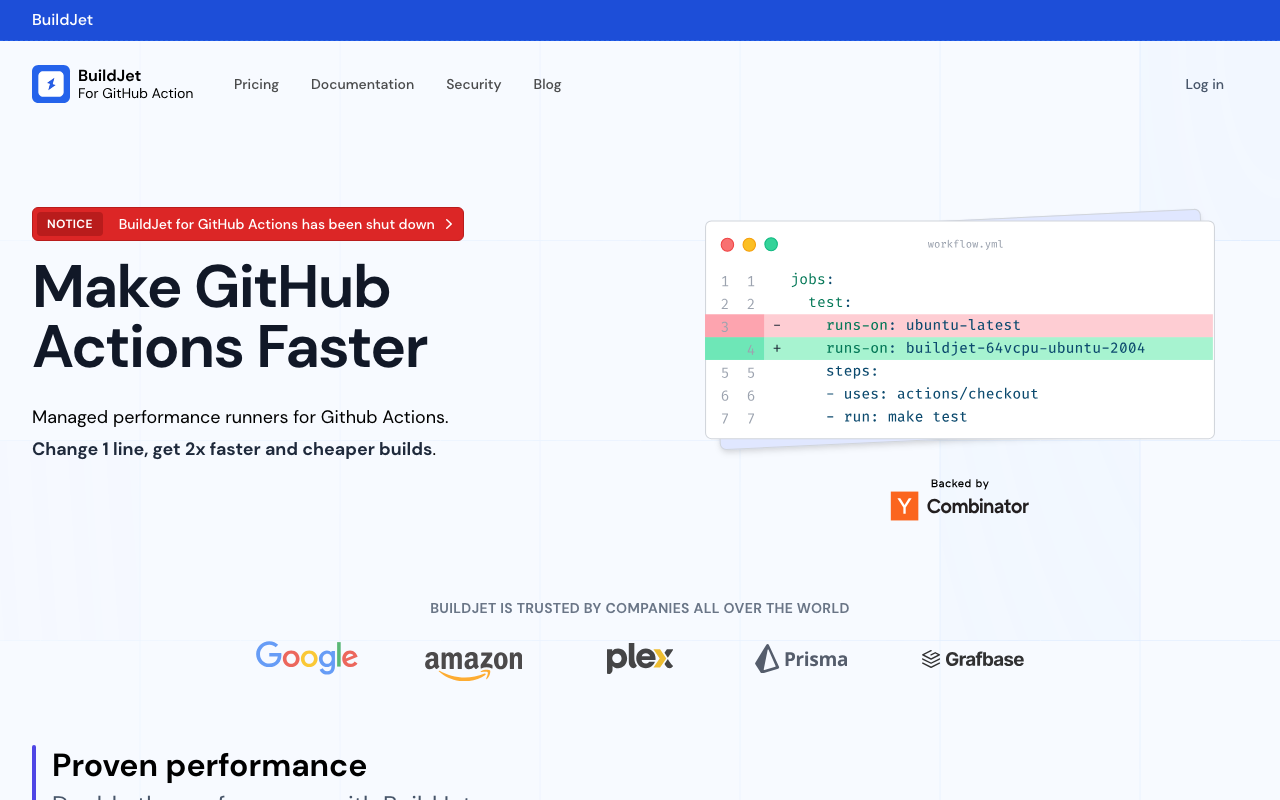
BuildJet supplies managed runners for GitHub Actions as a direct substitute for the platform’s own, changing the machine your job runs on with a one-line edit. The pitch is straightforward: dedicated higher-performance hardware, per-minute billing below the platform’s own rate, and ARM runners available alongside x86.
Pros
- Drop-in substitution with a single change per workflow file, which makes evaluation genuinely cheap
- Dedicated hardware aimed at build workloads rather than general-purpose cloud instances
- ARM runners available, which suits teams already deploying to ARM or building multi-architecture images
- Managed caching designed to work with existing workflow cache steps rather than requiring a rewrite
Cons
- Tied to one CI platform, so it is not an answer if your pipelines live elsewhere
- Introduces a third party that receives your build workloads, which is a new vendor review
- Gains are largest for compute-bound builds and modest for pipelines dominated by network waiting
Best for: GitHub Actions users with compute-bound builds who want a faster runner without changing anything else about the pipeline.
Pricing: Per-minute metering by machine size, positioned below the platform’s own hosted runner rate, with ARM and x86 priced separately.
Blacksmith
Blacksmith runs managed GitHub Actions runners on bare metal with high-clock-speed processors and local NVMe, targeting the two properties that dominate build time. It also replaces the platform cache path with its own, which addresses the part of a build that a faster processor does not help.
Pros
- Bare metal with high clock speeds directly targets the serial portion of builds, which is where most wall-clock time sits
- Local NVMe storage addresses the IO-bound phases, particularly dependency install and container layer work
- Integrated caching replaces the slowest part of many pipelines without requiring changes to cache steps
- Migration is a workflow label change, so a real comparison takes an afternoon rather than a sprint
Cons
- Scoped to one CI platform, so multi-platform estates need a second answer
- Bare metal capacity is less elastic than virtualised fleets, which matters for very spiky demand
- Your builds run on a third party’s hardware, which some security reviews will treat as a material change
Best for: Teams on GitHub Actions whose builds are CPU-bound or IO-bound and who want both the machine and the cache improved together.
Pricing: Per-minute metering by machine size, with caching included rather than separately metered.
WarpBuild
WarpBuild offers managed runners and, distinctively, the option to run the same managed runner fleet inside your own cloud account. That second mode is the interesting one: you keep the operational model of a managed service while the machines and the data stay in infrastructure you own, which is a meaningfully different security conversation.
Pros
- Bring-your-own-cloud mode keeps compute and build data in your account while the provider handles orchestration and scaling
- Supports multiple CI platforms rather than being tied to a single one, which suits mixed estates
- Container image build acceleration is offered alongside general runners, covering the two distinct workloads
- Removes the autoscaling and image maintenance burden that makes do-it-yourself self-hosting expensive
Cons
- The bring-your-own-cloud mode still requires cloud account configuration and permissions, so it is not zero-setup
- Two operating modes means two different cost and security profiles to evaluate rather than one
- Smaller and younger than the incumbent platforms, which is a factor in vendor risk review
Best for: Teams who want managed runner economics but need compute to stay inside their own cloud account for security or compliance reasons.
Pricing: Per-minute metering for fully managed runners, or a subscription for the orchestration layer when running in your own cloud account where compute appears on your own bill.
Namespace

Namespace is a build and development compute platform rather than a runner substitute alone. It provides fast virtual machines with persistent workspace caching, and can act as GitHub Actions runners among other uses. The design emphasis is on state that survives between runs, which is the property that removes cold-start cost from ephemeral compute.
Pros
- Persistent caches attached to fast storage remove most of the cold-start penalty that makes ephemeral runners slow
- Covers container image builds and general compute, not only CI job execution, so one system handles both
- Machine provisioning is optimised for short-lived workloads, which keeps acquisition latency low
- Usable beyond CI, including for remote development environments, which spreads the value of the integration
Cons
- Broader product scope means more concepts to learn than a straight runner swap
- Getting full value requires adopting its caching model rather than reusing existing workflow cache steps unchanged
- Another platform in the stack with its own identity and access model to integrate and review
Best for: Teams who want persistent build state across ephemeral machines and are willing to adopt a caching model rather than only changing where jobs run.
Pricing: Usage-based metering on compute time with storage for persistent caches metered separately.
Depot
Depot started from the observation that container image builds are their own workload with their own cache semantics, and built remote builders with persistent layer caches and native support for both architectures. It has since extended into general CI runners, but the image build acceleration remains the distinctive part.
Pros
- Persistent layer cache on the builder makes image builds incremental across runs instead of starting cold each time
- Native builders for both architectures produce multi-architecture images without emulation, which is where most of the time goes
- Works from any CI platform, and locally, so developers and CI share the same cache
- Targets a workload that general runner speed improvements barely help, so the gains are additive to a faster runner
Cons
- The core value is narrow: if your pipeline is not dominated by image builds, the benefit is limited
- Layer caches held by a third party is a data location question for security-sensitive builds
- Adds a service dependency to the build path, so its availability becomes part of your pipeline availability
Best for: Teams whose pipelines are dominated by container image builds, particularly where multi-architecture images are required.
Pricing: Usage-based metering on build compute time with persistent cache storage metered separately.
Actuated
Actuated takes a different position: the runners execute on your own servers, and isolation comes from microVMs rather than containers, with each job getting a fresh virtual machine. The provider supplies the scheduling control plane while the hardware remains yours. For teams whose concern is untrusted code on self-hosted runners, that is the architecture that addresses it directly.
Pros
- MicroVM isolation per job gives a hardware-backed boundary rather than a shared-kernel one, which is the strongest answer to untrusted pull request code
- Runs on your own servers, including bare metal and ARM hardware, so compute cost and location stay yours
- Every job gets a fresh machine, eliminating the state leakage that persistent self-hosted runners accumulate
- Removes the scheduling and lifecycle work that makes hand-rolled ephemeral runners difficult to operate
Cons
- You supply and maintain the hardware, so this reduces operational burden rather than removing it
- Requires hosts capable of nested virtualisation, which constrains where it can run
- Smaller ecosystem and a more specialised operating model than the fully managed options
Best for: Teams running their own hardware who need genuine per-job isolation for untrusted code without operating the ephemeral runner machinery themselves.
Pricing: Subscription for the control plane by managed host or runner count, with all compute cost remaining on your own hardware.
How to choose
Diagnose before buying. Measure where build time goes: queueing, checkout, dependency restore, compile, test, image build. A faster machine fixes compile and test. It does nothing for a cache that never hits, and buying compute to compensate for a caching problem is the most common wasted spend in this category.
Match the provider to the bottleneck. Compute-bound builds want clock speed and local disk. Image-build-heavy pipelines want a remote builder with a persistent layer cache. Pipelines dominated by cold dependency restores want persistent cache storage attached to the runner. These are different products even when sold under the same heading.
Decide where build data may live. Managed runners mean your source and artifacts are processed by a third party. If that is a problem, the bring-your-own-cloud and own-hardware options exist specifically for it and should be evaluated as a separate group.
Settle the untrusted code question first. If your repositories accept external contributions, require approval before workflows run, keep those runners ephemeral and network-restricted, and never give them credentials. This constrains the shortlist and it is not negotiable.
| Option | Where compute runs | Distinctive strength | Meter | Fits when |
|---|---|---|---|---|
| BuildJet | Provider hardware | Drop-in faster runners with ARM options | Per minute by machine size | You want a one-line change on GitHub Actions |
| Blacksmith | Provider bare metal | High clock speed, local NVMe, integrated cache | Per minute by machine size | Builds are CPU-bound or IO-bound |
| WarpBuild | Provider or your cloud account | Managed fleet inside your own account | Per minute, or subscription in your cloud | Compute must stay in your account |
| Namespace | Provider infrastructure | Persistent caches across ephemeral machines | Compute time plus cache storage | Cold dependency restores dominate |
| Depot | Provider infrastructure | Remote image builders with persistent layer cache | Build compute plus cache storage | Container image builds dominate |
| Actuated | Your own hardware | MicroVM isolation per job | Control plane subscription | Untrusted code on your own hardware |
| Self-hosted on your cloud | Your cloud account | Full control and lowest unit cost | Your cloud bill | You have a platform team and network requirements |
Needs first-hand data: For each candidate, record cost per pipeline run rather than cost per minute, using your own pipeline. A faster machine at a higher per-minute rate can be cheaper per run, and a cheaper machine can be more expensive once cache misses and longer durations are counted. Cost per run is the only number that compares these honestly and none of the providers can publish it for you.
Frequently asked questions
Is switching runners actually a one-line change?
For a drop-in provider on the same CI platform, mostly yes: you change the label that says which machine the job wants. What takes longer is the surrounding work, including verifying that caching still behaves as expected, checking any step that assumed a specific preinstalled tool, and getting the third party through vendor review. Assume a day rather than a minute.
Will a faster runner fix our slow pipeline?
Only if the pipeline is compute-bound. If most of the time goes to cache misses, queueing or work that did not need to run, a faster machine makes the wasted work slightly faster. Measure the breakdown first. Build caching tools and monorepo build tools address the other two causes and often produce a larger improvement.
Are third-party runners safe?
It depends on what leaves your network. A managed runner processes your source code and secrets on someone else’s hardware, which is a vendor risk decision comparable to any other build dependency. Options that run inside your own cloud account or on your own hardware exist precisely because that answer is sometimes no. Either way, the larger risk in most pipelines is unreviewed third-party steps running inside the job, not the machine underneath it.
Should we use ARM runners?
If you deploy to ARM, yes, because it removes emulation and aligns the build environment with production. If you deploy to x86, treat it as a cost optimisation and check first that every native dependency has an ARM build, since compiling those from source can erase the saving entirely.
Do these work with any CI platform?
It varies, and it is the first thing to check. Several are built specifically around one platform’s runner protocol. Others are platform-neutral, particularly the image build accelerators, which integrate as a build step rather than as a runner. See best CI/CD platforms for how compute and control plane separate in each case.
Related reading
- Best CI/CD platforms — where compute and control plane separate, and what that does to the bill.
- Best self-hosted CI/CD tools — the autoscaling and maintenance costs these providers are selling you out of.
- Best build caching tools — usually a larger lever than runner speed, and complementary to it.
- Best secrets management for CI/CD pipelines — for the credentials that federation cannot cover.
- Best container registries — registry location is part of runner performance, not a separate decision.