Every monorepo build tool sells the same promise: only build and test what changed. That single capability is why teams adopt them, why pipeline times drop when they do, and why the tools differ from each other far less on features than the comparison tables suggest.
So the question worth asking in an evaluation is not which tool has more plugins. It is: how does this tool decide what changed, and in which situations is that decision wrong?
Because it will be wrong. Affected-project detection is a static approximation of a dynamic question, and every tool in this category approximates differently. When the approximation is too narrow, CI skips a test that would have caught the bug and you ship it. When it is too wide, you rebuild the world on a documentation change and the tool stops earning its keep.
The asymmetry matters. A team that gets burned by a missed test learns not to trust the tool and starts running everything on every commit, which means they are paying the full complexity cost of a build system for none of the benefit. That outcome is more common than vendors admit, and it is almost always caused by a dependency the graph could not see.
Key takeaways
- Affected detection is: find changed files against a base, map files to projects, walk the reverse dependency graph, produce a task set. Every tool does these four steps, and the differences are entirely in how honestly each step is performed.
- The failures are almost always implicit dependencies: generated code, shared config, container base images, test fixtures, and runtime wiring that never appears in an import statement.
- Comparing against the wrong base commit is the single most common cause of both missed and excessive work, and it is a CI configuration problem rather than a tool problem.
- Bazel is worth its adoption cost when correctness of the graph is a requirement rather than a preference, typically at multi-language scale with a platform team to own it.
What affected-project detection actually computes
Strip away the branding and every tool runs the same four-step pipeline.
Step one: determine the changed file set. This is a git diff against a base. On a pull request the base should be the merge base with the target branch. On a main-branch build it should be the last successfully built commit, not simply the previous commit, because the previous commit may itself have failed and left work undone.
Step two: map files to projects. A file belongs to a project usually by directory ownership. Files at the repository root belong to nothing and therefore, by default, to everything.
Step three: walk the reverse dependency graph. If library A changed and applications B and C import A, then B and C are affected. This requires a dependency graph, and how the graph is built is the real differentiator between these tools.
Step four: expand to tasks. Affected projects become affected tasks, and task dependencies are honoured so a test task waits for its build task and for the build tasks of everything it depends on.
Graphs get built three ways, and the way determines the accuracy ceiling.
From package manifests. The tool reads workspace dependency declarations and builds a graph from them. Simple, fast, and coarse: any change anywhere in a package invalidates every consumer of that package, even if the consumer only uses one untouched function.
From parsed source. The tool parses import and require statements and builds a graph of actual module relationships. Finer grained and more accurate, but limited to what static analysis can see, which excludes dynamic imports, string-based module resolution, and dependency injection wiring.
From declared build rules. You state every input and output for every action explicitly, and the tool enforces that statement by running actions in a sandbox where nothing else is visible. The most accurate approach and by far the most expensive to adopt, because the declaration is now your job for every file in the repository.
Everything else in these products, the caching, the distribution, the generators, sits on top of the graph. If the graph is wrong, none of it helps.
Where affected detection gets it wrong
These are the cases that actually bite, ordered roughly by how often they do.
The base commit problem
Most incorrect affected sets are not graph failures. They are diff failures.
A shallow clone is the classic cause. CI checks out with a depth of one for speed, the merge base is not present locally, and the tool falls back to comparing against something else or to treating everything as affected. Both outcomes are wrong and neither produces an error message that says so.
Comparing against the previous commit on the main branch rather than the last green commit is the other common version. If a build fails and the next commit only touches one file, the second build considers only that file affected and never rebuilds what the failed build left unbuilt. Tools that track the last successful commit themselves avoid this; tools that take a base from a CI variable do not, and the variable is usually set to the wrong thing.
Squash merges create a third variant. After a squash, the feature branch commits no longer exist in the target branch history, so a subsequent branch cut from an older point can compute a merge base that includes work already merged.
Implicit dependencies the graph cannot see
This is the category that causes missed tests, and it is worth enumerating because every one of these has cost someone a production incident.
Generated code. A protobuf schema, a GraphQL schema, an OpenAPI document, or a database schema generates client code at build time. The generated code imports nothing from the schema, so nothing in the import graph connects the schema to its consumers. Change the schema, and affected detection says nothing is affected.
Shared configuration. A base TypeScript config, a shared lint config, a common webpack or Vite config extended by every project. These are read at build time rather than imported, so they do not appear in a parsed graph. Some tools handle root-level files by invalidating everything, which is over-broad but safe; others quietly ignore them.
Container base images. A Dockerfile that builds FROM a shared internal base image has a dependency the source graph knows nothing about. Rebuild the base image with a patched library and no project is considered affected, which is exactly backwards from a security perspective. The container registry guide covers the tagging discipline that makes this tractable.
Test fixtures and data. A shared fixture directory, a seed database, a set of golden files. Tests read them at runtime through file paths, not imports.
Runtime wiring. Dependency injection containers, plugin registries, and anything resolved by string name at startup. A service that is only ever instantiated by a DI container has no static reference pointing at it, so changing it looks like changing dead code.
Environment and infrastructure. A change to a Terraform module, a Helm chart, or a CI workflow file affects deployment behaviour that no build graph models at all.
Every tool here provides a way to declare these manually, usually as a named implicit dependency or an input glob. The declaration works. The problem is that nothing tells you when one is missing, so the list is maintained reactively after each incident rather than proactively.
Needs first-hand data: For one month, log every production bug that reached users and mark whether a test existed that would have caught it and whether affected detection ran that test. The subset where the test existed but was skipped is your implicit dependency backlog, and each entry should become an explicit declaration.
Over-detection, which is quieter but not free
The opposite failure is a tool that decides everything is affected on almost every commit. Causes are predictable: a lockfile change, which genuinely can affect everything but usually does not; a root config file touched by a formatting pass; a shared utility package that every project imports, so any change to it fans out to the entire graph.
That last one is a repository structure problem wearing a build tool costume. If you have a common or shared package that everything depends on, your affected set will be everything, forever, no matter which tool you buy. The fix is splitting it into narrower packages so consumers depend on the part they use. No tool can do that for you, and it is usually the highest-return change available.
Over-detection is also how teams conclude a tool “does not work.” The tool works. The graph is telling the truth about a repository whose dependency structure is a hairball.
Task-level versus project-level granularity
A subtle accuracy question: when a project is affected, which of its tasks are affected?
A README change in a project should not rerun its tests. Tools that compute affected at the project level rerun everything for that project. Tools that compute inputs per task can determine that the test task’s inputs did not change even though the project directory did. That difference shows up strongly in repositories where documentation and source live together, which is most of them.
Adoption cost, honestly
The adoption question is not “how long to install” but “what changes about how the repository is structured and how people work.”
Turborepo and Lerna sit on top of your existing workspace. Your scripts stay scripts, your packages stay packages, and the tool orchestrates what already exists. Adoption is measured in hours, and reverting is deleting a config file.
Nx, Moon and Rush want more structure. Projects get a config file, tasks get named targets, and there are conventions about where things live and how they are referenced. You can adopt incrementally, but the value scales with how much of the repo follows the conventions, so there is pressure to convert everything. Adoption is measured in weeks, and the repository ends up shaped by the tool.
Bazel and Pants replace your build entirely. Every compilation, bundling, test and packaging step becomes a declared rule with explicit inputs and outputs. Your existing scripts do not orchestrate anything anymore, they get reimplemented. Adoption is measured in quarters for a large repository, and it is not something you do part-time.
The ongoing cost is separate and easy to underestimate. A build system needs an owner. Someone has to update rules when a dependency changes its layout, fix the graph when a new pattern breaks it, and be the person other engineers ask when a build fails for reasons that have nothing to do with their code. With the lightweight tools that is a few hours a month. With Bazel it is a role.
Needs first-hand data: Before adopting anything, measure your current pipeline: median and p95 wall clock from push to green, the same split by task, and what fraction of CI time is spent on work that could have been skipped given a perfect affected set. That last number is the theoretical ceiling on what any tool here can give you, and if it is small the honest answer is to fix your slowest test instead.
When Bazel becomes worth its complexity
Bazel is the right answer less often than its advocates suggest and more often than its detractors do. The conditions that make it worth the cost are specific.
Multiple languages that need one graph. If your repository mixes JavaScript with a compiled backend language, and a change to a shared protobuf definition should rebuild both sides, no ecosystem-specific tool covers it. This is the strongest case and it is why Bazel exists.
Correctness is a requirement, not a preference. If you ship compiled artifacts to customers, operate under a regulatory regime that asks you to reproduce a build from six months ago, or need supply chain provenance that holds up to scrutiny, sandboxed hermetic builds are the mechanism that delivers it. Trust-based input declaration does not survive that audit. This connects directly to the ground covered in the software supply chain security guide.
Scale where the graph is genuinely fine-grained. Bazel’s action-level granularity pays off when a change touches one file and only the compile actions reading that file need to rerun. In a repository of twenty packages, package-level granularity is close enough and the extra precision buys nothing.
A platform team that will own it. This is the condition people skip and the one that determines whether the migration succeeds. Bazel adopted by an enthusiastic individual becomes unmaintained when that person changes teams, and an unmaintained Bazel build is worse than the scripts it replaced.
If fewer than three of those hold, use something lighter. You can migrate to Bazel later from a well-organised monorepo far more easily than you can recover from a half-finished Bazel migration.
Nx
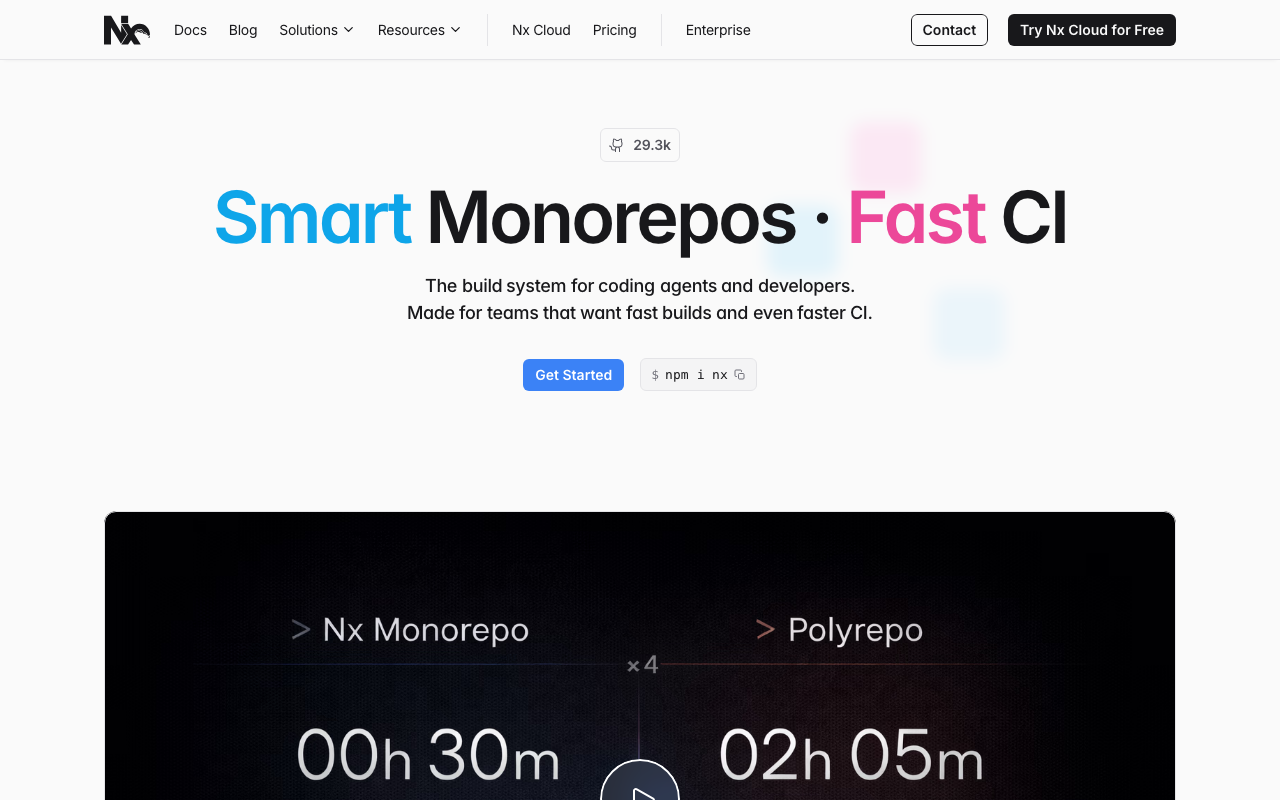
Nx builds its project graph by parsing source imports rather than reading package manifests, which gives it the most accurate graph of the non-sandboxed tools. It layers task orchestration, caching, code generators and a plugin system on top, and it can distribute tasks across CI agents. The tradeoff is that the value is concentrated inside its own ecosystem of plugins and executors.
Pros
- Import-parsed graph catches relationships that manifest-based tools miss, so affected sets are narrower and more accurate by default
- Explicit support for declaring implicit dependencies, which is the only real answer to generated code and shared config
- Task-level input declarations mean a documentation change does not rerun a project’s test suite
- Graph visualisation that shows why a project is affected, which turns “the tool ran too much” from an argument into an investigation
Cons
- Strong pull toward Nx plugins and executors, and a repository that adopts them is materially harder to move off than one using plain scripts
- The plugin layer adds a version compatibility surface between Nx, its plugins and the underlying frameworks, and upgrades occasionally require all three to move together
- Distributed task execution and the best caching experience are tied to the hosted service, so the free tier and the real product feel different
Best for: JavaScript and TypeScript monorepos large enough that graph accuracy matters and willing to adopt the ecosystem rather than just the orchestrator.
Pricing: The build tool is open source and free. The hosted cache and distributed execution service is metered on cached task executions, with self-hosted enterprise options.
Turborepo
Turborepo does the smallest useful thing and does it well. It reads a task pipeline from a config file, derives the project graph from workspace dependency declarations, hashes package contents, and runs tasks in dependency order with caching. It does not want to own your build, only to schedule it.
Pros
- Adoption is close to free: an existing workspace gets ordered, cached task execution without changing any script or directory
- Manifest-derived graph is coarse but predictable, and predictability is underrated when debugging why something did or did not run
- Config is a single readable file, so the whole team can understand the task graph rather than one person owning it
- Leaving is straightforward, which makes it a low-risk first step for a team that may later need something heavier
Cons
- Package-level granularity means any change in a package invalidates every task in it and every consumer, so large packages produce large affected sets
- No enforcement of declared inputs, so a task reading an undeclared file caches and skips incorrectly with no diagnostic
- JavaScript and TypeScript oriented, so a repository with a compiled backend gets no graph coverage on that side
Best for: JavaScript and TypeScript workspaces that want ordered execution and caching now, without committing to a build system.
Pricing: Open source and free with local or self-hosted remote caching. The first-party hosted remote cache comes with a platform subscription metered on storage and transfer.
Bazel
Bazel replaces your build with declared rules executed in a sandbox. Inputs and outputs are explicit, undeclared reads fail rather than silently succeeding, and the resulting graph is accurate at the action level across every language in the repository. That accuracy is the product, and everything difficult about Bazel is the price of it.
Pros
- Sandboxed execution makes the graph enforceable rather than aspirational, which is the only way to be certain affected detection is not missing something
- One graph across every language, so a schema change genuinely rebuilds both the backend that serves it and the frontend that consumes it
- Action-level granularity gives the smallest possible affected set, which is what makes very large repositories tractable at all
- Remote execution distributes actions across a fleet with the same correctness guarantees, so scale is a capacity question rather than an architecture one
Cons
- Migration is a multi-quarter project for a real repository and cannot be done incrementally without running two build systems in parallel for the duration
- The JavaScript ruleset in particular lags the native ecosystem, and keeping it working as frameworks change is ongoing maintenance nobody budgets for
- Requires a dedicated owner, and a Bazel build without one degrades into something everyone works around rather than with
Best for: Large polyglot repositories where build correctness is a hard requirement and a platform team exists to own the build as a product.
Pricing: Open source with no vendor and no bill for the tool. Remote cache and remote execution are either infrastructure you run or a commercial backend metered on storage and compute.
Moon
Moon is a task runner written with the lessons of the previous generation visible in its design. It uses explicit per-project configuration, supports multiple languages including toolchain management, and puts effort into making the task graph and its inputs legible. It sits deliberately between the lightweight orchestrators and the full build systems.
Pros
- Manages language toolchains itself, so the compiler and runtime versions are part of the repository definition rather than a machine setup document
- Task inputs and outputs are declared per task rather than per project, which gives finer affected granularity than package-level tools without a sandbox
- Multi-language from the start rather than a JavaScript tool with other ecosystems bolted on later
- Configuration is explicit and file-based, which makes the graph reviewable in a pull request
Cons
- Substantially smaller ecosystem and community than Nx or Turborepo, so answers to unusual problems are harder to find and integrations are fewer
- Explicit per-project configuration is more upfront work than a tool that infers structure from the workspace
- Like every trust-based tool it cannot detect undeclared inputs, and its finer granularity means an incorrect declaration has a narrower and therefore more dangerous blast radius
Best for: Multi-language repositories that want per-task granularity and toolchain management without a Bazel migration.
Pricing: Open source with no vendor and no bill for the core tool. A hosted remote cache service is offered separately on a usage basis.
Pants
Pants takes the hermetic, sandboxed approach of Bazel but with a heavy emphasis on inferring dependencies automatically rather than making you declare them. It parses source files to work out what each target depends on, then executes in a sandbox to verify that inference was right. That combination is its distinguishing idea.
Pros
- Dependency inference removes most of the manual rule authoring that makes Bazel migrations long, while sandboxing still catches inference mistakes
- Sandboxed execution means an undeclared input fails the build rather than producing a wrong cache entry, giving Bazel-level correctness guarantees
- Particularly strong Python support, including the dependency resolution and packaging problems that other build systems handle poorly
- Remote caching and remote execution available without a separate commercial product decision
Cons
- Much smaller community than Bazel, which matters when you hit an edge case, because the answer may not exist anywhere yet
- Inference is excellent for supported languages and absent for unsupported ones, so a repository outside its strong ecosystems loses the main advantage
- Still a full build system migration in the ways that matter, so it is cheaper than Bazel rather than cheap
Best for: Python-heavy repositories, or mixed Python and JVM ones, that want hermetic builds without authoring rules by hand.
Pricing: Open source with no vendor and no bill. Remote execution and caching backends are self-hosted infrastructure or a commercial service you choose separately.
Rush
Rush is a monorepo manager that focuses on the dependency management problems that appear at scale rather than on build orchestration alone. Strict phantom dependency prevention, a single lockfile with enforced consistency, and change file workflows for versioning are its centre of gravity. Build orchestration and caching exist and work, but they are not the reason to adopt it.
Pros
- Prevents phantom dependencies, where a package imports something it never declared because a sibling hoisted it, which is a genuine source of production failures
- Change file workflow makes versioning and changelog generation part of the pull request rather than a release-day scramble
- Explicit policies for dependency version consistency across the repository, which prevents the slow drift into three versions of the same library
- Designed around very large repositories with many contributors, and its opinions come from that context rather than from a small-repo default
Cons
- More ceremony per pull request than any other tool here, and teams that do not need the guarantees experience the ceremony as friction
- Build orchestration and caching are competent rather than leading, so if speed is the only goal other tools do more
- Strongly opinionated about repository structure, which makes partial adoption awkward
Best for: Large JavaScript and TypeScript repositories with many contributors where dependency hygiene and coordinated versioning matter more than raw build speed.
Pricing: Open source with no vendor and no bill. Remote build caching connects to cloud storage you provide and pay for directly.
Lerna
Lerna is the tool most of this category grew out of, and it remains a reasonable answer to a narrow question: publishing many packages from one repository. Modern versions delegate task running and caching to Nx internally, so the build side is no longer a separate implementation. Versioning and publishing is where it still earns its place.
Pros
- The versioning and publishing workflow is mature and handles the awkward cases, including independent versioning and coordinated releases of interdependent packages
- Delegating execution to Nx means task running and caching are no longer the weak point they once were
- Familiar to a very large number of engineers, so there is no learning curve and an enormous body of existing answers
- Adds nothing to how your packages are structured, so it composes with whatever else you are doing
Cons
- The task orchestration story is inherited rather than native, which makes the tool boundary confusing when something goes wrong
- Affected detection is weaker than a purpose-built graph tool, so using Lerna alone for CI selection will run more than necessary
- For a repository that does not publish packages, it solves a problem you do not have
Best for: Repositories whose main job is publishing a family of interdependent packages, where release coordination matters more than build selection.
Pricing: Open source with no vendor and no bill. Caching through the underlying Nx integration follows that service’s usage-based model if you enable it.
How to choose
Ask what problem you actually have. Slow CI, inconsistent dependency versions, painful releases, and cross-language coordination are four different problems with four different answers. Teams adopt a build system for the first and then discover it did not solve the third.
Test affected detection before committing. Take twenty real merged pull requests from the last quarter, run each tool’s affected computation against them, and compare the output against what you know should have been rebuilt. This is a day of work and it is the only evaluation that predicts anything. Pay particular attention to pull requests that touched generated code, shared config, or a Dockerfile.
Fix the repository before blaming the tool. If a single shared package is imported everywhere, every tool will say everything is affected. Splitting that package will do more for your pipeline than any product on this list.
Size the ownership cost honestly. Ask who will fix the build when it breaks for reasons unrelated to application code, and whether that person has the time. If the answer is nobody, choose the lightest tool that helps.
| Tool | Graph built from | Granularity | Correctness | Adoption cost |
|---|---|---|---|---|
| Nx | Parsed imports | Per task | Trust, with diagnostics | Weeks |
| Turborepo | Workspace manifests | Per package | Trust | Hours |
| Bazel | Declared rules | Per action | Sandbox enforced | Quarters |
| Moon | Declared task inputs | Per task | Trust | Weeks |
| Pants | Inferred, then verified | Per target | Sandbox enforced | Months |
| Rush | Workspace manifests | Per project | Trust | Weeks |
| Lerna | Delegated to Nx | Per project | Trust | Hours |
A reasonable path for most teams: start with Turborepo, get ordered and cached execution working, spend the time you save on splitting the shared packages that cause fan-out, and only then evaluate whether you need a finer graph. If you do, Nx is the smaller step and Bazel is the larger one, and you will know which by then. Whichever you choose, the pipeline underneath it matters too, and the CI/CD platform comparison covers how concurrency limits and job startup time interact with a task graph that suddenly wants to run fifty things at once.
Frequently asked questions
Why did affected detection skip a test that should have run?
Almost always an implicit dependency. The changed file is connected to the skipped test by something the graph cannot see: generated code, a shared config file, a test fixture read by path, a container base image, or dependency injection wiring. Find the connection, declare it explicitly as an implicit dependency or an input glob, and add the case to a list you review after every such incident. The second most likely cause is a shallow clone making the diff base wrong.
Do I need a monorepo build tool if I only have a few packages?
Probably not. With a handful of packages, running everything on every commit is cheap and the complexity of a build graph buys little. The threshold is roughly where full pipeline time becomes a limiter on how often people merge. Before then, the honest optimisations are a faster test suite and better parallelism in your existing CI.
Can I use more than one of these at once?
Yes, and some combinations are common rather than pathological. Rush or Lerna for dependency management and publishing, with Nx or Turborepo for task orchestration, is a sensible split because they address different problems. What does not work is two tools both claiming to own the task graph, because then affected detection depends on which one CI invokes.
How does affected detection interact with build caching?
They are complementary and often confused. Affected detection decides which tasks to consider running. Caching decides whether a considered task can be skipped because its output is already known. A tool with perfect caching and no affected detection still walks the whole graph, which costs time even on hits. A tool with affected detection and no caching reruns affected work every time even when an identical run already happened on another branch. The build caching guide covers the second half in detail.
Is a monorepo still the right choice if the build is this complicated?
The complexity is a property of having many interdependent projects, not of storing them together. Split them into separate repositories and the coordination problem does not disappear, it moves into version pinning, cross-repo pull requests and dependency update churn, where it is harder to see and harder to fix atomically. The monorepo makes the cost visible and centralises it in the build system, which is usually the better trade.
Related reading
- Best CI/CD platforms — concurrency, job startup and how they interact with a fanned-out task graph.
- Best build caching tools — cache key correctness, the other half of skipping work safely.
- Best CI runner and compute providers — where distributed task execution actually runs and what it costs.
- Best container registries — base image dependencies that no source graph can see.
- Best preview environment tools — deploying only the affected applications from a pull request.
- Best software supply chain security tools — why hermetic builds matter beyond speed.