Turn on a dependency scanner on a codebase that has never had one and you get a number. The number is large. Somebody senior looks at it, says this has to get to zero, and a quarter of engineering capacity disappears into upgrading packages.
Six weeks later the number is larger than when you started, because advisories are published faster than a team can upgrade, and because half the findings had no fix available in the first place. At that point one of two things happens. The team negotiates a threshold, agreeing to fix only the high-severity ones, which is arbitrary and everybody knows it. Or the dashboard gets quietly ignored, which is honest but leaves the two findings that actually mattered sitting in the same list as the four hundred that did not.
The reason this pattern is universal is that presence is easy to detect and exploitability is hard. A scanner can tell you with certainty that your lockfile contains a version of a library that has a published advisory. Whether any code path in your application ever calls the affected function, with input an attacker controls, in a configuration where the bug triggers, is a much harder question and most tools do not attempt to answer it.
That question has a name, reachability, and it is the only thing in this category that changes the size of the problem rather than the presentation of it. Everything else, the database quality, the ecosystem coverage, the automatic fix pull requests, is incremental. Reachability is the difference between a queue your team works and a queue your team ignores, so this article is mostly about how each tool decides.
Key takeaways
- Presence is not exploitability. A scanner without reachability analysis reports every vulnerable package in your dependency graph, including the ones no line of your code will ever reach.
- Reachability comes in levels: direct versus transitive, static call graph to the vulnerable symbol, conditional on configuration, and runtime observation. Each level costs more and cuts more noise.
- The hard part is not the call graph, it is the data. Most advisories do not name the vulnerable function, so someone has to curate that mapping by hand, which is the real moat in commercial tools.
- Unreachable does not mean safe. It means not urgent. The dependency still needs to move on a normal upgrade cadence, or the backlog simply ages somewhere less visible.
What a dependency scanner actually does
Four steps, and errors in the first two produce findings that look like tool bugs but are not.
It resolves what you actually installed. This is the step that separates a useful scanner from a guess. A manifest file lists what you asked for, often as a version range. A lockfile records what the resolver actually chose, including every transitive dependency you never named. Scanning the manifest tells you about the packages you declared; scanning the lockfile tells you about the ones that are really there, which is usually several times as many. If a tool cannot read your lockfile format, it is guessing, and its findings will drift from reality in both directions.
For compiled and containerised artefacts there is a further gap. What the lockfile says and what ended up in the image are not always the same thing, which is why image scanning is a separate exercise covered in container security scanners.
It builds the transitive graph. Your direct dependencies are a small fraction of the total. The graph matters because it determines whether a fix is even available to you: a vulnerability in a package four levels down can only be fixed by whoever owns level three bumping their constraint, unless you override the resolution yourself.
It identifies each component unambiguously. Harder than it sounds. The same library can have different names in different ecosystems, a distribution can ship a patched build under the original version number, and two unrelated packages can share a name across registries. Package URL identifiers exist to solve this and coverage is uneven. Mis-identification is the most common cause of a confident, entirely wrong finding.
It matches components against advisory data. Every tool draws on public vulnerability feeds; the commercial ones add curated research and enrichment. The matching is a version-range comparison, and this is where distribution-specific backporting causes trouble: an operating system vendor frequently patches a vulnerability without changing the upstream version number, so a naive matcher reports a fixed package as vulnerable. Tools that consult distribution security trackers get this right and tools that only match upstream versions do not.
Only after all four steps does the question of whether any of it matters come up. That is where nearly every team’s problem actually lives.
Reachability: the question that decides everything
Reachability asks a simple thing. The advisory says function X in package P is vulnerable. Is there any execution path from your application’s entry points to X? If there is not, the finding is real about the package and irrelevant about your application.
Tools answer this at five increasing levels of strength, and knowing which level a vendor means when they say reachability is the single most useful thing you can learn during an evaluation.
Level zero: presence. The package is in the dependency graph. This is what most free tools and platform features report. It is a complete answer to a question nobody asked.
Level one: direct versus transitive. Is the vulnerable package something you declared, or something pulled in by something else? A weak proxy for relevance, but a real one, because a direct dependency is more likely to be called by your code and, importantly, is one you can actually upgrade. Nearly free to compute and worth using as a first sort even when nothing better is available.
Level two: static call graph reachability. Build a call graph of your code plus the dependency source, and check whether any path reaches the vulnerable symbol. This is the level most commercial tools mean.
The hard part is not the graph. It is knowing what to look for. Advisory records describe a vulnerable package and version range; the overwhelming majority do not name the vulnerable function, class or method. So before a vendor can compute reachability, someone has to read the patch commit, identify the entry points into the vulnerable code, and record them as structured data. That curation, done at scale across ecosystems and kept current, is the actual product. Two vendors with identical call graph engines will produce very different results because one has the symbol mapping for an advisory and the other does not.
Static analysis also degrades exactly where real applications live. Dynamic dispatch, reflection, dependency injection wired from configuration, string-named handler lookup, and framework inversion of control where the framework calls you rather than the reverse. Every one of those breaks a naive call graph, and every tool handles some and not others. Ask specifically about your framework.
Level three: conditional reachability. The vulnerable path is reachable only if a particular option is enabled, a particular parser is selected, or a particular flag is set. A parser vulnerability that only triggers when external entity resolution is switched on is not your problem if you switched it off. Very few tools model this, and where they do it is usually for a curated set of high-profile advisories rather than as a general capability.
Level four: runtime reachability. Instrument the running application and observe which modules and functions actually load and execute in production. This is the strongest available signal because it is an observation rather than an inference, and it collapses the noise dramatically, since most applications never load most of what they ship. The costs are an agent in production, coverage limited to paths that executed during the observation window, and the risk of concluding that something is unreachable because nobody exercised that feature this month.
Two things reachability does not do, and getting these wrong causes real incidents.
Unreachable is not safe, it is not urgent. A refactor next quarter can make the path reachable, and nothing will re-flag it unless the tool re-evaluates continuously. Treat an unreachable finding as something that rides the normal upgrade cadence instead of something that gets closed permanently.
Reachable is not exploitable. The path exists, but the data flowing into it may be internal, already validated, or structurally incapable of triggering the bug. That is the same true-but-irrelevant bucket that makes static analysis noisy, and it is why reachability shrinks the queue rather than eliminating triage. This is also where the data flow side of SAST tools and dependency scanning genuinely converge, because both are ultimately asking whether attacker-controlled input can reach dangerous code.
Needs first-hand data: Take one hundred findings from your current backlog at random and triage them by hand into reachable, unreachable and no-fix-available. Then compare that against what your tool claimed. The agreement rate tells you whether you can trust its reachability verdicts, and the size of the unreachable bucket tells you how much of your backlog is theatre.
CVE and CVSS: standards, not products
Both of these get discussed as if they were features a vendor provides. They are not, and treating them as prioritisation rather than as vocabulary is the second most common mistake in this category after ignoring reachability.
CVE is an identifier scheme. A numbering authority assigns an identifier to a publicly disclosed vulnerability so that everybody discussing it is discussing the same thing. That is the whole function: a stable name.
CVSS is a scoring framework. It decomposes a vulnerability into characteristics such as attack vector, required privileges and impact on confidentiality, integrity and availability, and produces a number. The base score describes the vulnerability in the abstract. There are also temporal and environmental dimensions intended to adjust for exploit maturity and for your specific deployment, and almost nobody computes them, which is precisely why the numbers people quote are the least useful ones available.
What it gives you
A common name, which is what lets a scanner, an advisory feed, a vendor bulletin and your ticket tracker all refer to the same issue without a mapping table. A structured description of severity that is at least consistent in its inputs, so a comparison between two findings is comparing the same dimensions. A machine-readable format that automated policy can act on. And a shared language with auditors and customers, who will ask about specific identifiers by name.
What it does not do
CVSS base scores contain no information about your system. They do not know whether the component is reachable, whether the service is internet-facing, whether the data behind it matters, or whether a public exploit exists. A high base score on an unreachable dependency in a batch job that runs monthly is not a high risk, and a policy of fixing everything above a threshold will spend your quarter on exactly those.
CVE coverage is incomplete and inconsistently timed. Ecosystem-specific advisory databases frequently carry an issue before an identifier is assigned, some maintainers fix silently and never request one, and a malicious package has no identifier at all because nobody has reported it yet. A tool that only matches on identifiers is structurally blind to the newest attacks.
Version ranges in advisory records are often wrong or overly broad, because they are written quickly under disclosure pressure. This is a direct cause of false positives that look like tool bugs.
And neither standard says anything about whether a fix exists or whether it will break you, which is the question that actually determines what happens next.
The fix is often not available, and that changes the plan
A large fraction of dependency findings cannot be resolved by upgrading the package named in the finding, and no tool advertises this clearly.
The vulnerable package is transitive. You depend on A, A depends on B, B is vulnerable. The clean fix is A releasing a version that requires a patched B. If A is unmaintained, you wait indefinitely. The escape hatch is a resolution override, forcing your resolver to use a patched B regardless of what A requested. Every major ecosystem supports some form of this. It works, and it is genuinely risky, because you are now running a combination the maintainer never tested. Use it deliberately, record why, and remove it when the proper fix lands.
The fix requires a major version. The patched release is two majors ahead and the upgrade path includes breaking changes throughout your code. This is where the real cost lives, and it is invisible in a severity score.
There is no fix. The maintainer has not shipped one, or the project is abandoned. Your options are an override to a fork, vendoring a patch, adding a compensating control such as a web application firewall rule, or accepting the risk with a documented decision and a review date.
This is why a scanner’s fix-suggestion quality matters as much as its detection. A tool that tells you the minimum upgrade that resolves a finding without breaking your other constraints is doing meaningful work. A tool that tells you a package is vulnerable and stops has handed you a research task.
Needs first-hand data: Classify your current open findings by fix availability: clean patch upgrade, minor upgrade, major upgrade with breaking changes, override required, no fix exists. The distribution of that, not the total count, is what you should take to a planning conversation, because it converts a scary number into a sized piece of work.
Snyk
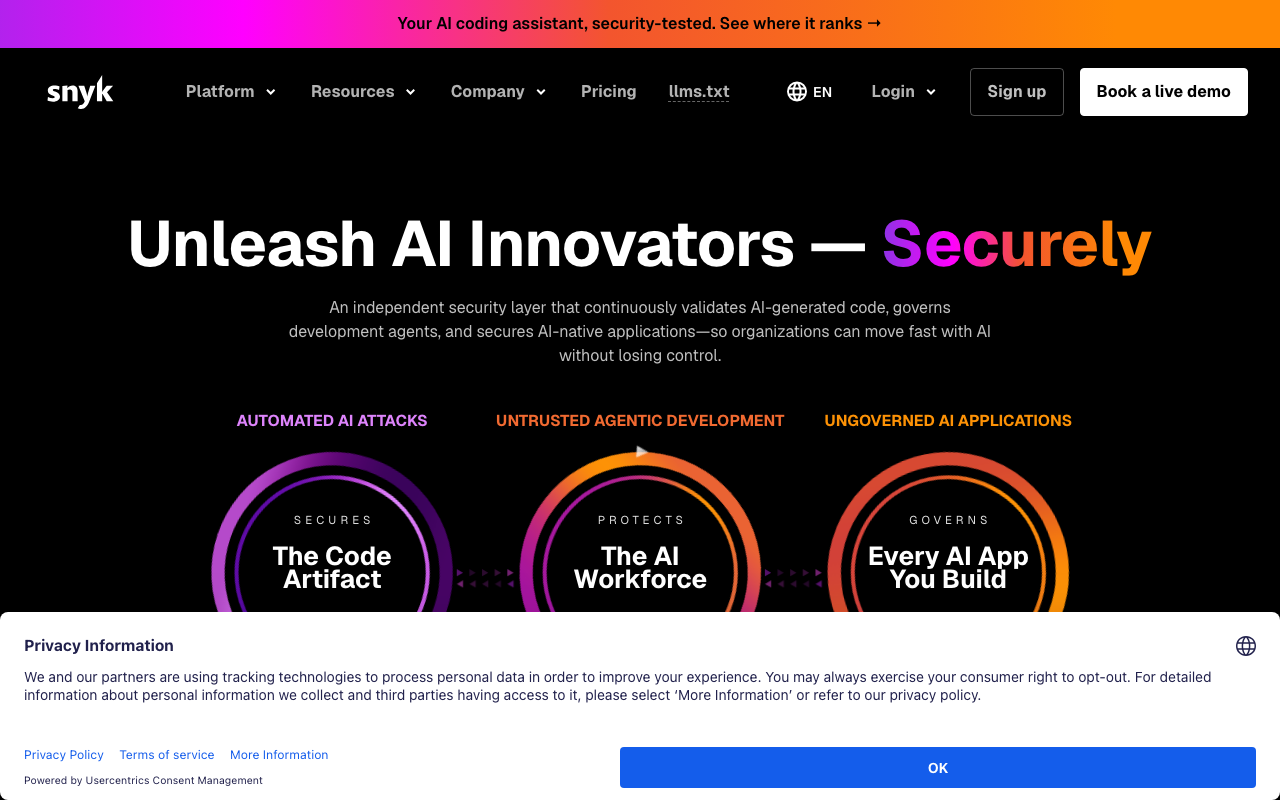
Snyk is the broad commercial platform in this space, covering dependencies alongside code, containers and infrastructure configuration. Its differentiators for the dependency case are a curated advisory database that frequently carries entries before public feeds, reachability analysis in supported languages, and fix pull requests that propose the specific minimum upgrade resolving a finding without breaking your constraint graph.
Pros
- Curated vulnerability research means earlier and better-described entries than public feeds alone
- Reachability analysis in supported languages, plus the symbol-level advisory curation that makes it work
- Fix pull requests turn a finding into a reviewable change rather than a research task
- One platform and one policy model across dependencies, containers, code and infrastructure
Cons
- Per-developer pricing escalates quickly across a large engineering organisation or a sprawling microservice estate
- Reachability coverage varies significantly by language and the gaps are not obvious from the interface
- The proprietary database means you cannot fully reproduce or audit findings outside the product
- Default configuration is loud, and getting to a signal the team trusts is deliberate tuning work
Best for: Teams who want one commercial platform across the whole scanning category, with developer-facing fixes rather than security-team reports.
Pricing: Free tier with a monthly test allowance, then per-developer subscription tiers with product bundles and enterprise agreements. Comparisons are in Snyk alternatives.
Semgrep
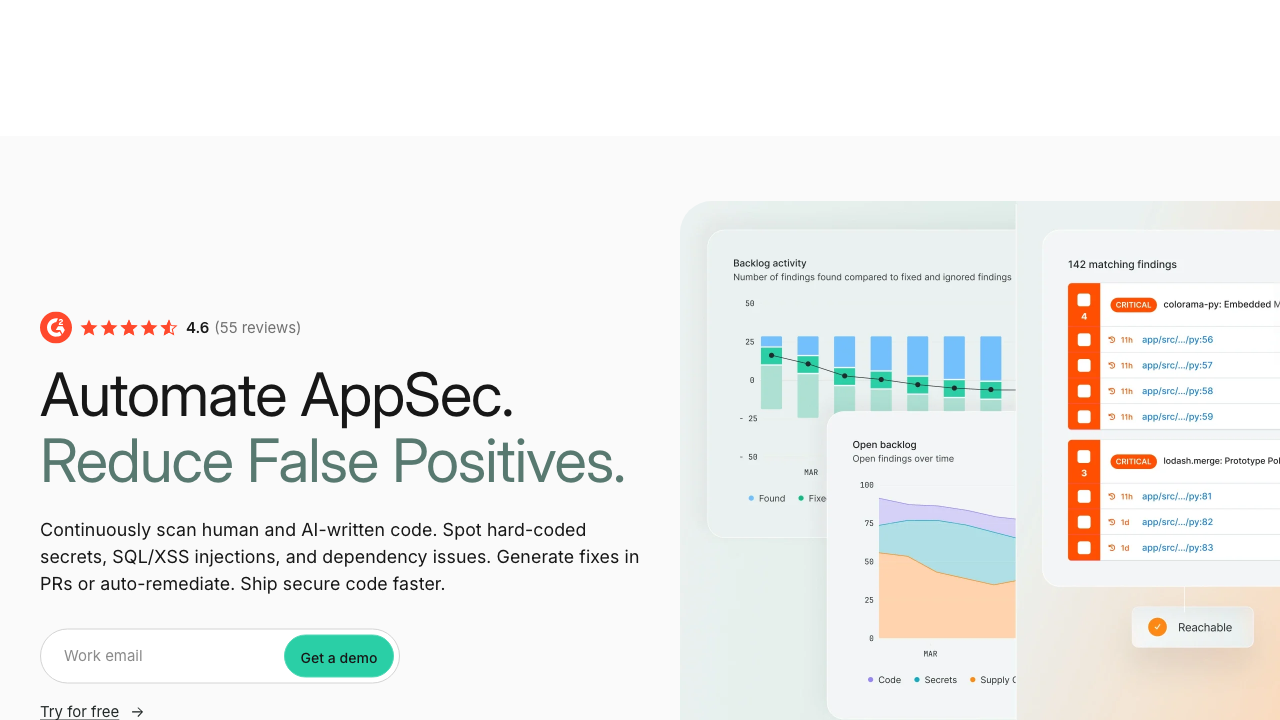
Semgrep’s supply chain product applies the same analysis engine it uses for code to the dependency problem, which produces a specific and useful behaviour: rather than only checking whether a vulnerable package is present, it looks for the code pattern that actually invokes the vulnerable functionality. That makes its reachability determination inspectable, because the rule that decided a finding is reachable is a readable pattern rather than an opaque verdict.
Pros
- Reachability rules are readable patterns you can inspect and argue with, rather than a proprietary score
- Shares an engine and a workflow with the code scanning product, so one tool covers both halves
- Fast enough on changed files to run as a pull request check rather than a nightly job
- Rules for high-profile advisories arrive as inspectable content you can adopt or modify
Cons
- Reachability depends on a rule existing for that specific advisory, so coverage is deep where curated and absent elsewhere
- Ecosystem coverage for the supply chain product is narrower than the broad scanners
- Pattern-based reachability sees invocation shape rather than whole-program dataflow, so unusual call styles slip past
- The valuable parts are commercial, and the open engine alone does not give you this
Best for: Teams already using the same tool for code scanning who want reachability decisions they can read and verify rather than trust.
Pricing: The command line engine is free and open source. The supply chain product is a subscription metered by contributing developers.
Trivy
Trivy is the pragmatic open source default: one binary that scans dependency manifests, container images, filesystems, repositories, Kubernetes clusters and infrastructure code, and that also generates and consumes SBOM documents. For dependency scanning specifically its strength is breadth of ecosystem support with essentially no setup, and its consultation of distribution security trackers, which avoids a whole class of false positive on backported fixes.
Pros
- One tool across application dependencies, images, infrastructure code and clusters, with no per-scan meter
- Consults distribution-specific security data, which removes a large class of backported-fix false positives
- Trivial to add to a pipeline and fast enough that nobody argues about the build time
- Generates and consumes standard SBOM formats, so it fits either direction of a supply chain workflow
Cons
- No reachability analysis at all, so findings are presence-based and the queue is as long as the graph is deep
- No management layer: triage, suppression and tracking across repositories are entirely your build
- Default output volume is high, and a policy gate without tuning either blocks constantly or gets ignored
- Offline and air-gapped operation requires deliberate handling of database updates
Best for: Teams who want one free scanner covering dependencies and images in the pipeline, and who accept that prioritisation is their own job.
Pricing: Free and open source with no vendor and no bill. The maintaining company sells a separate commercial platform with management and reporting around it.
Grype
Grype does the matching half of the job and deliberately not the rest. It takes an SBOM or an image and matches components against vulnerability databases. Pairing it with a separate SBOM generator is the design point, because generating inventory once and re-matching it as new advisories land is exactly the workflow you want for artefacts you are no longer building.
Pros
- Consumes an existing SBOM, so you can re-evaluate a shipped artefact against today’s advisories without rebuilding it
- Multiple advisory sources including distribution trackers, which reduces backported-fix noise
- Simple output and exit codes make CI policy gates straightforward to express
- Composes cleanly with a separate generator, keeping inventory and matching as distinct steps
Cons
- No reachability analysis, so every finding is presence-based
- Result quality is entirely determined by the SBOM it was handed, and a weak inventory yields a confident incomplete answer
- No triage workflow, suppression management or history beyond files you maintain yourself
- Database updates need deliberate handling in offline builds
Best for: Teams who want open source matching that separates inventory generation from advisory matching, particularly for re-scanning artefacts already in production.
Pricing: Free and open source with no vendor and no bill. The cost is build time and the triage process you build around it.
Dependabot
Dependabot is the update bot built into the largest code host, and its argument is that it is already there. It opens pull requests for outdated dependencies on a schedule and for dependencies with published advisories immediately, updates lockfiles correctly per ecosystem, and can be scoped by ecosystem, directory and update type.
Pros
- Built in and free, so the barrier to having any dependency update process is effectively zero
- Security updates are raised separately from routine version updates, so you can treat them differently
- Understands lockfile semantics per ecosystem, so generated changes are correct rather than naive
- Updates container base images and CI action references as well as language dependencies
Cons
- Alerts are presence-based with no reachability, so the alert list grows without regard to relevance
- Grouping and scheduling controls are coarse, and a large estate produces pull request floods
- Limited expression of custom rules about which updates may proceed without human review
- Ties the workflow to one platform
Best for: Any team on the platform that wants automated dependency updates running today with no configuration project.
Pricing: Free and included with the hosting platform, with no separate meter.
Renovate
Renovate is the configurable alternative, available as a hosted app, self-hosted service or CI job, and working across multiple code hosts. Its advantage is control over update volume: grouping related updates into one pull request, scheduling them into quiet periods, automerging changes that pass tests and meet a minimum release age, and expressing per-dependency rules. On a large estate that configurability is the difference between an update programme and a wall of ignored pull requests.
Pros
- Grouping, scheduling and automerge rules shape update volume to the team’s actual review capacity
- Minimum release age rules avoid installing a version published minutes ago, which blunts fast-moving attacks
- Works across code hosts and self-hosts, so it fits estates that are not on one vendor
- Very broad ecosystem support including images, CI definitions and infrastructure code references
Cons
- It is an update tool, not a scanner, so vulnerability detection and prioritisation come from elsewhere
- Configuration is powerful and genuinely complex, and a poor configuration is worse than the simple default
- Automerge is where the value is and also where an unreviewed bad update arrives, so test quality becomes load bearing
- Initial onboarding on a large estate produces a burst of pull requests that needs planning
Best for: Organisations with many repositories that need update automation shaped to their review capacity rather than a fixed cadence.
Pricing: Open source and free to self-host with no vendor bill. A hosted application is free for common use with commercial tiers for enterprise support.
Socket
Socket addresses a threat the rest of this list structurally cannot see: dependencies behaving maliciously rather than dependencies with published advisories. It analyses package behaviour and change between versions, whether an update added install scripts, started making network calls, began reading environment variables or filesystem paths, or shows signs of maintainer takeover. A malicious package has no advisory until somebody notices, so advisory matching is always late.
Pros
- Detects behavioural change in dependencies, which is the actual shape of recent supply chain attacks
- Flags install scripts, unexpected network access and obfuscated code before any advisory exists
- Feedback arrives as a pull request comment at the moment a dependency is added, which is when the decision is being made
- Adds a genuinely different signal rather than duplicating what a conventional scanner already reports
Cons
- Behavioural analysis produces its own false positives, since legitimate packages sometimes do need network access
- Ecosystem coverage is narrower than the broad commercial scanners
- Does not replace known-vulnerability scanning, so it is an additional tool and an additional cost
- Value depends on developers reading and acting on pull request feedback rather than approving past it
Best for: Teams with fast-moving dependency graphs in supported ecosystems who want protection against malicious packages, not only against published vulnerabilities.
Pricing: Free for open source projects, with paid per-developer tiers for private repositories adding policy enforcement and organisation controls.
Endor Labs
Endor Labs built its product around the reachability problem specifically, which is a different starting point from tools that added reachability to an existing scanner. It constructs call graphs across your code and its dependencies, determines whether vulnerable functions are actually invoked, and extends the same graph analysis to questions such as which dependencies are genuinely used at all and what the blast radius of an upgrade would be.
Pros
- Function-level reachability is the core product rather than a later addition, and the depth shows
- The same call graph answers adjacent questions, including unused dependencies and upgrade impact
- Prioritisation output is specific enough to argue with, showing the path rather than only a verdict
- Designed for large graphs, so it holds up on monorepos where naive analysis becomes unusable
Cons
- Commercial only, with no meaningful free path for evaluating it on your own code first
- Reachability quality depends on language support, and coverage outside the well-supported set is thinner
- Call graph construction on a large estate is a real compute cost and a real configuration exercise
- A newer vendor, so integration maturity varies across the less common parts of a toolchain
Best for: Organisations whose dependency backlog has become unmanageable and who need function-level reachability to cut it down rather than another way to sort the same list.
Pricing: Commercial subscription, typically scaled by developers or repositories under analysis, with enterprise agreements.
OWASP Dependency-Check
Dependency-Check is the long-standing open source scanner from the same foundation as the Top 10. It identifies components by deriving evidence from file metadata and matching it against the public national vulnerability data feed. It is widely embedded in build plugins for older toolchains, and its main virtue is that it has been available and free for a very long time, which matters when you need something today with no procurement.
Pros
- Free, foundation-maintained, and available as native plugins for long-established build systems
- Extremely simple operating model with no account, no service dependency and no telemetry
- Widely understood, so its output is familiar to auditors and long-serving engineers
- Genuinely useful as a baseline check in environments where adopting anything new is slow
Cons
- Evidence-based identification produces both false positives and false negatives, and tuning is by suppression file
- Relies primarily on one public feed, so ecosystem-specific advisories that never received an identifier are missed
- No reachability analysis of any kind, and no fix guidance beyond naming the component
- Requires local data feed maintenance, which becomes an operational chore in offline environments
Best for: Teams on older build toolchains who need a free, self-contained baseline scanner with no external service dependency.
Pricing: Free and open source with no vendor and no bill. The cost is build time and maintaining the local vulnerability data feed.
How to choose
One. Is your problem detection or prioritisation? If you have no scanner, any of the free options solves detection this afternoon and you should start there. If you already have a scanner and a backlog nobody works, detection is solved and the thing you are actually buying is reachability. Do not buy a second presence-based scanner to fix a prioritisation problem.
Two. Which languages carry your risk, and is reachability supported for them? Ask for the specific list, then verify on your own repository. Reachability coverage is the most uneven capability in this category and the most confidently marketed.
Three. Can it tell you what to do, not just what is wrong? A tool that computes the minimum upgrade satisfying your whole constraint graph saves more engineering time than one that detects slightly more. Evaluate the fix suggestions on real findings in your repository, including the transitive ones, which is where suggestion quality collapses.
Four. Do you need malicious package detection? Advisory matching cannot see a package that is malicious today and unreported until next week. If your dependency graph moves fast, that is a separate tool and a separate signal.
Five. Where does the result land? A finding in the pull request that introduced the dependency gets acted on. The same finding in a dashboard becomes backlog. This is worth more than a marginal difference in detection rate.
| Tool or standard | Job | Reachability | Picks itself when |
|---|---|---|---|
| CVE (standard, not a product) | Vulnerability identifier | Not applicable | You need a shared name for an issue |
| CVSS (standard, not a product) | Severity scoring | Not applicable | You need consistent severity inputs, not priority |
| Snyk | Broad commercial scanning | Yes, language dependent | One platform with developer-facing fixes |
| Semgrep | Code and supply chain | Yes, rule based | You want inspectable reachability decisions |
| Trivy | Broad open source scanning | No | One free scanner across code and images |
| Grype | SBOM matching | No | Re-matching stored inventories as advisories land |
| Dependabot | Updates and alerts | No | You want something working today, free |
| Renovate | Update automation | Not applicable | Update volume needs shaping across many repos |
| Socket | Malicious package detection | Not applicable | Fast-moving graphs in supported ecosystems |
| Endor Labs | Reachability-first analysis | Yes, function level | The backlog is the problem, not detection |
| OWASP Dependency-Check | Baseline open source scanning | No | Older toolchain, no external service allowed |
Needs first-hand data: Measure the interval between an advisory being published for a package you depend on and a pull request existing in your repository that fixes it. Do this across a quarter. That interval, not your open finding count, is the number that describes your actual exposure, and it is the one worth reporting upward.
Frequently asked questions
Do I need a separate SCA tool if I already have Dependabot alerts?
Not for detection. Platform alerts already tell you which dependencies have published advisories, and for a small team that is genuinely sufficient. You need something else when the alert list has grown past what anyone works through, because at that point the missing capability is prioritisation, which means reachability, not more detection. Buying a second presence-based scanner at that moment is the common and expensive mistake.
What is the difference between SCA and SBOM tooling?
An SBOM is an inventory document describing what is in an artefact. SCA is the act of matching an inventory against advisories and deciding what it means. They are adjacent and frequently bundled, and separating them is useful because generating inventory once at build time and re-matching it repeatedly as advisories land is a better workflow than rescanning artefacts you no longer build. The provenance side of this, signing and attesting the inventory so it can be trusted later, is covered in supply chain security and SBOM tools.
Should dependency findings block a build?
Only on a narrow rule, and only for new dependencies. Blocking on the whole backlog means the first scan blocks every build forever and somebody adds a bypass within the week. The pattern that works is a baseline of accepted existing findings, a hard block only on newly introduced dependencies carrying known-exploited vulnerabilities, everything else reported into normal work with an owner and a date. Then use the update automation to shrink the baseline on a cadence rather than in a crisis.
How do we handle a vulnerable transitive dependency with no fix?
In order of preference: check whether your direct dependency has a newer release that bumps its own constraint, since that is the clean fix; if not, use your ecosystem’s resolution override to force the patched version, test thoroughly, and record why the override exists with a date to remove it; if the override breaks, evaluate whether the vulnerable path is reachable at all, because an unreachable finding can legitimately wait; and if it is reachable and unfixable, add a compensating control and document the accepted risk with a review date. What you should not do is leave it in the queue unexamined, because that is indistinguishable from the four hundred findings that do not matter.
Does reachability analysis mean we can ignore unreachable findings forever?
No, and this is the failure mode to watch for. Unreachable means not urgent, which lets you route the finding to the normal upgrade cadence instead of to an incident. The path can become reachable with any refactor, and nothing will tell you unless the tool re-evaluates continuously. Keep unreachable findings visible on a slow track, keep dependencies moving through routine automated updates, and re-run reachability on every change rather than treating a verdict as permanent.
Related reading
- Best application security tools — the hub, and where dependency scanning sits relative to the other scanner types.
- Snyk alternatives — what you gain and lose moving off the incumbent platform.
- Best software supply chain security and SBOM tools — inventory, provenance and pinning underneath all of this.
- Best container security scanners — the same matching problem applied to operating system packages in images.
- Best SAST tools — the analysis your own code needs, and the dataflow ideas reachability borrows.
- Best vulnerability management platforms — reconciling findings once several tools report overlapping results.