Python hosting advice is worse than JavaScript hosting advice, and the gap is not because Python is harder to host. It is because the platforms competing hardest for developer attention were built around a runtime with different assumptions, and the Python guidance that exists is mostly translated from that world by people who did not hit the differences.
The differences are real and they are structural. A Python web application has historically been a long-running process holding connections and in-memory state. A serverless JavaScript function is a short-lived invocation that assumes nothing persists. Python’s dependency ecosystem includes compiled extensions that need either a matching prebuilt wheel or a working C toolchain, which makes install time and platform architecture a deployment concern rather than a footnote. And an enormous share of real Python applications need a background worker, a scheduler, or both, which several popular platforms simply do not provide.
Pick the wrong platform and you find out through a specific sequence: the deploy works, the app serves requests, and then you need a Celery worker and discover there is nowhere to put it. Or a dependency has no wheel for the platform architecture and your build times out compiling it. Or your machine learning library needs more memory than the function tier allows and the fix is a different product.
This is the evaluation that actually matters for Python: what process shapes the platform supports, how it handles dependency installation, and whether the things your framework assumes are available.
Key takeaways
- ASGI versus WSGI is not a performance preference. It determines whether your application can hold WebSocket connections, stream responses, and run concurrent async I/O in one worker.
- Background workers and scheduled jobs are a first-class requirement for most real Python applications, and several popular platforms have no place to run them.
- Dependency install time is usually the dominant term in a Python deploy, and it is decided by wheel availability for the platform architecture and Python version, not by your package manager.
- Platforms optimised for JavaScript impose bundle size limits, short execution windows and stateless invocation models that conflict directly with common Python patterns.
ASGI and WSGI decide what your application is allowed to do
The interface between your Python web framework and the server in front of it is a specification, and which one you use constrains your architecture more than your framework choice does.
WSGI is the older synchronous interface. A request comes in, your callable runs to completion, a response goes out. One worker handles one request at a time, so concurrency comes from running many workers or many threads. Django in its traditional configuration and Flask both target this. It is simple, extremely well understood, and it cannot hold a connection open without occupying a worker for the duration.
ASGI is the asynchronous interface. It defines an event-driven protocol between server and application that covers HTTP, WebSocket and lifespan events. A single worker can hold thousands of open connections as long as each is waiting on I/O rather than burning CPU. FastAPI, Starlette, and Django in its async configuration target this.
The practical consequences are what matter.
Concurrency comes from a different place. Under WSGI you size worker count against expected concurrent requests, and a slow upstream call ties up a worker for its whole duration. Under ASGI a slow upstream call yields control and the same worker serves other requests meanwhile, which is a large efficiency difference for I/O-bound applications and no difference at all for CPU-bound ones.
WebSockets and server-sent events require ASGI. If your application streams anything, including token-by-token responses from a model, you need ASGI and you need a platform that supports long-lived connections. Many serverless platforms terminate a response when the function returns and have limited or no support for streaming.
Blocking code in an async handler is the classic failure. A synchronous database driver, a blocking file read, or a CPU-heavy computation inside an async endpoint stalls the entire event loop, and throughput collapses in a way that looks like the platform being slow. The fix is running blocking work in a thread pool or a separate process, and knowing this before you deploy saves an unpleasant week.
The process model is what platforms actually constrain. A typical production deployment runs a process manager supervising several worker processes, each running an event loop. That shape needs a platform that lets you run a long-lived process with a configurable command and a configurable worker count. Platforms that only offer a function invocation model change what you are able to deploy.
Background workers are the requirement people forget
Almost every Python application that does something useful needs work to happen outside the request cycle: sending email, processing an upload, generating a report, calling a slow third-party API, running inference, retrying a failed webhook. The standard pattern is a queue plus a pool of worker processes, and the workers are a completely different deployment shape from the web process.
What you need from a platform for this to work.
A place to run a non-HTTP process. A worker has no port, serves no traffic and must not be scaled by request count. Platforms that only deploy HTTP services either cannot run it or require unpleasant workarounds like a fake health endpoint.
A scheduler. Periodic jobs need to fire reliably, once, even when several instances of your application are running. Platform-native cron is the clean answer. Implementing it in-process with a scheduling library means every replica fires the job unless you add a lock, which teams discover when they send the same digest email three times.
A queue or broker. Usually Redis or a message broker, which is a managed service you need alongside the application. Whether the platform offers one natively or expects you to bring it affects both cost and latency, since a queue in another provider’s region adds a round trip to every job dispatch. The managed Redis provider decision is effectively part of the hosting decision here.
Independent scaling. Workers scale on queue depth, web processes scale on request rate. A platform that scales everything as one unit forces you to over-provision one to satisfy the other.
Graceful shutdown. When a worker is stopped during a deploy, in-flight jobs must either complete or return to the queue. This requires the platform to send a termination signal and wait, and requires your worker to handle it. Platforms with short or no grace period cause silent job loss on every deploy, which is the kind of bug that takes months to notice.
Needs first-hand data: During a trial, deploy your actual worker alongside your web process, fill the queue with a realistic backlog, and trigger a deploy mid-processing. Record how many jobs were lost, how many were duplicated, and how long the grace period actually was. Do this on every candidate platform, because the documented behaviour and the observed behaviour differ more often than they should.
Dependency install is usually the slowest part of your deploy
Python build times are dominated by one question: does a prebuilt wheel exist for your dependency, for your Python version, for the platform’s operating system and CPU architecture?
When a wheel exists, installing is unpacking an archive and takes seconds. When it does not, the package manager falls back to building from source, which needs a compiler, the library headers the extension links against, and time. A single scientific or cryptographic dependency without a matching wheel can turn a fast deploy into a slow one or into a build timeout.
The variables that decide this.
CPU architecture. ARM-based instances are cheaper and common now, and wheel availability for ARM has improved enormously but is not universal. A dependency that installs instantly on one architecture may compile from source on the other. If your local machine and your platform differ in architecture, your local install time tells you nothing about your build time.
Python version. Wheels are built per Python version. Moving to a new release before the ecosystem has published wheels for it means building several packages from source until they catch up.
The base image. A minimal image saves space and frequently lacks the system libraries that compiled extensions link against at runtime, producing an import error at startup rather than an install error at build time. This is a common cause of an image that builds fine and crashes on boot.
Layer caching. In a container build, installing dependencies before copying application code means the dependency layer is reused across builds where dependencies did not change. Copying source first invalidates it on every commit. This one ordering decision is often the difference between a fast deploy pipeline and a slow one.
Lockfiles and resolver behaviour. A lockfile pinning exact versions and hashes makes installs deterministic and lets the resolver skip work. Without one, every build resolves the dependency graph again and can produce a different result than the last deploy, which is its own class of production surprise.
The general advice: pin everything, install dependencies in their own cached layer, match your build architecture to your runtime architecture, and if a dependency has no wheel for your target, decide deliberately whether to build it once into a base image rather than on every deploy.
Needs first-hand data: Time a cold build with no cache and a warm build with only an application code change, on each candidate platform, using your real requirements file. Then list every dependency that compiled from source rather than installing a wheel. That list is your build time problem and it is usually three packages, not thirty.
What breaks when you deploy Python to a JavaScript platform
Several of the most heavily marketed hosting platforms were designed around JavaScript functions and later added Python support. It usually works, and the places it does not are consistent.
Bundle and image size limits. Serverless platforms cap deployment size. A JavaScript dependency tree is mostly text; a Python one with numerical or machine learning libraries includes large compiled binaries and can exceed the cap on its own. Discovering this means either trimming dependencies, moving to a container-based deployment, or changing platform.
Execution time limits. Function platforms cap how long an invocation may run. Report generation, data processing and model inference frequently exceed those caps. The workaround is offloading to a background worker, which requires a platform that has one.
No long-lived connections. WebSockets and server-sent events need a connection held open. Function platforms terminate on response, and support for streaming varies from good to absent. If your product streams, verify this specifically rather than assuming.
Stateless invocation breaks in-process caching. Python applications commonly hold things in module-level state: a loaded model, a connection pool, a compiled regex cache. On a function platform each cold invocation rebuilds that state, and a model load on every cold start is the difference between a fast endpoint and an unusable one.
Database connection pooling inverts. A long-running Python process holds a pool of database connections and reuses them. A function platform creates many short-lived instances, each wanting its own connections, and a Postgres instance runs out of connection slots long before you expect. The fix is an external connection pooler, which is a separate component to run. The connection pooler is effectively mandatory for serverless Python against a traditional database.
Filesystem assumptions. Code that writes temporary files, caches downloads, or expects a writable working directory behaves differently on read-only or ephemeral filesystems. Libraries that cache model weights or compiled artefacts to disk on first use are a frequent surprise.
Cold start includes interpreter startup and imports. Python cold start is interpreter initialisation plus importing your dependency tree, and a large scientific stack takes meaningfully longer to import than a small JavaScript bundle takes to evaluate. Reducing import cost at module scope is one of the few real levers, and it means being deliberate about what runs at import time versus on first use.
Render
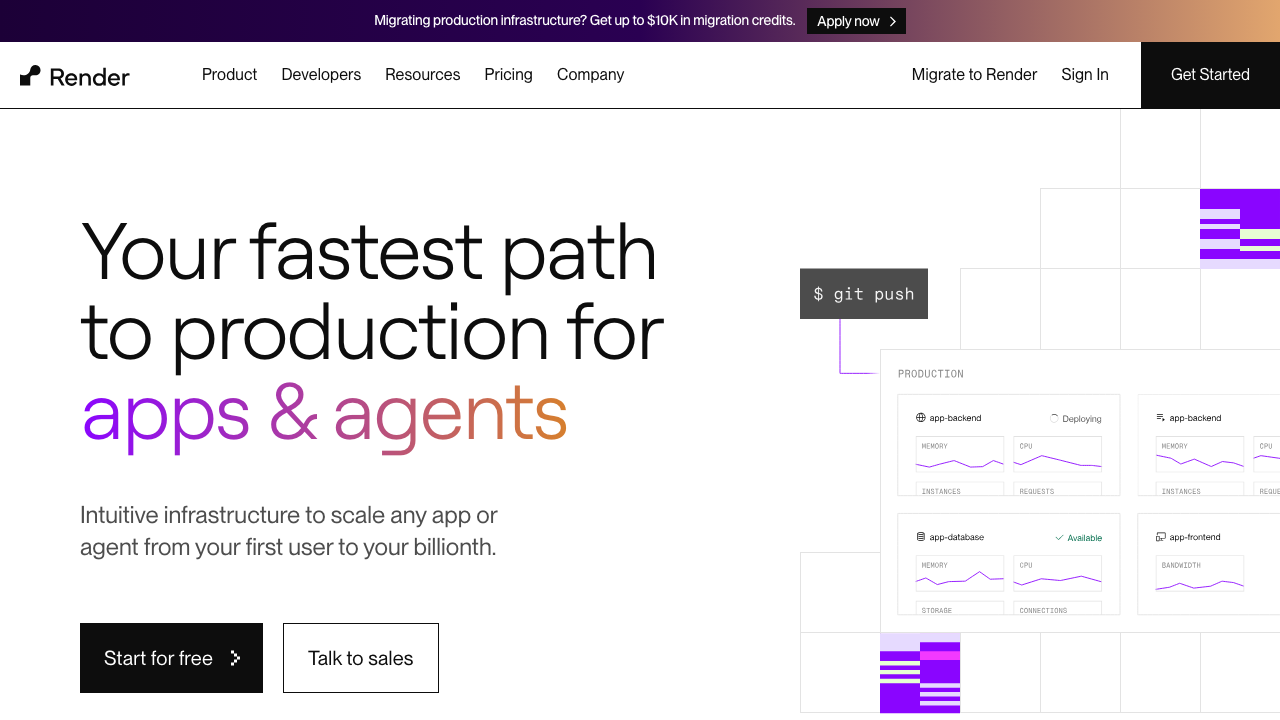
Render is a platform built around the shape most Python applications actually have: web services, background workers, cron jobs and managed data services, each a first-class deployment type. You give it a repository, a build command and a start command, and it runs the process. That directness is why it comes up constantly for Python teams who found function platforms did not fit.
Pros
- Background workers and scheduled jobs are separate service types, so the full application shape deploys without workarounds
- Long-running processes with WebSocket support, which means ASGI applications work as designed
- Managed Postgres and Redis in the same platform and region, keeping queue and database latency low
- Build and start commands are explicit, so the deployment matches what you run locally rather than inferring a framework
Cons
- Cold starts on the free and lowest tiers make them unsuitable for anything user-facing
- Build minutes and instance sizing are metered, and a slow dependency compile costs on every deploy
- Fewer regions than the hyperscalers and simpler scaling controls than a full orchestrator, which limits both placement and complex traffic patterns
Best for: Python teams who want a web service, workers and cron deployed from one repository without operating infrastructure.
Pricing: Per-service instance pricing by size with separate metering for build minutes, managed databases and bandwidth, plus a free tier with idling behaviour.
Railway
Railway is a developer platform that deploys from a repository or a container image, with services, workers and cron as configuration rather than as distinct products. Its distinguishing quality is how little ceremony stands between a repository and a running process, and its usage-based pricing model means you pay for consumed resources rather than provisioned instance sizes.
Pros
- Very low friction from repository to running service, including for non-HTTP processes
- Usage-based pricing on actual resource consumption rather than provisioned instance size
- Managed Postgres and Redis attachable in a few clicks with private networking between services
- Environment and preview deployment model makes per-branch testing straightforward
Cons
- Usage-based billing is harder to forecast than fixed instance pricing, and a runaway process is a runaway bill
- Younger platform with fewer regions, less placement control, and thinner enterprise controls, compliance attestations and support commitments
- Abstractions hide enough that debugging unusual networking or resource behaviour is harder than on a plain machine
Best for: Small teams and prototypes that want the whole application, workers and databases included, running with minimal configuration.
Pricing: Usage-based metering on compute, memory, storage and egress consumed, with plan tiers setting included allowances and support levels.
Fly.io

Fly.io runs containers on machines placed in specific regions, close to users, with a private network between them and an anycast front end. For Python it gives you long-running processes, multiple process groups from one application definition so web and worker deploy together, and the ability to put your application in several regions with the database read replicas that implies.
Pros
- Multiple process groups in one application definition, so web processes and workers deploy and scale independently from one config
- Genuine multi-region placement with an anycast front end, which is unusual at this level of abstraction
- Machines can scale to zero and start on request, which suits low-traffic services without the function model constraints
- Private networking between instances makes queue and database access fast without exposing anything publicly
Cons
- More infrastructure knowledge required than a pure PaaS, since you are reasoning about machines, volumes and regions
- Multi-region introduces data locality problems that the platform surfaces but does not solve for you
- Persistent volumes are tied to specific machines, which complicates stateful workloads and failover
Best for: Python applications that need low latency in several regions, or that want fine-grained control over process groups without running Kubernetes.
Pricing: Metered per machine by CPU and memory allocation with per-second billing, plus separate metering for persistent volumes, bandwidth and managed services.
Google Cloud Run
Cloud Run runs containers with request-driven autoscaling, including scale to zero, without you managing a cluster. For Python it is a strong middle ground: you get a real container with a real process and a real filesystem, no bundle size limits of consequence, generous execution time allowances, and the option of instances that stay alive between requests. It also supports jobs, which covers batch work without a separate platform.
Pros
- Container-based, so any Python version, any system dependency and any image size within reason works as built
- Scales to zero and scales up on concurrency, with configurable concurrent requests per instance which suits async frameworks well
- Jobs provide a place for batch and scheduled work under the same deployment model
- Minimum instance settings let you eliminate cold starts on the paths where they matter, at a predictable cost
Cons
- Request-scoped CPU allocation by default means background threads and async tasks are throttled after a response is sent unless you change the setting
- Long-lived WebSocket connections are supported but constrained by request timeout semantics, which needs explicit design
- Each instance opens its own database connections, so a connection pooler is effectively mandatory at any scale
Best for: Teams who want container flexibility with serverless scaling, particularly async Python services with variable traffic.
Pricing: Metered on CPU and memory allocated per request-second plus a per-request charge, with a free allowance, and separate pricing for always-allocated minimum instances.
AWS Lambda
Lambda with container image packaging removes the original reason Python was awkward there: you can ship an image containing whatever compiled dependencies and system libraries you need, within a much larger size limit than the zip archive path allows. What it does not remove is the invocation model, and that is what decides whether Lambda fits your application at all.
Pros
- Container image packaging accommodates large Python dependency trees that exceed archive-based deployment limits
- True scale to zero with per-millisecond billing, which is the cheapest option for genuinely intermittent workloads
- Deep integration with platform events, so queue consumers and scheduled jobs are native rather than assembled
- Provisioned concurrency eliminates cold starts on the specific functions where latency matters
Cons
- Hard execution time limit per invocation makes long-running work impossible without splitting it up
- Python cold start is interpreter startup plus importing a full dependency tree, and no in-process state survives between invocations, so loaded models and caches are rebuilt every time
- Connection-heavy database access needs a proxy or pooler in front, which is another component to run and pay for
Best for: Event-driven and intermittent Python workloads on AWS, especially queue consumers and scheduled tasks rather than latency-sensitive web serving.
Pricing: Metered per request plus compute time by allocated memory, with a free allowance, and provisioned concurrency priced separately as reserved capacity.
Heroku
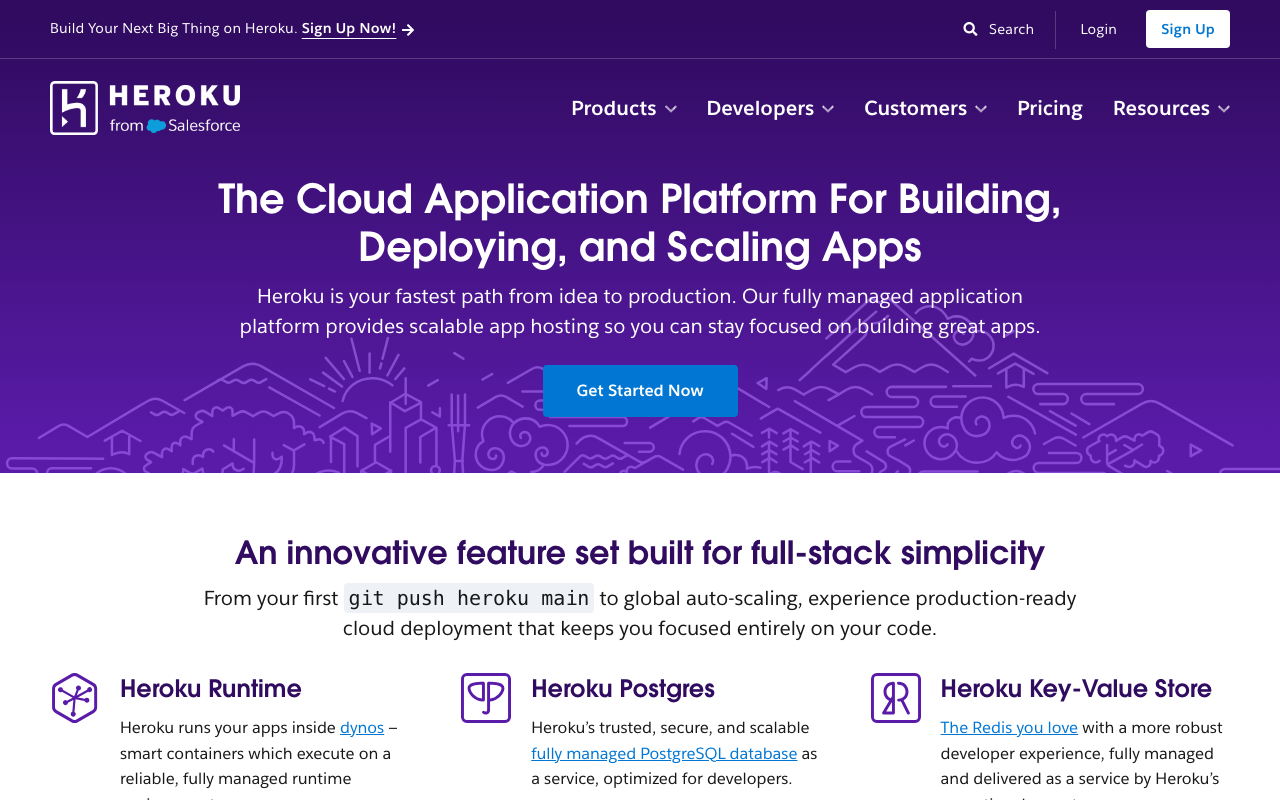
Heroku defined the deployment model most of this list imitates: a process type declaration, a build pack that detects your stack, and dynos running whatever process types you declared. For Python it remains a coherent and well-documented path, with web, worker and scheduled process types, an add-on marketplace covering the services an application needs, and release phase commands for database migrations.
Pros
- Process type declaration cleanly separates web, worker and one-off processes with a single deployment
- Build pack detection handles the standard Python setup without a container definition to maintain
- Release phase commands run migrations as part of the deploy, which is a step most platforms leave to you
- Very mature documentation and a large body of accumulated operational knowledge for Python specifically
Cons
- Cost per unit of compute is high relative to newer platforms and to raw infrastructure
- Ephemeral filesystem and a daily dyno restart are constraints that catch teams relying on local state
- Limited region choice and visibly slowed platform investment compared with newer competitors, while add-on pricing adds up and moving off an add-on is its own migration
Best for: Teams who value a well-trodden, heavily documented deployment path with explicit process types and are willing to pay a premium for it.
Pricing: Per-dyno pricing by size and count, with managed data services and third-party add-ons billed separately per plan.
PythonAnywhere
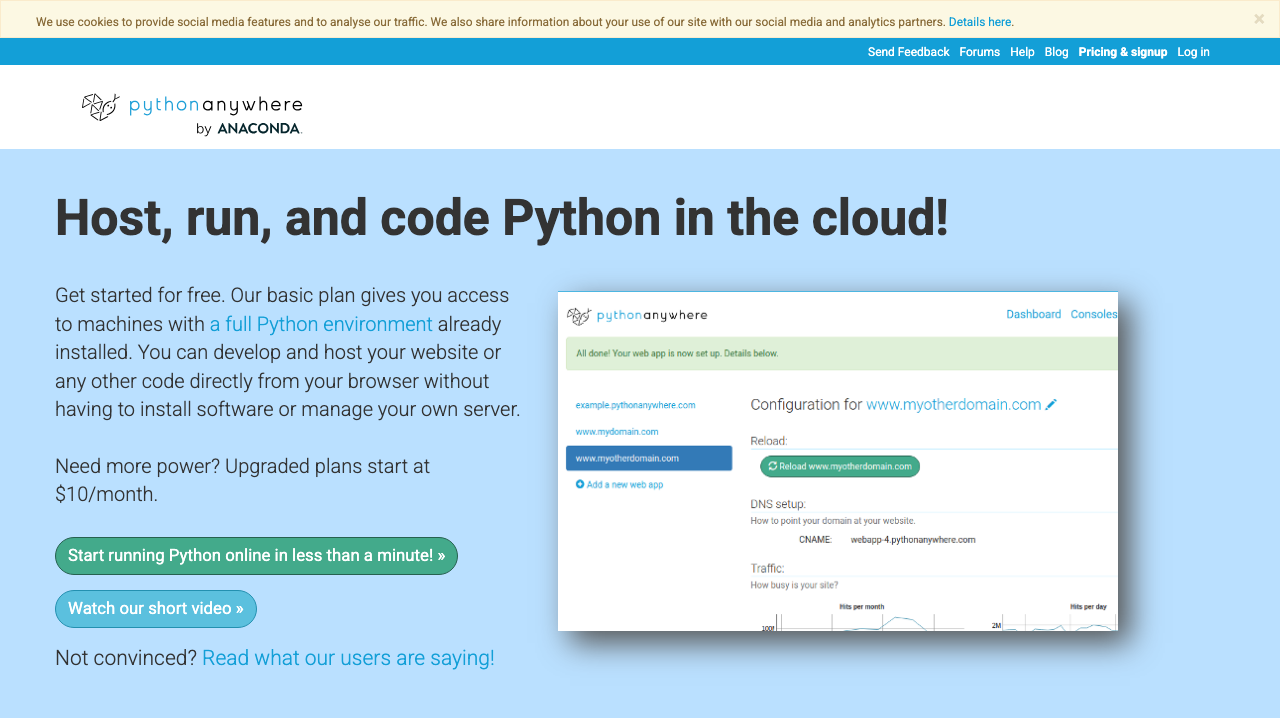
PythonAnywhere is hosting built exclusively for Python, with a browser-based editor and console, a configuration model aimed at getting a WSGI application serving quickly, and scheduled tasks included. It occupies a specific and genuine niche: teaching, small internal tools, scripts that need a home, and applications where the operator is not primarily an infrastructure engineer.
Pros
- Python-only focus means the entire interface and documentation assume your stack rather than accommodating it
- Browser-based console and editor allow operating an application without a local development setup
- Scheduled tasks and always-on processes included without assembling separate services
- Genuinely simple for beginners and for small internal tools, with a short path from script to running site
Cons
- ASGI support is limited compared with the WSGI path, which constrains modern async frameworks and WebSockets
- Modest resource limits that compute-heavy or traffic-heavy work outgrows quickly, and outbound network access on lower tiers is restricted to an allowlist that breaks integrations unexpectedly
- Not designed for automated deployment pipelines, so it fits poorly into a CI-driven workflow
Best for: Teaching environments, small internal tools and scheduled scripts operated by people who are not running a deployment pipeline.
Pricing: Tiered subscription based on compute allowance, number of web applications and always-on task slots, with a limited free tier.
Modal
Modal is a serverless platform where the infrastructure is declared in Python itself: you decorate functions with the container image, resources and accelerator they need, and the platform builds, schedules, autoscales and scales to zero. For Python specifically it is the most native-feeling serverless option available, because there is no second configuration language and no impedance between the deployment definition and the code.
Pros
- Infrastructure defined in Python alongside the application, so there is no separate deployment language to maintain
- Container and snapshot startup engineering targets the cold start problem directly rather than accepting it
- Handles web endpoints, scheduled jobs, batch work and GPU functions in one model, covering the whole application shape
- Scale to zero with per-second metering makes intermittent and bursty workloads genuinely cheap
Cons
- Python-only and opinionated by design, so a polyglot estate needs a second platform and porting an existing containerised service is a reshaping exercise rather than a lift
- Steady high-utilisation workloads pay a platform margin over renting equivalent compute directly
- Less control over networking and placement than infrastructure-level providers, which matters for some compliance requirements
Best for: Python teams running bursty inference, batch pipelines or data processing who want autoscaling without operating infrastructure.
Pricing: Metered per second of active compute by resource class including accelerators, with no charge while scaled to zero, plus separate metering for storage and egress.
How to choose
Answer these in order.
Does your application need a background worker or a scheduler? If yes, and most do, the platform must have a place to run a non-HTTP process and a reliable cron. This single question removes several otherwise attractive options immediately, and discovering it after you have built is expensive.
Is your traffic continuous or intermittent? Continuous traffic favours a long-running process on a platform that charges for an instance, because you are using it. Genuinely intermittent traffic favours scale to zero, and the question becomes whether your cold start is acceptable, which for a large Python dependency tree it may not be.
Do you hold connections open? WebSockets, server-sent events and streamed responses need a platform that supports long-lived connections and an ASGI server. Verify this specifically on any function platform rather than trusting a feature list.
How big is your dependency tree? Machine learning and scientific stacks exceed archive-based deployment limits and take a long time to import. That points you at container-based platforms regardless of anything else, and at platforms where you can control the base image.
Where does your database live? Serverless Python against a traditional relational database needs a connection pooler in front, and the pooler needs to live near both. If you are not prepared to run one, prefer a long-running process model where the pool lives in your application.
Whatever you pick, do four things in week one: order your build so dependencies install in a cached layer before source is copied, pin your dependencies with a lockfile, deploy a worker and test what a mid-deploy restart does to in-flight jobs, and confirm which of your dependencies compile from source on the platform architecture.
| Platform | Process model | Workers and cron | Main constraint for Python |
|---|---|---|---|
| Render | Long-running services | Native service types | Cold starts on the lowest tiers |
| Railway | Long-running services | Native services | Usage billing is hard to forecast |
| Fly.io | Containers on machines | Process groups | More infrastructure reasoning required |
| Google Cloud Run | Containers, request-scaled | Jobs | CPU throttled outside requests by default |
| AWS Lambda | Function invocations | Native events and schedules | Execution limit and import-heavy cold start |
| Heroku | Dynos by process type | Native process types | Cost per unit of compute |
| PythonAnywhere | Managed WSGI | Scheduled tasks | Limited ASGI and resource ceilings |
| Modal | Serverless functions | Native schedules and batch | Python-only, opinionated model |
Frequently asked questions
Do I need ASGI for FastAPI, or can I run it under WSGI?
FastAPI is an ASGI framework and should be served by an ASGI server. There are adapters that let an ASGI application run under a WSGI server, and they work for plain request-response endpoints, but they give up the reason to use an async framework: no WebSockets, no streaming, and no concurrency benefit from async I/O because the surrounding server is still one request per worker. If your platform only supports WSGI and you are using FastAPI, you have chosen the wrong platform rather than needing an adapter.
Why is my Python deploy so much slower than my JavaScript deploys?
Almost certainly dependency installation, and specifically packages with compiled extensions that have no prebuilt wheel for your platform’s Python version, operating system or CPU architecture. Those build from source on every deploy unless your layer caching prevents it. Find them by watching install output for compilation, then either cache the dependency layer properly, switch to an architecture with wheels available, or build the offending package once into a base image.
Can I run Celery on a serverless platform?
Not in its normal form, because Celery workers are long-running processes that poll a broker, and serverless platforms bill and schedule around invocations rather than resident processes. The serverless equivalent is a platform-native queue triggering a function per message, which works well and is a different architecture rather than a port. If you want to keep Celery, pick a platform with a worker process type. If you are willing to change, the queue-triggered function model removes a component you would otherwise operate.
How do I handle database connections from a serverless Python app?
Put a connection pooler between your functions and the database. Each function instance opens its own connections, instances scale with traffic, and a traditional relational database runs out of connection slots quickly. A pooler in transaction mode multiplexes many client connections onto few database connections, which is exactly the shape serverless produces. This is not optional at any real scale, and the options are covered in Postgres connection poolers.
Is a container or a build pack better for Python?
A container, once your dependencies include anything compiled. Build packs are faster to get started with and hide the base image, which is fine until a package needs a system library the image lacks and you have no way to add it. A container definition gives you the Python version, the system packages, the architecture and the layer ordering explicitly, and those four things are what determine whether Python deploys are fast and reliable. The broader trade-offs are in container hosting platforms.
Related reading
- Best hosting platforms for developers — the full landscape and where Python-specific constraints fit into it.
- Best container hosting platforms — the deployment shape most Python applications end up wanting.
- Best serverless function platforms — the invocation model, and when it suits Python rather than fighting it.
- Best Postgres connection poolers — the component that makes serverless Python workable against a relational database.
- Best managed Redis providers — the broker behind most Python background worker setups.
- Best APM for Python — instrumenting async and worker code once it is running in production.