“OpenAI-compatible” is the most load-bearing phrase in LLM infrastructure and it is not a certification. There is no conformance suite, no test badge, nobody to complain to. It means a vendor read a request format and implemented enough of it that a quickstart works, and every one of them is telling the truth about that.
The gap between “the quickstart works” and “my application works” is where teams lose a fortnight. A base-URL swap looks like a one-line change, and for the first request it is. Then streaming behaves differently, then tool call arguments arrive in a shape your parser did not expect, then a schema that was enforced upstream is merely suggested here, then your cost dashboard shows zero because token usage arrives somewhere else — or nowhere.
The worst failures here are the silent ones. An engine that returns 400 for a parameter it does not support is doing you a favour. One that accepts seed and ignores it lets you ship a reproducibility guarantee you do not have, and the bug surfaces months later as “the outputs changed and nothing changed.” So the useful thing is not a ranking. It is the order in which compatibility breaks, and a test you can point at any endpoint before you trust it.
Key takeaways
- Nobody owns the OpenAI API format, so “compatible” is a claim about intent, not a guarantee about behaviour.
- Compatibility breaks in a predictable order: streaming shape first, then tool calling, then structured outputs, then the long tail of parameters that are accepted and ignored.
- Prompt-level JSON hints and constrained decoding against a schema are different guarantees. Only one of them cannot produce an invalid document.
- Silently ignored parameters are the worst failure mode, because your code looks like it worked. Test for them explicitly rather than reading a support matrix.
- Hugging Face TGI’s own docs state it is in maintenance mode, with the ecosystem pointed at vLLM, SGLang and llama.cpp. Do not start there.
The OpenAI API format: the de facto standard, not a product
The request and response shape of the chat completions endpoint became the industry’s interface by accident. One vendor shipped an API, client libraries and tutorials were written against it, and every subsequent engine chose between inventing a better interface nobody would adopt or implementing this one. They all implemented this one. That is why a single client library reaches dozens of unrelated engines running on hardware from a laptop to a datacentre.
It is not one of the products below. It has no vendor you can hold to it, no versioned specification to assert conformance against, and no test suite. The reference implementation is one company’s production service, so the standard moves when that service moves and every other implementation is chasing a target defined by someone else’s release notes. That is what stops you reading “OpenAI-compatible” as a promise.
What it gives you
- One client library, one request shape and one mental model reaching engines from a laptop binary to a hosted inference platform
- Provider substitution is a base-URL and key change for the common path, which makes evaluating a new engine cheap enough to actually do
- An enormous ecosystem — SDKs, agent frameworks, gateways, evaluation harnesses, load-test tools — that works against anything speaking the shape
- Self-hosted and hosted inference become interchangeable at the interface, so a hybrid architecture is a routing decision rather than two codebases
What it does not do
- Nobody owns the spec, so there is no conformance test, no certification and no authority to appeal to when behaviour differs
- The reference implementation is a moving commercial product, so newer fields and endpoints land there first and elsewhere later, or never
- Compatibility is claimed per endpoint, not per feature: chat completions may work while tool calling, structured outputs, logprobs or embeddings behave differently or not at all
- Unsupported parameters are frequently accepted and ignored rather than rejected, so your code cannot detect the gap at runtime
- It standardises the wire shape and nothing about behaviour: identical requests to two compatible engines can differ in tokenisation, sampling defaults, stop-sequence handling and finish reasons
Where compatibility breaks, in the order you hit it
Streaming
Streaming is first because it is the part every product uses and the part most implementations get subtly wrong.
Framing. Server-sent events, data: prefixed JSON lines, terminated by a [DONE] sentinel. Implementations differ on whether the sentinel is sent at all, on spacing, and on whether keep-alive comment lines appear — and some client libraries tolerate that while others throw.
Chunk shape. In the reference behaviour the first delta carries the role and later deltas carry content. Engines vary: some repeat the role in every chunk, some send a final chunk with an absent delta, some send content: null where a client assumes a string. Each is a crash in a naive consumer.
Usage in the final chunk. Usage during streaming is opt-in in the reference API and arrives as a final chunk with usage populated and no choices. Compatible engines split three ways: always include it, never include it, or accept the opt-in flag and silently ignore it. If your cost accounting reads usage from the stream, the third case gives you a confident zero rather than an error, which is how a cost dashboard becomes fiction.
Mid-stream errors. The status line was already 200 by the time generation failed, so an error has to arrive inside the stream. Implementations variously emit an SSE event containing an error object, close the connection abruptly, or send a chunk with a finish reason not in the documented set. A client that only checks HTTP status sees a truncated success — the failure mode that matters most, and the one covered from the routing side in the model routing guide.
Finish reasons. stop, length, tool_calls, content_filter are the values your code branches on. Engines disagree about whether hitting the token limit gives length, whether a tool call ends with tool_calls or stop, and whether a matched stop sequence is included in the content or trimmed. Any of those changes a retry decision or a parse.
Tool and function calling
Three separate questions, and support for one does not imply the others.
Parallel calls. Does a response ever contain more than one entry in tool_calls, and can you turn that off? Engines that only ever emit one call will make an agent that expects to batch two lookups run sequentially — a performance change, not an error, so nothing alerts.
Streamed arguments. Arguments stream as partial JSON fragments that the client concatenates per call index. Implementations differ on whether the index is present, whether the function name repeats in every fragment, and whether fragments split at arbitrary byte boundaries. A parser written against one engine’s fragmentation habit fails on another’s, and the failure looks like a malformed model output rather than a protocol difference.
Enforcement versus prompting. The important one. Some engines constrain decoding so the generated tokens must form arguments matching the declared schema. Others put the schema in the prompt and hope. Both accept the same request. Only one cannot produce arguments with a hallucinated parameter name or a truncated object, and the difference shows up as a small failure rate you will attribute to the model.
Also check tool_choice — auto, none, required and naming a specific function are separately implemented — and whether the engine expects the current tools field or only the legacy functions shape.
Structured outputs
Three different things get called structured output and they are three different guarantees.
A prompt-level hint. “Respond only with JSON.” No guarantee whatsoever. Works most of the time, fails on long outputs and on anything that makes the model want to add a preamble.
JSON mode. The engine guarantees syntactically valid JSON. It does not guarantee your fields, your types or your required properties. Valid JSON that is the wrong document still fails your application.
Constrained decoding against a schema. The engine compiles the schema into a grammar or state machine and masks tokens that would violate it, so the output conforms by construction. This is a categorically stronger guarantee and it is the only one you can build on without a validation-and-retry loop.
Two traps. An engine that accepts a JSON schema in response_format and treats it as a prompt hint is indistinguishable from one that enforces it until you test at volume — the most common false assumption in self-hosted deployments. And constrained decoding usually supports only a subset of JSON Schema: references, oneOf, regex patterns, numeric bounds and recursive definitions may be unsupported, with engines varying between rejecting the schema and silently dropping the constraint. A silently dropped pattern is a validation you believe you have.
Multimodal, embeddings, logprobs, and the parameters that are silently ignored
Image input arrives as a content array with image parts. Engines commonly accept the field and ignore the image, or support remote URLs but not data URIs, or the reverse. Audio and the newer response shapes are rarely implemented outside the reference service.
Embeddings look simple and are not. Check batch inputs, whether the dimension-truncation parameter is honoured, whether base64 encoding is supported, and — the one that silently corrupts results — whether returned vectors are normalised. If one engine normalises and another does not, your cosine similarity thresholds are wrong after the switch, and nothing errors.
Logprobs are frequently unimplemented, sometimes returning nulls in a well-formed envelope. If a confidence signal or a classifier gate depends on them, verify before designing around it.
And the silent ones. seed, logit_bias, frequency_penalty, presence_penalty, n, multiple stop sequences, and the newer versus older maximum-tokens field are all commonly accepted and discarded. This is the worst failure mode in the category because there is no signal: your reproducibility test passes because two runs happened to agree, your bias adjustment does nothing, your penalty tuning is theatre. Assume nothing is honoured until you have observed it change the output.
Usage accounting, errors and rate limits
Your retry logic and your cost reporting both depend on shapes nobody guarantees.
Usage. Prompt, completion and total token counts are widely implemented. The nested detail objects — cached prompt tokens, reasoning tokens — are commonly absent, and those are exactly the fields you need if your pricing depends on prompt caching or your models emit reasoning tokens. Also remember that token counts are not comparable across engines, because tokenisers differ, so an accounting migration is not a like-for-like series.
Error shape. The reference shape nests message, type, param and code under an error object. Compatible engines variously return that, a bare string, or a framework default such as a detail field. Retry logic branching on error type breaks silently, falling through to a default that either retries something it should not or gives up on something it should.
Rate limits. 429 with a retry hint is the expected shape. Self-hosted engines more often return a queue-related 503 or a 500 from an out-of-memory condition, and rarely emit rate-limit headers at all — so adaptive client-side pacing has nothing to read and you configure concurrency limits yourself. If you run a gateway in front, that is where the limits belong; the AI gateway hub covers why.
A compatibility test you can actually run
Run this against any endpoint claiming compatibility, before you route production traffic through it. It is an afternoon, and it replaces every support matrix you would otherwise trust.
- Non-streaming happy path. Assert every envelope field your code reads exists and has the expected type — id, model, choices, message, finish reason, usage.
- Streaming framing. Capture raw bytes, not the SDK’s parsed objects. Confirm
data:framing, the terminating sentinel, and that the first delta carries the role. - Streaming chunk edge cases. Confirm your consumer survives a null content field, a final chunk with no delta, and a repeated role.
- Streaming usage. Send the usage opt-in and assert a final chunk arrives with non-zero counts. If it does not, your cost pipeline needs another source.
- Mid-stream failure. Kill the upstream connection at a fixed token offset and record what your client observes: exception, silent truncation, or an error frame.
- Finish reason matrix. Force a natural stop, a token-limit stop, a stop-sequence match and a tool call. Record the value each time and whether the stop sequence appears in content.
- Single tool call. Assert the call array shape, that arguments parse as JSON, and that the function name matches.
- Parallel tool calls. Ask for two independent lookups in one turn and count the entries returned.
- Streamed tool arguments. Reassemble fragments by index and assert the result parses. Check whether the index is present at all.
- Schema enforcement. Send a schema with an enum, a regex pattern and a nested required object, then run it fifty times at a non-zero temperature and count violations. Zero means constrained decoding; anything above means you are being prompted and need a validation-and-retry loop.
- Schema subset. Send a schema using references and a numeric bound. Record whether it is rejected, honoured, or accepted with the constraint dropped.
- Ignored parameters. Send the same request twice with an identical seed and compare. Send an out-of-range penalty and see whether it errors. Send an invented parameter name and see whether you get a 400. An endpoint that accepts nonsense accepts everything silently.
- Embeddings. Batch input, dimension truncation, base64 encoding, and the norm of a returned vector.
- Errors and limits. Request an unknown model, exceed the context window, and burst above capacity. Record status codes, body shapes, and whether any retry hint appears.
Needs first-hand data: Turn the fourteen checks above into a single test file and run it against every engine on your shortlist plus your current provider. Publish the pass matrix. The interesting column is not what passes — it is which failures are silent, because those are the ones that reach production.
LiteLLM
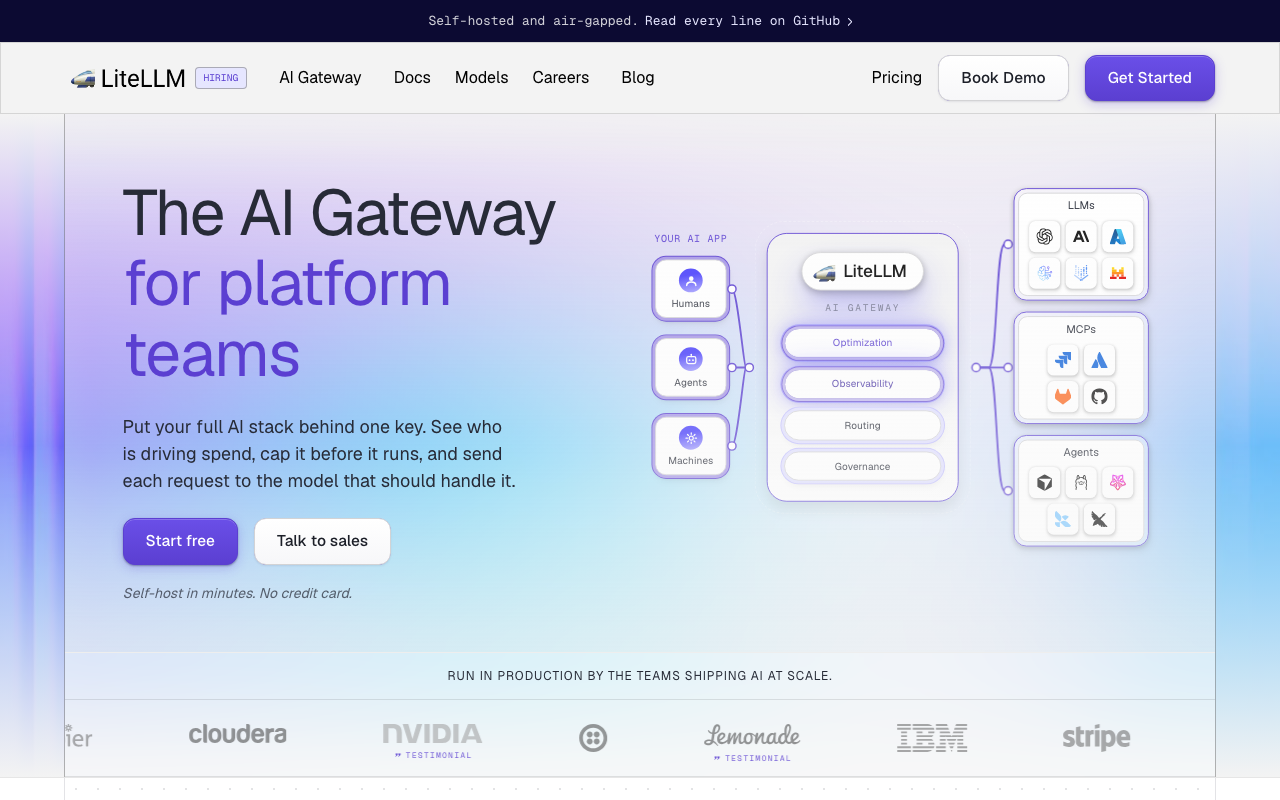
LiteLLM is the translation layer rather than an engine: it presents a compatible endpoint and speaks each upstream provider’s native API behind it, normalising requests, responses, errors and usage. That inverts the problem in this article — instead of hoping every engine implements the shape correctly, you make one implementation responsible for it.
Pros
- One compatible surface over providers that are not compatible at all, so client code stops carrying per-provider branches
- Normalises error shapes and usage accounting, which is precisely where raw compatibility is least reliable
- Self-hosted, and covers hosted APIs and your own engines in one config, so a hybrid deployment is a routing decision
Cons
- Normalisation is lossy at the edges: provider-specific features and newer fields arrive behind the provider’s own API
- Another hop on the hot path for every call, with its own scaling and availability to own
- Being the compatibility layer means its bugs look like model bugs, which is a confusing failure mode until you learn to check both
Best for: Teams that need one client interface across hosted providers and self-hosted engines without writing the translation themselves.
Pricing: Open source with no licence cost plus a commercial enterprise tier; the real cost is infrastructure and an owner.
vLLM
vLLM is the default self-hosted serving engine and has the most complete compatible surface of the open engines: chat completions, embeddings on supported models, tool calling with per-model parsers, and structured outputs through pluggable guided-decoding backends. Paged attention for KV cache memory plus continuous batching is why it became the ecosystem’s reference point, and why TGI’s own documentation now points here.
Pros
- The broadest genuinely compatible surface among self-hosted engines, including real constrained decoding rather than prompt hints
- Continuous batching and paged KV cache make concurrency the normal case rather than a tuning exercise
- The community default, so new architectures land quickly and integration bugs are usually already reported and fixed
Cons
- Tool-call parsing is per-model-template: a new model may need a matching parser flag, and the wrong one produces content where you expected a tool call
- GPU memory configuration is real work — utilisation fraction, max sequence length and cache sizing interact, and getting it wrong shows up as out-of-memory under load, not at startup
- Heavier to run than a single binary, with meaningful start-up time and a substantial dependency footprint
Best for: Teams self-hosting open-weight models at production concurrency who need tool calling and enforced schemas to behave like the hosted APIs.
Pricing: Open source with no licence cost; the cost is GPUs, whether owned or rented, plus the engineers who tune them.
SGLang
SGLang is the other serious high-throughput engine, and its distinguishing bet is prefix caching as a first-class structure: a radix tree over the KV cache so requests sharing a long prefix reuse the computed state. That maps onto agent and retrieval workloads, where a large system prompt and retrieved context repeat across short turns.
Pros
- Prefix-aware caching targets the shared-prefix pattern that agent and RAG traffic actually produce
- Strong constrained-decoding support, so schema conformance is enforced rather than requested
- Competitive throughput on the same hardware, with a compatible surface covering the endpoints most applications use
Cons
- Younger and smaller ecosystem than vLLM, so fewer worked examples and a narrower set of already-solved integration issues
- More tuning surface exposed, which is powerful and means a default configuration is less likely to be the right one
- Model and hardware coverage is narrower, so verify your exact model is supported rather than assuming
Best for: Teams whose traffic has long shared prefixes — agents, retrieval pipelines, multi-turn assistants — and who need enforced structured outputs.
Pricing: Open source with no licence cost; you pay for GPUs and the operator time to tune them.
llama.cpp
llama.cpp is the C++ inference engine behind an enormous amount of local AI, and its bundled server exposes a compatible endpoint. Two properties make it strategically useful rather than merely convenient: it runs quantised models on CPUs and consumer GPUs, and its grammar-based sampling gives genuine constrained decoding on hardware that cannot host a large model at all.
Pros
- Runs on CPU and consumer hardware, which puts inference in places a GPU serving stack cannot go
- Grammar-constrained sampling gives real schema enforcement, not a prompt hint, even on small models
- A single binary with no heavy runtime, and wide quantisation options so you trade quality for memory explicitly
Cons
- Single-node and modest under concurrency; it is not the engine for a shared production endpoint at scale
- Quantisation costs quality in ways that vary by model and task, so the cheap memory footprint is not free
- Its compatible surface is narrower than the GPU serving engines, so verify the specific fields your code reads
Best for: On-device, air-gapped or CPU-only deployments, and local development where a GPU is not available.
Pricing: Open source with no licence cost; you pay only for the hardware you already have.
Ollama
Ollama is a developer-experience layer over local inference: pull a model by name, get a running local server with a compatible endpoint, no configuration. That removed the setup tax that stopped people evaluating open models at all, which is why so much local tooling assumes it. It is also built for a single developer’s machine, and the trouble starts when someone points production at it.
Pros
- The lowest-friction way to run an open model locally; one command from nothing to a compatible endpoint
- Model management by name with sensible packaging, which makes trying five models an afternoon rather than a project
- Assumed by a large amount of local tooling and IDE integration, and the compatible endpoint means the same client code runs locally and hosted
Cons
- Built for single-user local use: concurrency handling and throughput are not comparable to a serving engine
- Defaults surprise people, particularly context length, so a model that answers well in a chat window truncates in a pipeline
- Narrower compatible surface than the serving engines, and enforcement of schemas and tool calls varies by model
Best for: Local development, prototyping and evaluating open models on a laptop before committing to a serving stack.
Pricing: Open source with no licence cost; your hardware is the whole bill.
LocalAI
LocalAI aims at drop-in replacement rather than maximum throughput, covering more of the API surface than the chat-focused engines: chat, embeddings, image generation, transcription and speech behind pluggable backends. If your application uses four endpoints and all four must work offline, breadth beats tokens per second.
Pros
- Covers chat, embeddings, audio and image endpoints, so applications using several endpoints do not need several engines
- Multiple backends behind one API, letting you match each model to an appropriate runtime
- Runs on consumer hardware without a GPU, with container-first packaging that fits an existing deployment pipeline
Cons
- Breadth over depth: throughput and concurrency trail engines built for serving one thing well
- A large configuration surface across backends, so reproducing a working setup takes documentation discipline
- Feature depth per endpoint varies by backend, so compatibility must be tested per model rather than per product
Best for: Air-gapped or edge deployments that need several API endpoints working locally, where throughput is not the binding constraint.
Pricing: Open source with no licence cost; you pay for the hardware and the operator.
Hugging Face Text Generation Inference
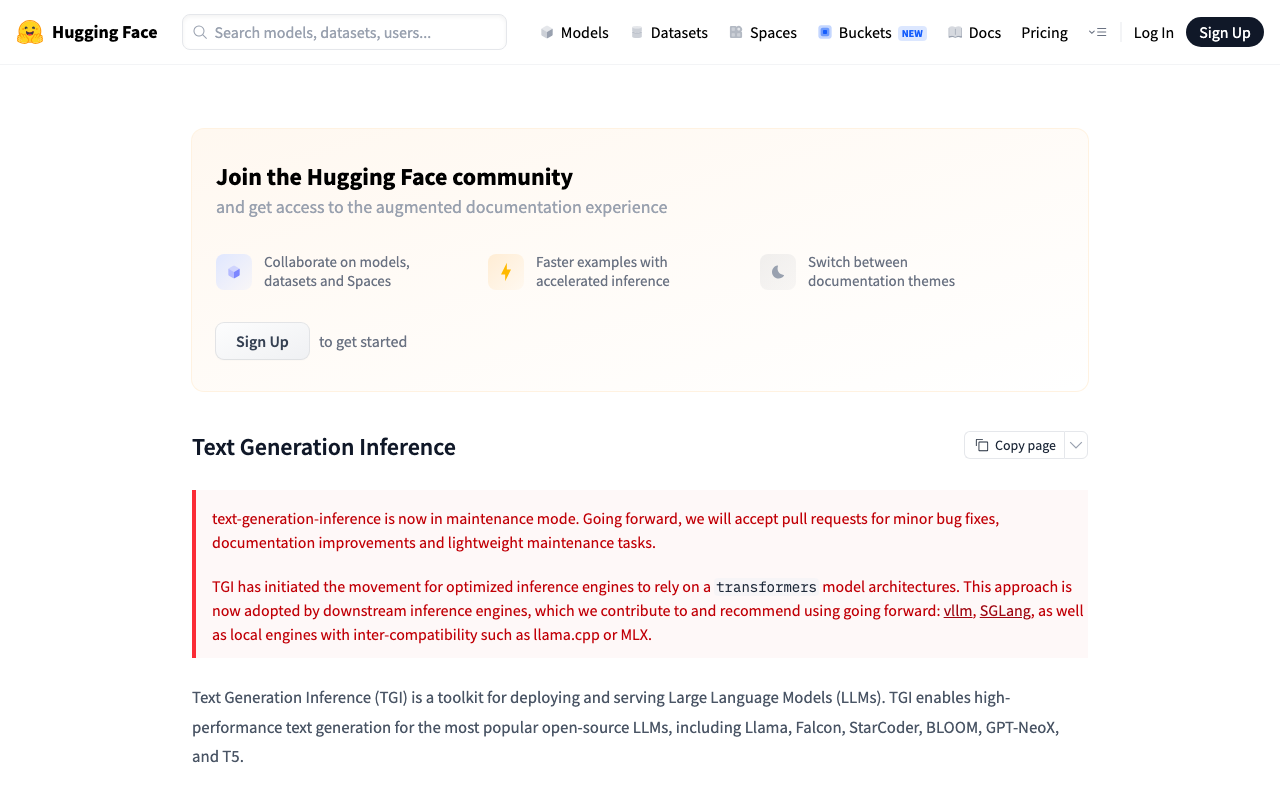
TGI was one of the first production-grade open serving engines and a lot of existing infrastructure runs on it. Its own documentation now states it is in maintenance mode — minor fixes and documentation only — with the ecosystem pointed at vLLM, SGLang and llama.cpp. It is here because you may inherit it, not because you should choose it.
Pros
- Mature and well understood, with a large body of existing deployment knowledge and tooling built around it
- Integrates closely with the Hugging Face model ecosystem and its serving products
- Stable behaviour precisely because it is no longer changing quickly, which suits a frozen environment
Cons
- Its own docs state it is in maintenance mode: minor fixes and documentation only, so do not select it for a new deployment
- New model architectures and newer API features land in the actively developed engines, not here
- Migrating later is a real project, so choosing it now buys a migration you could have skipped
Best for: Existing TGI deployments that are stable and not yet worth migrating; nothing new.
Pricing: Open source with no licence cost; the cost is GPUs, plus the eventual migration to an actively developed engine.
Together AI

Together AI is hosted inference for open-weight models with a compatible API surface, plus fine-tuning and dedicated capacity. It is the middle path when you want open models without owning GPUs: the same model families you would self-host, reached through the same client code, with capacity somebody else scales.
Pros
- Open-weight models without GPU procurement or capacity planning, reached through the client you already use
- Broad model catalogue across families, so comparing candidates does not mean deploying each one
- Fine-tuning and dedicated capacity options, plus a realistic price benchmark for deciding whether your own GPUs are cheaper
Cons
- Hosted third party in the prompt path, which a data-residency requirement may rule out outright
- Feature support varies by model, so tool calling and enforced schemas need checking per model rather than per platform
- No self-host path, so it addresses capacity but not the residency or control questions
Best for: Teams that want open-weight models at production scale without operating GPUs, where a hosted data path is acceptable.
Pricing: Usage-based per token by model, with dedicated capacity available as a committed option.
Groq
Groq is a hardware story wearing an API. It runs a limited catalogue of models on its own custom inference silicon behind a compatible endpoint, and low latency is the entire product claim rather than one feature among many. For interactive and voice-adjacent applications that focus is the reason to look; for anything needing a specific model, the catalogue is the constraint.
Pros
- Purpose-built inference hardware, with latency as the explicit design goal rather than a side effect of tuning
- Compatible endpoint, so adoption for a supported model is a base-URL change
- Predictable behaviour from a narrow, deliberately curated catalogue, which suits interactive and speech-adjacent workloads
Cons
- The model catalogue is limited to what has been ported to the hardware, so your preferred model may not be available
- No self-host option at all, so residency and control requirements are unaddressed by construction
- Feature surface varies by model — verify tool calling and structured output support for the specific one you plan to use
Best for: Latency-sensitive interactive applications that can use one of the supported models and do not have a residency constraint.
Pricing: Usage-based per token by model, with enterprise arrangements for dedicated capacity.
How to choose
Work in this order, because constraints eliminate faster than features differentiate.
One: decide whether inference may leave your network. If not, the hosted options are gone and you are choosing among vLLM, SGLang, llama.cpp, LocalAI and a gateway in front. The self-hosted gateway guide covers the operational cost.
Two: pick by workload shape, not by benchmark. Long shared prefixes with short turns favour prefix-caching engines. High concurrency on varied prompts favours continuous batching. CPU-only or on-device means llama.cpp. Several endpoints offline means LocalAI. A laptop means Ollama.
Three: run the fourteen checks before you commit — especially checks 10 and 12, schema enforcement and silently ignored parameters, because neither will announce itself or fail your smoke test.
Four: put a translation layer in front if you will ever run more than one engine. Depending on one engine’s exact quirks is how you end up unable to switch.
| Option | What it is | Runs where | Picks itself when |
|---|---|---|---|
| LiteLLM | Compatibility and translation layer | Yours | You need one interface over many providers and engines |
| vLLM | High-throughput serving engine | Yours (GPU) | Production concurrency with enforced schemas and tool calls |
| SGLang | Serving engine with prefix caching | Yours (GPU) | Long shared prefixes: agents and retrieval pipelines |
| llama.cpp | Quantised CPU and consumer-GPU engine | Yours (any) | On-device, air-gapped, or no GPU available |
| Ollama | Local developer runtime | Your laptop | Prototyping and evaluating open models locally |
| LocalAI | Broad drop-in local replacement | Yours (any) | Several API endpoints must work offline |
| Hugging Face TGI | Maintenance-mode serving engine | Yours (GPU) | You already run it and migration can wait |
| Together AI | Hosted open-model inference | Hosted | Open models at scale without owning GPUs |
| Groq | Custom-silicon inference | Hosted | Latency is the product and a supported model fits |
Needs first-hand data: For one representative workload, run the same model on vLLM, SGLang and a hosted provider on comparable hardware, and record tokens per second at fixed concurrency, time to first token, and the prefix-cache hit rate. Then compute cost per million output tokens including idle GPU time, which is the number that decides self-hosting and the one no vendor page contains.
Frequently asked questions
Does OpenAI-compatible mean I can switch providers with one line?
For a non-streaming chat request with no tools and no schema, usually yes. Add streaming, tool calls, structured outputs or usage-based cost accounting and the answer is no until tested. The base URL is one line; the compatibility work is the fourteen checks above.
How do I tell whether an engine really enforces a JSON schema?
Send a schema with an enum and a regex pattern, run it fifty times at a non-zero temperature, and count violations. Enforcement through constrained decoding produces zero, because violating tokens are never sampled. Any nonzero rate means the schema was a prompt, and you need validation and retry around every call.
Why do my token counts differ between two compatible engines?
Different tokenisers. The same text becomes a different number of tokens, so counts are not comparable across engines even when both report them correctly. Treat a switch as a break in the series for cost reporting, and check whether the nested cached-token and reasoning-token fields exist at all before building pricing on them.
Should I run an engine directly or put a gateway in front?
A gateway, once you have more than one consumer or more than one engine. It is where keys, per-tenant limits, retries and usage accounting belong, and where you normalise the differences this article is about.
Related reading
- Best AI gateways — the control plane that belongs in front of any of these engines.
- Best self-hosted LLM gateways — keeping the whole request path inside your network, and what it costs to run.
- Best model routing and multi-provider tools — failover across engines, including the stream that dies mid-answer.
- Best AI agent frameworks — why tool-call shape and schema enforcement decide whether an agent loop is reliable.
- Best LLM observability tools — recovering usage and latency data when the engine will not report it.