There are two kinds of autonomy in this category and they look identical for the first ninety seconds.
The first kind reads your codebase, finds the three files that matter, makes a change consistent with how the rest of the project works, runs the tests, notices one failed, fixes it, and hands you a diff you can review in four minutes. The second kind skips the reading, writes something that compiles and looks like the code it was trained on, invents a helper that already exists two directories over, and hands you a 600 line diff that passes its own newly written tests. Both say “done”. Only one of them is.
The difference is almost never the model. It is what went into the prompt before generation started. An agent that reads the wrong three files will write confident, idiomatic, wrong code with any model you point it at, and the better the model the more convincing the wrongness. This is the single most useful thing to understand about the category, because it turns a vague question about intelligence into a concrete question about mechanism: how does this agent decide what to read?
The rest of the differences are workflow. Whether the agent runs in your editor or your terminal or a cloud VM, whether it commits or opens a pull request, whether it asks before running a command. Those matter for how it feels. Context gathering matters for whether it works. Score both against the five-task suite, because the tasks that look easy are exactly where the two kinds of autonomy diverge.
Key takeaways
- Context gathering decides output quality before the model generates a token. Evaluate retrieval strategy, not model names.
- The three retrieval families are embedding search, agentic exploration with grep and file reads, and a precomputed semantic index. They fail in different, predictable ways.
- The dangerous failure is silent incompleteness: a refactor that misses two call sites and reports success costs more than one that stops and asks.
- Autonomy level is a function of blast radius. Read-only exploration needs no supervision, a command that touches your database needs a gate every time.
- An agent that cannot build and test your project is a code generator. Environment setup is not a detail, it is the feature.
Autonomy that finishes versus autonomy that produces plausible garbage
Autonomy gets sold as a single dial from completion to fully automatic. It is more useful to think of it as four distinct capabilities that vendors bundle differently.
Reading without being told what to read. The agent decides which files are relevant. This is the capability that everything else depends on and the one least visible in a demo.
Running commands. The agent executes your test suite, your linter, your build, and reads the output. An agent that cannot run your tests is guessing about whether its change works, and it will tell you the change works anyway.
Iterating on failure. The agent sees a test fail, forms a hypothesis, and tries again. The failure mode here is a loop that fixes the test instead of the code, which is astonishingly common and passes every automated check you have.
Deciding it is finished. Under-explored and the most consequential. An agent with no notion of incompleteness will always report success, because stopping is the only terminal state it has. An agent that can say “I changed six of the eight call sites and the other two need a decision about backward compatibility” has given you something worth more than the diff.
The gap between plausible and correct output is almost entirely about the fourth capability plus the first. A model asked to produce a patch will produce a patch. It has no mechanism for returning nothing. So an agent that did not find the right context will still emit something, and what it emits will be a well-formed patch to the wrong place.
This is why “it hallucinated a function” is the wrong diagnosis. Usually the agent did not hallucinate. It wrote a reasonable function for a codebase that does not have the one you already wrote, because the one you already wrote was never in its context.
Context gathering: how agents decide what to read
There are three families, and most products blend two of them. The blend is the product.
Embedding retrieval. The repository is chunked, embedded, and stored in a vector index. At query time the task text is embedded and the nearest chunks are pulled in. Fast, works on any language without a parser, and scales to large repositories because the expensive part happens once.
It fails on the axis you care about most, which is completeness. Vector similarity finds code that looks like the query. It does not find every caller of a function, because a caller does not resemble the function’s definition. Ask an embedding-backed agent to rename something used in twelve places and it will typically find the seven that appear in similar-looking code. The three it missed will be in a config loader, a test helper, and a script nobody reads.
Embeddings also go stale. If the index updates on a schedule rather than on save, the agent is reasoning about the repository as it was, which produces the specific confusing behaviour of an agent that keeps referring to a function you deleted an hour ago.
Agentic exploration. No index. The agent is given tools, typically glob, grep, read file, and sometimes a shell, and it searches the way you would. It greps for a symbol, opens what comes back, follows an import, reads a neighbouring file to learn the conventions.
This is slower per task and more expensive in tokens, and it is markedly better at completeness because grep does not care about semantic similarity. If the symbol is there, it is found. It also produces a readable trail: you can see which files the agent opened, which is the single best debugging signal in this whole category. When the output is wrong, look at the file list, and nine times out of ten the explanation is sitting in it.
Its weakness is the first move. An agent that greps for the wrong term explores a wrong neighbourhood confidently. It is also poor at “where is the concept of billing implemented” style questions, which is exactly what embeddings are good at, which is why the strong products do both.
Precomputed semantic index. A parser or language server builds a real graph: definitions, references, call hierarchy, type relationships. Ask for callers and you get all the callers, because that is a graph traversal rather than a guess.
This is the most accurate and the most operationally expensive. It needs per-language support, it needs to stay current, and on a large monorepo it needs real infrastructure. Tools built on top of a code search platform inherit this for free, which is why code search tools and coding agents keep converging.
The Language Server Protocol sits under this family. It is a specification, not a product: an editor speaks LSP to a language server that understands one language, and gets back go-to-definition, find-references, diagnostics and rename. An agent wired into LSP gets exact answers for exactly the questions LSP defines. It gets nothing about your architecture, your naming conventions, or why the payments module has two clients. Treat it as ground truth for symbol-level questions and useless for design-level ones.
What to actually test
The evaluation is simple and nobody does it. Ask each candidate a question with a verifiable, complete answer in your repository, such as every place that reads a particular environment variable, or every implementation of a particular interface. Compare against grep -rn and the language server. Then do it again on a file you renamed ten minutes ago.
Needs first-hand data: For each agent, record files opened before the first edit on tasks one, two and three of the suite, and score its answer to a “find every caller” question against ripgrep ground truth. Report precision and recall separately. Recall is what predicts a silently incomplete refactor; precision predicts token cost.
Blast radius, not trust
The permission model is where agents get adopted or quietly abandoned, and teams get it wrong in both directions.
Approving every single action trains you to approve without reading, which is worse than no gate at all. Approving nothing means the first rm -rf in a generated cleanup script is your problem. The workable middle is to gate on blast radius rather than on action count.
Reading files, grepping, and running the test suite in a scratch checkout are reversible and should never prompt. Writing files is reversible if you are in a clean git worktree and not otherwise, which is why running agents on a dedicated branch or worktree is the highest-value habit in this category. Network calls, package installs, database commands and anything touching a deployed environment are not reversible and should prompt every time, with the exact command shown.
The practical setup that works: give the agent a worktree, let it do anything it likes inside it, and make the only gate the moment code leaves that worktree. Review is then a normal diff review, which your team already knows how to do. Preview environment tools cover the same idea one layer up.
MCP: the protocol underneath, not a product
Model Context Protocol is a specification for how a tool-using model connects to external capabilities. A server exposes tools, resources and prompts over a defined transport; any client that speaks the protocol can use any server. Every agent in this article either supports it or is under pressure to.
What it gives you
A tool integration written once works across clients, which ends the era of every assistant needing its own plugin format. It makes capability an explicit, deployable, ownable artifact: your team can run a server that exposes your issue tracker, your observability stack or your internal service catalogue, with access control you configure rather than a vendor configures.
It also makes the surface auditable. You can enumerate exactly which servers a developer’s agent has mounted, which is the first question any security review will ask.
What it does not do
It does not make any tool safe. A server that can write to production can write to production, and the protocol has no opinion about that. Every server you mount widens what a prompt injection reaching the model can touch, and the injection does not have to come from a person: a README, a code comment, an issue description or a dependency’s documentation are all model-visible text.
It does not solve context. A server with forty tools spends your context window on tool schemas before the agent reads a line of your code, and agents get measurably worse at choosing tools as the list grows. Mount what the task needs.
It is also not a discovery or trust system. There is no built-in notion of a server being reputable. Treat third party servers with the same care as a dependency you add to package.json, which is the argument in supply chain security tools. The server landscape itself is covered in MCP servers for development workflows.
Claude Code
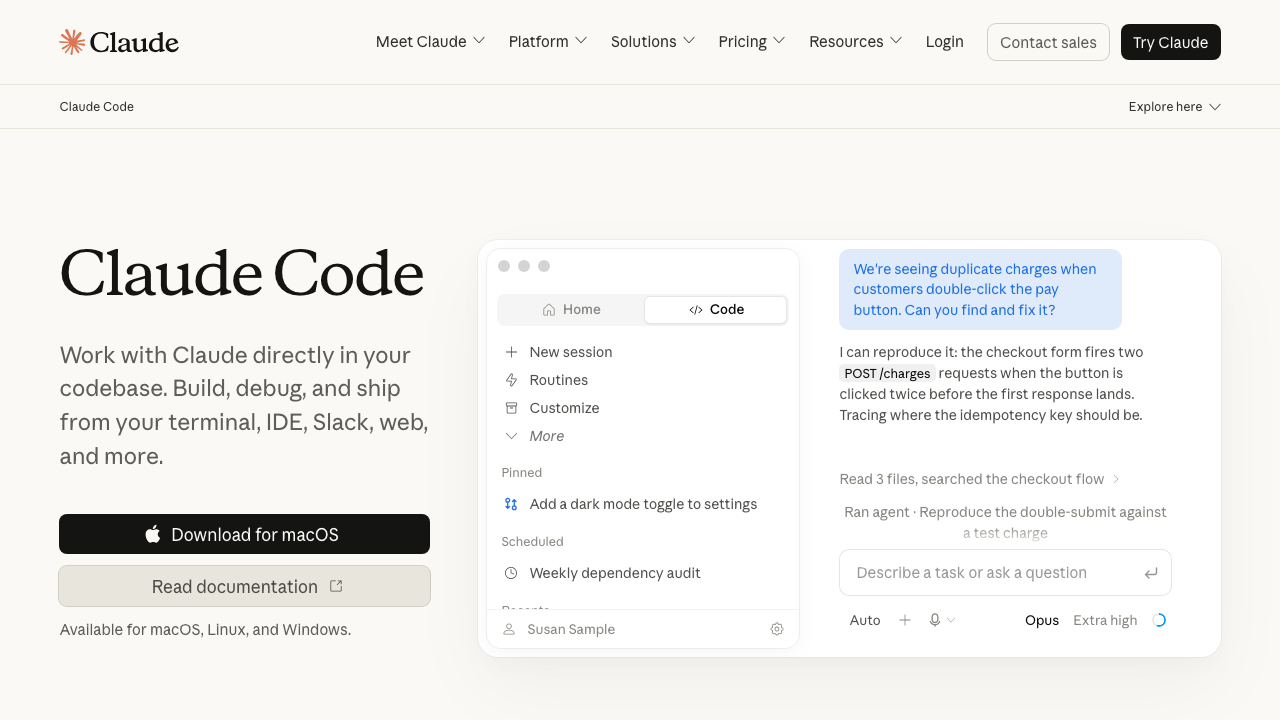
Claude Code is Anthropic’s agentic coding tool. It ships as a CLI you run in your project directory, a desktop app for Mac and Windows, a web app, and extensions for VS Code and JetBrains, and the same agent sits behind all of them. Its context strategy is agentic exploration rather than a maintained embedding index: it greps, globs and reads files on demand, which means there is no index to go stale and a visible trail of exactly what it looked at. The Claude Agent SDK is a separate product for building your own agents on the same foundations.
Pros
- No index to build or invalidate, so it is correct on a repository you changed thirty seconds ago and works on a monorepo without a preprocessing step
- The file-read trail makes wrong output diagnosable, because you can see the search that missed
- Runs where your project already builds, so tests, linters and build tooling work without a devcontainer or a cloud environment
- First-class MCP support and project-level instruction files, so team conventions become part of every run rather than something each engineer re-types
Cons
- Exploration costs tokens on every task, where an index amortises that cost, so broad questions about a large repository are the expensive case
- A terminal-first workflow is a real adjustment for engineers whose entire mental model lives in an IDE window
- Autonomy is only as good as your test suite, and on a codebase with weak tests it will iterate toward passing rather than toward correct
Best for: Teams who want an agent that works from the repository as it is right now, and who are comfortable living in a terminal or driving it from the IDE extension.
Pricing: Included with the consumer subscription tiers, or usage-based against the API for teams who want per-seat control and spend reporting.
OpenAI Codex
Codex is OpenAI’s coding agent, available as a terminal CLI, an IDE extension, and a cloud environment where tasks run in a sandboxed container against a checkout of your repository and come back as a diff or a pull request. The cloud mode is the distinctive part: work happens somewhere else, in parallel, which suits a queue of independent small tasks better than a single interactive session.
Pros
- Cloud execution means several tasks run at once without competing for your machine or your ports
- The sandboxed container is a real isolation boundary, so an agent running a destructive command is contained by construction
- The same agent is reachable from terminal, editor and cloud, so a task can start in one place and finish in another
Cons
- Cloud mode needs your project to build in a container it can construct, and a project with private registries, native dependencies or a long setup script is exactly the one it will struggle with
- Asynchronous review is a different discipline: a queue of diffs waiting on you is a queue of context you have to reload
- Provider gravity in the defaults and documentation, which matters if your organisation has a policy about where code is processed
Best for: Teams with a queue of well-specified independent tasks and a project that containerises cleanly.
Pricing: Bundled with paid subscription plans, with usage-based access for API and enterprise deployments.
Cursor
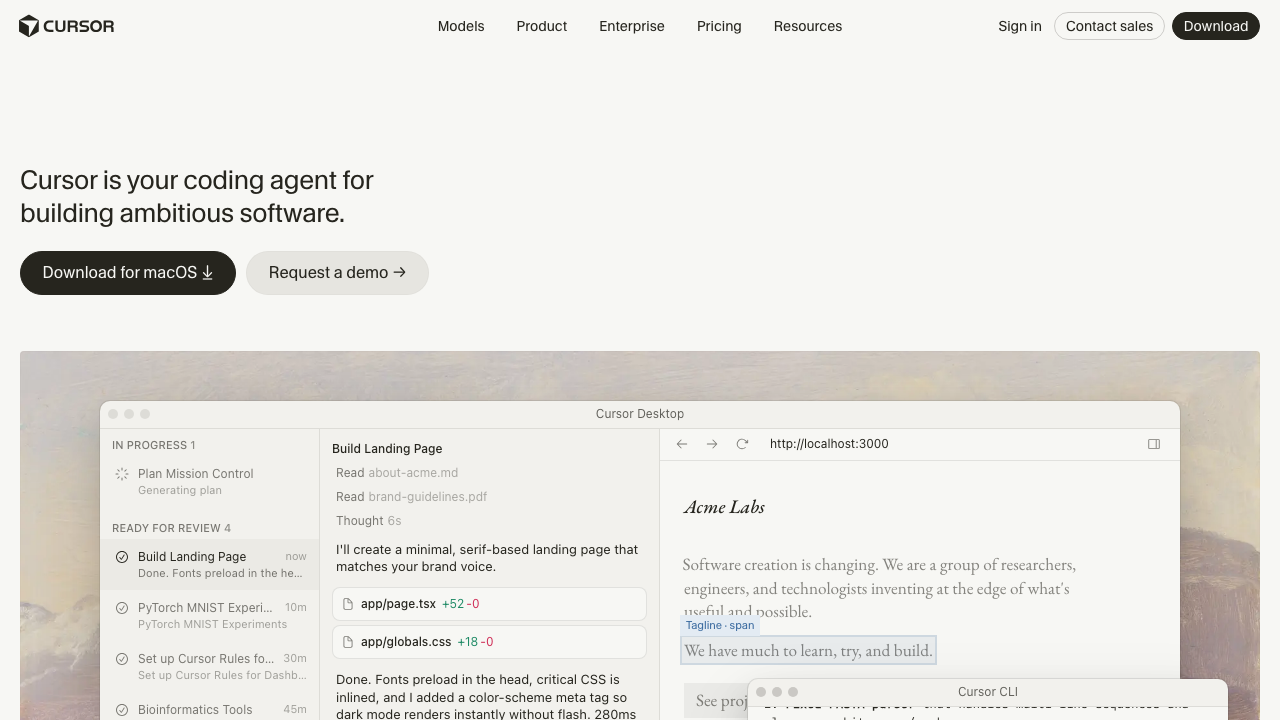
Cursor is an editor that happens to contain an agent, rather than an agent bolted onto an editor. It is a VS Code fork, so your extensions and keybindings mostly come along, and it maintains an embedding index of your codebase that feeds both inline completion and its agent mode. The integration is the value: the agent’s proposed changes render as diffs in the editor you are already reading.
Pros
- The lowest adoption cost of any agent here, because it is the editor most of your team already uses with an agent attached
- Codebase indexing gives fast answers to conceptual questions across a repository too large to explore file by file
- Inline completion, chat and agent mode share context, so you can escalate from a one-line suggestion to a multi-file change without restating the problem
- Multiple model backends, so a model that regresses on your work is a setting rather than a migration
Cons
- Embedding retrieval trades recall for speed, and its characteristic failure is the multi-file refactor that misses the call sites that do not look like the others
- The index is another thing that can be stale, wrong, or expensive to rebuild on a large monorepo
- Source code is indexed by the vendor’s infrastructure under the default configuration, which is a data-flow question your security review will ask before your engineers do
Best for: Teams standardising on one editor who want agent capability without changing how anyone works.
Pricing: Per seat and per month with usage limits, plus a business tier adding administrative controls and privacy configuration.
Devin
Devin is the most autonomous product in this list by design. It runs in its own cloud workspace with a browser, a terminal and an editor, takes a task from an issue tracker or a chat message, works for an extended period without supervision, and opens a pull request. It is positioned as a teammate rather than a tool, which is a real architectural claim: it holds a session, follows up, and can be asked to revise.
Pros
- The workspace includes a browser, so tasks that require reading documentation or reproducing something in a UI are in scope where they are not for a terminal agent
- Long unattended runs suit genuinely parallel work: several tasks progressing while nobody watches
- Task intake from issues and chat fits teams whose work already lives in a tracker rather than in someone’s head
Cons
- Maximum autonomy maximises the cost of silent incompleteness, because nobody was watching when the decision to skip a case was made
- Its environment is its own, so a project with unusual build requirements needs setup work before the agent is useful at all
- Review load concentrates: unattended work arrives as large pull requests, which is the shape reviewers are worst at
Best for: Teams with a backlog of well-scoped, independently reviewable tasks and the review capacity to absorb them in batches.
Pricing: Subscription with usage-metered agent work, plus enterprise plans for team deployment.
Aider
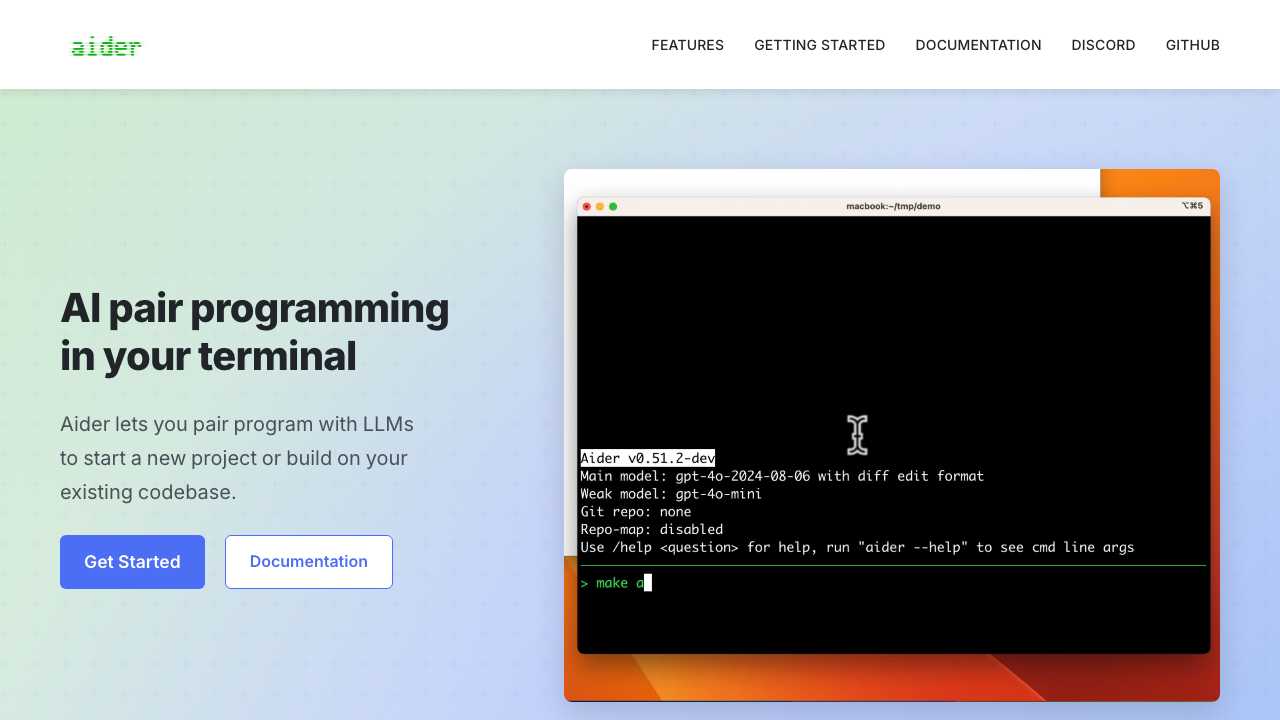
Aider is a terminal coding agent that pairs with git as its primary abstraction. Every change becomes a commit, so undo is git reset and review is git diff, and it builds a repository map using tree-sitter to give the model a structural summary of your codebase rather than raw file contents. It is open source and model-agnostic, which makes it the clearest window into how these systems actually work.
Pros
- The tree-sitter repository map is a genuinely different context strategy: structural signatures rather than embeddings, cheap to compute and current by construction
- Git-native workflow means no proprietary undo stack and no state outside version control
- Model-agnostic, so you can point it at a hosted provider, a gateway, or a local model without changing your workflow
- Reading the source tells you exactly what is in the prompt, which no commercial product will show you
Cons
- Terminal-only with no editor integration, so diff review happens in git rather than inline
- You operate it: model selection, API keys, cost control and context configuration are all yours
- Less capable than the commercial agents at long autonomous runs, because it is designed around tight human-in-the-loop turns
Best for: Engineers who live in the terminal, want git as the only source of truth, and want to choose their own model.
Pricing: No vendor and no bill. It is an open source project, and your only cost is whatever provider you point it at.
OpenHands
OpenHands is an open source agent platform rather than a single agent. It runs agents in a sandboxed runtime with a shell, a browser and a code editor, exposes a web interface, and lets you swap the agent implementation and the model backend. It is the reference implementation of the autonomous-agent-in-a-container architecture that the commercial cloud products also use.
Pros
- Sandboxed runtime by default, so destructive commands are contained without you designing the containment
- Pluggable agent and model, which makes it the right place to evaluate whether a change of model actually changes outcomes on your tasks
- Self-hostable end to end, so code never leaves infrastructure you control
Cons
- Operating it is a project: container runtime, resource limits, workspace mounting and upgrades are yours
- Capability varies substantially with the agent implementation and model you configure, so a bad result may say nothing about the platform
- The web interface is a separate place to work, which competes with the editor and terminal your team already has open
Best for: Teams with a hard requirement that code stays on their own infrastructure, or researchers comparing agent designs on a fixed task set.
Pricing: No vendor and no bill for the software. You pay for the machines you run it on and the model provider you configure.
Goose
Goose is an open source agent from Block, designed extension-first around MCP. Its capabilities come from mounted servers rather than a built-in tool list, which makes it the most configurable agent here and the one whose behaviour depends most on how you set it up. It runs as a CLI or a desktop application and works with a range of model providers.
Pros
- MCP-native architecture means a capability you build once is available to the agent immediately, with no plugin format to learn
- Provider-agnostic, including local models, which matters for teams with data residency constraints
- Recipes and configuration files make a working setup shareable across a team rather than rebuilt per engineer
Cons
- Extension-first means an out-of-the-box install is less capable than a configured one, and the configuration is on you
- Mounting many servers degrades tool selection and consumes context before any code is read
- Smaller body of production experience than the commercial agents, so fewer people have hit the failure you are about to hit
Best for: Teams already invested in MCP who want an agent whose capabilities they define rather than accept.
Pricing: No vendor and no bill. Open source, with your spend going to whichever model provider you point it at.
Amp
Amp is Sourcegraph’s agentic coding tool, available as a CLI and as an editor extension. Its distinguishing bet is that the agent should not be constrained by the ergonomics of an IDE sidebar, and that context should come from real code intelligence rather than similarity search, which is the capability its parent company has been building for a decade.
Pros
- Backed by a vendor whose core competence is indexing and searching large codebases, which is precisely the bottleneck in this category
- Works in both terminal and editor, so the agent is not tied to one surface
- Designed around handing off substantial units of work rather than single-file edits, which suits multi-file change
Cons
- Newer product with a shorter track record than the incumbents, and the vendor is simultaneously running an older assistant product
- Usage-metered consumption is harder to forecast than a seat price when you are building a budget
- Deep value depends on the code intelligence layer, which is most useful to organisations already running it
Best for: Organisations already using Sourcegraph for code search who want an agent that reads their monorepo the same way their search does.
Pricing: Usage-based consumption billing for individuals and teams, with enterprise arrangements for larger deployments.
How to choose
Answer these in order and most of the field eliminates itself.
Where does your code run? If a policy says source cannot be processed by a third party, you are choosing between self-hosted open source options and enterprise deployments with contractual guarantees, and the list is short. Settle this first, because it invalidates everything else.
Does your project build in a container someone else constructs? If yes, cloud agents are available to you and worth the parallelism. If your build needs private registries, hardware, a VPN or a forty-minute setup, local agents are the realistic choice.
Are your tasks a queue or a conversation? A backlog of independent, well-specified tickets suits asynchronous cloud agents. Exploratory work where you refine the goal as you learn suits an interactive agent in your terminal or editor.
How strong is your test suite? This determines how much autonomy is safe. Strong tests make an agent’s iteration loop meaningful. Weak tests make it a machine for producing code that passes the tests it wrote. If your answer is weak, start with test generation before you buy more autonomy.
Who reviews the output? Autonomy moves work from writing to reviewing. If your team is already behind on review, an agent that produces more pull requests makes the bottleneck worse, and the right next purchase is in AI code review tools.
| Agent | Context strategy | Runs where | Picks itself when |
|---|---|---|---|
| Claude Code | Agentic exploration, no index | Terminal, desktop, web, IDE | You want current-state accuracy and a visible read trail |
| OpenAI Codex | Agent exploration in a sandbox | Terminal, IDE, cloud container | You have a queue of independent tasks and a clean build |
| Cursor | Embedding index plus agent | Editor | The team standardises on one editor |
| Devin | Managed cloud workspace | Cloud, with a browser | Tasks arrive from a tracker and run unattended |
| Aider | Tree-sitter repository map | Terminal | Git is the only state you want and you pick the model |
| OpenHands | Configurable per agent | Self-hosted container | Code cannot leave your infrastructure |
| Goose | Whatever you mount over MCP | Terminal, desktop | Your capabilities are already MCP servers |
| Amp | Code intelligence index | Terminal, editor | You already run Sourcegraph on a large monorepo |
| MCP | (standard, not a product) | Any client | You need one tool integration to work everywhere |
Needs first-hand data: Run the same three tickets through your two finalists on a dedicated worktree and record diff survival after review, number of turns to acceptance, and whether the agent explicitly named anything it could not complete. The third column is the one that will decide the rollout six months in.
Frequently asked questions
Do coding agents replace the editor assistant?
No, and treating it as a replacement is why rollouts stall. Completion and inline chat serve the work you are already doing with your hands on the keyboard. Agents serve work you hand off. Most teams that get value run both, and the split is roughly whether you already know the exact change you want.
Why does the agent keep inventing helpers that already exist?
Because the existing helper was not in its context. This is a retrieval failure, not a generation failure. Check what the agent read before it wrote, and if the tool cannot show you that, treat the opacity as a defect. A project instruction file naming your shared utilities is the cheapest partial fix.
How do I stop an agent from fixing the test instead of the code?
Take away the option where you can: run the agent against a test file it is not permitted to modify for bug-fix tasks, and require that the failing test exist before the fix. Where you cannot enforce it, review test diffs separately from source diffs, because a changed assertion hides in a large diff and is the single most expensive thing to miss.
Is more autonomy always better?
No. Autonomy converts writing time into reviewing time, and reviewing an unfamiliar 600 line diff is slower than writing 100 lines. Autonomy pays when the task is genuinely independent, the tests are genuinely good, and the reviewer has genuine context. Remove any one of those and a less autonomous tool produces more value per hour.
Related reading
- Best AI coding assistants — the five-task suite these agents should be scored against.
- Cursor vs Windsurf vs Claude Code — the editor-native versus terminal-native decision in detail.
- Best AI code review tools — where the review load goes when agents produce more diffs.
- Best code search tools — the indexing layer that decides what an agent can find.
- Best MCP servers for development workflows — what to mount, and what to refuse to mount.
- Best AI agent frameworks — if you are building an agent rather than buying one, start with state and durability.