One correction before anything else, because it changes what you are actually evaluating. Windsurf is no longer an independent editor brand. The windsurf.com domain now serves Devin Desktop from Cognition, described as a surface for managing fleets of local and cloud agents where you plan, delegate, review and ship without leaving your editor. If you sit down today to evaluate Windsurf, you are evaluating something inside Cognition’s Devin line, and the product framing has moved from a single-developer editor toward orchestrating multiple agents.
The comparison is still the one people run, which is why it keeps this title, and the editor-native architecture described here is still what the product grew out of. But read the Windsurf section as a description of an architectural approach that now lives inside a different product line, and check the current product surface before you buy seats.
Most comparisons of these three tools line up features in a grid and pick a winner. That grid is obsolete within a month, and it misses the thing that actually determines which one your team keeps using.
The real distinction is where the tool lives. Cursor and Windsurf are editors. Claude Code is an agent you run in a directory. That sounds like a packaging detail and it is not, because it changes the unit of work.
In an editor-native tool, the unit of work is a file you are looking at. You have a buffer open, the cursor is somewhere, and the assistant operates from that position outward. Suggestions appear where you are reading. Diffs render inline against the code on screen. You stay in the loop continuously, because the loop and the editing surface are the same surface.
In a terminal-native tool, the unit of work is a task you describe. There is no cursor position, no open buffer, no implied “here”. You say what you want, the agent goes away, and it returns with a diff. Your attention is not required during the middle part, which is the entire point and also the entire adjustment: you are reviewing work rather than steering it.
Neither is better. They are different jobs, and most engineers who use both end up doing genuinely different kinds of work in each. What follows is how each of the three actually works underneath, and how they behave on the five-task suite that this cluster uses for every comparison.
Key takeaways
- Editor-native keeps you in the loop continuously; terminal-native hands you a finished diff. That changes what work you give the tool, not just how you type.
- The three use different context architectures: an embedding index, an index plus your recent trajectory, and on-demand exploration. Each has a distinct failure mode.
- Index-backed tools are fast on conceptual questions and can be stale. Exploration-based tools are always current and cost more per task.
- Editor adoption is a social problem. A terminal tool sidesteps the argument entirely, which is worth more in a mixed-editor team than any feature.
- Windsurf is no longer sold as a standalone editor brand. Its domain now serves Devin Desktop from Cognition, so evaluating it today means evaluating that product.
- Run the same five tasks on all three before deciding. Any published comparison, including this one, is a description of mechanism rather than a measurement of your repository.
Editor-native and terminal-native are different jobs
Watch someone use each for an hour and the difference is obvious in a way no feature table conveys.
The editor-native workflow is a tight loop. You are in a file, you know roughly what you want, you accept a suggestion or you ask for a change to the block in front of you, you read the diff inline, you keep going. Correction is cheap because you notice a wrong turn immediately. The tool amplifies work you were already doing, which is why it feels good immediately and why adoption is easy.
The cost is attention. You are present for the whole thing. The assistant does not save you the reading, it changes what you read from a blank file to a proposed diff.
The terminal-native workflow is a handoff. You write a description of the outcome, sometimes a paragraph, and you go and do something else. When you come back there is a diff and a summary of what it did. Correction is expensive, because a wrong turn taken in minute two is only discovered in minute nine, and by then it has been built on.
The cost is specification. A vague instruction produces a confident wrong answer, and there was nobody watching to catch it. The benefit is that the middle is not your problem, and you can run more than one at once.
The practical consequence is that the tools sort your work for you.
Work that suits an editor. You know exactly what the change is. Implementing something you can picture, in a file you are already in. Anything exploratory where you will change your mind halfway. Anything where you would have trouble writing the instruction because you are still figuring out what you want.
Work that suits a terminal agent. Well-specified tasks with a verifiable end state. Mechanical changes across many files. Anything where the tedious part is reading rather than deciding. Work you can hand off and review, which is most of what “the tests are failing, figure out why” turns out to be.
There is a second-order effect worth naming. Terminal-native tools push you toward running several at once in separate worktrees, because there is nothing anchoring you to one. That is a real productivity change and also a real review problem, because three diffs arriving at once is three contexts to load. Editor-native tools keep you at one thing, which is slower and easier to stay on top of.
And there is the social constraint, which decides more rollouts than the technical one. Adopting Cursor or Windsurf means adopting an editor. If half your team is on JetBrains for a JVM codebase, that argument is going to consume more energy than the tool saves. A terminal agent does not require anyone to agree on anything, because everyone already has a terminal. Claude Code also ships VS Code and JetBrains extensions, a desktop app for Mac and Windows, and a web app, so the terminal is the default rather than the only option.
Three context architectures, three failure modes
What a tool reads before it writes determines the output more than anything else about it. These three read differently.
Cursor indexes. It chunks and embeds your repository and retrieves chunks that look similar to your request. The strength is speed on conceptual questions: ask where rate limiting is handled in a large codebase and you get an answer without exploring. The failure is completeness, because similarity is not the same as relevance. The call site in an unusual file does not look like the others and does not get retrieved. The second failure is staleness, when the index reflects the repository as of the last build rather than now, which produces the specific experience of a tool insisting on a function you deleted.
Windsurf indexes and watches. On top of retrieval it tracks what you have been doing: files opened, edits made, terminal commands run. That trajectory becomes context, which is why short instructions work well in it. “Now do the same for the other handler” lands, because it saw the first one. The failure mode is inherited from retrieval plus a new one of its own: implicit context is hard to inspect. When the answer is wrong you cannot easily see what it thought you were doing, whereas an explicit file list tells you immediately.
Claude Code explores. No index. It globs, greps, reads files, follows imports, and reads a neighbouring file to learn your conventions, and it shows you each file it opened. Nothing is ever stale, because everything is read at the moment it is needed. Completeness is as good as grep, which for symbol-level questions is very good. The cost is per-task: exploration consumes tokens and turns that an index has already paid for, and a broad question about a large repository is the expensive case rather than the cheap one.
The debugging asymmetry is worth stating plainly, because it is the thing I would weigh most heavily. When an index-backed tool is wrong, the reason is inside a retrieval system you cannot see. When an exploration-based tool is wrong, the reason is a list of files on your screen, and nine times out of ten you can look at that list and say “it never opened the one that matters”.
Running the suite on all three
Rather than publishing numbers I have not measured, here is what each task exposes and what to write down. Run it yourself; it is an afternoon per tool.
Task 1, the bug fix with a known root cause. All three will find a fix. The question is whether they found the shared function or patched the caller named in the ticket. Record whether the tool checked the other callers, and whether it wrote a test that fails before the change. The editor-native tools are at a structural disadvantage here only if you point them at the file in the stack trace, because you have just told them where to look and they will believe you.
Task 2, the multi-file refactor. This is where the architectures separate most visibly. Count call sites found, call sites missed, and edits made that should not have been. Then look at whether the tool said anything about uncertainty. Retrieval-based approaches tend to produce a confident partial refactor; exploration tends to produce a complete one or an obvious failure. Both are survivable. The silent partial is the one that costs you a production incident.
Task 3, the new feature following existing conventions. Record how many existing files were read before the first line was written. A tool that opens a neighbouring handler, the error helper and the test file before writing will produce a diff that looks like your codebase. A tool that writes immediately will produce a diff that looks like a framework tutorial. Both compile.
Task 4, tests for an untested module. Every tool passes the naive version of this task. Grade it by injecting faults into the module and rerunning the generated suite. The details of that check are in AI test generation tools, and it is the only way to tell generated coverage from meaningful coverage.
Task 5, the migration. The discriminator is honesty. Record whether the tool produced an explicit list of cases it could not handle, or simply stopped and reported success. On a task with a known residue, a tool that names the residue has done something a tool with a larger diff has not. Legacy code tooling goes deeper on why that residue is the whole job.
Needs first-hand data: Run all five tasks on all three tools, three trials each, and record turns to acceptance, diff survival after review, files read before first edit, and call sites missed on task two. Keep the task definitions in a repository so the next quarter’s run is a rerun rather than a rebuild.
Needs first-hand data: Separately measure the thing no vendor publishes, which is how often you abandon a session and do it by hand. Log abandonment rate per tool over two weeks of real work. It correlates with whether people are still using the tool in month three far better than any quality score.
Cursor
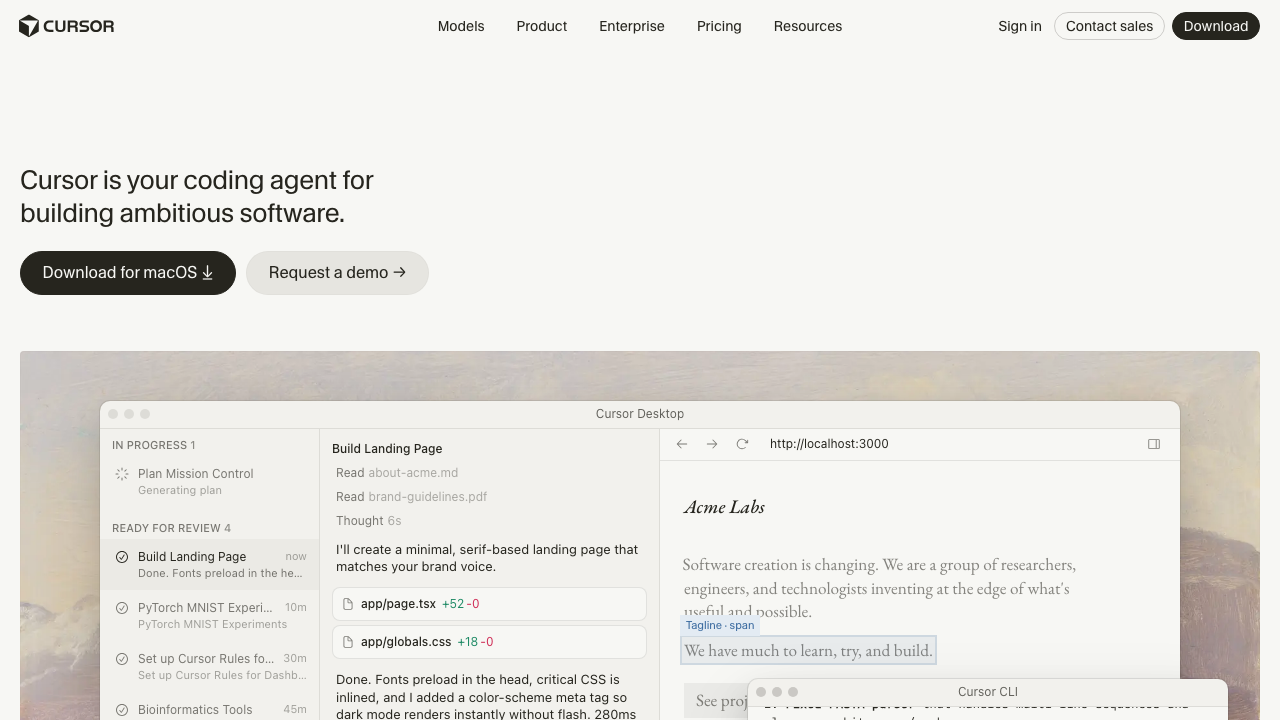
Cursor is a VS Code fork with the assistant built into the editor rather than attached to it as an extension. That integration is the product: completion, chat and multi-file agent edits share context, and every proposed change renders as a diff in the editor you are already reading. It maintains an embedding index of your repository, and offers a selection of model backends per request.
Pros
- The smallest behavioural change available for a team already on VS Code, which is why its rollouts stick when others stall
- Inline diff review is the most natural review surface of the three, because the code is on screen where you were already looking
- Codebase indexing gives fast answers to conceptual questions across a repository too large to explore file by file
- Model selection per request means a model regression is a dropdown change rather than a migration
Cons
- Embedding retrieval trades recall for speed, so its characteristic failure is a multi-file refactor that quietly misses the unusual call sites
- Index staleness on a fast-moving repository produces confidently wrong answers with no visible explanation
- Default configuration indexes your source on vendor infrastructure, which is a larger security review than an editor plugin usually triggers
Best for: Teams standardised on VS Code who want agent capability with the smallest possible change to how anyone works.
Pricing: Per seat and per month with usage limits, plus a business tier adding administrative and privacy controls.
Windsurf
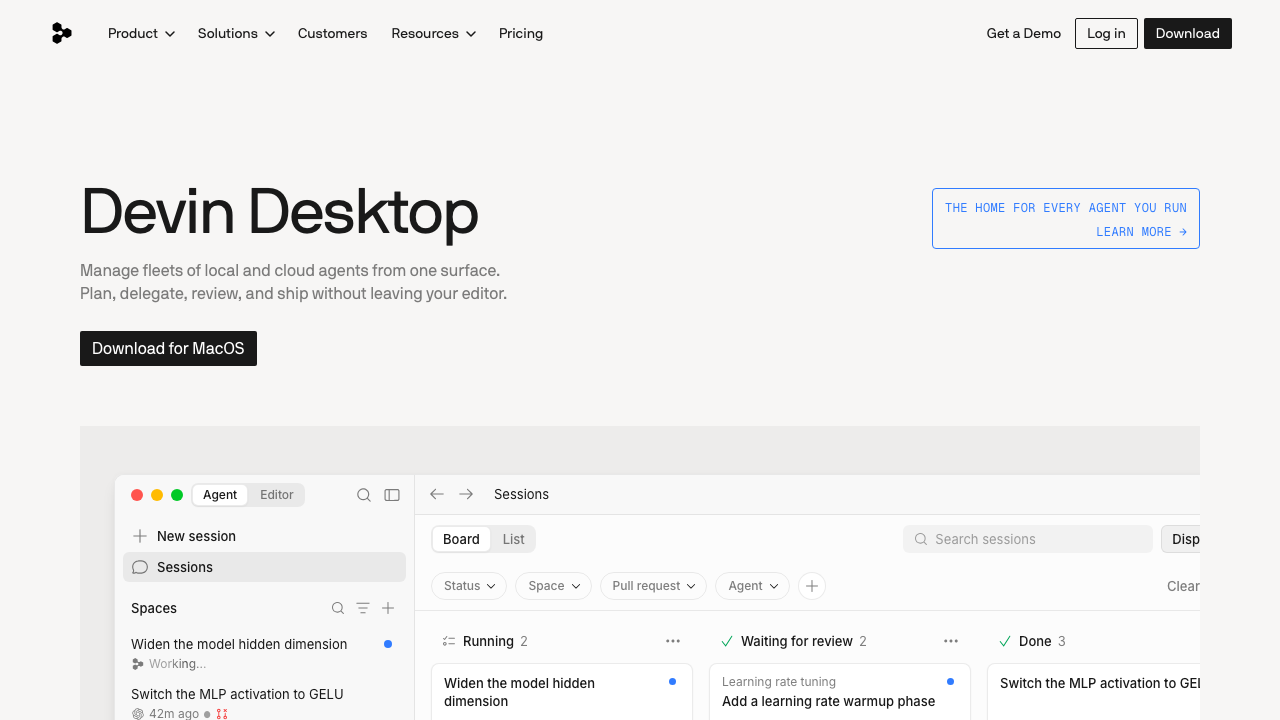
Windsurf is a full editor built around an agent that tracks what you have been doing, not just what you last typed. The design bet is continuity: your recent edits, navigation and terminal activity are context, so instructions can be short and still land. That approach now sits inside Cognition’s Devin line, and the windsurf.com domain today presents Devin Desktop, a surface for managing fleets of local and cloud agents from one place. The editor heritage is visible in the positioning, which still centres on not leaving your editor, but the unit of work has shifted from one assisted session toward delegating and reviewing many agents.
Pros
- Trajectory awareness means short instructions work, because the agent already knows what you were working on
- The editor was designed around the agent rather than accommodating one, so the integration has fewer seams
- The current direction toward managing multiple agents from one surface addresses the real problem with parallel agent work, which is keeping track of it
Cons
- Implicit context is hard to audit, so a wrong answer gives you less to go on than an explicit file list
- Adopting it means an editor migration, which fails for social reasons more often than technical ones
- Windsurf as a standalone editor brand is not what the vendor sells today, so anything you read about it that predates the move into the Devin line describes a product surface that has changed
Best for: Teams already comfortable with Cognition’s agent products who want a desktop surface for delegating and reviewing agent work rather than a plain assisted editor.
Pricing: Free tier plus per seat and per month paid plans, with enterprise options above. Verify the current plan structure directly, since the product now sits in a different line from the one most published comparisons describe.
Claude Code
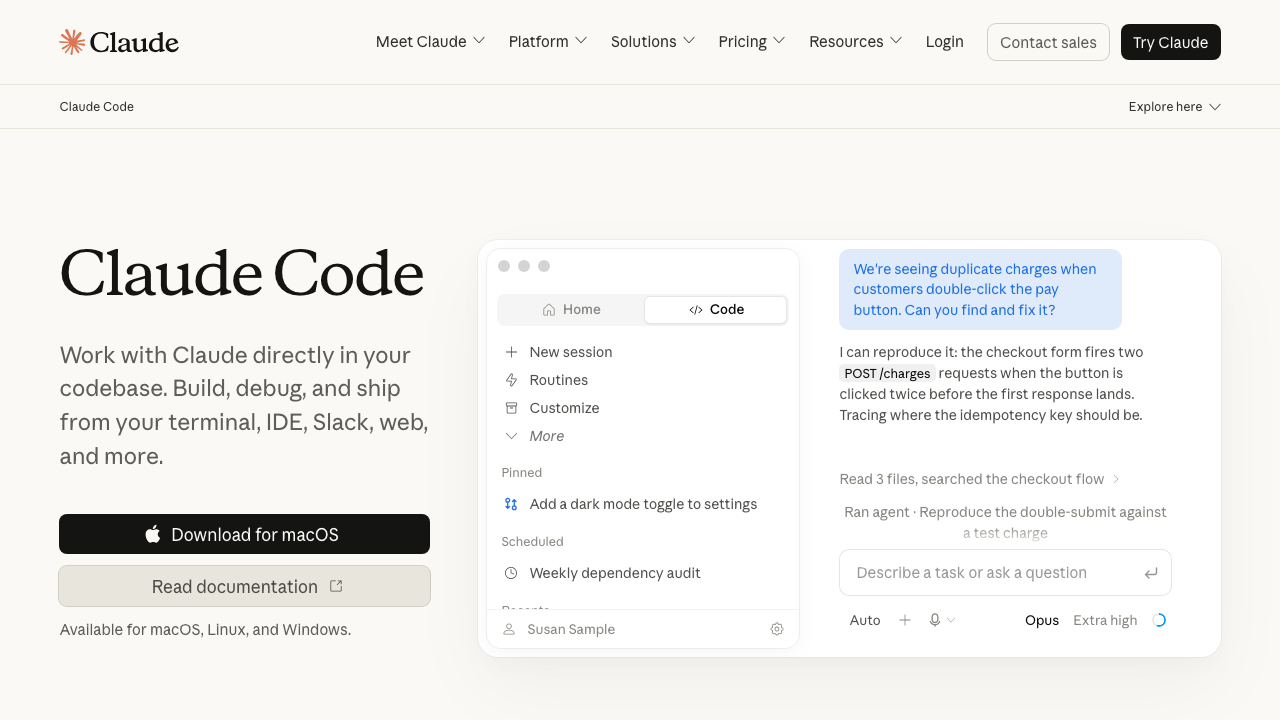
Claude Code is Anthropic’s agentic coding tool, and the only terminal-native option of the three. It runs as a CLI in your project directory, with a desktop app for Mac and Windows, a web app, and extensions for VS Code and JetBrains driving the same agent. It maintains no index: it explores the repository on demand and shows you every file it opened. The Claude Agent SDK is a separate product for building your own agents.
Pros
- Nothing to index and nothing to invalidate, so it is correct on code you changed thirty seconds ago
- The visible file-read trail makes wrong output diagnosable, which over months is worth more than a higher average quality
- Editor-agnostic, so a mixed-editor team adopts it without anyone changing tools or arguing about it
- Running several sessions in separate git worktrees is natural, which makes parallel work practical rather than theoretical
Cons
- Exploration costs tokens and turns on every task, where an index has already paid that cost, so broad repository questions are the expensive case
- Handoff-shaped work punishes vague instructions, because nobody is watching when a vague instruction becomes a wrong assumption
- It is not an inline completion product, so if fast autocomplete is what you want you still need something else
Best for: Teams who want an agent that is current by construction, works regardless of editor, and produces a visible trail when it is wrong.
Pricing: Included with consumer subscription tiers, or usage-based against the API where teams want per-seat control and spend reporting.
How to choose
Do not start from the tools. Start from two facts about your team.
Fact one: can your team change editors? If the answer is no, and for most teams with a JetBrains or Neovim contingent it is no, then Cursor and Windsurf are not really on the table and you should stop pretending they are. Terminal-native or a cross-editor plugin is your category, and the field is covered in Copilot alternatives.
Fact two: is your work specified or exploratory? A backlog of clear tickets favours handoff. Work where the requirement clarifies as you build favours staying in the loop. Most teams have both, which is why running an editor tool and a terminal agent together is a common and sensible end state rather than a failure to decide.
Then let the suite break the tie. Task two decides on context completeness. Task five decides on honesty about incompleteness. Those two tasks will order your shortlist more reliably than any writing on the subject, including this.
Two specific warnings. Do not evaluate on a greenfield project, because every tool is good at writing code with no existing conventions to respect, and that is not the job. And do not evaluate by having one enthusiastic engineer try everything, because enthusiasm is the variable you are least able to control for. Give the same five tasks to three people with different levels of interest.
| Cursor | Windsurf | Claude Code | |
|---|---|---|---|
| Where it lives | Own editor, VS Code fork | Own editor, now inside Cognition’s Devin line | Terminal, plus desktop, web, IDE extensions |
| Unit of work | Open file | Open file plus recent activity | Described task |
| Context method | Embedding index | Index plus trajectory | On-demand exploration |
| Main failure mode | Silent partial refactor | Wrong implicit context, hard to inspect | Wrong assumption from a vague instruction |
| Freshness | Index-dependent | Index-dependent | Always current |
| Requires an editor migration | Yes | Yes | No |
| Parallel sessions | Awkward | Awkward | Natural, one per worktree |
Frequently asked questions
Can I use more than one of these?
Yes, and it is the most common outcome among engineers who use these tools seriously. An editor-native tool for work you are doing with your hands, a terminal agent for work you hand off. They do not conflict, because they are not competing for the same moment.
Which one is fastest?
I am not going to publish a number I have not measured, and neither should anyone else without publishing their harness. Directionally, index-backed tools answer conceptual questions with less work because they paid that cost in advance, and exploration-based tools spend turns finding things but never work from a stale picture. Which dominates depends on your repository size and change rate, and you can measure it in an afternoon.
Does Claude Code work if my team lives in an IDE?
Yes. The VS Code and JetBrains extensions drive the same agent, so you get the terminal-native model of work without leaving the window. The mental adjustment is still real, because you are describing tasks rather than editing with assistance, but the environment does not have to change.
What about running these on a large monorepo?
Test it specifically rather than assuming. Index-backed tools have to build and maintain an index of it, which is where cost and staleness bite hardest. Exploration-based tools do not, but broad questions cost more turns. Monorepo behaviour is the case where the three diverge most and where published comparisons are least likely to reflect your situation.
Related reading
- Best AI coding assistants — the five-task suite used here, with the full scoring method.
- Best AI coding agents — the wider field of handoff-shaped tools, and how each gathers context.
- GitHub Copilot alternatives — if an editor migration is off the table, the plugin options are here.
- Best AI test generation tools — how to grade task four so a green suite does not fool you.
- Best AI tools for legacy code — task five at full scale, and why the residue is the real work.
- Best terminal and shell tools for developers — the environment a terminal-native workflow actually lives in.