A warning before anything else: this category decays faster than any other software category I write about. Feature parity between these products is measured in weeks. Any specific capability I name, any model behind any product, any limit on any plan, can change between me writing this and you reading it.
Ownership moves too, and faster than most buyers expect. Two products on this list changed hands recently enough that older comparisons describe companies that no longer exist independently. Where that is load-bearing for a buying decision I have said so, using only what the vendor’s own site states, and left the deal terms alone because I do not know them.
So this is a snapshot of architecture, not of features. Architecture is the part that is expensive to change and therefore predicts behaviour months out. Whether a tool maintains an embedding index or explores on demand, whether it is an editor or a plugin, whether it can run without sending your source anywhere: these are structural commitments, and a vendor does not reverse them in a release. Read the feature lists on the vendor’s own pages and read the structure here.
People look for Copilot alternatives for four reasons, in roughly this order. The completion quality plateaued relative to something a colleague demoed. They want to choose their own model rather than accept whatever is bundled. The assistant keeps failing at multi-file work because it cannot see enough of the codebase. Or legal blocked it and the replacement has to satisfy a constraint about where code is processed.
Those four reasons map onto four axes, and every product below is a different position on them.
Key takeaways
- Model flexibility is a hedge, not a feature. It matters because it makes a model regression a settings change instead of a migration.
- Context depth is the difference between an assistant that completes lines and one that can change a system. It is set by indexing architecture.
- The editor question is binary for most teams: your team will not switch editors for an assistant, so a plugin and a whole editor are not really competitors.
- Enterprise data handling comes down to three questions: is code retained, is it trained on, and can it stay inside your perimeter.
- Bundled is not the same as chosen. The main practical advantage Copilot has is that it is already approved, and the main cost is that nobody evaluated it.
The four axes that survive a release cycle
Model choice flexibility
Three positions exist. Single bundled model, where the vendor picks and you do not know when it changed. Vendor-curated selection, where you choose from a menu the vendor maintains. Bring your own, where you supply an endpoint and a key, including a local model or an internal gateway.
The reason to care is not that a particular model is better. It is that model behaviour changes without your involvement, and a change that improves the average makes something worse for someone. If your Rust completions get worse on a Tuesday and you have one bundled model, your options are to complain and wait. If you can switch, it is a settings change.
Bring-your-own also lets you put a gateway in front, which is where budgets, per-team spend attribution and prompt logging live. That layer is the subject of AI gateways, and it is the difference between knowing what your assistant costs and getting an invoice.
Codebase context depth
The tiers are worth naming precisely, because vendors use “understands your codebase” for all of them.
Open buffers. The assistant sees the current file and whatever tabs you have open. This is enough for line completion and nothing else.
Retrieved context. An embedding index over the repository supplies chunks that look relevant to the current task. Good for conceptual questions, weak on completeness, and stale between index runs.
Agentic exploration. The assistant greps and reads on demand, like you would. Current by construction, complete for anything grep can find, slower and more token-hungry per task.
Semantic index. A real symbol graph from a parser or a language server. Exact answers to symbol-level questions, expensive to build and maintain, and the only tier that reliably answers “every caller of this”.
Run task two of the five-task suite, the multi-file refactor, against any candidate and this axis stops being abstract in about ten minutes.
Editor support
Be honest about this constraint. If your team is on JetBrains for a JVM monorepo, an assistant that only exists as a VS Code fork is not a candidate no matter how good it is, and the evaluation ends there. If your team is on Neovim, half this list is already out.
The genuinely different question is whether the assistant needs to own the editor at all. A terminal-native tool sidesteps the argument entirely, because everyone already has a terminal. That is not a small advantage in a team with mixed editor preferences, and it is the axis Cursor vs Windsurf vs Claude Code is built around.
Enterprise data handling
Three questions, in order, and ask them as questions rather than reading a marketing page.
Is code retained, and for how long? There is a real difference between processing a request and storing the prompt. Ask for the retention period in writing and ask whether it differs by plan tier, because it usually does.
Is code used for training? Most vendors now say no for business tiers. Check that it is contractual rather than a default setting, and check whether it is the same answer on the individual tier your engineers signed up for on their own.
Can it run inside your perimeter? Self-hosted, air-gapped, or pointed at your own model endpoint. This is the only answer that satisfies the strictest environments, and the list of products that can genuinely do it is short.
A fourth question that matters more than people expect: is an index of your source stored on vendor infrastructure? Sending a diff and storing a full searchable index of your codebase are different risks, and a security review that only asked about the first one has missed the bigger of the two.
Needs first-hand data: For each finalist, get written answers on retention period, training use and index storage location, at the specific plan tier you would buy. Then verify behaviour: disconnect the network and see what still works, which tells you what was local all along.
Cursor
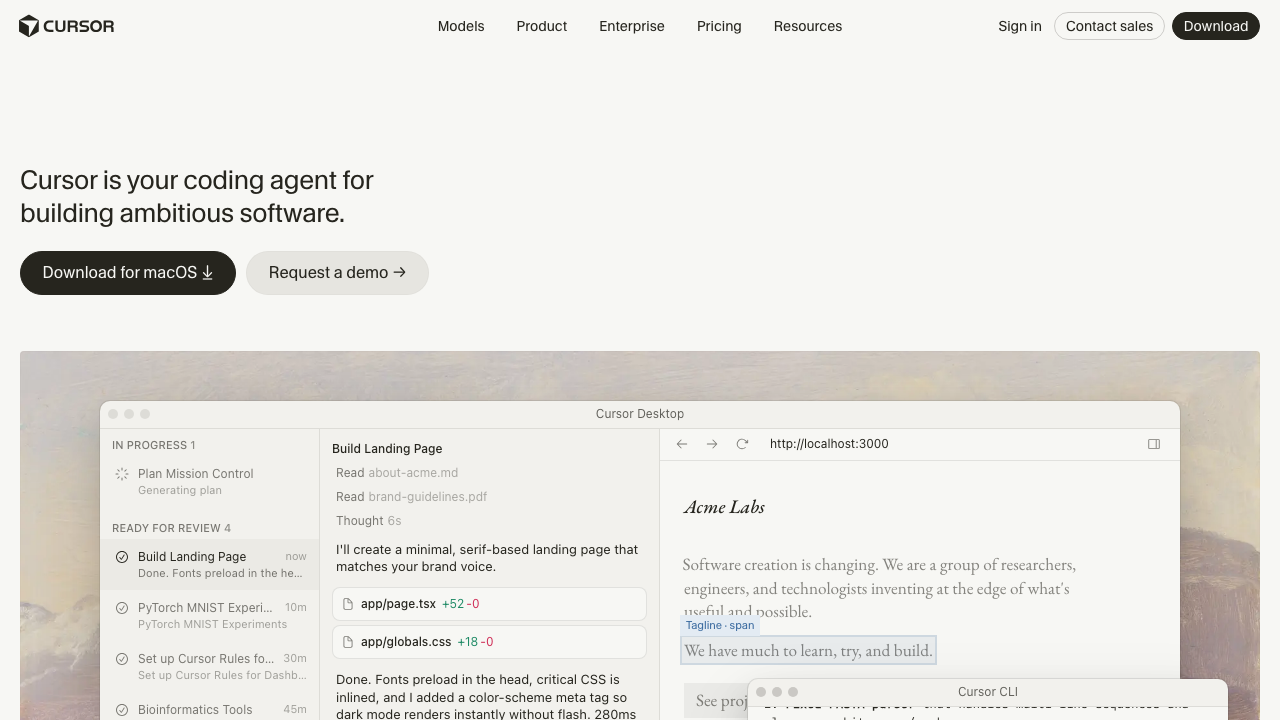
Cursor is a VS Code fork with an assistant built into the editor rather than attached to it. Your extensions and keybindings largely carry over, and the payoff is that completion, chat, and multi-file agent edits share the same context and render as diffs where you already read code. It maintains an embedding index of the repository, which is what makes conceptual questions across a large codebase fast.
Pros
- The smallest behavioural change for a team already on VS Code, which is the main reason rollouts succeed or stall
- Codebase indexing answers “where is X handled” across a repository too large to explore by hand
- Multiple model backends selectable per request, so a regression in one model is a dropdown rather than a migration
- Agent mode escalates naturally from a completion to a multi-file change without restating the problem
Cons
- Embedding retrieval trades recall for speed, and its signature failure is the refactor that quietly misses the unusual call sites
- Under default configuration the vendor indexes your source on its infrastructure, which is a larger security conversation than most teams have before installing
- Being a fork means tracking upstream VS Code releases, so occasionally an extension or a feature lags
Best for: Teams standardised on VS Code who want depth without asking anyone to change how they work.
Pricing: Per seat and per month with usage limits, plus a business tier adding administrative and privacy controls.
Claude Code
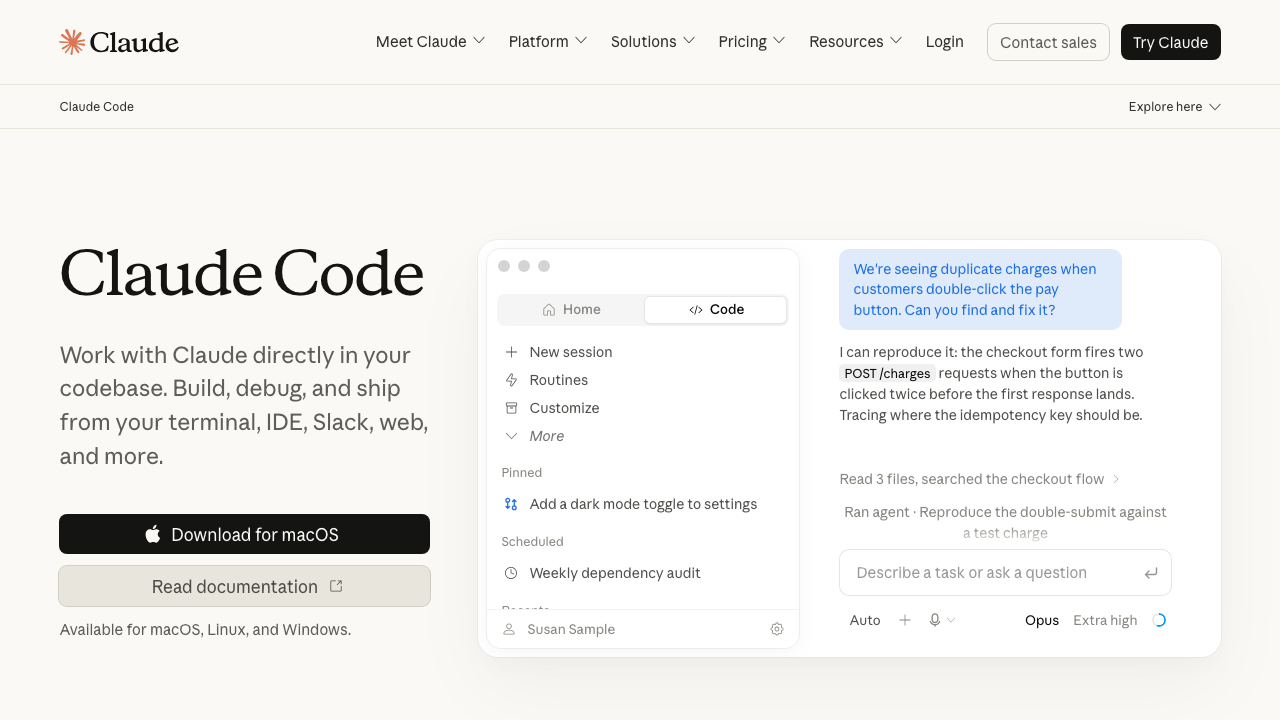
Claude Code is Anthropic’s agentic coding tool. It runs as a CLI in your project directory, a desktop app for Mac and Windows, a web app, and extensions for VS Code and JetBrains, all driving the same agent. It does not maintain an index. It explores: globs, greps, reads files, follows imports, and shows you exactly which files it opened, which makes wrong output diagnosable rather than mysterious. The Claude Agent SDK is a separate product for building your own agents.
Pros
- No index means no staleness and no preprocessing step, so it is correct on a repository you changed a minute ago
- The visible file-read trail is the best debugging signal in this category, because wrong answers are almost always explained by what it failed to read
- Editor-agnostic by default, so a team with mixed editor preferences does not need to agree on anything
- Project instruction files make team conventions part of every run rather than something each person re-types
Cons
- Exploration costs tokens per task where an index amortises that cost, so broad repository questions are the expensive case
- Terminal-first is a genuine adjustment for engineers whose whole mental model is an IDE window, even with the extensions available
- It is not a line-completion product, so if what you want is fast inline autocomplete this is the wrong shape of tool
Best for: Teams who want current-state accuracy and an agent that is not tied to one editor.
Pricing: Included with consumer subscription tiers, or usage-based against the API where teams want per-seat control and spend reporting.
Windsurf
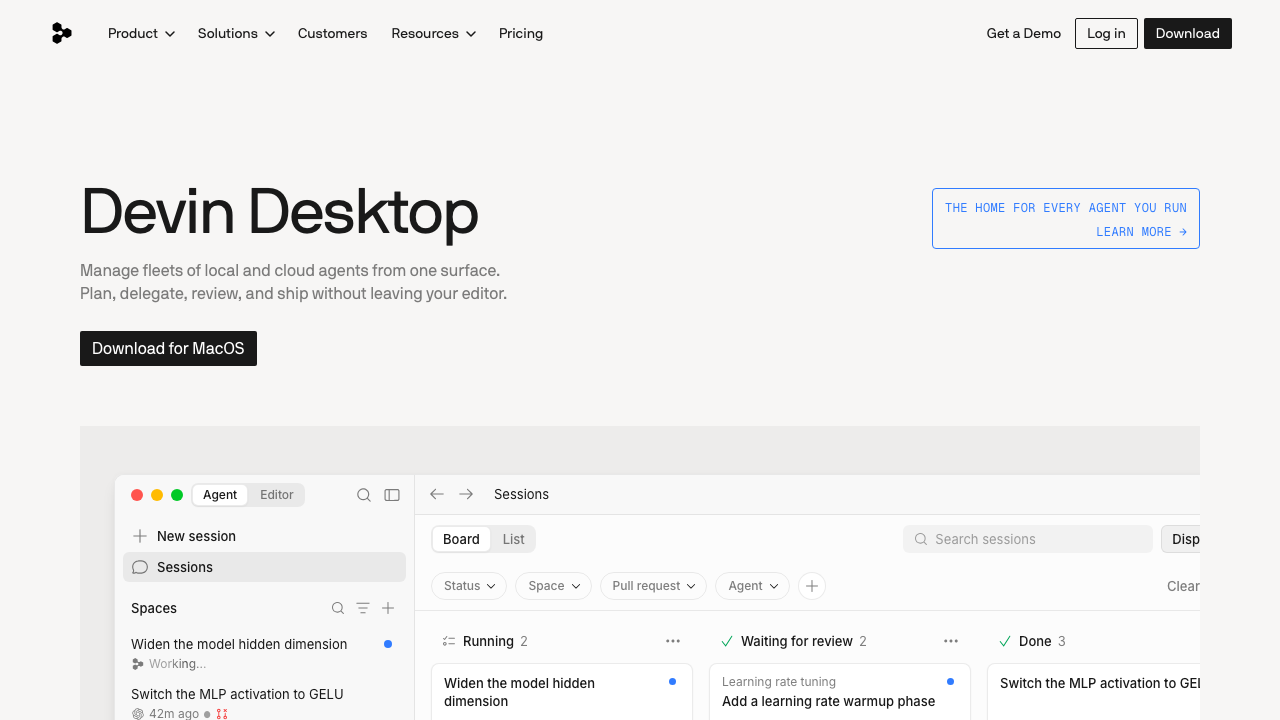
Windsurf is the other full editor in this list, built around an agent that keeps track of what you have been doing rather than only what you typed. The design bet is continuity: the agent observes your edits, terminal activity and navigation, and uses that trajectory as context, so the next instruction does not need a preamble explaining what you are working on. It is no longer sold as a standalone brand: the windsurf.com domain now serves Devin Desktop from Cognition, positioned around managing fleets of local and cloud agents from one surface, so a reader evaluating Windsurf today is evaluating a product inside Cognition’s Devin line.
Pros
- Trajectory awareness makes short instructions work, because the agent already knows what you were doing
- The agent experience is more tightly integrated than a plugin can be, since the editor was designed around it
- The current direction toward delegating and reviewing many agents from one surface targets the coordination problem that parallel agent work actually creates
Cons
- Adopting it means adopting an editor, and editor migrations fail for social reasons more often than technical ones
- Implicit context is harder to inspect than an explicit file list, so when it goes wrong the reason is less visible
- The standalone Windsurf editor is not what the vendor sells now, so most published comparisons describe a product surface that has since changed, and you should verify the current shape before standardising a team on it
Best for: Teams comfortable with Cognition’s agent products who want a desktop surface for delegating and reviewing agent work rather than a plain assisted editor.
Pricing: Free tier plus per seat and per month paid plans, with enterprise options above. Confirm the current plan structure directly, since the product now sits in a different line.
Continue
Continue is an open source extension for VS Code and JetBrains that treats the assistant as configuration rather than a product. You declare which model serves completion, which serves chat, which serves embeddings, and where each one lives, including entirely local. It is the most transparent option here: the prompt, the context rules and the model routing are all in a file you can read and commit. It has been acquired by Cursor, which its own site now states, so the independence that made it attractive as a neutral bring-your-own-model layer is a question to ask rather than an assumption to make.
Pros
- Bring your own model everywhere, including fully local inference, which is the only architecture that satisfies a hard no-egress requirement
- Configuration lives in your repository, so a team shares one assistant setup instead of eight personal ones
- Works in both VS Code and JetBrains, so mixed-editor teams get one answer
- Open source, so what gets sent to the model is inspectable rather than inferred
Cons
- You are the integrator: model selection, endpoints, keys, embeddings and context rules are all your decisions, so a disappointing trial may be a configuration result rather than a product result
- Agentic depth is thinner than the purpose-built agents, because the project’s centre of gravity is flexibility
- Now owned by the company behind Cursor, so its future as a vendor-neutral bring-your-own-model layer depends on decisions made by a competitor to the models and products you might route it to
Best for: Teams with a hard requirement that code never leaves their infrastructure, or platform teams who want one governed assistant configuration for everyone.
Pricing: No vendor and no bill for the extension itself. It is open source, and you pay only for whatever model provider or hardware you point it at.
Cody
Cody is Sourcegraph’s assistant, and its differentiator is the context source: rather than embedding your repository itself, it draws on Sourcegraph’s code search index, which is built for exactly this and already deployed at organisations with very large monorepos. For a company already running that platform, the assistant inherits a context layer nobody has to build.
Pros
- Search-index-backed context is stronger on completeness than similarity search, particularly across many repositories
- Scales to organisations where the relevant code is spread over dozens of repositories rather than one
- Enterprise deployment options including self-hosted, with the access controls the platform already enforces
Cons
- Most of the value assumes you already run Sourcegraph, and standing it up just to get the assistant is a large project
- The vendor now also ships a separate agent product, and Cody is positioned mainly at enterprise deployments, so roadmap attention is a fair question
- Heavier to deploy and operate than a plugin you install from a marketplace
Best for: Organisations already running Sourcegraph across many repositories who want an assistant that reads code the way their search does.
Pricing: Enterprise plans priced per user, generally bundled with the wider code intelligence platform.
Tabnine
Tabnine’s entire positioning is the constraint most vendors treat as an afterthought: deployment inside your perimeter, including fully air-gapped, with models trained on permissively licensed code so the provenance question has an answer. If a compliance requirement is what sent you looking for an alternative, this is the product built for that requirement rather than accommodating it.
Pros
- Genuine on-premises and air-gapped deployment, not a private endpoint on someone else’s cloud
- Provenance of training data is an explicit commitment, which answers a licensing question most vendors leave ambiguous
- Broad editor coverage including JetBrains, Visual Studio, Eclipse and Neovim, which matters for enterprises with heterogeneous toolchains
- Personalisation against your own codebase without that codebase leaving your environment
Cons
- Raw capability on complex multi-file work generally trails the frontier-model products, which is the direct cost of the isolation guarantee
- Self-hosting is infrastructure you operate, including model serving and upgrades
- The compliance positioning means you may be paying for isolation you do not need if your organisation has no such constraint
Best for: Regulated organisations and enterprises where code cannot leave the network and provenance must be documented.
Pricing: Per seat and per month, with enterprise pricing for self-hosted and air-gapped deployments.
Zed
Zed is a from-scratch editor written in Rust, built for speed first and with an agent panel added on that foundation. Its relevant architectural choice is openness about the agent layer: it supports external agents through a defined protocol, so the editor is not committed to one vendor’s assistant. That is a structurally different bet from the editors that build their own.
Pros
- Genuinely fast, and latency matters more for an assistant than feature lists suggest, because a slow suggestion is a suggestion you type past
- An open agent interface means you can run a different vendor’s agent inside the editor rather than accepting the built-in one
- Built-in collaborative editing, which is a real differentiator for pairing and for teaching
Cons
- A new editor means a new extension ecosystem, and the gap against VS Code and JetBrains is still visible for specific language tooling
- Smaller user base, so fewer people have already solved the setup problem you are about to hit
- The assistant capability is younger than the dedicated assistant products, and the editor’s priority is the editor
Best for: Engineers who want a fast native editor and would rather plug in an agent of their choosing than be sold one.
Pricing: The editor is open source and free, with optional paid plans for hosted model access and team collaboration features.
Supermaven
Supermaven focused on one thing that most of this list treats as solved: inline completion that is fast and aware of a lot of your code at once. It is the narrowest product here, and that narrowness is the point, because completion latency is a different engineering problem from agentic reasoning and optimising for both tends to compromise the first.
Pros
- Completion latency is its design goal, and low-latency suggestions get accepted at a rate that slow good ones do not
- Broad editor support including Neovim and JetBrains, not only VS Code
- Does one job, so there is nothing to configure and nothing to learn
Cons
- Completion only, so multi-file change, agentic editing and repository-wide questions are simply out of scope
- The team behind it joined the company that builds Cursor, so treat continued independent development as an open question rather than an assumption
- No enterprise story comparable to the products built around deployment constraints
Best for: Engineers who want fast inline completion in an editor of their choice and get their agentic capability from a separate tool.
Pricing: Free tier with a per seat and per month paid plan.
How to choose
Take the four axes in the order your constraints bind, not the order they are listed.
If a data constraint sent you here, that axis is first and it eliminates most of the field immediately. You are choosing among self-hosted and bring-your-own-model options, and you should accept that the capability ceiling is lower and decide whether the gap is acceptable. Do not let a vendor talk you out of a hard requirement with a private-endpoint offering that is still their infrastructure.
If your team cannot agree on an editor, stop evaluating full editors. A terminal-native agent or a plugin that covers both VS Code and JetBrains is your answer, and the editor argument you avoid is worth more than the integration you give up.
If multi-file work is what fails, you are choosing on context architecture, and the practical test is one refactor. Pick a rename you already did, run each candidate, and count the call sites missed. That single number will order your shortlist more reliably than any comparison table including this one.
If completion quality is the only complaint, try the narrow option before the broad one. Swapping a completion engine is a day, and adopting an editor is a quarter.
And be clear-eyed about staying. Copilot’s real advantage is that it is already approved, already billed, and already in everyone’s editor. That is a genuine advantage worth something. The cost is that nobody chose it on merit, so nobody knows whether it is good for your codebase. Running the suite against it alongside one challenger is the cheapest way to find out.
| Tool | Model choice | Context depth | Editors | Can run in your perimeter |
|---|---|---|---|---|
| Cursor | Vendor-curated selection | Embedding index | Own editor, VS Code fork | Privacy mode, vendor infrastructure |
| Claude Code | Vendor models | Agentic exploration | Any, plus VS Code and JetBrains | API deployment options |
| Windsurf | Vendor-curated selection | Index plus trajectory | Own editor, now in Cognition’s Devin line | Enterprise tiers |
| Continue | Bring your own, including local | Configurable retrieval | VS Code, JetBrains | Yes, fully local |
| Cody | Vendor-curated selection | Code search index | VS Code, JetBrains | Enterprise self-hosted |
| Tabnine | Vendor and private models | Local codebase personalisation | Very broad | Yes, including air-gapped |
| Zed | Pluggable external agents | Editor and agent-dependent | Own editor | Depends on the agent you plug in |
| Supermaven | Vendor model | Open files and completion context | VS Code, JetBrains, Neovim | No |
Needs first-hand data: Run the same multi-file refactor on your two finalists and record call sites found, call sites missed, and incorrect edits, against ripgrep and language server ground truth. Repeat on a file renamed ten minutes earlier to expose index staleness.
Frequently asked questions
Is it worth switching if Copilot is already approved?
Only if you can name the failure. “The completions feel worse” is not a reason to run a procurement cycle. “It misses call sites on multi-file refactors” or “legal needs code to stay on our network” are. Run the suite, write down what failed, and let that choose the axis.
Can we run two assistants at once?
Yes, and plenty of teams do without admitting it: a completion tool in the editor and an agent in the terminal. They serve different work. The one thing to avoid is two tools competing for the same inline completion slot, which produces an editing experience nobody enjoys.
Does a local model close the capability gap?
Not yet for complex multi-file reasoning, and being honest about that is more useful than pretending otherwise. Local models are genuinely good at completion and at bounded single-file work. If your constraint requires local, plan for the assistant to help with the small things and not the big ones, and set expectations accordingly.
How do we control what an assistant costs?
Prefer bring-your-own-key products and put a gateway in front, so budgets, rate limits and per-team attribution live in one enforceable place. With bundled per-seat products your lever is seat count, which is a blunter instrument but a predictable one.
Related reading
- Best AI coding assistants — the five-task suite to run against any candidate on this list.
- Cursor vs Windsurf vs Claude Code — the three-way comparison most teams actually end up running.
- Best AI coding agents — when you want a tool that takes a task rather than completes a line.
- Best AI gateways — where budgets, keys and spend attribution belong for bring-your-own-model setups.
- Best code search tools — the indexing layer that sets the ceiling on context depth.
- Best terminal and shell tools for developers — if a terminal-native assistant is the answer, this is the environment it lives in.