Every engineering organisation has a documentation graveyard. Ours had several, layered like sediment: a wiki from before my time that nobody could log into, a shared drive of architecture diagrams in a format the current tooling could not open, a folder of onboarding docs that described a deployment process retired two reorganisations ago.
The pattern is always the same. Someone notices documentation is bad. A tool is chosen. There is a migration, a burst of enthusiasm, maybe a documentation week. Six months later the new tool contains a hundred pages, of which perhaps twelve are accurate, and nobody can tell which twelve. A year later someone proposes a new tool.
The failure is not the tool. The failure is that writing documentation is a cost paid by one person for a benefit received by someone else, later, possibly nobody. Every incentive points away from it, and no product changes that arithmetic. What a good product can do is reduce the cost of writing, raise the cost of leaving something wrong, and make the accurate pages findable so that the twelve good ones do not drown in the ninety bad ones.
So the questions that decide this purchase are narrow. Can people find things. Can documentation live next to the code it describes. Does anything tell you a page has gone stale. And, honestly, will engineers use it at all, or will it become another place the answer might be.
Key takeaways
- Search is the product. A knowledge base nobody can search is a folder, and the specific failure to test for is finding a page you know exists but cannot name exactly.
- Stale documentation is worse than none, because it costs a reader real time and destroys their trust in everything else in the system. Archive aggressively.
- Staleness detection needs an owner, a review date and something that actually nags. Owner-plus-expiry is the only mechanism that reliably works, and most tools implement only part of it.
- Docs in the repository get reviewed with the code that invalidates them, which is the only structural fix for drift. Docs in a wiki rot by default.
Search is the whole product
If you evaluate one thing, evaluate search, because everything else is downstream of whether people can find what exists.
The failure mode to test is specific. Someone knows a page exists. They half-remember it was about the payment retry behaviour, or the thing with the certificate rotation, but not what it was titled or which section it lived under. They search, get twenty results, none obviously right, and give up after the third. Then they ask in Slack, someone answers from memory, and the page stays unfound. The knowledge base did not fail to contain the information; it failed to surface it, and the effect on the organisation is identical.
What separates good search here:
Full text over titles. Obvious, universally claimed, and still varies enormously in quality. Test with a phrase from the middle of a paragraph in a long document.
Semantic or fuzzy matching. The searcher’s words are almost never the author’s words. Someone searching “how do I get a database password locally” needs the page titled “Credential provisioning for development environments”. Keyword search will not bridge that. This is where the newer tools are genuinely ahead of the older ones.
Permission-aware results. In an organisation with restricted spaces, search must not show results the user cannot open, and must not silently hide results without saying so. Both failure modes waste time in different ways.
Recency and authority signals. A page updated last week by the service owner should outrank a page from four years ago that happens to match more keywords. Very few tools do this well, and it is the single biggest improvement available to most knowledge bases.
Search where people already are. A search that works from the chat tool gets used. A search requiring someone to open a tab, load an application and click into a box gets used less, and the gap is larger than it sounds. This is a real differentiator, not a convenience.
Needs first-hand data: Collect ten questions your team actually asked in chat over the last month where the answer already existed in writing somewhere. Search for each one in your candidate tool using the phrasing the asker used, not the phrasing the document uses. Count how many land in the top three results. That number is your real evaluation, and it is usually much lower than anyone expects.
The staleness problem, which is the actual problem
Documentation does not decay gracefully. It flips from correct to wrong at a specific moment, when someone changes the system, and it then sits there looking exactly as authoritative as it did when it was true.
This is why stale documentation is worse than no documentation. With no documentation, an engineer asks someone or reads the code, which is slow but arrives at the truth. With stale documentation, they follow it, hit a failure they cannot explain because they trusted the page, lose an hour, and then discount every other page in the system forever. One badly wrong runbook can cost you the credibility of an entire wiki.
Why it happens, mechanically. The change that invalidates a document and the document itself are in two different systems with no link between them. Nobody renaming an environment variable sees the four pages that mention it. Nobody merging a PR that changes the deploy flow is prompted about the runbook. The invalidating event is invisible to the documentation, which is a structural problem, not a discipline problem, and telling people to be more careful does not touch it.
The mechanisms that exist, in ascending order of effectiveness:
Last-updated timestamps. Nearly universal and nearly useless. They tell a reader the page is old, not that it is wrong, and readers systematically over-trust old pages that look confident. A timestamp puts the judgment on the reader at the moment they are least equipped to make it.
Explicit review dates. The author sets a date by which the page must be reviewed. Better, because it encodes an expectation rather than a fact. Useless without the next item.
A named owner. A person or a team, not a department. Documentation with no owner is documentation nobody will ever review, and “the platform team” is only an owner if the platform team has a process for this. The owner field is the highest-value metadata in any knowledge base and the one most often left empty.
Something that nags. A notification to the owner when the review date passes. This is where most tools stop short: they will let you set a date, and then do nothing when it arrives. An expiry that does not notify is a decoration.
Visible expiry to the reader. A banner saying this page has not been reviewed since a given date, shown to the reader rather than only to the owner. This transfers information at exactly the right moment, and it is uncomfortable enough that it also motivates owners.
Linking documentation to code. The structural fix. If a page lives in the repository beside the code it describes, the pull request that changes the behaviour shows the documentation file in the same diff. The reviewer sees both. This does not guarantee an update, but it moves documentation into the one workflow engineers already treat as mandatory, which is worth more than every reminder feature combined.
CI checks on documentation. Once docs are in the repository, you can enforce things: every runbook must have an owner in frontmatter, links must resolve, code samples must compile, a page mentioning a file that no longer exists fails the build. This is the strongest staleness control available and almost nobody does it, largely because it only becomes possible once documentation is in version control.
And the one nobody wants to hear: archive aggressively. The most effective staleness intervention is deleting things. A knowledge base of forty accurate pages is worth more than one of four hundred pages of which forty are accurate, because the second one has a signal-to-noise problem that search cannot fix. Archive anything unopened in a year, keep it recoverable, and tell people that is the policy. The objection is always that something important might get archived. In practice, if it was important and unread for a year, it was already failing.
Needs first-hand data: Take twenty pages at random from your current knowledge base and have the relevant engineer check each against reality. Record the share that are accurate, the share that are outdated but harmless, and the share that would actively mislead someone. That third number is the one to take to whoever thinks the documentation problem is about writing more pages.
Code-adjacent docs, and surviving engineers who hate writing
There is a durable divide in this category, and it maps almost perfectly onto whether engineers will keep documentation current.
Docs in the repository. Markdown files beside the code, in the same pull request, reviewed by the same people, versioned with the same history. The advantages are structural rather than cultural. The documentation is in the diff that breaks it. Reverting a change reverts its documentation. A developer can update it without leaving the editor, in the branch they are already on, which removes the context switch that kills most documentation updates. And grep works, which sounds trivial and is not.
The costs are real too. Non-engineers cannot contribute, and there are things worth documenting that non-engineers should write. Cross-cutting documentation has no natural home in a per-repository model, so in a multi-repository organisation the “where does this go” question becomes constant. Discovery is poor without something that aggregates and indexes across repositories. And markdown rendered by a forge is a poor reading experience compared with a real documentation site.
Docs in a knowledge base product. Better writing and reading experience, accessible to everyone, good organisation and search, real collaboration features. And structurally disconnected from the code, which means every page begins decaying the moment the author stops watching it.
The split that works in practice:
- In the repository: anything that changes when the code changes. API behaviour, architecture decisions, runbooks for the service, local setup, configuration reference, the reasoning behind a design.
- In the knowledge base: anything that changes on human time rather than deploy time. Team processes, on-call expectations, org context, decisions with business reasoning, onboarding paths, meeting notes worth keeping.
- Neither: the twelve-page design document that will be wrong within a quarter and that nobody will read. Write a one-page decision record instead and let the code be the specification.
On engineers who hate writing documentation. They mostly do not hate writing. They hate writing things that will not be read, in a tool that makes them switch context, about work they have already moved on from, with no feedback about whether it helped anyone.
What actually changes behaviour, in my experience running engineering teams:
- Make the cheapest documentation the most valuable. A five-line README at the top of a module beats a beautiful page in a wiki, because it is where the confused person already is.
- Write it when the pain is fresh. The best documentation gets written by the person who just lost two hours to something. Capture it then, in whatever form, and clean it up later or never.
- Answer questions with links, and write the page if the link does not exist. This converts the existing support burden into documentation, and it is the only mechanism I have seen sustain itself without management pressure.
- Never ask for documentation in the abstract. A documentation week produces pages nobody requested. A specific request, write down how the retry logic decides to give up, produces something a person needed.
- Make review count. If the pull request template mentions documentation and reviewers actually ask, documentation gets updated. If it is a checkbox everyone ticks, it does not.
Notion
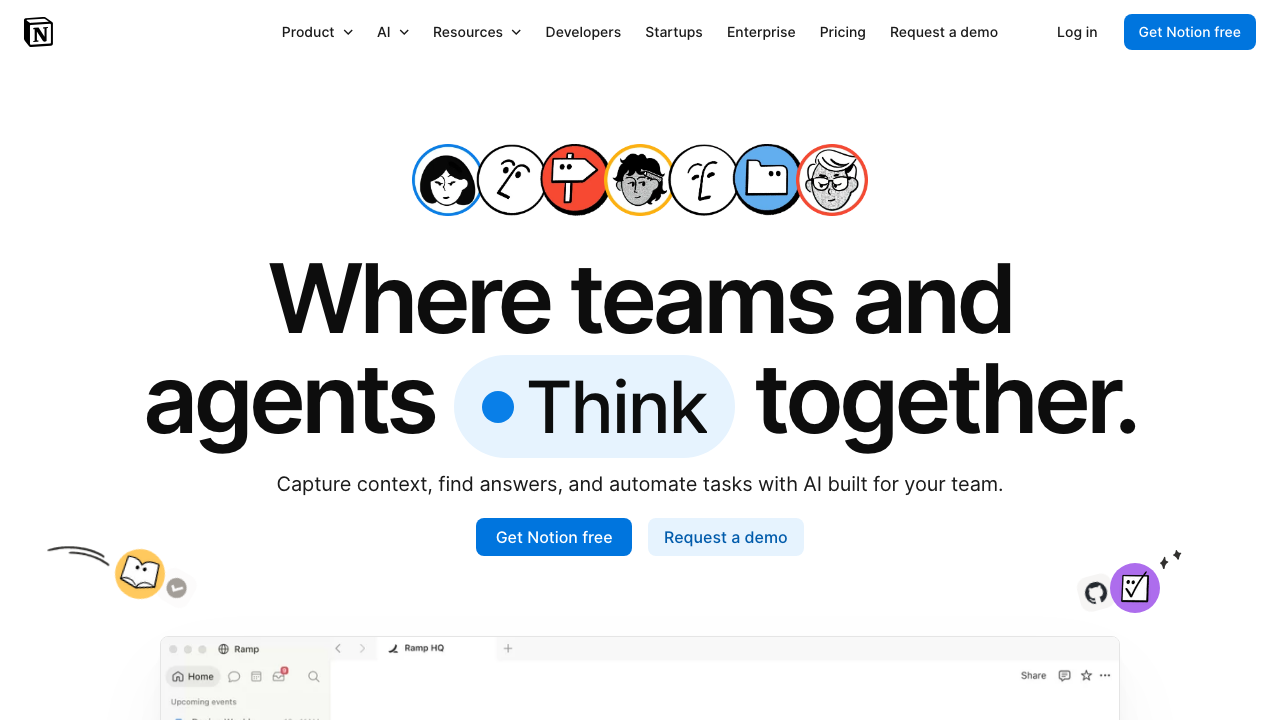
Notion is a general-purpose workspace that many engineering teams adopt because the rest of the company is already in it. Pages are composed of blocks, databases are first-class and can be viewed as tables, boards or lists, and the writing experience is genuinely good. For engineering specifically, the strengths are flexibility and the ability to keep engineering documentation in the same place as product and company context, which is where a surprising amount of the answer usually lives.
Pros
- Excellent writing and editing experience, which lowers the cost of the first draft more than most competitors
- Databases with properties make owner, review date and status trackable as structured metadata rather than convention
- Already present in many companies, so engineering documentation sits beside product and company context
- Flexible enough to model almost any structure your team wants
Cons
- Flexibility means every team invents its own structure, and after a year nobody can navigate anyone else’s space
- Search is adequate rather than strong, and degrades noticeably as the workspace grows
- No native connection to code, so nothing links a document to the change that invalidated it
- Staleness tooling must be assembled from database properties and manual discipline rather than being built in
Best for: Companies already on Notion who want engineering documentation beside product and company context, and will impose their own structure.
Pricing: Per-member subscription with tiers, with a free tier for individuals and small teams.
Confluence
Confluence is the enterprise incumbent, and its real advantage is integration with Jira and the rest of the Atlassian estate: issues referenced in pages stay current, pages link to epics, and permissions align with an identity model the organisation already runs. It has spaces, page trees, templates, approval workflows and page-level permissions of the kind large organisations require, and the accumulated weight that comes with all of it.
Pros
- Deep Jira integration, so documentation and work tracking reference each other with live state
- Space and permission model built for large organisations with genuine access requirements
- Templates, page trees and macros support standardised documentation at scale
- Established in enterprise procurement, so adopting it rarely requires a security review argument
Cons
- The editing experience is markedly worse than the modern alternatives, and that raises the cost of every contribution
- Accumulates abandoned spaces faster than anything else in this list, and search surfaces all of them
- No code adjacency, so documentation drift is entirely a discipline problem
- Feels heavy to engineers, who will route around it to a repository README given any excuse
Best for: Organisations already standardised on Atlassian where permissions, compliance and Jira linkage outweigh writing experience.
Pricing: Per-user subscription with tiers, including a free tier for small teams and a data centre option for self-hosting.
Slab
Slab is a focused knowledge base product rather than a general workspace, and the focus shows in two places: the writing experience is clean and opinionated, and search is deliberately a first-class feature, including unified search across connected tools such as the forge and the issue tracker. It also has an explicit verification concept, where a page can be marked as verified by an owner with a review interval, which is exactly the staleness mechanism most tools leave out.
Pros
- Built-in verification with owner and review cadence, the staleness control most competitors lack
- Unified search across connected tools, so one query covers documentation and adjacent systems
- Clean, opinionated structure that resists the sprawl general workspaces accumulate
- Focused product scope, so the reading and writing experience is not compromised by other use cases
Cons
- Narrower than the general workspaces, so it will not replace project tracking or databases
- Smaller vendor and ecosystem, which matters for long-horizon commitments and procurement
- No native code adjacency, so repository documentation remains a separate system
- Less flexible structurally, which is the point and is still a constraint if you need something unusual
Best for: Teams who want a knowledge base that is only a knowledge base, with staleness handled by the product rather than by discipline.
Pricing: Per-user subscription with tiers, with a free tier for small teams.
Outline
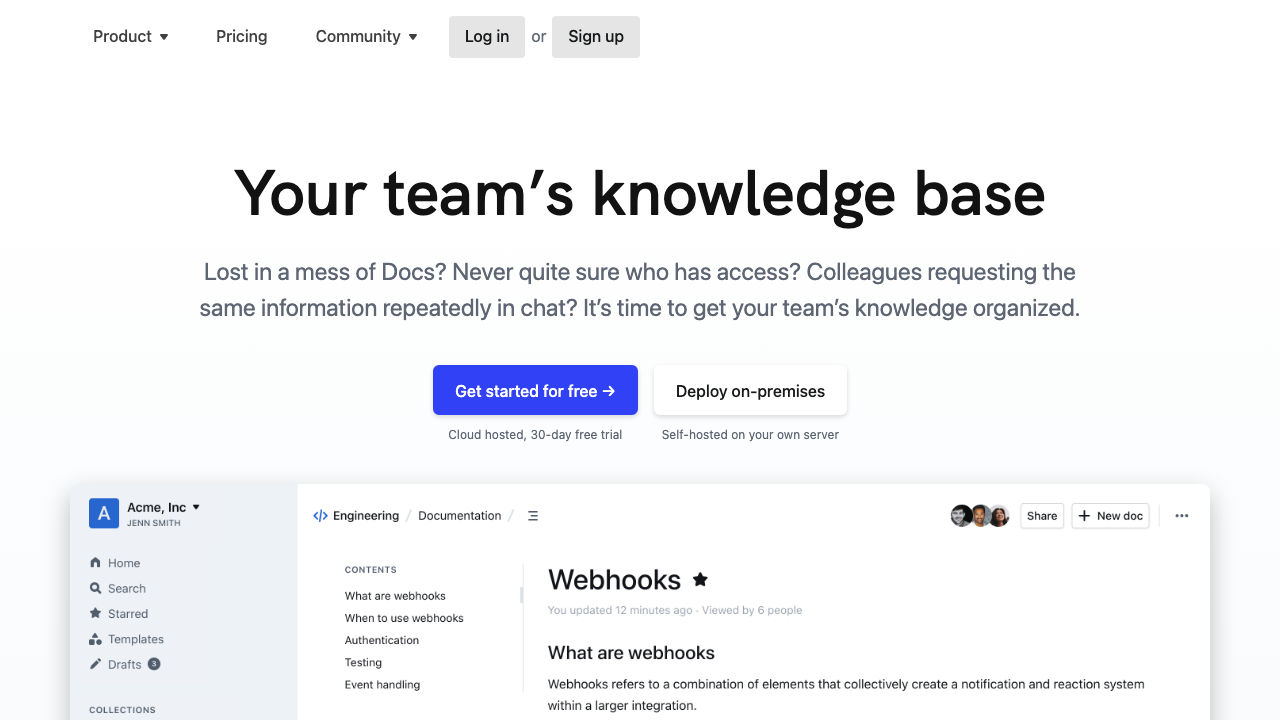
Outline is an open-source knowledge base with a clean markdown-based editor, good search, and a structure built around collections and nested documents. It can be self-hosted, which is the main reason engineering teams pick it: the content stays in your infrastructure, the data model is inspectable, and there is no vendor holding your documentation. It is markdown underneath, so exporting is genuinely straightforward rather than nominally supported.
Pros
- Self-hostable, so documentation never leaves infrastructure you control
- Markdown-native storage, which makes export and migration real rather than theoretical
- Fast, clean editor and notably good search for a product of its size
- Open source, so the data model and behaviour are auditable and modifiable
Cons
- Self-hosting is a service you now operate, with a database, backups and upgrades
- No built-in verification or expiry workflow, so staleness control is still yours to build
- Smaller feature surface than the commercial products, particularly around permissions and approvals
- No code adjacency, so it sits alongside repository documentation rather than unifying with it
Best for: Engineering teams who want a good knowledge base on their own infrastructure without a vendor relationship.
Pricing: No vendor and no bill for the self-hosted open-source version; the only cost is the infrastructure and the time to run it. A hosted option is available on a per-user subscription for teams who would rather not operate it.
Obsidian
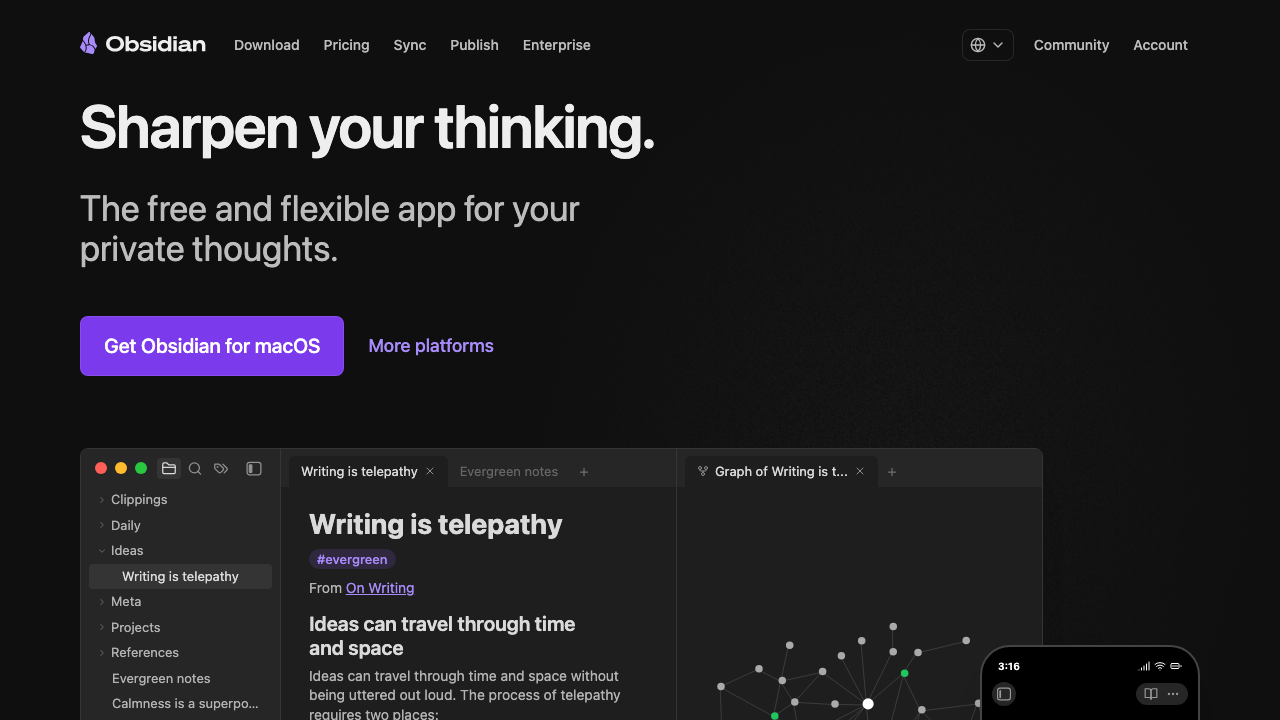
Obsidian stores notes as plain markdown files in a local folder, with backlinks, a graph view and a large plugin ecosystem. For a team, the interesting configuration is a shared vault kept in a git repository, which gives you version control, review through pull requests, and files that are just files. It is the closest thing in this list to repository documentation with a good reading experience on top.
Pros
- Plain markdown files in a folder, so version control, grep, scripting and migration all work natively
- A git-backed shared vault gives review workflow and history without any vendor
- Backlinks and graph navigation suit interconnected engineering knowledge better than a strict page tree
- Local-first, so it is fast and works without network access
Cons
- Team collaboration is not the product’s design centre, and concurrent editing through git means merge conflicts in prose
- No permissions model beyond repository access, so anything sensitive needs a separate home
- Non-technical colleagues will not use a git-backed vault, which excludes half the organisation
- Search is local to each person’s vault, so there is no shared search surface for the team
Best for: Small engineering teams comfortable with git who want markdown files, version control and no vendor at all.
Pricing: No vendor and no bill for personal use of the core application, which is free. Optional paid sync and publishing services exist, and a commercial use licence applies in some organisational contexts.
GitHub
GitHub covers the code-adjacent end of this category in three ways, and it is worth treating them as one option because teams mix them. Repository markdown is the default and the strongest: files beside the code, in the diff, reviewed with the change. Wikis provide a lighter space for documentation that does not belong in the tree, at the cost of not being in the pull request. Pages can render either into a proper documentation site when the reading experience matters.
Pros
- Documentation in the repository appears in the pull request that invalidates it, the only structural fix for drift
- Review, history, blame and revert all apply to documentation exactly as they do to code
- Zero context switch for developers, who update docs in the branch they are already on
- CI can enforce documentation rules: required frontmatter, resolving links, compiling samples
Cons
- Discovery across many repositories is poor without an index or aggregator on top
- Non-engineers cannot realistically contribute, which excludes documentation they should own
- Wikis sit outside the pull request workflow, so they rot like any other wiki
- Rendered markdown is a weak reading experience unless you build a site, which is more work
Best for: Engineering teams who want documentation reviewed alongside the code it describes, with cross-cutting content kept elsewhere.
Pricing: Included with the repository hosting plan you already pay for, per user, with no separate documentation charge.
Backstage TechDocs
Backstage is an open-source developer portal framework, and TechDocs is its documentation approach: markdown lives in each service repository, is built into a static site, and is published into the portal indexed against the service catalogue. That last part is the point. Documentation is attached to a catalogued service with a known owner, so “who owns this and where are its docs” has one answer instead of a search.
Pros
- Documentation is attached to a catalogued service with an owner, which fixes the two hardest discovery problems at once
- Source markdown stays in the repository, keeping the code-adjacency benefit while adding a central reading surface
- One portal indexes documentation across every repository, solving the discovery gap of pure in-repo docs
- Open source and self-hosted, with no vendor and no per-seat cost
Cons
- Backstage is a platform you build and operate, not software you install, and it needs sustained ownership
- Value depends entirely on the service catalogue being populated and current, which is real ongoing work
- Overkill for anything but a service-oriented organisation with many repositories
- Only covers documentation that belongs to a service, so company and process content needs a separate home
Best for: Organisations with many services and a platform team, where the real problem is finding which service owns what.
Pricing: No vendor and no bill for the open-source project; the cost is the platform team time to build and operate it. Commercial hosted distributions of Backstage exist and are priced per developer.
How to choose
Diagnose the failure before picking a product, because the four common failures point at different answers.
If people cannot find things, the problem is search and volume. Archive aggressively first, since that is free and often sufficient, then choose on search quality: Slab for unified search, Outline if self-hosting matters, Notion only if you will impose a structure.
If documentation is wrong rather than missing, you need ownership and expiry. Slab has it built in. Everywhere else, build it: an owner field, a review date, and something that actually notifies. And move anything that changes with the code into the repository.
If engineers will not write at all, move documentation to where they already work. Repository markdown, reviewed in the pull request, with a README at the top of every module. Accept that non-engineers are excluded and give them a separate space.
If nobody knows who owns what, you have a catalogue problem wearing a documentation costume. Backstage TechDocs, or at minimum an owners file per repository. This is covered further in internal developer platforms.
| Tool | Search | Code adjacency | Built-in staleness control |
|---|---|---|---|
| Notion | Adequate, degrades with size | None | Build it from database properties |
| Confluence | Adequate, noisy at scale | None | Limited |
| Slab | Strong, unified across tools | None | Verification with owner and cadence |
| Outline | Good | None | None built in |
| Obsidian shared vault | Local per person | Markdown in git | Whatever your CI enforces |
| GitHub | Code search, weak for prose | Strongest available | CI checks you write |
| Backstage TechDocs | Portal-wide, catalogue-aware | Source in the repository | Ownership from the catalogue |
Whichever you pick, the two rules matter more than the choice: put anything that changes when the code changes into the repository, and archive anything nobody has opened in a year. Teams that do those two things have usable documentation in mediocre tools. Teams that do neither have unusable documentation in excellent ones.
For the generation side of this problem, where documentation is produced from code rather than written by hand, see documentation generation tools. And the hub at AI coding assistants covers a change worth planning for: assistants increasingly read your documentation as context, which raises the cost of a wrong page considerably, because now it misleads a machine that will confidently act on it.
Frequently asked questions
Should engineering documentation live in the repository or in a wiki?
Split it by what invalidates it. Anything that changes when the code changes belongs in the repository, because then it appears in the pull request that breaks it and gets reviewed alongside the change. Anything that changes on human time, team process, on-call expectations, organisational context, belongs in a knowledge base where non-engineers can contribute. Teams that put everything in one place fail in one direction or the other.
How do you stop documentation going stale?
Ownership plus expiry plus something that nags, and aggressive archiving. A named person, a review date, a notification when it passes, and a visible banner to the reader when a page is overdue. Then delete anything nobody has opened in a year. The most effective staleness control is having less documentation, because a smaller accurate set is easier to keep accurate and much easier to search.
Is Notion good enough for engineering documentation?
It is good enough if you impose structure and accept that nothing connects to your code. The writing experience is strong and the database properties can carry owner and review metadata. What you do not get is any link between a change and the pages it invalidates, so drift is entirely a discipline problem. Teams that use Notion successfully for engineering keep runbooks and architecture docs in the repository and use Notion for everything that changes on human time.
What is the minimum viable documentation setup?
A README at the top of every repository that explains what the service does, how to run it locally and who owns it, plus a runbook per service in the repository, plus one shared space for team process. That covers the questions people actually ask. Everything beyond it should be written in response to a specific question someone asked, rather than produced in advance during a documentation week.
Do AI coding assistants change what documentation is worth?
They raise the value of accurate documentation and the cost of inaccurate documentation at the same time. Assistants read READMEs, architecture notes and inline comments as context, so a good explanation of your conventions improves what they produce across the whole team. A wrong page is now worse than before, because it misleads a tool that will act on it confidently and at scale rather than a human who might have paused to check.
Related reading
- Best AI coding assistants — the hub, including why documentation accuracy now affects generated code.
- Best documentation generation tools — producing docs from code rather than writing them by hand.
- Best developer onboarding tools — the audience that exposes every gap in your knowledge base within a week.
- Best internal developer platforms — the service catalogue that answers who owns this before you search for it.
- Best async communication tools — where decisions get made, and why writing them down beats every tool.
- Best code search tools — the other half of finding things, when the answer is in the code rather than in a page.
- Best API documentation tools — the external-facing case, where staleness costs you customers rather than hours.