Almost nobody leaves Postman because of a missing feature. They leave for one of two reasons, and both are structural.
The first is that the collection lives in somebody else’s cloud. Your API tests describe your endpoints, your auth flows and, in practice, real request bodies containing real-looking data. The sync-by-default model means all of that is in a vendor workspace, and the day a security review asks where API test data is stored, or a version bump quietly moves local work into an account, the conversation stops being about features. Several teams discovered that the hard way when scratchpad requests that had always been local turned out to be syncing.
The second is seat pricing colliding with how the tool is used. An API client is used occasionally by a lot of people: a support engineer reproducing a customer issue, a solutions architect demoing an endpoint, a data analyst poking at a report API. Charging per seat for that pattern pushes organisations to a small number of licence holders, which makes one person the collection owner, which makes the collection stale. The pricing model produces the bus factor.
Underneath both is the same thing: your tests are not in your repository. A pull request that renames a field does not contain the change to the test that asserts on it, so the two drift. Code review never sees the tests. Branches do not carry their own suites. Rolling back the service does not roll back the tests.
That is the frame for this whole article. The alternatives below are not “Postman but cheaper”. The ones worth switching to are the ones that put the suite back in git, and they ask for something in return.
Key takeaways
- The reasons teams leave are storage model and seat pricing, not features. Evaluating alternatives on feature parity misses the point of the move.
- Git-native storage means tests branch, diff and get code-reviewed with the service they test. That single property fixes most of the staleness problem.
- What you give up leaving a hosted workspace is fan-out to non-engineers: shared environments, comments, history and a link you can send to support.
- Migration cost is dominated by scripted pre-request and test logic, not by the requests themselves. Count your scripts before you estimate the move.
What teams are actually escaping
Be specific about the problem before shopping, because each of these points at a different replacement.
Collections in a vendor cloud. The objection is rarely paranoia. It is that request bodies in a saved collection contain example data, headers contain tokens somebody pasted, and environments contain base URLs for internal systems. Once those live in an external workspace, they are inside your data-handling scope, and an auditor will eventually ask about it. Self-hosting or local-file storage removes the question rather than answering it.
Sync defaults that changed under you. The harder version of the same complaint. A tool you adopted as a local app that became an account-first app is a tool whose storage model is not a contract. Teams that got burned once tend to require, forever after, that the storage format is plain files they can see on disk.
Seat cost for occasional users. Covered above, and worth restating because it is the most common trigger for a procurement-driven migration rather than an engineering-driven one.
Runtime limits on the automation. Collection runs, monitor executions and mock server calls metered against a plan allowance turn a CI-integrated suite into a metered resource. The moment a nightly pipeline starts consuming the allowance, somebody starts rationing test runs, which is exactly the wrong incentive.
Weight. Less important than the rest but real: an API client that takes a while to start, prompts for sign-in and syncs before showing you a URL bar is a poor fit for the “send one request and look at the response” task, which is ninety per cent of actual use.
Note what is not on this list. Postman’s request building, scripting, and collection runner are good. Newman works. If none of the five above describe you, the correct decision is to stay, and the rest of this article is a waste of a migration budget.
Git-native storage, and what it costs you
The property that makes the alternatives worth the move is that the suite is plain text files in your repository. Four consequences follow, and they are the entire argument.
The test changes in the same pull request as the code. Rename a response field and the diff shows both the handler and the request file that asserts on it. Reviewers see the test. That mechanical coupling is the difference between a suite that tracks the service and one that describes the service as it was eighteen months ago.
Branches carry their own suite. Work on a feature branch that adds an endpoint and the requests for that endpoint exist on that branch only. No shared workspace where half the collection refers to things not deployed yet.
Rollback is free. Revert the commit and the tests go back too.
Merge conflicts are readable. Two people editing the same request produce a text conflict you resolve in the normal way, rather than a last-writer-wins sync.
Now the cost, because it is real and most migration write-ups skip it.
You lose the shared link. A hosted workspace gives you a URL you can send to a support engineer or a partner who does not have your repository checked out. With files in git, that person needs a checkout, a client and an environment. For engineering-only teams this is nothing. For teams where support and solutions engineers are daily users, it is the whole objection.
You own the conventions. A workspace imposes structure. A directory of files does not, so you decide how environments are named, where secrets come from, how requests are grouped, and what goes in the repository versus the developer’s machine. Write those down on day one or you get four incompatible conventions in four repositories.
Secrets need a real answer. In a workspace, environment variables with secret values are handled by the vendor. In a git repository, a pasted token is a leaked token, permanently, in history. The workable pattern is that environment files in the repository contain only non-secret values and references, and actual credentials come from the developer’s local environment or the CI secret store. This is the same discipline described in API authentication tooling, applied to test credentials.
Non-engineers need a path. Someone will need a graphical client. Most of the tools below have one; the point is to make sure it reads the repository files rather than its own store, otherwise you have reinvented the drift you left.
Needs first-hand data: Export your existing collections and count three things: total requests, requests containing pre-request or test scripts, and distinct auth mechanisms used. Then port ten scripted requests by hand and time it. Multiply. That gives a migration estimate an order of magnitude more accurate than counting requests, because the scripts are the entire cost.
What actually survives the migration
Every tool here imports Postman collections. What imports cleanly and what does not follows from format differences rather than implementation quality.
Requests, headers, bodies, query parameters and folder structure port cleanly everywhere. This is the bulk of the collection by count and the easy part.
Environment variables port structurally, but values do not and should not. Treat the import as producing empty environments you refill from your secret store.
Pre-request and test scripts are where it breaks. Scripted logic written against one client’s JavaScript sandbox and its variable API does not run unchanged anywhere else. Tools with a scripting model translate roughly; declarative tools require a rewrite of that logic into their own assertion format, which is sometimes an improvement and always work.
Auth helpers vary. Basic and bearer port trivially. OAuth flows with a browser redirect, mutual TLS, and request signing schemes are the ones to check by hand before committing to a tool.
Collection-level scripting and dynamic variable generation are the least portable thing in the format, and a heavy user of them should budget for a rewrite rather than an import.
A pragmatic sequencing that avoids a big-bang migration: import everything read-only, then move one service’s suite at a time as that service is next touched, leaving the old workspace alive until the last one is ported. Nobody has a free week to migrate four hundred requests, and a partially-migrated state is fine as long as there is exactly one source of truth per service.
Needs first-hand data: For one real collection, import it into three candidate clients and record what fails: scripts that do not run, auth flows that do not complete, and variable references that do not resolve. A per-tool import fidelity table for the same real collection would be more useful than any feature comparison, and nobody publishes one.
Bruno
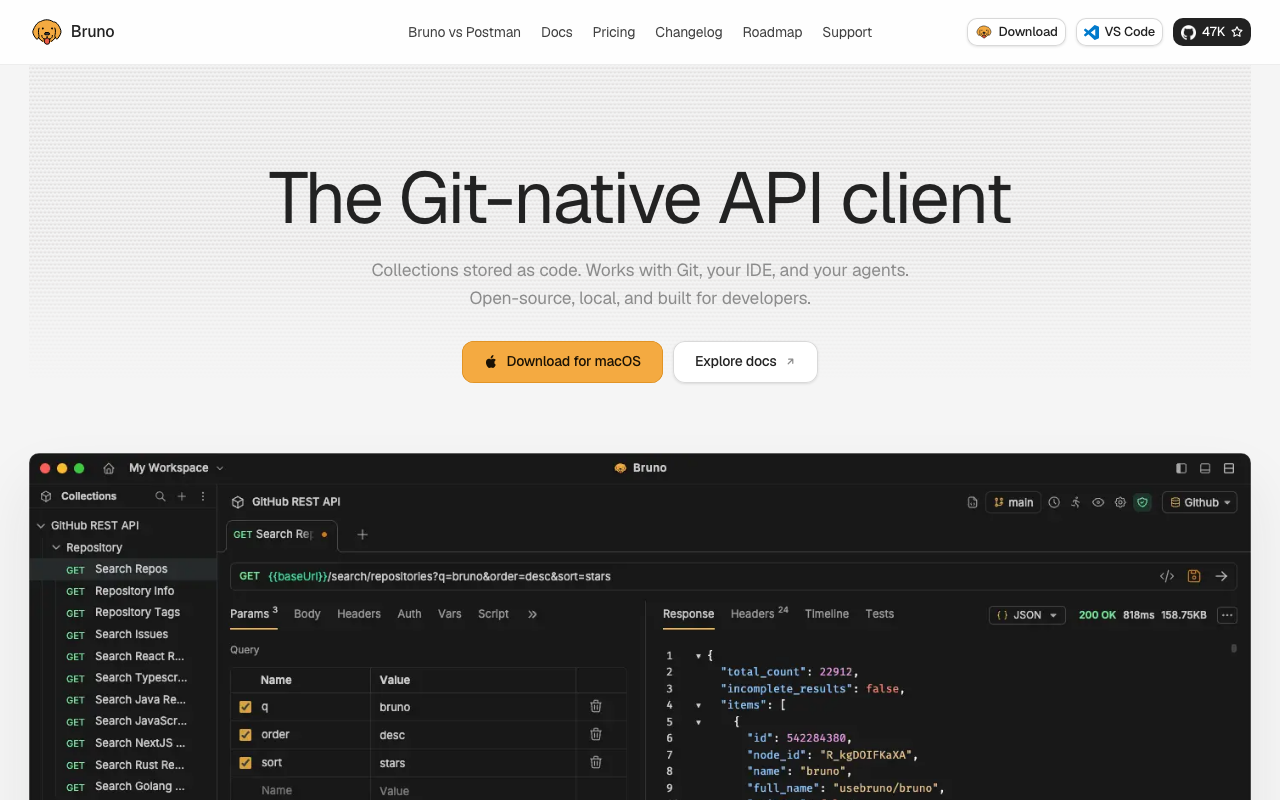
Bruno is the most direct answer to the objection at the top of this article. Requests are stored as plain text files in a directory in your repository, written in a small purpose-built format, with no account, no workspace and no sync in the core product. It has a desktop client for building requests and a command-line runner for CI, and the two read the same files. If your reason for leaving is “the collection should be in the repo”, this is the shortest path there.
Pros
- Requests are diffable text files, so tests branch, merge and get reviewed alongside the code
- No mandatory account, which removes the entire data-residency conversation rather than answering it
- Command-line runner is first class, so local runs and CI runs execute identical files
- Postman import handles the bulk of a collection, making the move days rather than a rewrite
Cons
- Scripting model differs enough that heavily scripted collections need real porting work
- Collaboration features that a workspace gives free (shared environments, comments, activity history) are your problem or a paid tier
- Younger ecosystem, so unusual auth schemes and integrations have fewer worked examples to copy
Best for: Engineering-led teams whose API tests should be reviewed in the same pull request as the code, with few non-engineer users.
Pricing: Open-source client with no licence cost, plus a paid tier for team collaboration features. The real cost is owning the repository conventions a hosted workspace would otherwise impose.
Hoppscotch

Hoppscotch is a browser-based client that is open source and fully self-hostable. It keeps the workspace model, collections, environments, team sharing and a shared UI, and moves the hosting inside your network. That is a different answer to the same problem: rather than eliminating the server, you own it. For organisations whose objection is specifically about data leaving their infrastructure, this preserves more of the Postman workflow than a files-in-git tool does.
Pros
- Self-hosting keeps request bodies, environments and credentials inside your own network
- Browser-based, so handing access to a support engineer or partner team costs nothing
- Keeps the shared-workspace collaboration model that git-native tools give up
- Covers REST, GraphQL and realtime protocols in one interface
Cons
- You are now operating a web application, with upgrades, database and auth wiring to maintain
- Collections still live in a server rather than your repository, so the drift problem is unsolved
- Scripting and assertion depth is thinner than the established clients for complex chained flows
Best for: Organisations whose blocker is data residency rather than repository coupling, and who would rather run a server than change workflow.
Pricing: Open source and self-hostable with no licence cost; a hosted tier is sold per user. Self-hosting converts the bill into the container, its database and whoever patches them.
Insomnia
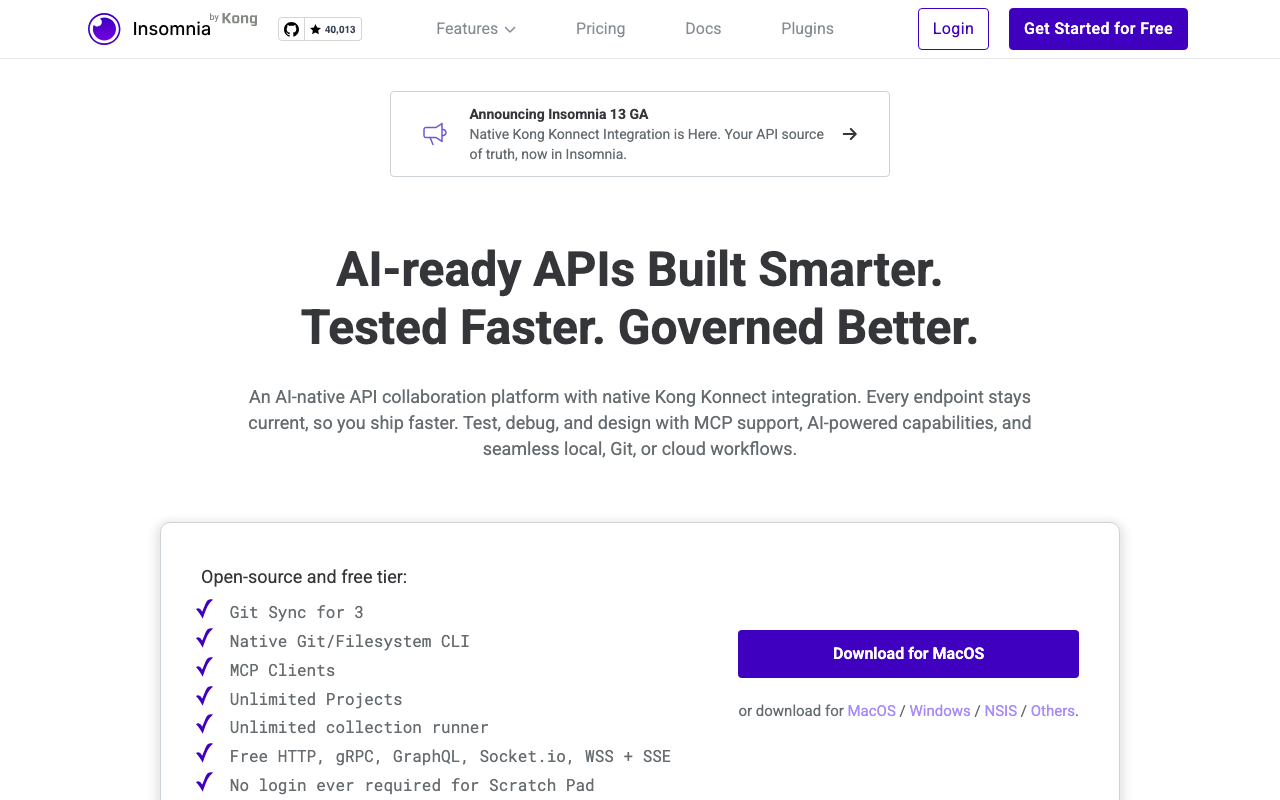
Insomnia is the long-standing direct competitor and, for many teams, the obvious first stop. It covers REST, GraphQL, gRPC and WebSocket, has a design workflow where an OpenAPI document sits alongside the requests, and a plugin system for auth and transformations. The complication is that its own storage defaults have moved between local-only and account-backed across versions, which matters a great deal if account-backed storage is precisely what you are leaving. Verify the behaviour of the specific version you would standardise on rather than trusting the general reputation.
Pros
- Broadest protocol coverage of the desktop clients, including gRPC and WebSocket alongside REST
- Design document and linting live in the same tool as the requests, which keeps spec work close to testing
- Plugin system handles auth schemes and response transformations that would otherwise need scripting
- Mature and familiar enough that a Postman user is productive immediately
Cons
- Storage and account defaults have shifted across versions, which is a direct risk if you are migrating to escape exactly that
- Owned by a gateway vendor, so investment in the standalone client competes with a different core business
- Test and assertion features lag the request and design features, pushing complex suites into scripting
Best for: Teams with a multi-protocol estate who want feature parity with the incumbent and are not primarily motivated by storage model.
Pricing: Free tier with per-user paid plans for team and cloud features. If the gateway alongside it is also in scope, see API gateways.
Yaak
Yaak is a newer desktop client built by the original author of Insomnia, and it is explicitly local-first: data lives on your machine, with an optional directory-backed format so a workspace can be committed to a repository and synced through git rather than through a vendor. It is the most recent serious attempt at the problem and it shows in the interface, which is faster and less cluttered than the incumbents. Being young is the tradeoff, in both ecosystem and track record.
Pros
- Local-first by design, with a directory format that puts workspaces under git rather than under an account
- Noticeably lighter and quicker to start than the established desktop clients, which suits ad hoc use
- Built by someone who has shipped this exact product before, and the interface decisions reflect that
- Covers the modern protocol set rather than being REST-only
Cons
- Young project with a small ecosystem, so plugins, integrations and community examples are limited
- Command-line and CI story is less developed than tools built around a runner from the start
- Single-maintainer-shaped projects carry continuity risk that matters when a whole org standardises on them
Best for: Individual engineers and small teams who want a fast local-first client and git-backed workspaces without adopting a platform.
Pricing: Free for individual use with a paid licence tier for commercial and team features. The cost to weigh is continuity risk rather than the fee.
HTTPie
HTTPie is two things and you should be clear which one you are evaluating. The command-line tool is a human-friendly curl replacement: sane defaults, JSON handling, coloured output, syntax that fits in your head. The desktop and hosted products add a graphical client and collections with a cloud-backed workspace. If you are leaving Postman because of cloud storage, the CLI is the relevant product and the workspace product reintroduces the thing you left.
Pros
- Command-line syntax is genuinely readable, so requests can be pasted into documentation and incident notes and still make sense
- Sensible defaults for JSON APIs remove most of the flag noise that makes raw curl commands unreadable
- Scriptable and pipeable, so it composes with the rest of your shell tooling rather than replacing it
- Zero storage model in the CLI, meaning nothing to sync and nothing to leak
Cons
- The CLI has no collection, environment or assertion concept, so it is a request tool rather than a test suite
- The graphical and hosted products reintroduce a vendor workspace, which may be the exact thing you are escaping
- Team workflows need you to build conventions on top, usually shell scripts, which becomes a small internal tool nobody owns
Best for: Engineers who mostly need to send ad hoc requests and are happy for the actual test suite to live in a proper testing framework elsewhere.
Pricing: The command-line tool is open source with no vendor and no bill; the desktop and hosted products are sold per user. The hidden cost of the CLI route is the shell scripting you end up writing to replace collections.
curl
curl is the option everyone dismisses and some teams should genuinely take. Paired with a checked-in OpenAPI document, a directory of small shell scripts covers a surprising amount of what a collection does: requests are text, they live in the repository, they run identically on a laptop and in CI, and there is no client to install, license or migrate. The reason to consider it seriously is that it has no storage model, no account, no version-upgrade risk and no vendor, which is the strongest possible answer to the objections that start this article.
Pros
- Present on every machine and in every CI image already, with no installation, licensing or onboarding
- Scripts are plain text in your repository and run identically everywhere, which is the git-native property in its simplest form
- Zero continuity risk: there is no company whose roadmap or pricing can change your workflow
- Pairs naturally with a spec file, so schema validation can be a separate step in the same script using standard tooling
Cons
- No collection model, no environment management and no assertions, so you build all three yourself and then maintain them
- Unreadable for anyone who is not comfortable in a shell, which excludes support and solutions engineers entirely
- Long invocations with headers, auth and bodies become write-only, and reviewing a large diff of them is genuinely unpleasant
Best for: Small backend-only teams with a maintained spec, who want smoke tests in CI and have no non-engineer users of the API client.
Pricing: No vendor and no bill. The real cost is the internal tooling you will gradually write around it, and the fact that nobody owns that tooling.
Thunder Client
Thunder Client is an API client that lives inside VS Code, which is its entire pitch: no context switch, no second application, requests beside the code. Collections can be stored as files in the workspace, which gives you the git-native property without leaving the editor. The caution is commercial: features that were previously available have moved behind a paid licence over time, so evaluate the current split rather than what you remember.
Pros
- Runs inside the editor, which removes the window switch that makes ad hoc requests annoying
- Can store collections as files in the workspace, so they version with the code
- Very fast to adopt for a team already living in VS Code, with essentially no onboarding
- Light enough for quick requests, which is the majority of real use
Cons
- Tied to one editor, so anyone on a different IDE is excluded and your standard becomes an editor mandate
- Licensing has moved over time, with capabilities shifting between free and paid, which is an uncomfortable pattern for teams migrating to escape exactly that
- Weaker CI story than tools designed around a runner, so pipeline execution usually needs a second tool
Best for: VS Code-standardised teams who want requests next to the code and run their real automated suite from a different tool.
Pricing: Free tier with a paid licence for extended features, sold per user. Weigh the licensing trajectory, not just today’s split.
How to choose
Start from the reason you are leaving. It determines the answer more than any feature comparison.
If the reason is data residency, self-hosting is the requirement. Hoppscotch preserves the most of your current workflow. A git-native client also satisfies it, with a bigger workflow change.
If the reason is repository coupling, you want files on disk. Bruno is the straightest line. Yaak if you want a lighter client and can accept a younger project. curl if the team is small and backend-only.
If the reason is seat cost for occasional users, count who those users are. If they are engineers, a git-native tool costs nothing per head. If they are support and solutions people, a free or cheap workspace tier beats forcing them into a repository checkout, and Hoppscotch or the free tiers of the desktop clients are the honest answer.
If the reason is that you want feature parity and a lower bill, Insomnia is the least disruptive move, with the caveat about storage defaults.
| Tool | Where the suite lives | Non-engineer access | Picks itself when |
|---|---|---|---|
| Bruno | Plain files in your repository | Needs a checkout and a client | Tests must be reviewed with the code |
| Hoppscotch | Self-hosted or hosted server | Browser link, no install | Data must not leave your network |
| Insomnia | Local or account, version-dependent | Desktop app per person | You want parity across REST, GraphQL and gRPC |
| Yaak | Local, optional git-backed directory | Desktop app per person | You want local-first and a fast, modern client |
| HTTPie | Shell scripts, or a hosted workspace | Poor, for the CLI | Ad hoc requests matter more than a suite |
| curl | Shell scripts in your repository | None | The team is small, backend-only, and owns a spec |
| Thunder Client | Workspace files in VS Code | VS Code users only | The whole team already lives in VS Code |
One more decision to make deliberately: whether the replacement is one tool or two. A common and sensible outcome is a git-native client for the automated suite plus a cheap or free hosted workspace for the people who need a link. Trying to satisfy both with one tool is how teams end up back where they started.
For the testing job itself rather than the client, API testing tools covers contract and load testing, which no request builder does well. The wider view of how client, gateway, documentation and monitoring choices interact is in API management platforms.
Frequently asked questions
Can I keep using Newman if I move off Postman?
Newman runs Postman collection format, so it keeps working as long as you keep exporting that format, which means keeping the collection as the source of truth. That is a transitional state, not a destination. If the plan is to stop maintaining collections, the runner goes with them and you adopt the new tool’s runner.
Does moving to a git-native client break my CI pipeline?
It changes one command. Every serious alternative has a headless runner that exits non-zero on failure and emits a machine-readable report, so the pipeline step is a like-for-like replacement. The work is porting the tests themselves, not rewiring CI. Where the pipeline runs is a separate decision covered in CI/CD platforms.
What do I do about the people who only use Postman twice a month?
Give them a browser-based client or a free tier and stop trying to make them use the repository. The automated suite and the occasional exploratory request are different jobs, and forcing one tool on both is what created the seat-cost problem originally.
Is there a reason to stay?
Yes. If your collections are heavily scripted, your team is genuinely cross-functional, and nobody is asking where the data lives, the migration cost is real and the benefit is theoretical. Leave when one of the five triggers in the first section actually applies to you, not because a cheaper tool exists.
Should the OpenAPI document replace the collection entirely?
It should become the source of truth, and then several things generate from it: mocks, generated tests, client SDKs and documentation. The collection does not disappear, it shrinks, because the spec now covers the repetitive schema checking and the collection covers the flows that need a human to describe them. That is the right division of labour and it is covered in OpenAPI and Swagger tooling.
Related reading
- Best API testing tools — contract, functional and load testing as three separate jobs.
- Best OpenAPI and Swagger tooling — making the spec the source of truth so it can generate what the collection used to hold.
- Best API mocking tools — replacing the mock server you lose when you leave a hosted workspace.
- Best API documentation tools — the other thing hosted workspaces bundle, and what replaces it.
- Best API management platforms — how client, gateway, docs and monitoring decisions constrain one another.