Enterprise single sign-on is the feature that looks smallest on the roadmap and consumes the most calendar. The specification is public, the libraries exist, and a competent engineer can get a SAML assertion validating against a test identity provider in an afternoon. Then the first real customer arrives and it takes two weeks.
It takes two weeks because the work is not implementing the protocol. It is that the customer’s identity administrator has never configured your application before, their certificate is issued by a process that takes four business days, their attribute names do not match yours, their security team wants to know what you do with the assertion, and the only communication channel is a ticket queue at a company where you have no account. The protocol was the easy part. The integration is a project management problem wearing a cryptography costume.
That cost repeats per customer, which is what makes it structurally different from most features. Normal features are built once. Enterprise SSO is built once and then integrated forever, and the total cost is dominated by whether the integration can be done by the customer without you.
This is the article about closing that gap. What SAML and OIDC actually do differently in production, where each identity provider deviates, why self-serve setup is the only version that scales, and eight products that address it.
Key takeaways
- SAML and OIDC are standards, not products. You will implement both, because enterprise customers bring whichever their identity provider prefers and you do not get to choose.
- The recurring cost per customer is the certificate, the attribute mapping and the coordination with an IT department you cannot page. Not the protocol.
- Self-serve admin setup is the single feature that stops enterprise SSO being a linear engineering cost, and it is the one most in-house implementations never build.
- The most common production failure in enterprise SSO is not an implementation bug. It is a signing certificate expiring on a customer side with no warning to anyone who can act on it.
SAML and OIDC: standards, not products
Both are specifications for federating authentication to somebody else’s identity provider. Neither is something you buy, and the products later in this article are all implementations and abstractions over them. You do not choose between them in the way vendors imply, because your customers choose for you.
What they give you
- A single place identity is asserted. The customer’s identity provider authenticates the user with whatever policy it enforces, including hardware keys and conditional access rules you know nothing about, and tells your application who arrived.
- No credential handling on your side. You never see the password, which removes an entire category of liability from your product and an entire section from the security questionnaire.
- Centralised revocation, in principle. When the customer disables the account in their directory, future logins fail. Sessions already issued by your application do not, which is the gap SCIM and short session lifetimes exist to close.
- A recognised answer in procurement. “We support SAML 2.0 and OIDC” clears a checklist item that otherwise blocks the deal.
What they do not do
- They do not agree on shape. SAML is XML, signed, typically delivered by a browser POST, with assertions carrying attribute statements. OIDC is JSON on top of OAuth 2.0, with an ID token as a signed JWT and a userinfo endpoint. The mental models differ enough that code for one teaches you little about the other.
- They do not standardise the attributes. The specifications define the envelope, not the contents. What the email claim is called, whether a stable user identifier is present, how groups are expressed, and whether the identifier survives the user changing their name are all per-deployment decisions made by the customer’s administrator.
- They do not handle provisioning. Federation tells you about a user who just logged in. It tells you nothing about the employee who was hired last week and has not logged in yet, or the one who left and never will again. That is SCIM, covered in SCIM provisioning tools.
- They do not carry authorization. Groups may arrive in an assertion, but mapping them onto permissions inside your product is your model. See authorization and permissions services.
- They do not solve key rotation. SAML relies on X.509 signing certificates that expire. Nothing in the specification arranges for anyone to notice in advance.
Which one shows up in practice. OIDC is cleaner, better suited to mobile and single-page applications, and has discovery and key rotation built in through the JWKS endpoint, which removes the certificate expiry problem almost entirely. SAML is what large enterprise identity deployments have been configured for over two decades, and the administrators configuring it are fluent in it. So you will implement both. Supporting only OIDC is a decision to lose deals with organisations whose identity team has a SAML runbook and no interest in writing a new one.
One production detail worth stating because it causes real outages: with SAML, the customer’s signing certificate is usually a static artefact you stored at setup time. When it rotates, your validation fails for every user at that customer simultaneously, and the first you hear is a support ticket saying nobody can log in. Some identity providers publish metadata at a URL that you can refetch on a schedule, and consuming that URL rather than a pasted certificate is the single highest-value implementation choice in a SAML integration. It is also the one that most first implementations skip, because pasting the certificate works in testing.
Where each identity provider actually differs
Three products cover the overwhelming majority of enterprise customers, and each has behaviour you have to accommodate.
Okta. Generally the smoothest to integrate against and the one whose administrators are most likely to have done this before. The common friction is attribute mapping: profile attributes flow into the assertion only if the administrator maps them in the application configuration, so a customer whose assertion arrives with an email and nothing else has simply not mapped the rest. Application catalogue listings matter here too, because an application in the catalogue is configured from a template and one that is not is configured by hand from your documentation, and the difference in error rate between those two paths is substantial.
Microsoft Entra ID. The most common source of surprises, because the claim names differ from what most implementations expect. Identifiers arrive in Microsoft-namespaced claim URIs rather than the short names used in examples, and the value that looks like a user identifier may not be the one that stays stable when the person changes their surname or their user principal name. Group claims are the other trap: a user in many groups can push the assertion past a size threshold, at which point the identity provider stops sending groups inline and sends a reference the application is expected to dereference through a separate API. An implementation that only reads inline groups works for every test user and fails for exactly the senior people at a large customer.
Google Workspace. Simpler and more constrained. Custom attributes are more limited, group information is generally not present in the assertion in the way SAML integrators expect, and administrators frequently have less experience with third-party SAML applications than their Okta counterparts. The upside is fewer configuration options to get wrong. The downside is that when you need an attribute Google does not send, there is no configuration to fix it.
The consequence for your data model: do not key your users on the email address in the assertion. Email addresses change. Use the stable subject identifier the identity provider sends, store the email separately, and accept that which field is genuinely stable varies by provider. Getting this wrong produces duplicate accounts after a customer’s marriage-and-name-change, and reconciling those afterwards is manual work.
Needs first-hand data: Set up a developer tenant on Okta, Microsoft Entra ID and Google Workspace, connect the same test application to each over SAML and again over OIDC, and capture the raw assertion or token from each. Publish the six side by side with the claim names annotated and the stable identifier marked. That comparison does not exist publicly in a usable form, and every engineer implementing enterprise SSO reconstructs it from scratch.
Why the integration eats two engineer-weeks per customer
Break the elapsed time down and the protocol is a small fraction of it.
Waiting. You send configuration details to the customer. Their IT administrator picks the ticket up in two to four days. They configure it, something does not work, they reply with a screenshot. You reply. They pick it up again in two days. Three round trips of that is two calendar weeks with perhaps six hours of actual work, and no amount of engineering skill compresses it.
Attribute archaeology. The assertion arrives and does not contain what you expected. Now you need the administrator to change a mapping, which requires explaining to someone who does not use your product what attribute you need and why, and they need to know where in their console that lives.
Certificate logistics. Some organisations issue signing certificates through a process with its own approval chain. Some require yours in advance. Some will only exchange metadata through a file their security policy prohibits emailing.
Environment mismatch. They configure against your production and want to test without affecting their live users, or they configure against a sandbox and the identifiers differ in production. Both cost a round trip.
No shared channel. Your engineer cannot see their logs and their administrator cannot see yours, so every failure is diagnosed by describing symptoms across a ticket queue. When the failure is a signature validation error, the symptom is “it says something went wrong”, which is not diagnostic.
Every product below is, at some level, an attempt to compress this. The ones that compress it most do so the same way: by giving the customer’s administrator a self-serve setup flow with provider-specific instructions, real-time validation of what they entered, and an error message that names the actual problem. That turns three round trips into one session, which is the difference between two weeks and an afternoon.
What makes self-serve setup work. A link you can send to a person who does not have a login to your product. Step-by-step instructions specific to their identity provider rather than generic SAML documentation. Validation at the point of entry, so a wrong certificate is caught immediately instead of at the first login attempt. A test login inside the setup flow that reports what arrived in the assertion. And connection health afterwards, including a warning before a certificate expires rather than after.
WorkOS
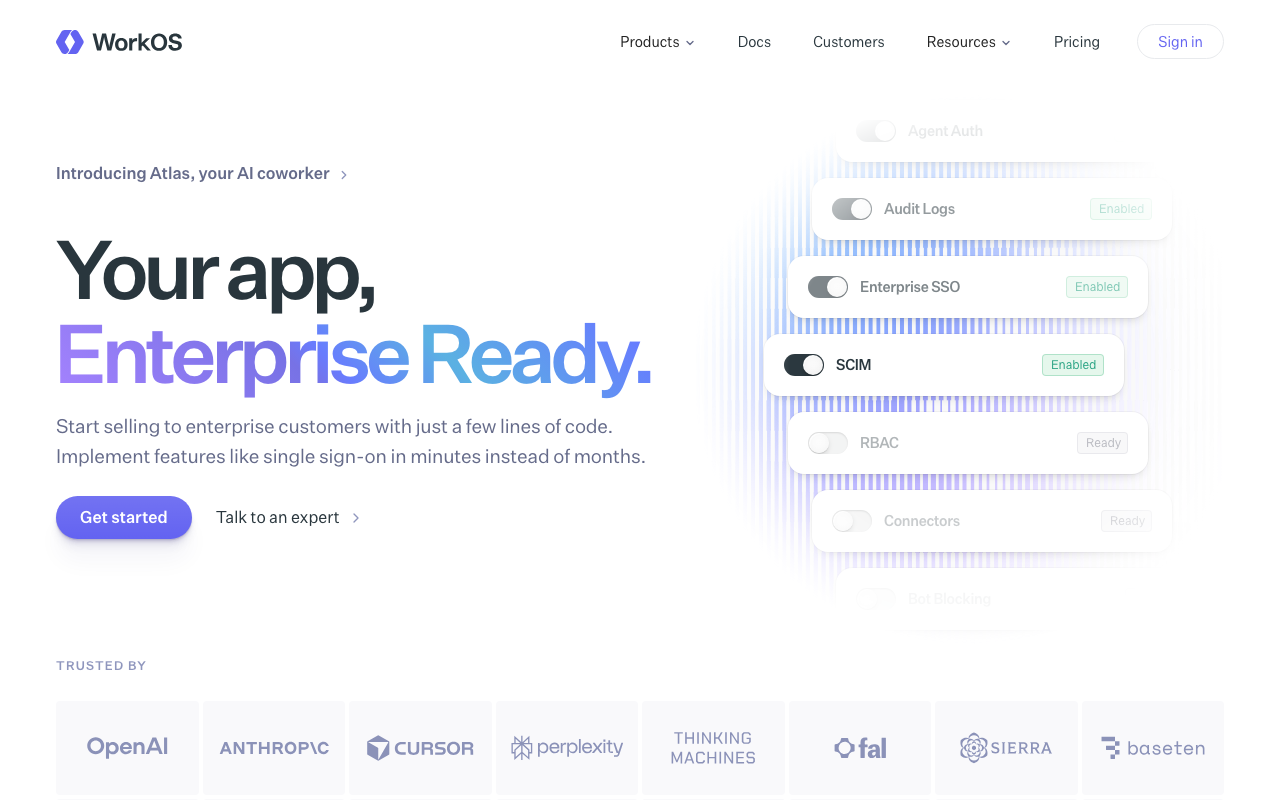
WorkOS built its business on exactly this problem: one API on your side covering SAML and OIDC against every major identity provider, plus a hosted admin portal you send to your customer’s administrator so they configure their own connection. You integrate once. The per-identity-provider variation becomes the vendor’s problem rather than a growing set of conditionals in your codebase. For a team with an enterprise deal in flight and no SSO, this is usually the fastest credible answer.
Pros
- One integration covers SAML and OIDC across the major identity providers, with the differences absorbed behind the API
- Hosted admin portal with identity-provider-specific instructions turns setup into a self-serve flow for the customer
- Adopted alongside existing authentication rather than replacing it, so no migration is required to ship SSO
- Directory sync handles the SCIM side with a normalised event model across providers
Cons
- Metered around enterprise connections, so a product where many small customers each want SSO gets expensive quickly
- The abstraction limits you when a customer needs an unusual assertion or attribute arrangement it does not model
- Adds a vendor to the critical path for enterprise logins specifically, creating two different availability stories inside one product
- Not a full authentication platform, so it sits alongside whatever you already run rather than consolidating vendors
Best for: B2B SaaS teams with working authentication and an enterprise deal contingent on SAML, who need it shipped this month and want customers to configure themselves.
Pricing: Metered principally on active enterprise connections rather than end users, with directory sync and audit logs as separate components.
Auth0
Auth0 supports enterprise connections as a native concept: each customer organization gets its own connection to its own identity provider, with attribute mapping, and its own policy. The advantage in this specific problem is accumulated coverage. The strange assertion arrangements that break newer implementations have mostly been encountered on Auth0 already, and there is usually documentation or a hook to handle them.
Pros
- Enterprise connections per organization with per-connection attribute mapping and policy
- The deepest accumulated handling of federation edge cases, which is what the long tail of enterprise customers consists of
- Actions run custom code inside the login transaction, so tenant-specific attribute fixes do not require branching your application
- Extensive documentation covering specific identity providers rather than generic protocol descriptions
Cons
- Enterprise connections are metered separately, so cost scales with the number of enterprise customers rather than usage
- Self-serve configuration by the customer administrator is less turnkey than the products built specifically for that flow
- The configuration surface is large, and setting up organizations, connections and mappings correctly has a real learning cost
- Migration away is a substantial project, which is the topic of Auth0 alternatives
Best for: Products expecting many enterprise tenants with varied identity provider configurations, where protocol completeness is worth more than setup speed.
Pricing: Monthly active users for the base directory with enterprise connections metered or tiered separately from ordinary users.
Okta

Okta occupies both sides of this problem, which is worth holding clearly in your head. It is the identity provider your customers most often use, and separately it sells Customer Identity for authenticating users of your product. Buying the latter means federating to other identity providers through a platform whose own administrators speak the same language, and it means your identity vendor is a name the customer’s security team already trusts.
Pros
- Deep enterprise federation capability, including the provisioning and policy features large organisations ask about by name
- Brand recognition with enterprise security reviewers shortens a section of most vendor questionnaires
- One vendor if you also need workforce identity for your own staff, with concepts that transfer between them
- Mature integration catalogue and administrative tooling on both sides of a federation
Cons
- Enterprise commercial motion, so serious evaluation generally starts with a sales conversation rather than a signup
- The workforce and customer identity lines are distinct products and documentation for one frequently misleads about the other
- Heavier and costlier than the focused alternatives if enterprise SSO for your customers is the only requirement
- Self-serve setup by your customers is less of a designed flow than in the products built around that specific gap
Best for: Companies selling into regulated enterprises where the identity vendor is itself reviewed, and who need federation depth rather than fastest time to first connection.
Pricing: Per monthly active user with feature tiers, and advanced federation and policy capabilities positioned in higher tiers, typically negotiated at enterprise volume.
Frontegg
Frontegg approaches SSO through the admin surface rather than the protocol. Its embedded, customer-facing portal is where your customer’s administrator configures their identity provider connection, their members, their roles and their security policy, inside your product rather than in a vendor console. That framing matters for enterprise SSO because the setup experience is the part that determines your per-customer cost.
Pros
- Customer-facing SSO configuration is embedded in your own product, so the administrator never leaves your interface
- Per-tenant policy including session and MFA rules sits alongside the SSO connection rather than in a separate system
- Covers audit logs and member management in the same portal, closing several review items at once
- Multi-tenancy is native, so per-organization connections are the default rather than an enterprise upgrade
Cons
- Embedding vendor-rendered UI deep in your product creates coupling that is costly to unwind later
- Opinionated about the shape of tenancy and admin, which is friction if your organizational model is unusual
- Enterprise-oriented pricing is heavy for products with many small tenants
- Federation depth on the rarest identity provider configurations trails the incumbents
Best for: B2B products where the bottleneck is customer-facing admin surfaces, and SSO setup should happen inside your own application rather than a third-party portal.
Pricing: Tiered on monthly active users with tenant count and enterprise connection capability influencing the tier.
Descope
Descope expresses authentication as visual flows, and applies the same model to enterprise connections: a tenant’s SSO configuration and the journey around it are composed rather than coded. For enterprise SSO specifically, that means the per-customer variation that would otherwise be conditionals in your login handler becomes tenant configuration, and it can be changed without a deploy when a customer asks for something on a call.
Pros
- Per-tenant login journeys configured visually, so customer-specific requirements do not branch your application code
- SSO setup can be delegated to the tenant administrator through a hosted configuration surface
- Changes take effect without a deployment, which shortens the loop during an enterprise onboarding
- Strong passwordless and step-up capability in the same flow model, useful when enterprise policy demands both
Cons
- Flows become an artefact that needs its own versioning, review and testing discipline, which teams frequently skip
- Configuration in a builder is harder to code review and diff than logic in your repository
- Younger vendor with less accumulated handling of rare federation quirks than the incumbents
- Requirements the flow model does not express cleanly are awkward to work around
Best for: Teams whose enterprise customers each want a slightly different login journey and who would rather configure that per tenant than maintain branches in code.
Pricing: Per monthly active user with tenant and enterprise connection capability influencing the tier, and advanced risk features in higher tiers.
Keycloak
Keycloak is the open-source identity server most likely to be already running somewhere in a large organisation. It implements SAML and OIDC thoroughly on both sides, acting as an identity provider or brokering to other ones, with realms giving you a per-tenant boundary. There is no licence cost and no per-connection meter, which changes the economics completely if you have many customers each wanting federation. What you pay instead is operations.
Pros
- Complete SAML and OIDC implementation with identity brokering, mature from years of enterprise deployment
- Realms provide genuine per-tenant isolation including separate identity provider configuration and policy
- No licence cost and no per-connection metering, which matters when every customer wants their own connection
- Extensive extension points through providers and custom authenticators for requirements nothing else models
Cons
- You operate a stateful Java service that gates every login, including upgrades, clustering and database migrations
- Major version upgrades have historically required real migration work rather than a rolling restart
- Administrative console and developer experience are dated compared with the hosted products, and the learning curve is steep
- Self-serve customer configuration does not exist as a designed flow; you build that surface yourself or hand out console access, which most teams should not
Best for: Organisations with platform engineering capacity and many federated tenants, where per-connection pricing would dominate and self-hosting is acceptable.
Pricing: Open source with no licence cost. The cost is the infrastructure, the high-availability setup, and the engineers who own upgrades and incident response for a service on the critical path of every login.
Zitadel
Zitadel is a newer open-source identity platform that supports OIDC and SAML with multi-tenancy in the core model, available self-hosted or managed. Compared with Keycloak it is considerably more modern in both architecture and developer experience, with per-organization identity provider configuration built in and an event-sourced history that gives you a real audit trail of federation configuration changes.
Pros
- Per-organization identity provider configuration is a core concept rather than a tier or an extension
- Same software self-hosted or managed, so a residency requirement does not cost you capability
- Event-sourced model produces a complete audit history of who changed which connection and when
- Modern API surface and documentation compared with the older open-source identity servers
Cons
- Self-hosting puts a stateful identity service and its datastore on the critical path of every login, with you as the operator
- Smaller ecosystem and fewer community answers than the incumbents when an unusual federation problem appears
- Customer-facing self-serve SSO setup is thinner than the products built specifically around that flow
- Concept model takes time to learn and does not map one to one onto the terms other products use
Best for: Teams that need per-organization federation with an audit trail, and either a self-hosting requirement or an objection to per-connection pricing.
Pricing: Open source and free to self-host; managed cloud is tiered with usage-based components. Self-hosting converts the cost into infrastructure and operator time.
SSOJet
SSOJet is one of the focused entrants aimed squarely at the gap described earlier: give a B2B application SAML and OIDC federation plus a self-serve setup experience for the customer’s administrator, without adopting a full identity platform. The category logic is the same as WorkOS, which is the more established comparison point, and the evaluation question is whether the abstraction covers the identity providers your customers actually use and how the setup flow behaves when an administrator makes a mistake.
Pros
- Scoped to enterprise federation, so it can be adopted next to existing authentication without a migration
- Self-serve configuration for customer administrators is the design centre rather than an addition
- Smaller surface area means less to learn and less to configure incorrectly than a full platform
- Aimed at B2B multi-tenant products, so per-customer connections are the default assumption
Cons
- Smaller and less established than the incumbents, which is a real consideration for a dependency in the login path
- Narrower scope means it does not consolidate other identity needs, so it is an additional vendor rather than a replacement
- Less publicly documented handling of the rarer identity provider quirks than the products with longer track records
- Evaluate the breadth of identity provider coverage against your actual customer base before committing
Best for: B2B teams who want enterprise federation and self-serve customer setup as a focused addition to authentication they already have and intend to keep.
Pricing: Oriented around enterprise connections rather than end users, in the same shape as the other federation-focused products.
How to choose
The order matters here, because the first question eliminates half the list.
One. Do you keep your existing authentication? If you have working login and the problem is only enterprise federation, buy a layer. WorkOS and SSOJet exist for exactly this, and the alternative, replacing your authentication system while a deal is in flight, is a bad trade under time pressure. If your authentication is also inadequate, buy a platform instead and solve both.
Two. How many enterprise connections will you have, and how small are they? Per-connection pricing is excellent when enterprise customers are few and large. It is punishing when your product has hundreds of mid-sized customers who all want SSO, which is increasingly the default expectation rather than an enterprise luxury. At that shape, an unmetered self-hosted implementation like Keycloak or Zitadel becomes the cheaper answer despite the operational cost, and the comparison is covered further in self-hosted identity providers.
Three. Who does the setup? Insist on seeing the customer-facing setup flow in a demo, not the developer-facing one. Ask what an administrator sees when they paste the wrong certificate, and whether the flow includes a test login that shows what arrived in the assertion. If setup requires an engineer from your side, your cost per enterprise customer is fixed forever and your sales cycle has an engineering dependency in it.
Four. What happens when a certificate expires? Ask directly whether the product consumes identity provider metadata from a URL and refreshes it, or stores a pasted certificate. Ask whether anyone is warned before expiry, and who. This is the most common cause of a total login outage for one customer, and the answer is rarely on a feature page.
| Product | Shape | Setup owner | Picks itself when |
|---|---|---|---|
| WorkOS | Federation layer over your auth | Customer, hosted portal | You have auth and need SAML shipped now |
| Auth0 | Full platform with enterprise connections | Mostly you | Federation edge cases will be many and strange |
| Okta | Full customer identity platform | Mostly you | The buyer reviews your identity vendor by name |
| Frontegg | Embedded admin portal plus auth | Customer, inside your app | Setup should happen in your own interface |
| Descope | Visual per-tenant flows | Customer or you, per tenant | Every customer wants a different journey |
| Keycloak | Self-hosted identity server | You, unless you build it | Many connections and per-connection pricing hurts |
| Zitadel | Self-hosted or managed, multi-tenant | You, with a per-org console | Per-organization federation plus an audit trail |
| SSOJet | Focused federation layer | Customer, self-serve | You want a scoped addition, not a platform |
Whichever you pick, add two things nobody sells you. Alert on connection health per tenant, including certificate expiry, before the customer notices. And keep the federation events in your own log management pipeline, because when an enterprise customer asks why a specific person could not log in at a specific time, a vendor console with a short retention window will not answer it.
The wider B2B requirements around this, including tenancy modelling and admin delegation, are in auth providers for B2B SaaS. The full build versus buy argument is in the authentication providers hub.
Needs first-hand data: Instrument your own enterprise onboarding. For each customer, record the date configuration details were sent, the date the connection first validated, the number of message round trips, and the number of engineer-hours consumed. After ten customers you will have a real per-customer cost, and comparing that figure before and after adopting a self-serve setup flow is the only honest way to value one.
Frequently asked questions
Should I implement SAML or OIDC first?
Implement whichever your first paying customer uses, then implement the other one before the second deal, because you do not get to pick. OIDC is the better protocol and it removes the certificate expiry problem through key discovery, but large enterprise identity deployments have decades of SAML configuration and administrators who are fluent in it. A product that supports only OIDC will lose deals to one that supports both.
Can I charge extra for SSO?
Most B2B products do, by placing it on an enterprise tier, and the justification is real: each connection carries an onboarding and support cost you do not have with password login. The counter-argument, made forcefully by security practitioners, is that gating a security feature behind the most expensive tier pushes smaller customers toward worse practice. A reasonable middle position is to include SSO broadly and price the surrounding enterprise capabilities, such as SCIM, audit export and per-tenant policy.
What breaks most often in production SSO?
Certificate expiry on the customer side, with no warning to anyone who can act. Second is attribute mapping changes made by an administrator for an unrelated reason, which quietly stop a claim your application depends on from arriving. Third is a user identifier that was not as stable as assumed, producing a duplicate account after a name change. All three are operational rather than protocol problems, which is why connection health monitoring matters more than protocol coverage after the first few customers.
Is SSO enough, or do I also need SCIM?
SSO governs who can log in. It does not create accounts before first login or remove them afterwards, so a departed employee retains an account in your product until somebody deletes it manually. Enterprise security reviewers know this and ask about it specifically. For small tenants manual management is acceptable; above a few hundred seats it becomes both an operational burden and an audit finding, which is the argument in SCIM provisioning tools.
Related reading
- Best authentication providers — the build versus buy decision and a category map of the whole space.
- Best auth providers for B2B SaaS — tenancy modelling, admin delegation and the rest of the enterprise checklist.
- Best SCIM provisioning tools — the provisioning half that SSO does not cover.
- Okta alternatives — separating workforce identity from customer identity before comparing anything.
- Clerk vs Auth0 vs WorkOS — the same B2B login built three ways.
- Best self-hosted identity providers — running federation yourself when per-connection pricing does not work.